


The ELLIPAL Titan 2.0 is best understood as an offline signing device built around a smartphone, not a traditional USB-style hardware wallet. That single design choice explains most of what makes it appealing and most of what makes it frustrating depending on who you are.
ELLIPAL’s official Titan 2.0 product page presents a device built around one consistent idea: remove every direct data connection between the signer and any networked machine, and pass transactions through QR codes instead. No USB data. No Bluetooth. No Wi-Fi. No NFC. The phone handles connectivity. The Titan handles signing. That division is the whole product.
That positioning became even more defined after ELLIPAL confirmed in its hot wallet discontinuation FAQ that all hot wallet services ended on October 31, 2025. Since then, the company’s product direction has been more clearly focused on cold-wallet use and related products such as the X Card.
Editor's Note (April 11, 2026): We fully updated this review in April 2026 to reflect the latest available information on the ELLIPAL Titan 2.0, including current pricing, product positioning and workflow. We expanded the analysis of its air-gapped QR-signing model, mobile-first usability, security strengths and limitations, and added updated competitive context versus Ledger and Trezor alternatives.
Quick Verdict
The ELLIPAL Titan 2.0 is a strong hardware wallet for users who want maximum signing isolation without giving up a modern touchscreen or a mobile-first experience. In use, the big screen genuinely makes transaction checks less cramped, and the QR flow feels more natural after the first couple of sends than it sounds on paper. Its biggest strengths are air-gapped QR signing, easy on-device verification, and broad asset support through an app-led workflow. Its main trade-offs are a bulkier design, weaker desktop flexibility, and a more closed ecosystem than some rivals.
Our take: The Titan 2.0 is one of the clearest picks for users who want offline QR signing and a phone-first hardware wallet experience, but it is not the best fit for users who value desktop workflows, multisig flexibility, or maximum ecosystem openness.
Scorecard
-
1Security Model 5/5 Air-gapped QR signing, on-device verification, and a secure element make remote attack reduction the wallet’s biggest strength.
-
2Ease of Use 4.8/5 Large touchscreen and clear signing flow make it easier to verify transactions than on small-button devices.
-
3Mobile Experience 4.8/5 One of the most phone-native hardware wallet setups, with the app handling connected tasks and the Titan staying offline.
-
4Asset Support and Ecosystem 4.5/5 Broad token coverage and mobile DeFi access are real strengths, though power-user flexibility is not as deep as some rivals.
-
5Value for Money 4.6/5 The price makes sense if you specifically want a large-screen, air-gapped wallet, but weaker if you do not need its isolation-first design.
-
6Overall Score 4.8/5 A very strong hardware wallet for mobile-first users who prioritize QR-based offline signing and readable on-device verification.
Best For
- Mobile-first users who want cold storage with regular app interaction
- Buyers who prioritize air-gapped QR signing over cable or Bluetooth convenience
- Users who want a larger screen for transaction review
- People managing broad multi-asset portfolios from a phone-led setup
Not Ideal For
- Desktop-first users who want a more traditional connected workflow
- Multisig users and xpub-heavy power users
- Open-source maximalists who want the most transparent stack possible
- Budget buyers who do not need a large-screen air-gapped device
ELLIPAL Titan 2.0 At A Glance
| Category | Details |
|---|---|
| Type | Air-gapped hardware wallet |
| Signing Method | Offline QR-code signing |
| Connectivity | No USB data connection, no Bluetooth, no WiFi |
| Display | 4-inch IPS touchscreen |
| Security Chip | CC EAL5+ secure element |
| Backup Standard | BIP39 seed phrase support |
| Asset Support | 40+ blockchains, 50+ stablecoins, 10,000+ tokens |
Disclosure and Methodology
Some links in this ELLIPAL Titan 2.0 review may be affiliate links. If you choose to use a service through these links, we may earn a commission at no additional cost to you. That does not change how we assess the Titan 2.0’s security model, QR-signing workflow, screen usability, mobile app experience, supported assets, or overall fit for different types of hardware wallet users.
For this review, we evaluated the ELLIPAL Titan 2.0 across five main categories: security model, ease of use, mobile experience, asset support and ecosystem, and value for money. We looked at the Titan 2.0’s air-gapped design, on-device transaction verification, secure element, QR-code signing flow, build quality, display, firmware update process, and broader app-led wallet experience. We also weighed the real trade-offs, including size, ecosystem openness, desktop limitations, DeFi risk exposure through connected apps, and the fact that no hardware wallet can protect users from poor seed phrase handling or careless transaction approval.
What Is the ELLIPAL Titan 2.0?
The ELLIPAL Titan 2.0 is an air-gapped hardware wallet that signs transactions by QR code on a touchscreen device instead of connecting through USB or Bluetooth.
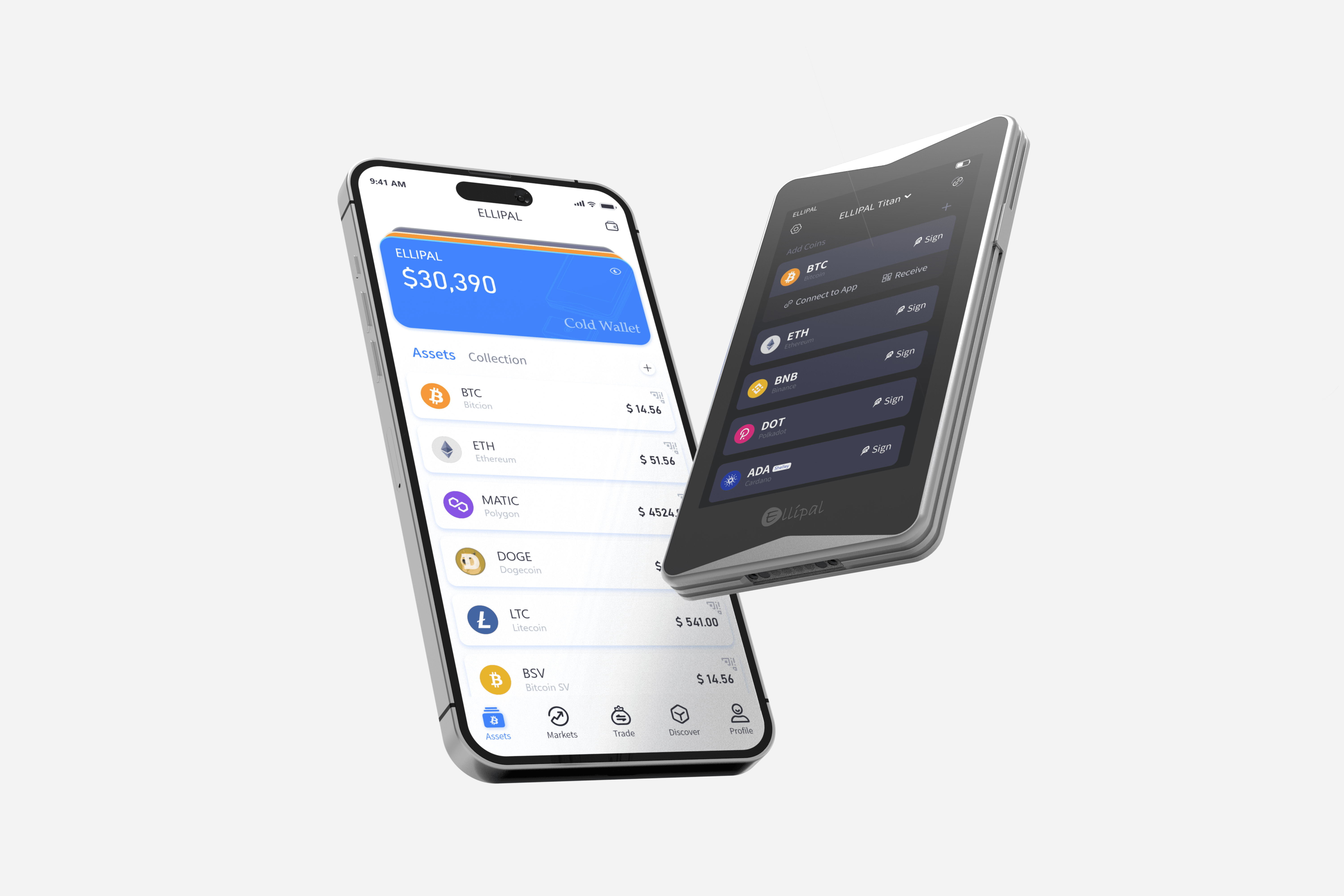 A Look at the Titan 2.0. Image via ELLIPAL
What Makes It Different From Other Hardware Wallets?
What stands out most about the Titan 2.0 is not simply that it avoids internet connections, but how deliberately it avoids direct device connections too. Most hardware wallets still connect to something during signing. The Ledger Nano X uses Bluetooth. The Trezor Safe 3 uses a more traditional connected workflow. Each of those approaches comes with its own trade-offs.
ELLIPAL flips the script: the phone prepares the transaction and the Titan approves it offline. Everything moves between them through the camera.
The hardware also stands apart in ways that matter day to day. The 4-inch IPS laminated touchscreen is substantially more usable than the small buttons on most competing devices, and the fully sealed metal body gives the device a feel that plastic-bodied rivals simply do not match. Those may sound like comfort features, but in a hardware wallet, better readability can directly improve transaction verification.
What Changed Since the Original Titan?
The Titan 2.0 keeps the original wallet’s air-gapped idea intact but addresses two of the biggest limitations of the first version. The souped up Titan comes with a CC EAL5+ secure element chip and support for 24-word BIP39 seed phrases. Firmware updates also became much faster on the 2.0, with ELLIPAL now advertising updates in around three minutes. In practice, that means less time handling the device in an intermediate state and a smoother maintenance process overall.
Is the ELLIPAL Titan 2.0 Safe?
Yes, the ELLIPAL Titan 2.0 has a strong security model and is a genuinely secure hardware wallet, but its real-world safety still depends heavily on user behavior.
The Titan 2.0 is safe in the way a good vault is safe: strong by design, but only as smart as the person using it. Its air-gapped architecture, offline QR-based signing, on-device transaction verification, and secure element make it a strong option for reducing remote attack risk, which is exactly what many buyers want from a hardware wallet.
That said, safe does not mean foolproof. The Titan 2.0 cannot protect users from phishing, careless seed phrase storage, or signing malicious transactions without checking the details.
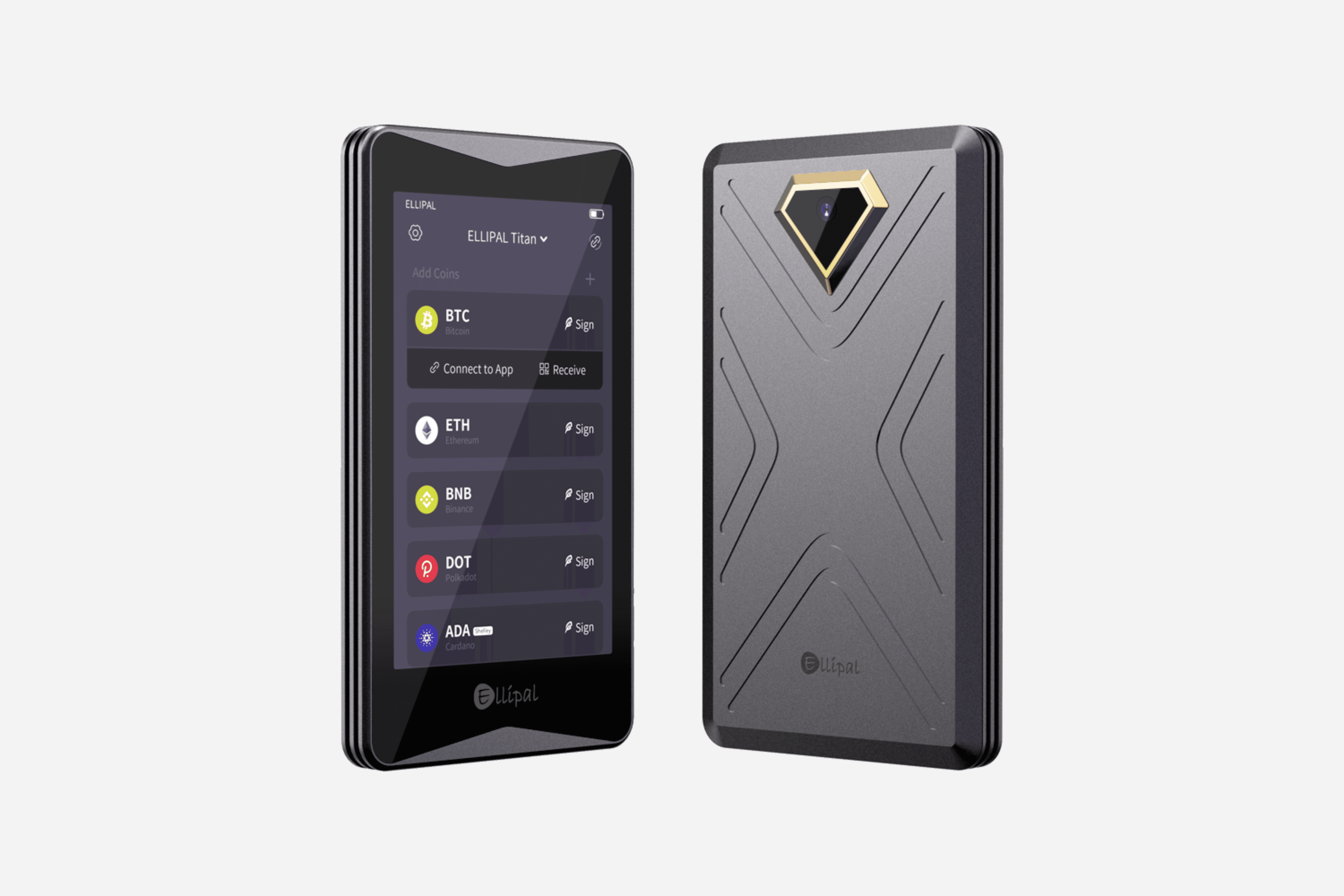 Titan 2.0 Is Secure. Image via Ellipal
Why the Security Model Is Strong
The strongest part of the Titan 2.0’s design is the air-gapped architecture. There is no live connection from a phone or computer into the signer during transaction approval. The transaction is prepared on the phone, but the keys stay on the device and the final approval happens on the Titan’s screen, not on anything connected to the internet. That is the core of the wallet’s security model.
Another important strength is on-device transaction display. The Titan 2.0 shows the destination address and amount before signing. That matters because blind signing remains one of the most common ways hardware wallet users approve something they should not. A readable screen is not just a convenience feature; it is part of the security stack.
The secure chip adds another layer. The Titan 2.0 uses a CC EAL5+ secure element, which is designed to make extraction of sensitive material more difficult. The company also describes an anti-tamper design and physical protections.
What It Protects You From
The Titan 2.0 is strongest where remote attack reduction matters most. Because there is no live USB or Bluetooth signing link, there is no direct connection from a compromised phone or computer into the signer during approval.
It also helps in the common case where the phone may not be perfectly clean. Malware on the phone can still create dangerous situations, but it does not directly expose private keys if those keys never leave the Titan and the transaction still has to be reviewed and signed offline.
For readers comparing custody models more broadly, The Coin Bureau’s guide to the best hardware wallets is a right first step.
What It Does Not Protect You From
No hardware wallet can protect you from bad recovery phrase handling, phishing, or poor signing decisions. That is just as true here.
The Titan 2.0 supports BIP39 recovery standards, which means the recovery phrase is still the real backup to the wallet. If someone gets that phrase, the physical device itself stops being the main line of defense.
A hardware wallet also cannot stop a user from approving a malicious transaction if the details are not reviewed carefully.
It also does not protect against physical coercion. No wallet is magic. If someone forces access to the device or the seed phrase, the technical design has obvious limits.
Can the ELLIPAL Titan 2.0 Be Hacked?
Any hardware wallet should be discussed in terms of threat models, not absolutes. Historically, successful lab attacks on hardware wallets have usually required physical access, time, expertise, and specialized equipment. The right takeaway is not “unhackable.” It is “strong against remote attacks, while still subject to physical and human-factor risk.”
The Titan 2.0 also supports passphrase protection, which can add another layer if used properly. A passphrase can make a seed phrase backup less useful to an attacker on its own, but it also creates another thing the user must record and recover correctly.
For a broader view of wallet threat models, The Coin Bureau’s piece on the most secure crypto wallets is useful.
ELLIPAL Titan 2.0 Features and Daily Use
This is the part where the Titan 2.0 started to make more sense to me. Plenty of wallets can sound secure when you read through the feature list. That does not always mean they are pleasant to use. The Titan 2.0 at least feels like it was designed by people who expect someone to actually interact with it regularly, not just lock it away and forget it.
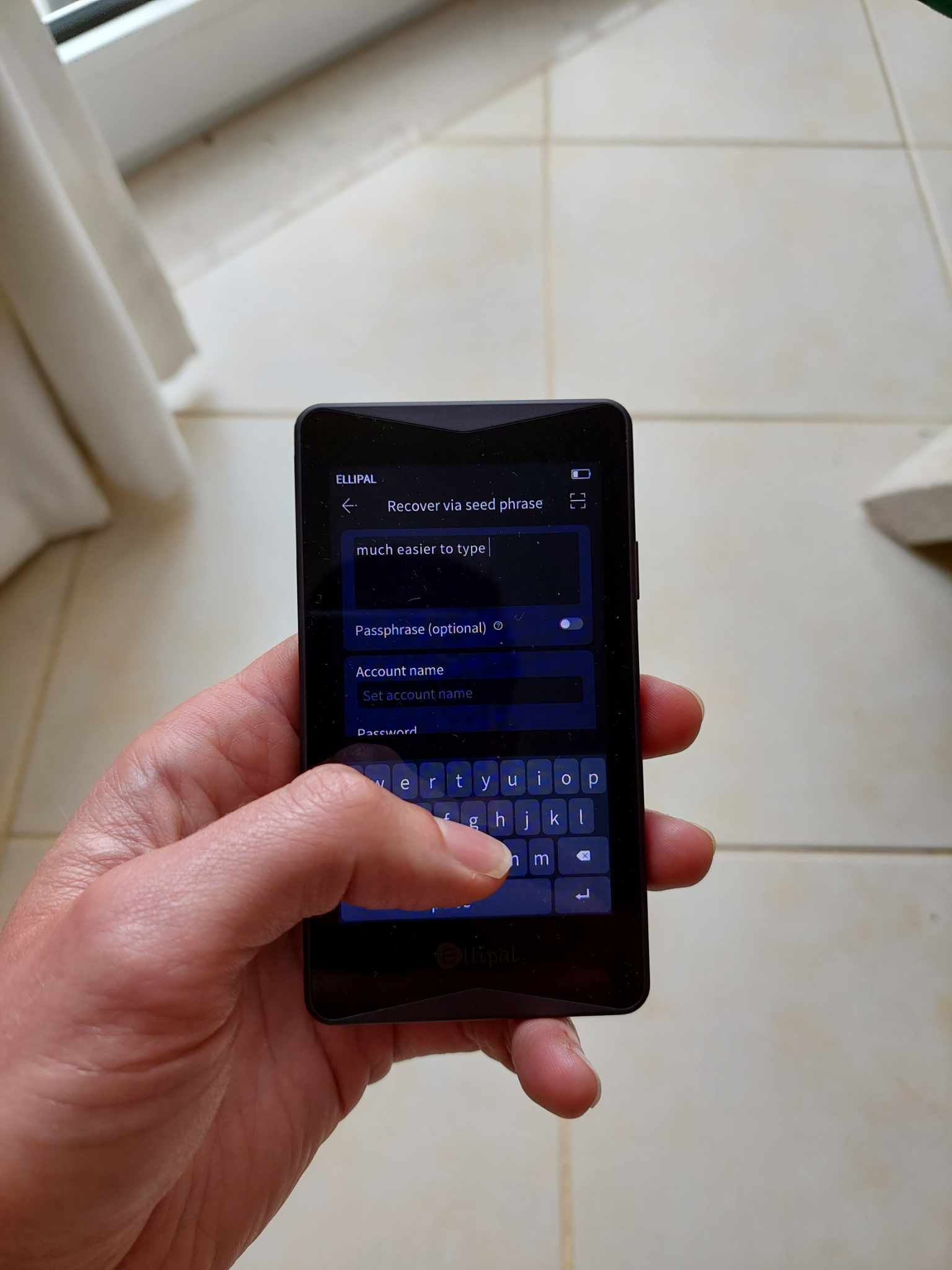 Titan 2.0 Is Built to Be Used, Not Just Stored
Design, Build Quality, and Screen
The first thing I noticed was the build. It feels solid. Heavier than the plastic wallets most people are used to, and a bit more substantial in the hand. The metal body helps with that. It does not feel delicate, which is something I liked straight away.
The screen is probably the biggest day-to-day advantage. On smaller wallets, checking addresses and transaction details can be annoying enough that you are tempted to skim. Here, I did not really get that feeling. The 4-inch display gives you enough room to actually read what is on screen without squinting or clicking through tiny prompts.
That does make a difference. A wallet is easier to use when the screen is easier to read, and that usually means you are more likely to check things properly instead of rushing through them.
The trade-off is size. It is not especially compact, and it does not disappear into a pocket the way some smaller devices do. So if your priority is portability above everything else, that is worth knowing upfront.
How the QR Signing Process Works
The QR system felt a little different at first, but not for long.
The flow goes like this:
- I start the transaction in the app.
- The app creates a QR code for the unsigned transaction.
- I scan that code with the Titan.
- I check the details on the Titan and approve it there.
- The Titan creates a QR code for the signed transaction.
- I scan that back into the app so it can be broadcast.
That is really the whole thing. The phone does the connected work. The Titan signs.
The first time through, it felt a bit slower than plugging in a wallet. After that, it mostly just felt normal. Once the rhythm clicks, it is easy enough to follow, and more importantly, it is consistent. The wallet behaves the same way every time, which helps.
Mobile App, DeFi, and DApp Access
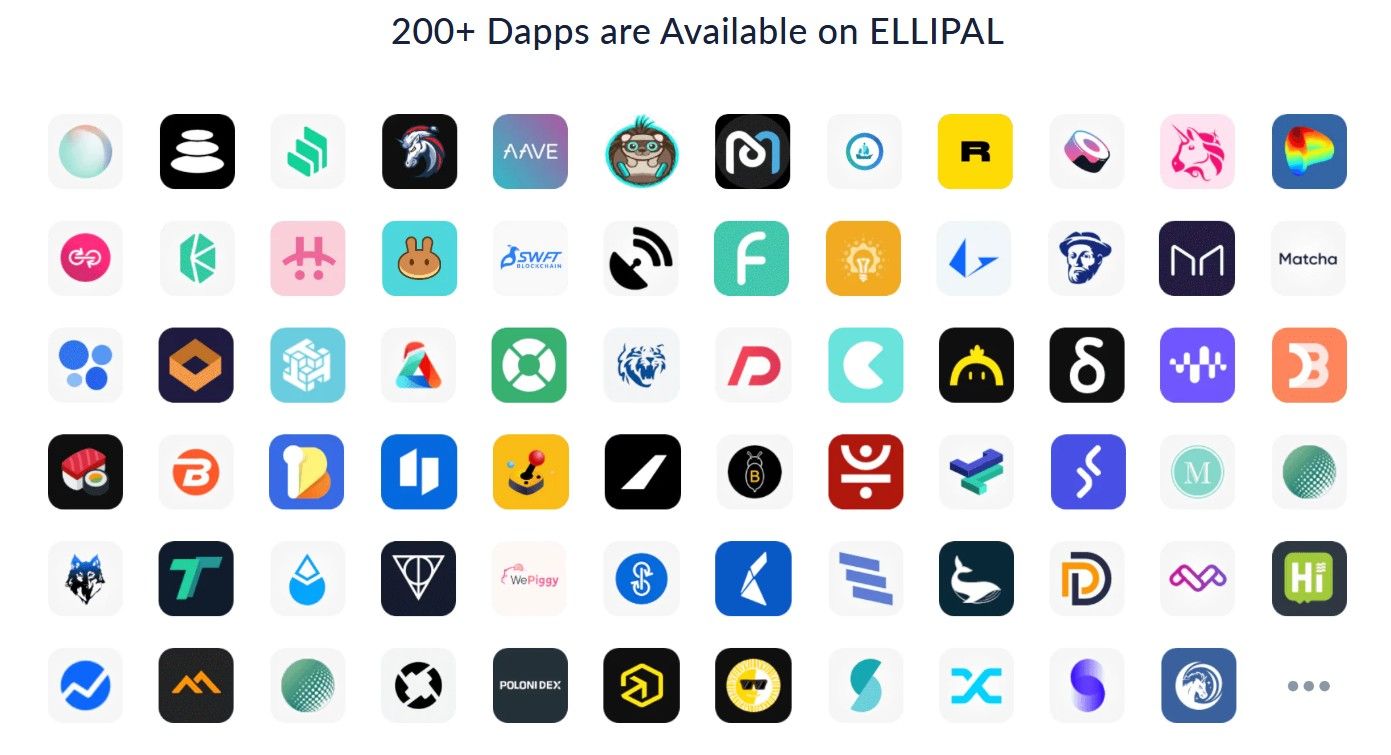 The Ellipal Titan 2.0 Supports Over 200 DApps
This is one of the bigger reasons I can see people liking the Titan 2.0. It feels far more mobile-first than a lot of hardware wallets. Instead of nudging me back to a desktop setup every time I want to do something, it keeps most of the experience centered around the phone.
That makes it feel a bit closer to a software wallet in daily use, just with the signing separated out onto the Titan itself. For people who already manage most of their crypto from a phone, that is probably one of the wallet’s strongest points.
I could see the appeal here for things like:
- Checking balances quickly,
- Preparing transactions on the go,
- Using DApps from a mobile setup,
- Keeping the signing device offline while the phone handles the rest.
That said, I would not confuse convenience with safety. The wallet can protect the key side of things, but it does not remove the risks that come with using DeFi apps and third-party services. If I am interacting with protocols, approvals, or swaps, the usual risks are still there.
That includes:
- Smart contract risk
- Bad approvals
- Protocol failure
- Third-party risk
So yes, the mobile-first setup is convenient. It just does not magically make DeFi safer.
Staking, Buying, Swapping, and Supported Assets
The Titan 2.0 does not just feel like a wallet for storage. The app is clearly trying to give you a fuller crypto dashboard experience, with access to staking, swaps, and other in-app services.
The Titan 2.0 support over 10,000 tokens. For most people, it should cover a big enough chunk of their portfolio that the wallet feels practical rather than limited. It certainly did for me.
Where I would be a bit careful is around costs. With buy, sell, and swap features, there usually is not one clean fee you can point to and say, “that is the price.” What you actually pay can shift depending on:
- The provider being used
- Your region
- Payment method
- Spread
- Network fees
So I would not assume the app’s convenience features are automatically cheap. I would check the final numbers each time before confirming anything.
Real-World UX Caveats
There are a few trade-offs that stood out once I had a feel for the device.
The main ones are pretty simple:
- It is larger than a lot of competing wallets.
- It makes more sense for phone-first users than desktop-first users.
- The QR flow works well, but it still depends on decent lighting and clean screens.
- It is not the wallet I would pick for highly specialized or desktop-heavy workflows.
That last point is especially useful for advanced users. If someone wants deeper integration with external wallet tools, more flexibility around xpub handling, or a setup built around desktop software, the Titan 2.0 might start to feel a bit limiting.
I also think it is worth being honest about what the wallet cannot do. If I were using it alongside leverage, perpetuals, or riskier DeFi activity, the Titan would still only be protecting the signing side. It would not protect me from:
- Liquidation
- Protocol blowups
- Poor entries
- Bad decisions made in a fast market
So the Titan 2.0 definitely has a lane. Within that lane, I think it works well. It is not the smallest wallet, not the cheapest, and not the most flexible for every kind of user. But for someone who wants an air-gapped wallet that still feels usable on a regular basis, I can see why it would appeal.
Ellipal X Card
The ELLIPAL X Card is a card-shaped hardware wallet built for offline crypto storage and NFC-based transaction signing. It is part of ELLIPAL’s wider self-custody ecosystem and is positioned as a more portable, tap-based alternative to traditional hardware wallets.
Unlike USB-style wallets or touchscreen devices, the X Card is designed around simplicity, mobility and low-maintenance offline security. The core idea is straightforward: keep the private key secured inside the card, let the phone handle connectivity, and use NFC to approve actions without exposing sensitive key material to an internet-connected device.
For ELLIPAL, the X Card is not a side product. It sits alongside the Titan lineup as one of the company’s flagship wallet formats, aimed at users who want self-custody in something slimmer, faster, and easier to carry every day.
How the ELLIPAL X Card Works
The X Card splits the wallet experience into two parts: secure key storage on the card and day-to-day asset management in the mobile app.
Offline Setup With a Starter Device
According to ELLIPAL, the initial wallet setup happens offline using a separate starter device. This is meant to ensure the seed phrase, PIN, and wallet initialization do not happen on an internet-connected phone.
That setup flow is a major part of the product’s pitch. ELLIPAL is trying to solve one of the main weaknesses in some card-wallet designs: the risk of exposing sensitive wallet setup data to a connected device.
Tap-to-Sign With NFC
Once the wallet is set up, the user can interact with the X Card by tapping it to the ELLIPAL mobile app via NFC. The phone provides the interface for sending, receiving, buying, selling, swapping, and staking, while the card handles signing authorization.
hat creates a division of labor that is easy to understand:
- The card handles security: The X Card stores the key and approves signing.
- The phone handles connectivity: The app connects to the blockchain, displays balances, and manages transactions.
ELLIPAL Titan 2.0 Price and Value
Price is one of the main reasons people compare hardware wallets closely, and it is also one of the easiest things to get stale because wallet makers often run discounts and bundle promotions.
How Much Does the ELLIPAL Titan 2.0 Cost?
As of April 11, 2026, the Titan 2.0 wallet is priced at $135.00, down from its usual price of $169. The Titan 2.0 with an X Card will set you back $198, which is discounted from its original price of $248. If you'd like to buy just the X Card, that costs $106.90 for a three-card set.
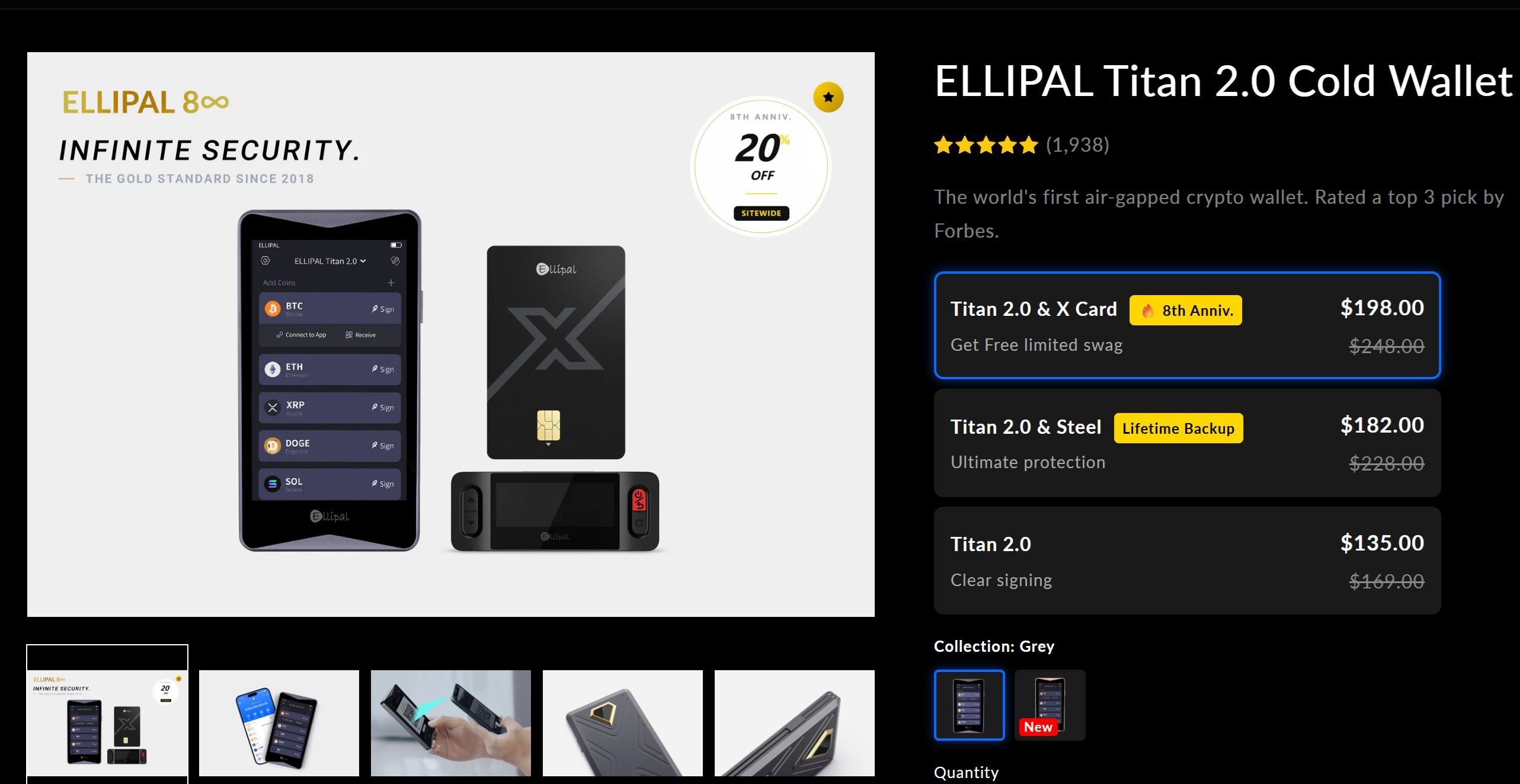 Titan 2.0 Listed at $135 on Its Own Product Page
What You’re Paying For
The price reflects a specific combination of features: an air-gapped QR-signing model, a large touchscreen, a sealed metal body, and a mobile-first workflow. The Titan 2.0 is positioned around 100% air-gapped transaction signing, a 4-inch touchscreen, CC EAL5+ secure element protection, and support for 40+ blockchains, 50+ stablecoins, and 10,000+ tokens.
That is why the value proposition is different from cheaper wallets. This is not just cold storage in the abstract. It is cold storage designed around offline QR signing and regular phone-based use.
Is It Good Value Compared With Rivals?
The Titan 2.0 is not the cheapest path into cold storage. At $135, it looks much more competitive for a wallet with a large screen and QR-based air-gapped design.
Where ELLIPAL makes more sense is for people who will genuinely use what makes it different. If the appeal is a phone-native workflow, offline QR signing, and a larger display for transaction review, the price makes more sense. If not, the value case weakens quickly.
Who Should Buy the ELLIPAL Titan 2.0?
This wallet has a clear audience. The more a user’s habits fit that audience, the stronger the product looks.
Best For
The Titan 2.0 is best for mobile-first users who want cold storage but still expect a modern app-led workflow. It is a strong fit for people who interact with their assets regularly, want broad chain support, and value QR-based air-gapped workflows over cable or Bluetooth convenience.
It also makes sense for people who want cold storage with frequent app interaction. If the routine involves moving between assets, using DApps carefully, and managing a wallet on the go, the Titan 2.0 feels more natural than a desktop-led wallet.
Not Ideal For
It is less ideal for desktop-first users, open-source firmware maximalists, multisig users, and people who rely on xpub flexibility or deep third-party integration.
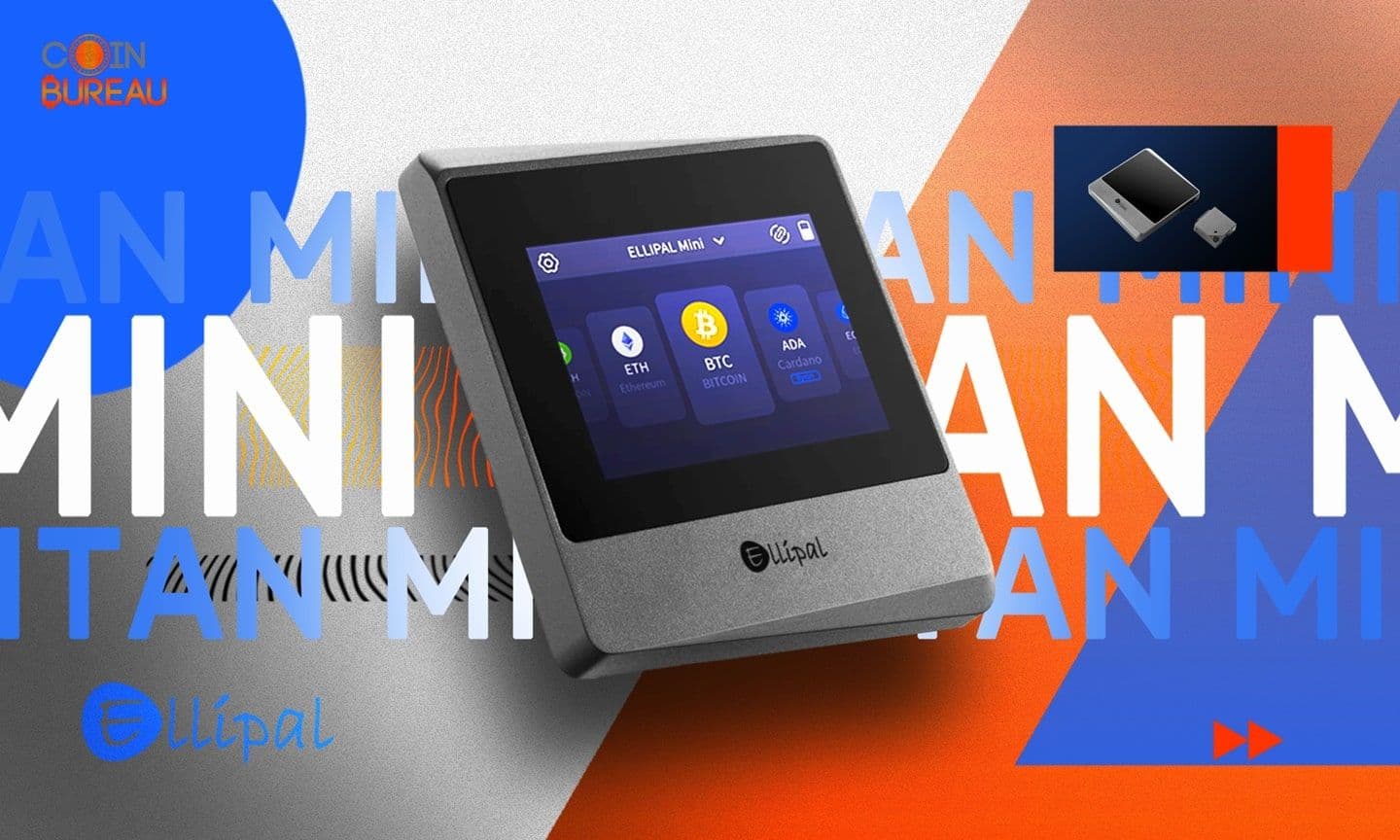
It is also a weaker fit for budget shoppers. If needs are simple, the Titan Mini or a lower-cost rival may make more sense. If multisig is part of the plan, Coin Bureau’s guide to Bitcoin multisignature wallets is a better starting point than this product.
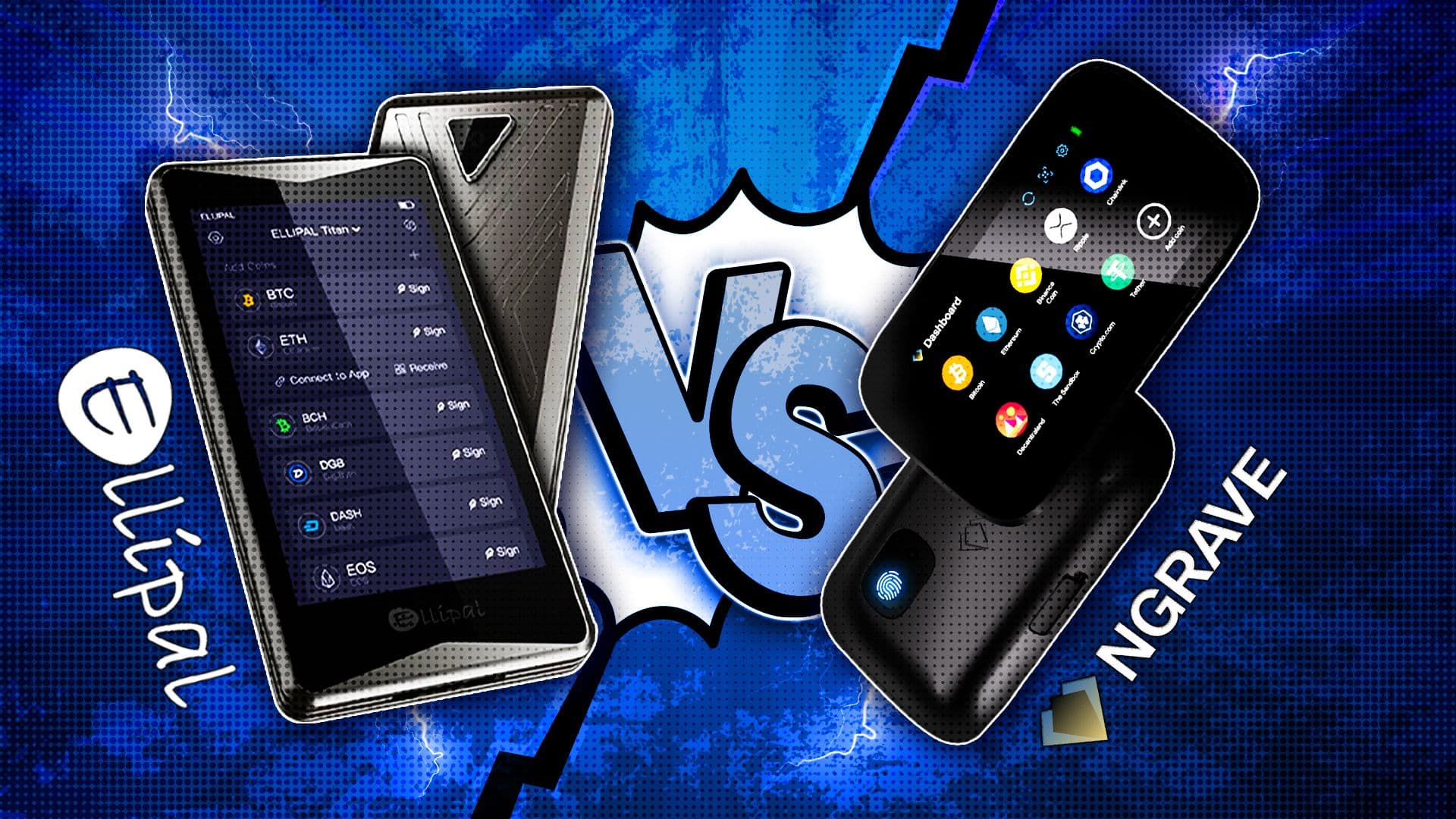
ELLIPAL Titan 2.0 vs Ledger and Trezor
| Feature | ELLIPAL Titan 2.0 | Ledger Stax | Trezor Safe 7 |
| Security model | Air-gapped | Connected secure wallet | Security-focused touchscreen |
| Signing method | QR codes | On-device clear signing | On-device confirmation |
| Connectivity | No USB / No Bluetooth | USB-C / Bluetooth / NFC | Bluetooth |
| Secure element | CC EAL5+ | CC EAL6+ | Dual secure elements |
| Open-source approach | Mostly closed | Partly open | Open-source leaning |
| Passphrase support | Yes | Yes | Yes |
| Best security strength | Remote attack reduction | Secure + premium UX | Transparency + physical security |
| Main trade-off | Less convenient | Less isolated | More niche / advanced |
| Best for | Security-first users | Convenience-first users | Transparency-focused users |
ELLIPAL Titan 2.0 is the best fit for buyers who want the most isolated signing model.
Ledger Stax is the best fit for buyers who want premium usability without dropping hardware-wallet security.
Trezor Safe 7 is the ideal option for buyers who care deeply about transparency, physical hardening and Trezor’s quantum-ready security pitch.
Security and Connectivity
The ELLIPAL Titan 2.0 takes the most isolation-first approach of the three. Its core security pitch is simple: no USB, no Bluetooth, no wired connection during signing. Transactions are verified and approved offline through QR codes, which reduces the direct attack surface from an internet-connected phone or computer. It also uses a CC EAL5+ secure element and a sealed metal body, so its design clearly prioritizes remote attack reduction over convenience.
Ledger Stax takes a different route. It is a connected hardware wallet built for convenience as much as security, with USB-C, Bluetooth, and NFC, plus a CC EAL6+ certified Secure Element and Ledger OS. That makes it more flexible day to day, but it is not trying to be an air-gapped device in the way the Titan 2.0 is.
Trezor Safe 7 sits in a different lane again. It supports both Bluetooth and USB-C, but its standout angle is transparent, security-focused engineering rather than isolation. Trezor says it uses dual secure elements, including the auditable TROPIC01 chip, and adds post-quantum protections for long-term device security. So if ELLIPAL leans hardest into air-gapped separation, Trezor leans harder into openness, auditability, and future-facing device design.
Ease of Use and Mobile Experience
The ELLIPAL Titan 2.0 feels the most mobile-first. It uses a 4-inch touchscreen and a QR workflow tied closely to the ELLIPAL app, which makes it straightforward for users who mostly manage assets from a phone. The trade-off is that this offline-first flow is not as frictionless as a wallet with direct wired or wireless connections.
Ledger Stax is the most premium and polished from a usability perspective. Ledger positions it around a curved E Ink touchscreen, Bluetooth support for iOS and Android, USB-C for desktop and Android use, and a general emphasis on clear signing and readability. In practice, that makes it the smoothest option here for users who care as much about daily experience as they do about raw security architecture.
Trezor Safe 7 looks designed to split the difference between flexibility and control. Trezor says it supports Bluetooth and USB-C, works across mobile and desktop, and uses a 2.5-inch high-resolution color touchscreen. That gives it a broader device experience than ELLIPAL’s QR-first flow, while still keeping a more transparency-heavy security identity than Ledger.
Asset Support and Ecosystem
ELLIPAL Titan 2.0 supports more than 40 blockchains, 50+ stablecoins, and 10,000+ tokens, with MetaMask and WalletConnect support for connecting to DApps through the ELLIPAL app. That gives it a solid Web3 and mobile DeFi angle, especially for users who want hardware-wallet signing without giving up app-based staking, swaps, and DApp access.
Ledger Stax benefits from the broader Ledger ecosystem, which is one of its biggest advantages in a comparison like this. The device is not just a wallet on its own, but part of a more mature software and accessory ecosystem built around connected use, clear signing, and everyday asset management. The stronger case for Stax is less about pure isolation and more about breadth, polish, and integration.
Trezor Safe 7 is positioned as a wallet that can plug into a wider ecosystem of wallet apps, DApps, DeFi platforms, and NFT marketplaces, while also supporting thousands of coins and tokens. That makes it broader than a Bitcoin-only device and more ecosystem-friendly than older hardware wallets that felt narrower or more closed off.
Setting Up and Using the ELLIPAL Titan 2.0
Setting up the Titan 2.0 was not difficult. I was expecting a bit more friction, just because that is often how hardware wallets go, but it was all fairly easy to get through. That said, this is still the stage where you need to pay attention. The wallet can make the process look simple, but the consequences of messing up your backup are obviously not simple at all.
What’s in the Box
Nothing here really surprised me. The packaging was clean, everything looked properly packed, and it was easy enough to figure out what was what.
I would still check the product page before buying, though. Wallet companies change bundles all the time, and what comes in the box can depend on the version, the seller, or whatever promotion happens to be running.
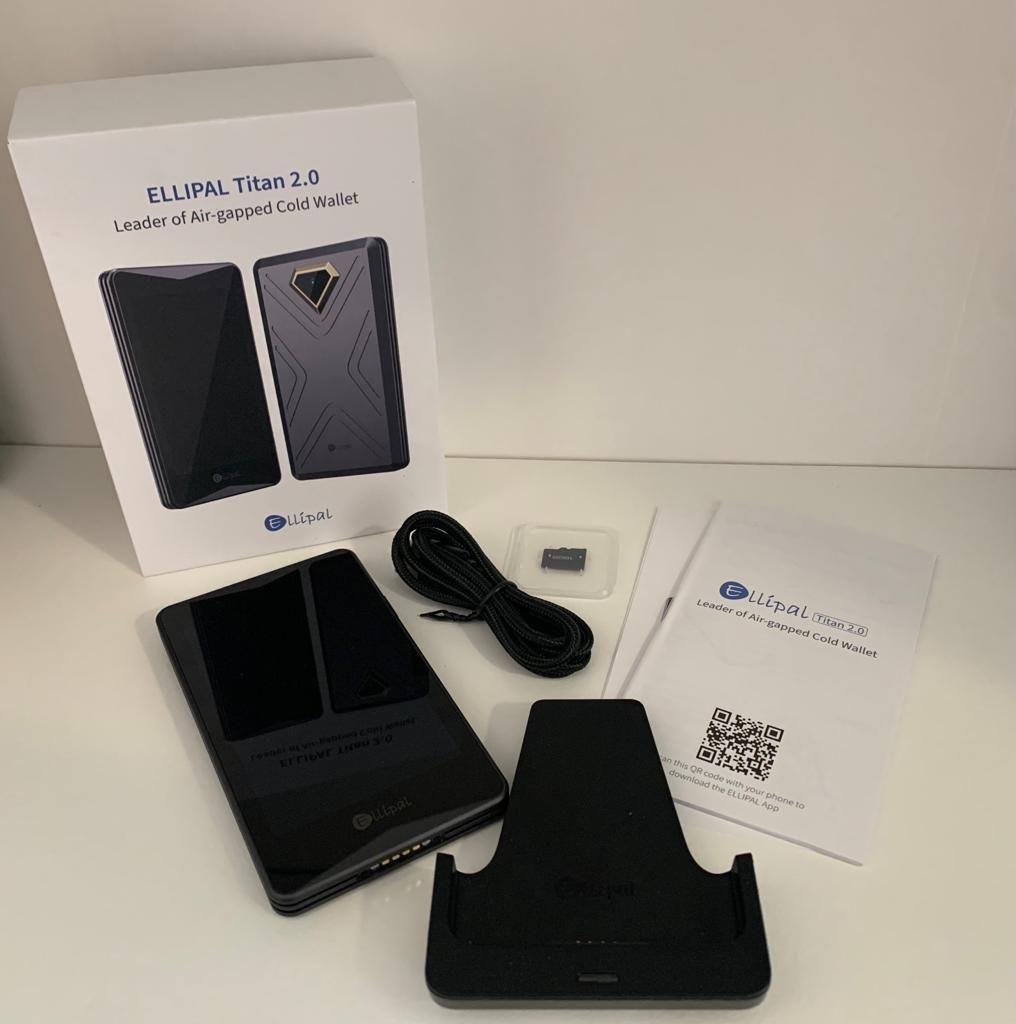 The Box will Have a Device, Security Adapter, USB Type-C Cable, MicroSD Card, Seed Phare Recovery Sheets, User Manual, and Sreen Protector
Initial Setup and Recovery Phrase Creation
The first setup was smooth. I turned it on, followed the prompts, created the wallet, and generated the recovery phrase. The big screen definitely helps. On smaller wallets, that first setup can feel a bit cramped or awkward. Here it felt more relaxed.
The recovery phrase is the part that matters most. That is the real backup. Not the wallet itself. Not the app. If something happens to the device, the recovery phrase is what gets you back in.
So this is the one part I would not get casual about. I would not take a picture of it. I would not save it in my phone. I would not drop it into a notes app thinking I will “move it later.” For something like this, I think the old-school approach is still the right one: write it down properly, keep it offline, and store it somewhere you are not going to regret later.
Pairing the Wallet With the App
This is where the Titan starts to feel different from a more typical hardware wallet.
There is no cable involved, and there is no Bluetooth setup either. Instead, the pairing happens through QR codes. The first time I did it, it felt slightly unusual, mostly because I am used to hardware wallets behaving more like little accessories that need to connect directly to something else.
But once I went through it, the logic was obvious. The phone does the connected part. The Titan stays offline. That is the whole point of the thing, really.
Sending and Receiving Crypto
Receiving crypto was easy enough. I generated an address, checked it, and used it as normal. No real learning curve there.
Sending took a moment longer, but only because the signing flow is different if you have mostly used USB-style wallets before. I made the transaction in the app, scanned it with the Titan, checked the details on the Titan itself, approved it, and then scanned the signed transaction back into the app to send it.
After doing it once, it stopped feeling like a process and just felt like the routine.
What stood out to me most was where the final trust sits. The phone is useful, obviously, but I did not really think of the phone as the final authority. The Titan’s screen is the one I would rely on when it actually matters.
Updating Firmware Safely
Firmware is one of those things I would handle carefully, even if the process itself is not especially complicated.
Because the Titan uses a microSD card for updates, it feels a little more manual than updating something over a cable or through an app. That is fine, but it does mean I would want to follow the instructions properly instead of trying to do it from memory or take shortcuts.
I would make sure the card was formatted the right way, use the correct file, and only download firmware from ELLIPAL’s official site. That is just basic wallet hygiene. Maybe not exciting, but definitely worth taking seriously.
Overall, the setup felt pretty manageable. The Titan 2.0 does have its own way of doing things, but it never felt confusing to me. More than anything, it felt like the wallet was built around one idea and then stuck to it.
Where to Buy the ELLIPAL Titan 2.0
Always buy from the official website. That reduces the risk of receiving a tampered device, incomplete accessories, or misleading bundle pricing.
Avoid used hardware wallets. With a device designed to secure your assets, provenance matters.
Final Verdict: Is the ELLIPAL Titan 2.0 Worth It?
The ELLIPAL Titan 2.0 is best suited to users who want cold storage without giving up a phone-led routine. Its strengths are easy to identify: offline QR signing, a large touchscreen, and an app experience built around regular use rather than occasional storage alone. It will appeal most to mobile-first users, particularly those managing a wider range of assets. It will be less appealing to users who prefer a desktop environment, rely on multisig, or want deeper integration across external wallet software.
If the goal is basic long-term storage, a simpler or cheaper wallet may be enough. If the goal is air-gapped signing in a format that feels more usable day to day, the Titan 2.0 makes a stronger case.