


If you want a research-first crypto tracker that helps you verify what you’re looking at contracts, markets, venue quality, liquidity before you trust the numbers, CoinGecko is one of the best daily drivers. It’s especially strong for DeFi “reality checks” thanks to GeckoTerminal, but if your workflow depends on instant new listings or hands-off portfolio syncing, it can feel a bit conservative and manual.
CoinGecko Review: Quick Verdict (30-Second Summary)
Our Rating (2026)
CoinGecko is a research-first crypto tracker that’s best for verification and DeFi reality checks, but less ideal if you want instant new listings or hands-off portfolio syncing.
The 3 reasons CoinGecko wins
- Transparency over vibes: clear methodology and Trust Score signals make it easier to sanity-check markets and spot questionable venue quality.
- DeFi/DEX depth that’s actually useful: GeckoTerminal helps you check pools, liquidity, and pair activity before you touch a swap.
- Free utility that covers most workflows: solid token pages, categories, research/glossary, and an API that powers a lot of crypto apps.
The 2 tradeoffs
- Portfolio can feel manual: active traders often outgrow lightweight tracking without auto-sync.
- New listings can be slower than CMC: great for verification, less great for “first minute” discovery.
Who it’s for
- DeFi users who want quick liquidity and pool context before trading on a DEX.
- Researchers who care about contracts, markets, and venue quality in one place.
- Beginners who want a learning layer (glossary + explainers) alongside price tracking.
- Developers who need a straightforward market data feed and usable API tiers.
Who it isn’t for
- “Instant listings” hunters who want every new asset surfaced the moment it appears.
- HFT-style traders who need tick-level feeds and speed above everything.
- Hands-off portfolio trackers who want automatic wallet/exchange syncing by default.
- Derivatives dashboard power users who need deep perps/options intel in one terminal.
Key Takeaways
- CoinGecko launched in 2014 and positions itself as a research-first crypto data aggregator.
- It aggregates price data across venues using published methodology rather than reflecting a single-exchange price.
- Exchange rankings use Trust Score signals to reduce the impact of thin order books and low-quality volume.
- For DeFi, GeckoTerminal adds pool-level liquidity, pairs, and on-chain activity views for quick “is this tradable?” checks.
- Core tools include token pages, categories/trending, watchlists/alerts, an NFT tracker, and a beginner Learn + glossary layer.
- CoinGecko publishes research reports that can help with macro context and market framing.
- The API has a free tier plus paid tiers; it’s widely used as a data source across wallets and apps.
- Portfolio tracking is solid for casual use but can feel manual for high-volume, multi-wallet traders.
- Like all aggregators, accuracy depends on third-party inputs, so long-tail assets and thin markets need extra verification.

What Is CoinGecko?
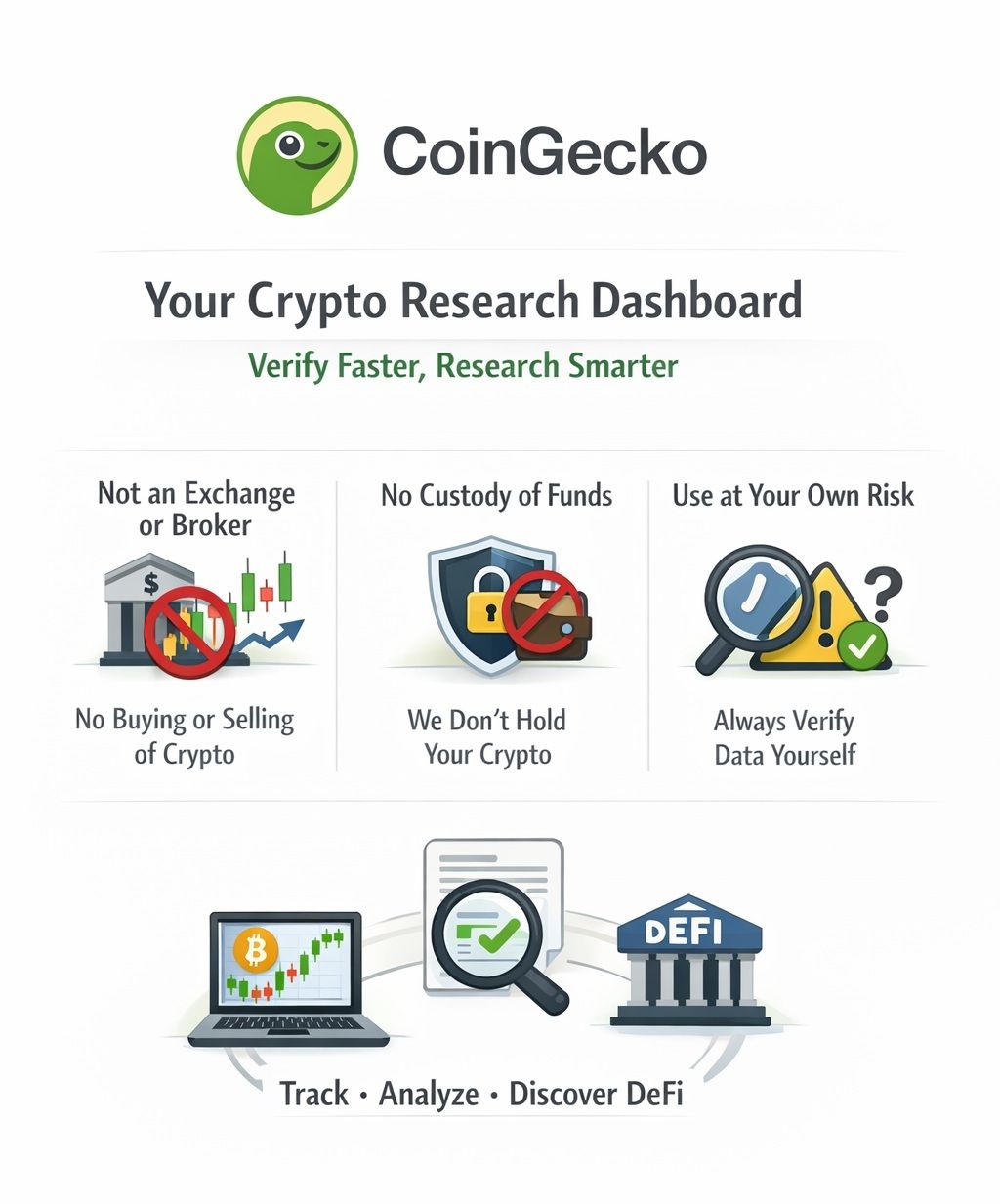
CoinGecko is a crypto market data aggregator that collects prices and market activity from many venues, then turns that data into tools for tracking, verification, research, and DeFi discovery.
 Coingecko Is A Crypto Market Data Aggregator
Who Runs It And Why It Exists
CoinGecko’s origin story is unusually clear for a crypto-focused product. Its 10th anniversary post dates the launch to April 8, 2014, and frames the early goal as giving users a broader “360-degree” view of crypto markets than price alone.
From a business perspective, CoinGecko explains its mission as making crypto data more accessible and helping users navigate a market fragmented across exchanges, chains, and token formats.
If you’ve ever felt like crypto research is just opening tabs until you give up, that’s the problem CoinGecko is trying to reduce: fewer blind spots, faster verification, and less guesswork before you act.
What CoinGecko Is Not
CoinGecko is not:
- An exchange or broker where you buy and sell crypto.
- A custody provider that holds your funds.
- A guarantee that every datapoint is correct.
CoinGecko also draws a firm line in its disclaimer: most of what you see is sourced from third parties, and it’s not promising perfection. That’s why it’s best used as a research starting point. It speeds up verification, but it doesn’t remove the need to do your own checks, especially contract addresses, liquidity, and where you’re actually trading.
How CoinGecko Works (and Where the Data Comes From)
CoinGecko is only as good as the data under the hood. If you’re going to rely on it for research (or use it to inform trades), it helps to understand where those numbers come from and how to interpret them.
Price, Volume, Market Cap Basics
CoinGecko is only as good as the data under the hood. If you’re going to rely on it for research (or use it to inform trades), it helps to understand where those numbers come from and how to interpret them.
CoinGecko’s price isn’t the price from one exchange. It’s an aggregated market price built from tickers collected across multiple trading venues, using CoinGecko’s methodology (including filtering and weighting).
Example (as of Jan. 30, 2026): CoinGecko’s aggregated BTC price was $82,846.81, while Binance showed $82,923.59, a difference of $76.78, or (0.09%). This is normal: CoinGecko reflects a blended, cross-venue view, while an exchange price reflects trading on that specific venue.
Volume is the amount traded over a time window, often shown as 24-hour volume. Volume is helpful, but it is also one of the easiest numbers to misread in thin markets. Meanwhile, market cap is commonly price multiplied by circulating supply, which means supply quality matters as much as price quality.
One detail that affects “big picture” numbers is how total market cap is calculated. CoinGecko explains what their global market cap view includes and excludes, which is why two aggregators can show different totals on the same day without either one “lying.”
Exchange Data and The Problem Of Fake Volume
Fake or inflated volume is one of crypto’s oldest problems. The trap is simple: a market looks active on a chart, then you try to trade and discover the order book is thin or the slippage is brutal.
CoinGecko tries to reduce this by scoring exchanges and markets using multiple signals, rather than trusting self-reported volume alone, and it lays out the inputs it considers in its Trust Score methodology.
A practical way to use this:
- If reported volume is high but liquidity signals are weak, assume trading will be painful.
- If a token’s “top market” is on low-quality venues, treat the displayed price as less reliable.
- If you are relying on one exchange for price discovery, you are probably missing context.
Methodology Transparency
A lot of aggregators show you numbers and ask you to trust them. CoinGecko’s pitch is different: it publishes how the sausage is made, then lets you decide how much weight to put on each metric.
The value here is not that you’ll read every methodology page. The value is that when something looks off, you can check what a score or metric is actually trying to measure.
For a practical framework on reading markets and avoiding common trading traps, see our crypto trading guide for beginners.
Core Features and Tools
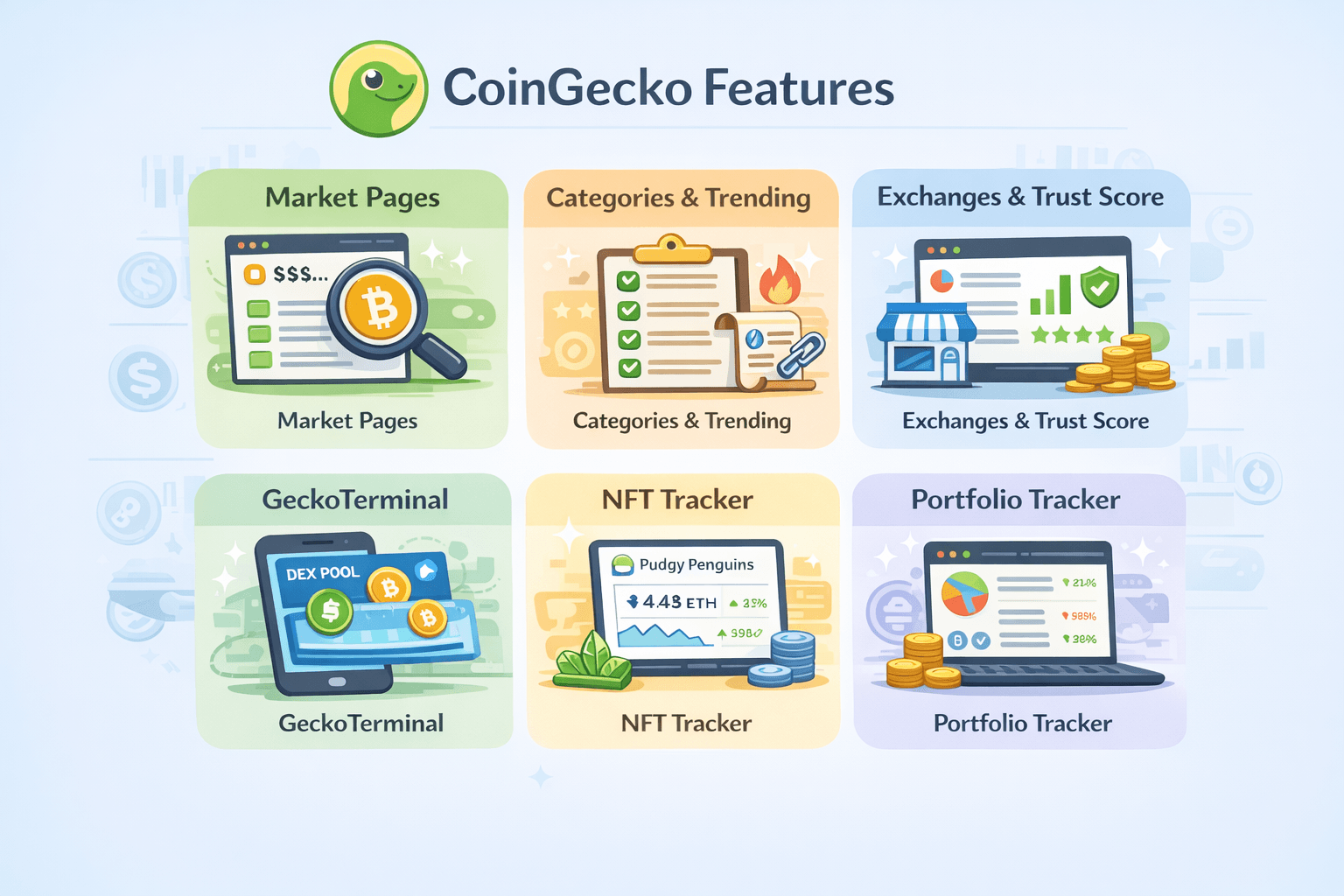
Beyond price charts, CoinGecko offers a full toolkit for tracking markets, evaluating exchanges, exploring DeFi, and learning the basics.
 Beyond the Price Charts, CoinGecko Offers a Full Toolkit
Market Pages
CoinGecko’s token pages are built to answer the questions that matter in real life, not just “what is the price?”
A typical token page helps you verify:
- Whether you are looking at the correct asset (especially when names and tickers collide).
- Which markets actually matter for trading.
- Where liquidity sits.
- Which contract address you should verify before interacting on-chain.
CoinGecko also highlights that it tracks more than just price data, including signals like community growth and development activity. That extra context can be useful when you’re trying to distinguish “real project” from “temporary attention.”
Categories, Trending, and Watchlists
Categories are a shortcut for understanding the market without memorizing thousands of tickers. CoinGecko’s categories directory groups tokens into themes so you can compare sectors at a glance.
A sane way to use categories:
- Use them to map what’s moving, not as a reason to buy.
- Click through to individual assets and verify liquidity and venues.
- Expect overlap, because many projects can fit more than one narrative.
Exchanges and CoinGecko Trust Score
CoinGecko’s exchange directory is where Trust Score becomes practical because it sits alongside the venue list you’re about to rely on. CoinGecko’s exchanges directory explains that Trust Score is designed to evaluate the legitimacy of trading volume using multiple metrics, not just volume itself.
What Trust Score is good for:
- Filtering out venues that look active on paper but feel unusable in practice.
- Comparing where an asset’s most credible liquidity actually sits.
What Trust Score is not:
- A guarantee that an exchange is solvent.
- A guarantee you can withdraw anytime.
- A promise that a token is safe.
If you want the more recent direction of travel, CoinGecko’s Trust Score 3.0 update explains how it incorporated Proof of Reserves–related signals into Trust Score.
GeckoTerminal
GeckoTerminal is CoinGecko’s DeFi muscle, and it matters because DeFi research is not the same as CEX research.
On-chain, you care about pools and liquidity first, not just candles. That’s why GeckoTerminal’s DEX tracking is built around:
- Pool-level liquidity.
- Pair activity.
- On-chain trading behavior.
CoinGecko’s API documentation also gives a sense of the on-chain coverage behind GeckoTerminal, including claims about serving DEX data across 250+ blockchain networks, 1,700+ DEXes, and 15M+ tokens.
If you’re exploring yield, our research on DeFi staking platforms covers risks and what to check before committing funds.
NFT Section and Floor Price Tracking
CoinGecko includes NFT tracking in a way that’s built for scanning. CoinGecko’s NFT tracker surfaces collection-level stats like floor price and volume. It is built for quick scanning. Instead of showing individual listings, it focuses on collection-level metrics, things like floor price, 24-hour volume, sales count, and (on many pages) a marketplace breakdown showing where activity is happening and how floors differ across venues.
CoinGecko also describes its NFT tracking feature as a way to view an NFT’s floor price, charts, market cap, and volume in one place.
If you’re new to NFTs, here’s the key definition:
Floor price is the lowest price at which an NFT is currently listed for sale within a collection. Think of it like the cheapest “Buy It Now” listing for that collection. It’s a listing price, not a guarantee of what you can instantly sell for.
Floor price is useful as a pulse check, but it can mislead you when liquidity is thin or trading activity is distorted. A single unusually low listing can drag the floor down, and a high floor doesn’t necessarily mean there are buyers at that level. Treat it as a dashboard metric, not a pricing oracle.
Portfolio Tracker
CoinGecko’s portfolio tool is simple by design. CoinGecko’s portfolio tracker positions itself as a way to track “10,000+ cryptocurrencies & NFTs,” which makes it a decent free option for casual tracking.
Where it works well:
- Long-term holders who want a clean overview.
- Users who prefer not to connect wallets or exchange accounts to third-party apps.
Where it can feel limiting:
- Active traders with lots of transactions.
- Users who want cost basis to be perfectly maintained without manual work.
Check out our top picks for the best crypto portfolio trackers.
Learn, Glossary, and Research Reports
CoinGecko’s educational layer is underrated, mostly because people expect aggregators to be “price-only.” CoinGecko centralizes beginner content in its Learn hub, which makes it easy to pick up concepts as you go.
For quick definitions, CoinGecko’s glossary is a practical way to decode jargon without falling down a rabbit hole.
For macro context, CoinGecko publishes longer-form research in its reports library. You don’t need to treat these as gospel, but they can be useful for seeing how CoinGecko frames market structure and trends.
API and Widgets
CoinGecko’s API is a major reason its data shows up across wallets, dashboards, and analytics tools.
CoinGecko states that its free “Demo” plan has a stable rate limit of 30 calls per minute and a monthly cap of 10,000 calls on the CoinGecko API page, and the same page notes that paid plans start at $129/month.
If you need the plan matrix, CoinGecko publishes call credits, rate limits, endpoints, and historical depth on the API pricing page, including examples like:
- Analyst: 100k call credits/month, 250/min rate limit, 50+ endpoints, 2 years historical data.
- Lite: 500k call credits/month, 500/min rate limit, 70+ endpoints, 10 years historical data.
- Enterprise: custom call credits and rate limits, and 80+ endpoints listed.
If you build something public or commercial, it’s also worth reading CoinGecko’s API terms once so you understand usage expectations.
How to Get Started With CoinGecko
Select a step to view the walkthrough.
Step 1: Use it without an account
You can do a lot without logging in:
- Browse token pages and categories.
- Check markets and venue context.
- Use GeckoTerminal’s DEX tracking to inspect pools.
Step 2: Track a coin properly
Most people “track” a coin by staring at a chart. That’s how you get fooled by thin liquidity. A better checklist:
- Contract address: Use the token page as a starting point, then cross-check contract addresses with project-owned sources if you’re going on-chain.
- Markets and pairs: Look for where meaningful trading actually happens. Many markets exist, but only a few matter.
- Liquidity: If liquidity is thin, the displayed price may not be realistically tradable at your size.
- Venue quality: Use the Trust Score methodology mindset: treat quality signals as a reason to slow down when something looks off.
Step 3: Build a watchlist
Multiple watchlists sound like a small feature, but they prevent messy research habits. A clean setup:
- Watchlist 1: Core assets you track weekly.
- Watchlist 2: Research candidates you are still evaluating.
- Watchlist 3: High-risk curiosities you want to observe, not chase.
Step 4: Set price alerts
Alerts reduce chart-checking fatigue. Practical alert ideas:
- Alert if BTC moves 5% in 24 hours.
- Alert if ETH breaks above a level you care about.
- Alert if a small-cap token spikes, so you can check whether liquidity improved or the move is just noise.
Step 5: Create a portfolio with a sane workflow
CoinGecko’s portfolio tool works best when you treat it as lightweight tracking, not accounting-grade bookkeeping. Two workflows that don’t make you miserable:
- Tourist trader: Update weekly, track exposure and rough performance.
- Active trader: Update daily, split strategies into multiple portfolios, keep notes so you remember why a trade happened.
Step 6: Use GeckoTerminal before you touch a DEX
Before you swap on a DEX, do a 30-second pool check. Quick checklist:
- Liquidity: Is there enough depth for your order size?
- Volume: Is activity steady or spiky?
- Age of pair: New pools carry higher risk.
- Price impact: Thin liquidity punishes market orders.
Step 7: CoinGecko Candy
CoinGecko Candy is a rewards system where users collect candies and redeem them for rewards. CoinGecko’s support center explains how Candies can be redeemed for rewards.
- Who should care: People who already check CoinGecko daily and like small perks; beginners who enjoy habit-building incentives.
- Who should skip it: Anyone who prefers fewer accounts and fewer extras.
Step 8: Developer quickstart
If you’re a developer, CoinGecko’s API is easiest to think of as a set of endpoints you pull into your product, with published limits and pricing. A plain-English path:
- Decide what you need (prices, market caps, historical charts, metadata).
- Build around the free plan limits first.
- Upgrade when your usage grows using the API pricing plan matrix.
- For endpoint structure and examples, start at the API documentation homepage.
Common beginner mistakes (and how to avoid them)
The mistakes are predictable:
- Trusting a chart without checking liquidity.
- Assuming high volume means safety.
- Ignoring venue quality and market structure.
- Skipping contract address checks before going on-chain.
Benefits of Using CoinGecko
CoinGecko shines as a day-to-day research companion. Use it to confirm the basics, compare venues, and sense-check the data before you make a move.
Best for DYOR and Verification
CoinGecko is strongest when you use it to confirm the basics fast, before you get emotionally attached to a narrative:
- What asset is this, and what version of it am I looking at?
- Where is meaningful trading actually happening?
- Is liquidity real enough for my order size, or is the “price” mostly theoretical?
- Do the main venues look credible, or does something feel off?
Used this way, CoinGecko becomes a quick sanity-check layer. That habit alone prevents a lot of avoidable mistakes.
Best Free All-In-One Toolkit
Most people don’t need a stack of paid dashboards just to do basic crypto homework. CoinGecko handles the everyday stuff, such as prices, market context, categories, exchange data, and quick comparisons, without putting the fundamentals behind a paywall.
That makes it a solid default. Use it to get your bearings, then bring in specialized tools only when you’ve got a specific gap to fill.
Strong DeFi Visibility Without Paid Dashboards
For on-chain users, the edge is speed: being able to sanity-check a pool before you interact with it. GeckoTerminal’s DEX tracking makes it easier to spot obvious issues like thin liquidity, suspicious volume spikes, or brand-new pairs that carry higher risk.
It will not eliminate risk, but it does make “check the pool first” a realistic habit instead of a chore.
Educational Value That Reduces Beeginner Mistakes
Learning crypto feels less overwhelming when definitions and beginner guides are nearby, in the same place you are already doing research. CoinGecko’s Learn hub and glossary help fill that gap, so you can look up terms as you go instead of leaving to search elsewhere.
That matters because many beginner mistakes are really knowledge gaps. Reducing friction to learning makes better decisions more likely.
CoinGecko vs CoinMarketCap
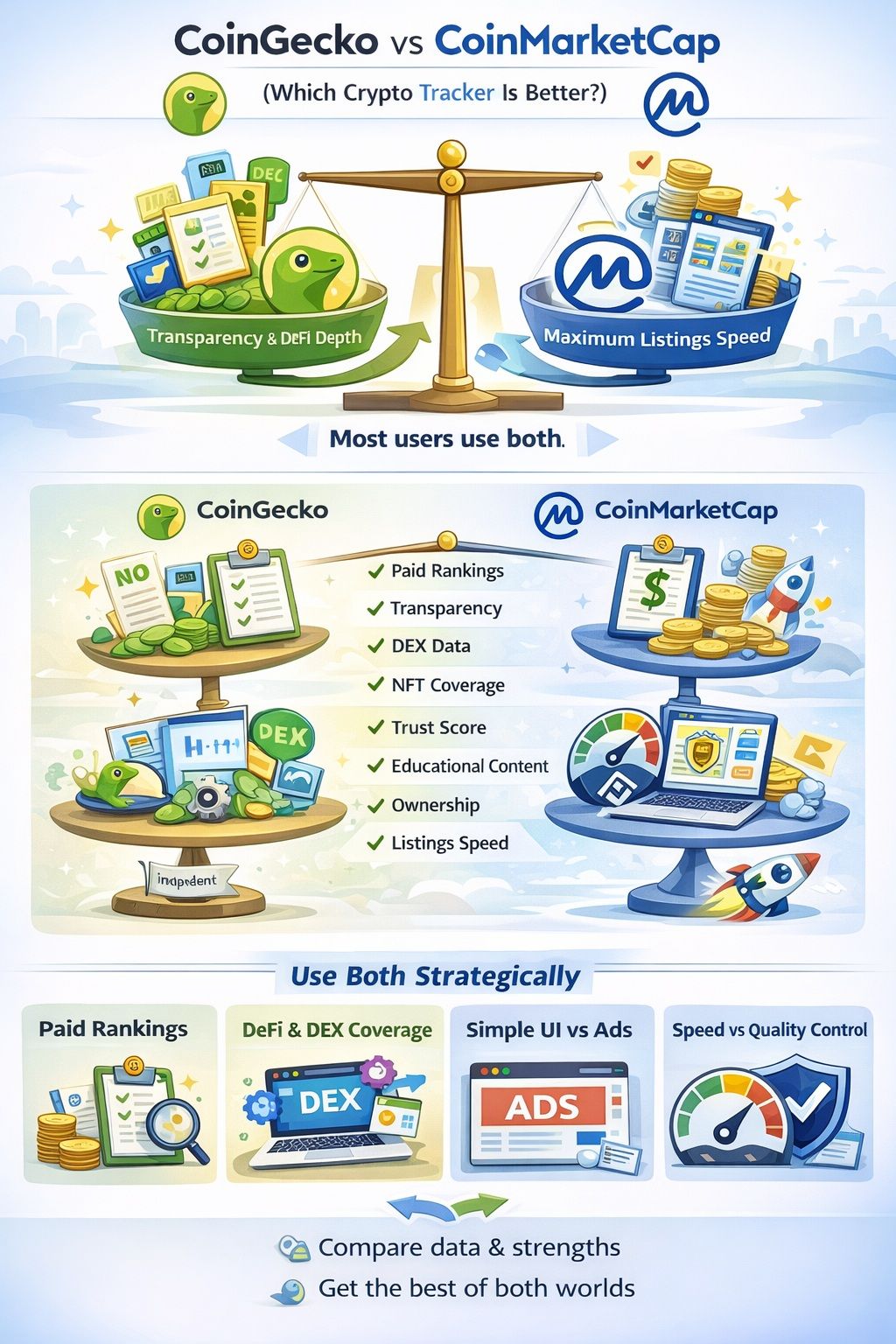
These two trackers overlap a lot, but they differ in transparency, DeFi depth, and how quickly they surface brand-new listings.
 These Two Trackers Overlap A Lot, But They Differ In Transparency, Defi Depth, And How Quickly They Surface Brand-new Listings
Quick Answer
If you value transparency and DeFi workflow depth, CoinGecko is usually the better daily driver. If you care most about discovery and broad coverage, CoinMarketCap can be useful as a second screen. Plenty of people use both: one for verification, the other for “what’s new.”
Head-To-Head Comparison Table
| Feature | CoinGecko | CoinMarketCap |
| Paid rankings | Has a paid consumer tier (CoinGecko Premium). | Positions paid access primarily through developer plans (CMC API pricing). |
| Transparency | Publishes how it evaluates market data, exchange-quality signals, and listing expectations | Publishes exchange and market-quality inputs in support docs, including (Exchange Ranking), (Liquidity Score), and (Listings Criteria). |
| DEX data | Strong on-chain emphasis through (GeckoTerminal) and positioning in the (CoinGecko API docs). | Tracks DEXes in its exchange views (Exchange Rankings) and positions DEX access in (CMC API pricing). |
| NFT | Has a dedicated NFTs section (CoinGecko NFTs). | Has a dedicated NFTs section (CMC NFTs). |
| API | Publishes free Demo limits and paid tiers via (CoinGecko API) and (CoinGecko API pricing). | Publishes free and paid tiers (with limits) via (CMC API pricing) and the (CMC API docs). |
| Trust scoring | Documents Trust Score inputs (Trust Score Methodology) and newer signals (Trust Score 3.0). | Explains quality signals used for exchange/market evaluation via (Liquidity Score) and (Exchange Ranking). |
| UI | Supports web plus official mobile surfaces (CoinGecko mobile). | Supports web plus mobile apps (CMC mobile app). |
| Education | Beginner content and definitions via (CoinGecko Learn) and (CoinGecko glossary). | Education and definitions via (CMC Academy) and (CMC glossary). |
| Ownership | Positions itself as independent on (CoinGecko About). | Binance stated it acquired CoinMarketCap in its (2020 announcement). |
| Listings speed | Surfaces newly added assets via (CoinGecko New Cryptocurrencies) and outlines expectations in (CoinGecko Methodology). | Surfaces newly added assets via (CMC New) and documents submissions via (How to Add a Coin/Token). |
The Real Differences That Matter
- Transparency and conflicts: Both platforms monetize. The practical difference is how easy it is to understand what a metric means. CoinGecko’s habit of publishing methodology helps, but your best defense is still verification.
- DeFi coverage and workflow: If you actively use DEXs, CoinGecko’s tooling tends to feel more natural, because it pushes you toward pool-level checks rather than just charts.
- Listings speed vs quality control: CoinMarketCap can feel faster for discovery. CoinGecko can feel more conservative. That tradeoff is not purely good or bad, it depends on your workflow.
- API use cases: If you’re building products, the API plan matrix matters more than the homepage debate. Compare limits, historical depth, and pricing for your expected traffic.
Who Should Use What
Use CoinGecko if you:
- Want a verification-first workflow.
- Spend time in DeFi and need pool-level context.
- Prefer published methodology as part of your research.
Use CoinMarketCap if you:
- Want a second screen for discovery and broad browsing.
- Prioritize listings speed and ecosystem familiarity.
Use both strategically:
- Use CoinGecko for verification, Trust Score checks, and on-chain pool sanity checks.
- Use CoinMarketCap as a discovery backup, then verify before acting.
Potential Drawbacks and Limitations
CoinGecko is strong for research, but there are tradeoffs, especially around portfolio automation, data edge cases, and listings speed.
Data Accuracy Depends On Third Parties
All aggregators depend on external inputs. CoinGecko is explicit about this in disclaimer, including that content is sourced from third parties and provided without warranties.
What you should do:
- Cross-check liquidity before trading.
- Check multiple markets when something looks off.
- Treat long-tail tokens as higher risk by default.
Portfolio Tracking is Manual For Many Users
CoinGecko’s portfolio tool is clean, but it’s not designed to solve every tracking problem for high-volume traders. If you want automatic syncing across wallets and exchanges, you’ll likely prefer a dedicated portfolio product.
Listings Speed vs Competitors
CoinGecko can feel slower for brand-new assets. The upside is that conservative coverage can reduce noise. The downside is you may need a second tool for discovery.
UI Overload For Total Beginners
CoinGecko is feature-dense. If you’re brand new, start with:
- A watchlist.
- A couple of alerts.
- Basic token page checks.
Everything else becomes easier once those habits stick.
For a checklist of common scams and how to spot them early, see our guide on crypto scams to avoid.
Is CoinGecko Legit and Safe to Use?
CoinGecko is widely used as a data tool, but “safe to use” mainly depends on how you verify tokens and avoid low-liquidity traps.
 Coingecko Is A Useful Data Tool, But Users Must Verify Tokens And Manage Risk To Avoid Low-liquidity Traps
Legitimacy Signals
CoinGecko’s legitimacy is mostly about longevity, transparency, and usage. The platform’s background and positioning are laid out on its About page, and its early origin story is spelled out in 10th anniversary post.
Security And Privacy Basics
You can use CoinGecko without logging in, so you’re not handing over extra personal info just to browse. If you choose to create an account, CoinGecko lays out how your data is handled in its privacy policy.
Basic best practices:
- Use a unique password if you create an account.
- Be cautious with emails and messages that look like rewards or login prompts.
Remember CoinGecko is not custody, so your main risks are phishing and misinformation, not “connecting your wallet and losing funds.”
What CoinGecko Can’t Protect You From
No aggregator can protect you from:
- Scam tokens and spoofed contract addresses.
- Illiquid pools that make exits painful.
- Exchange insolvency or withdrawal freezes.
CoinGecko can help you identify red flags earlier, but it cannot remove risk from crypto.
CoinGecko Alternatives
Should CoinGecko prove unsuitable for your workflow, other solutions exist. Your top pick will likely be determined by what you prioritize: speed of new listings, tracking your portfolio, tax reports, or advanced research functionalities.
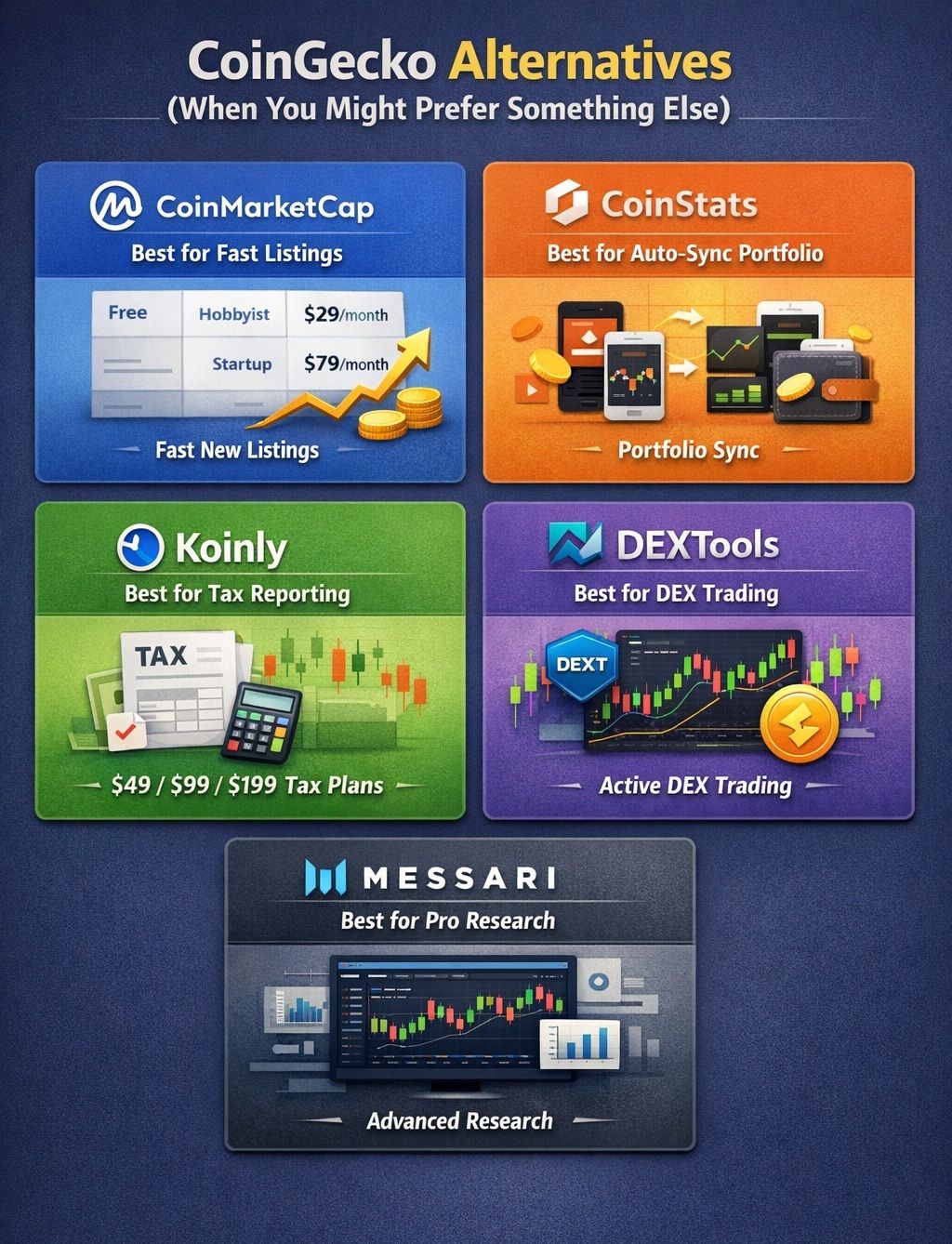 If CoinGecko Isn’t Clicking With Your Workflow, You’ve Got Other Options
Quick Comparison Mini-Table
| Tool | Best for | Tradeoff |
|---|---|---|
| CoinGecko | Verification, DeFi checks, free toolkit | Portfolio friction at high volume |
| CoinMarketCap | Discovery and broad browsing | Less verification-first by default |
| CoinStats | Auto-sync portfolio | Requires connecting accounts and integrations |
| Koinly | Taxes and reporting | Tax-first, not market research-first |
| DEXTools | High-tempo DEX trading views | Trading-centric interface |
| Messari | Deep research | Paid focus for full access |
CoinMarketCap (best for fastest new listings)
CoinMarketCap is the obvious alternative if discovery speed matters, especially for quickly moving through trending lists, categories, and exchange pages. For developers, the CoinMarketCap Pro API pricing page lays out the free and paid tiers with concrete limits, including a free Basic tier with 30 requests per minute, plus paid tiers such as Hobbyist ($29/month) and Startup ($79/month).
If your priority is quickly checking what is trending and then confirming access levels for API usage, CoinMarketCap’s published plan grid is the most direct reference point.
CoinStats (best for auto-sync portfolio)
CoinStats is often used for auto-sync portfolio tracking, with a strong emphasis on connecting exchanges and wallets so you are not manually maintaining holdings. Its pricing page publishes both plan structure and practical limits, such as a Free Basic tier with 10 portfolios, 20,000 transactions, and 40 daily syncs per portfolio, and a Premium plan listed at $13.99/month with higher caps such as 100 portfolios, 100,000 transactions, and 200 daily syncs per portfolio.
That makes CoinStats a better fit when your main goal is ongoing portfolio monitoring, rather than market-wide discovery, with the most concrete details laid out on the CoinStats subscriptions page.
For a detailed dive, check out our review of CoinStats.
Koinly (best for tax workflows)
Koinly is really a tax tool first. It’s less about discovering new coins and more about taking your messy transaction history and turning it into tax-ready reports you can actually use. Pricing is laid out in a simple “pay by transaction count” setup: there’s a $0 free tier, then paid plans at $49 per tax year (100 transactions), $99 per tax year (1,000 transactions), and a higher-volume tier that starts from $199 per tax year (3,000+ transactions).
If your priority is tax reporting, the transaction cap model shown on Koinly’s tax plans is the key detail to surface because it directly determines which plan you need.
For more insight on this options, take a look at our Koinly review.
DEXTools (best for hyper-active DEX traders)
DEXTools is popular with hyper-active DEX traders who want a trading-first interface focused on pairs, charts, and fast navigation. Its FAQ on whether DEXTools is free describes the access model as a free plan plus premium access tied to DEXT, including a Standard plan described as $100 paid in DEXT per month, and a Premium plan described as 100,000 DEXT held.
In practice, it is most useful when you want a fast DEX workflow and trading-centric UI, which is exactly what the DEXTools app is designed to prioritize.
Messari (best for deep research, paid)
Messari is built for people who want research, not just a quick price glance. This tool is intended for in-depth analysis and professional workflows, and its cost reflects this. It offers a free Basic tier, while the Enterprise tier is priced at $4,000–$5,000 per year and includes features such as real-time Intel notifications and more extensive data access options, suitable for API applications.
For most users, Messari makes the most sense when your goal is structured monitoring and deeper due diligence, rather than casual browsing or everyday price checks.

Final Verdict: Should You Use CoinGecko in 2026?
For everyday research and DeFi verification, CoinGecko does the job. Still, a lot of users pair it with something else when they need extra features or faster signals.
If You Do One Thing
Use a workflow that matches how crypto actually works today:
- Use CoinGecko for research, watchlists, alerts, and Trust Score checks.
- Use GeckoTerminal’s DEX tracking before any DEX trade to sanity-check liquidity and pool activity.
- Use CoinMarketCap as a backup radar for brand-new listings, then verify back in CoinGecko before you act.
Who Should Look Elsewhere
Consider alternatives if you:
- Need instant “new listing” signals (seconds after launch).
- Depend on CEX nitty-gritty like deposits/withdrawals, maintenance notices, or order-book depth.
- Want wallet-level on-chain intel (smart money tracking, holder clusters, insider flows).
- Trade perps/options and need funding, OI, liquidations, and derivatives dashboards.
- Require enterprise data (SLA-grade uptime, high-throughput APIs).
- Prefer an all-in-one terminal (charts, alerts, portfolio, screeners, execution in one place).
- Need compliance tooling like sanctions/AML screening.