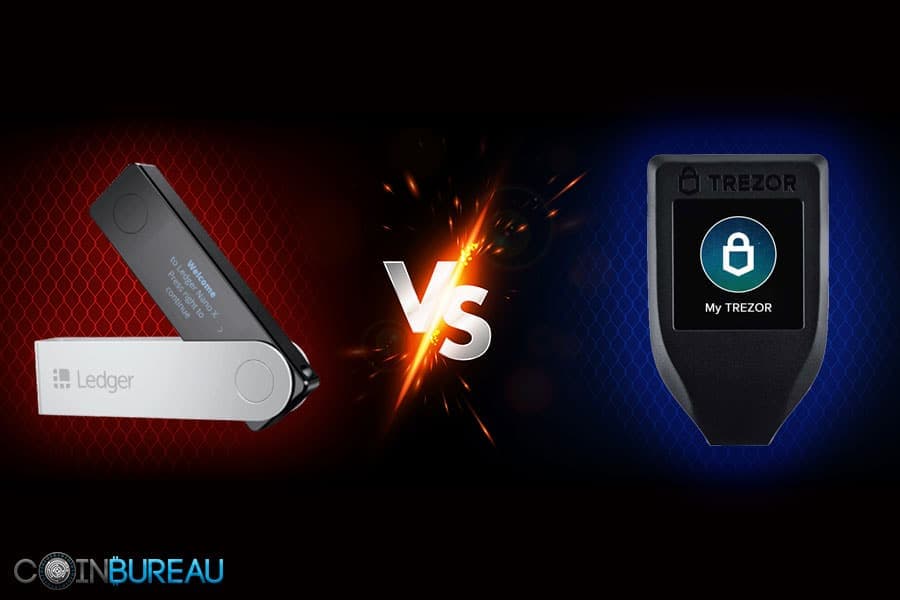



A hardware wallet keeps your private keys offline. That part is easy. The real question is which generation of Trezor fits the way you actually use crypto. “Best” is less about a spec sheet and more about your habits: how often you sign transactions, how many networks you use, and how much value you are trying to protect.
This also is not a two-horse race anymore. Trezor’s newer Safe line has changed the buying math, and plenty of comparisons still stuck on “Trezor One vs Model T” miss that Safe 3 and Safe 5 exist. They also miss the bigger point: the older devices are increasingly legacy buys, which can come with real trade-offs in security features and everyday usability.
By the end of this guide, you will have clear recommendations based on portfolio size and behavior. You will get the simplest pick for long-term HODLers, a better fit for frequent signers who care about comfort and speed, and the right approach for altcoin-heavy wallets where compatibility can matter just as much as security.
Quick Answer: What Should You Buy in 2026?
In 2026, Trezor’s “Safe” line is the default buying path. Most new buyers should start with Safe 3 (best value) or Safe 5 (best touchscreen experience). Model One and Model T can still be safe to use, but they’re discontinued, so availability, pricing, and purchase hygiene matter more than the old “One vs T” debate.
Our Top Picks
- Most people: Trezor Safe 3 (best value + modern security design)
- If you want a touchscreen: Trezor Safe 5 (modern flagship, lower daily friction)
- Touchscreen on a deal: Model T can win only if the price is compelling and you accept it’s discontinued
- Tight budget / already own Model One: still workable for simple holdings, but treat it as legacy hardware
- If you’re undecided: read the lineup table + the secure element section before buying
What to Be Careful About
- Legacy models are reseller-only. Avoid second-hand devices and random marketplaces.
- Model One passphrase limitation: no on-device passphrase entry, which matters for serious passphrase users.
- Deal traps: unusually cheap “sealed” listings are a common risk pattern. Verify authenticity during setup.
- Don’t buy blind on coin lists. “Supported” can still mean third-party wallet workflows.
Before You Choose: A Few Reality Checks
- Model One and Model T are discontinued, leaving Safe 3 and Safe 5 as the only current options sold directly by Trezor.
- Coin support is a moving target. Always verify Suite-native vs third-party support for your specific assets (and the network you plan to use).
- Legacy models can be fine if sourced carefully, but reseller purchases require extra caution: verify packaging, run authenticity checks in Suite, and never use anything that looks pre-initialized.
Last verified: Jan. 21, 2026. Prices, availability, and supported assets can change with firmware, Trezor Suite updates, and retailer stock.
How We Tested and Reviewed These Wallets
Trezor wallets have been my go-to crypto storage choice since 2024, and since then, I have used them for a variety of purposes. For this review, here's what I tested and did not test.
What We Tested
- Setup flow in Trezor Suite, including authenticity checks and firmware prompts.
- Sending and receiving, confirming addresses on-device, and comparing signing friction.
- Passphrase workflows, including on-device vs host entry behavior.
- Recovery simulation planning (not full destructive testing), including understanding multi-share backup options and how they affect usability.
- Third-party wallet experience for assets that are not fully native in Suite.
What We Didn’t Test
- Lab-grade physical extraction and side-channel testing.
- Clean-room supply chain auditing.
- Full red-team testing against targeted attackers.
Trezor’s Current Lineup (2026): Where One and Model T Actually Fit Now
The common mistake is treating “One vs Model T” as a modern head-to-head. It is now a legacy comparison that still matters for owners, upgraders, and bargain hunters, but it is not the main buying decision for most new buyers.
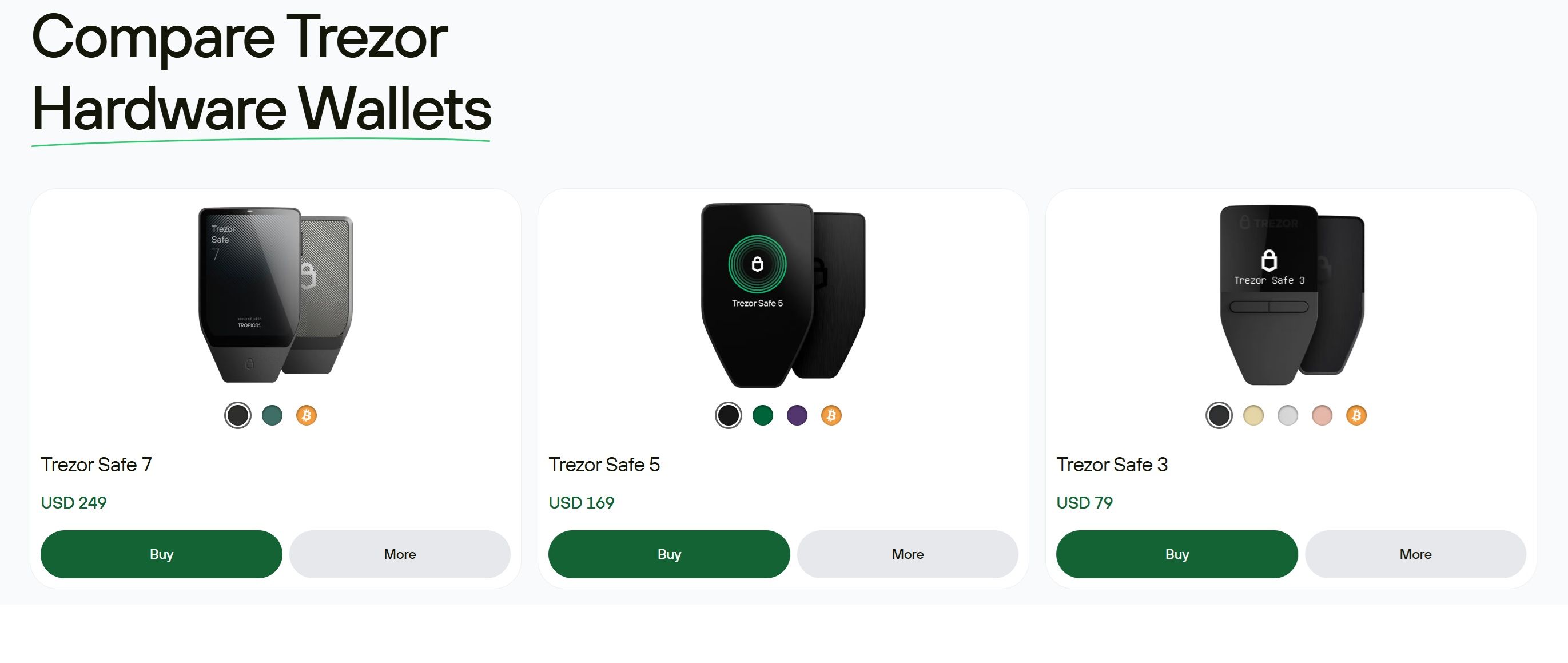 Trezor Gives You Several Wallet Options. You Should Pick the One Based on Your Need and Knowledge
The 4-Model Snapshot
Trezor Model One (legacy entry model)
- Discontinued and no longer sold by Trezor directly, so availability depends on retailer stock.
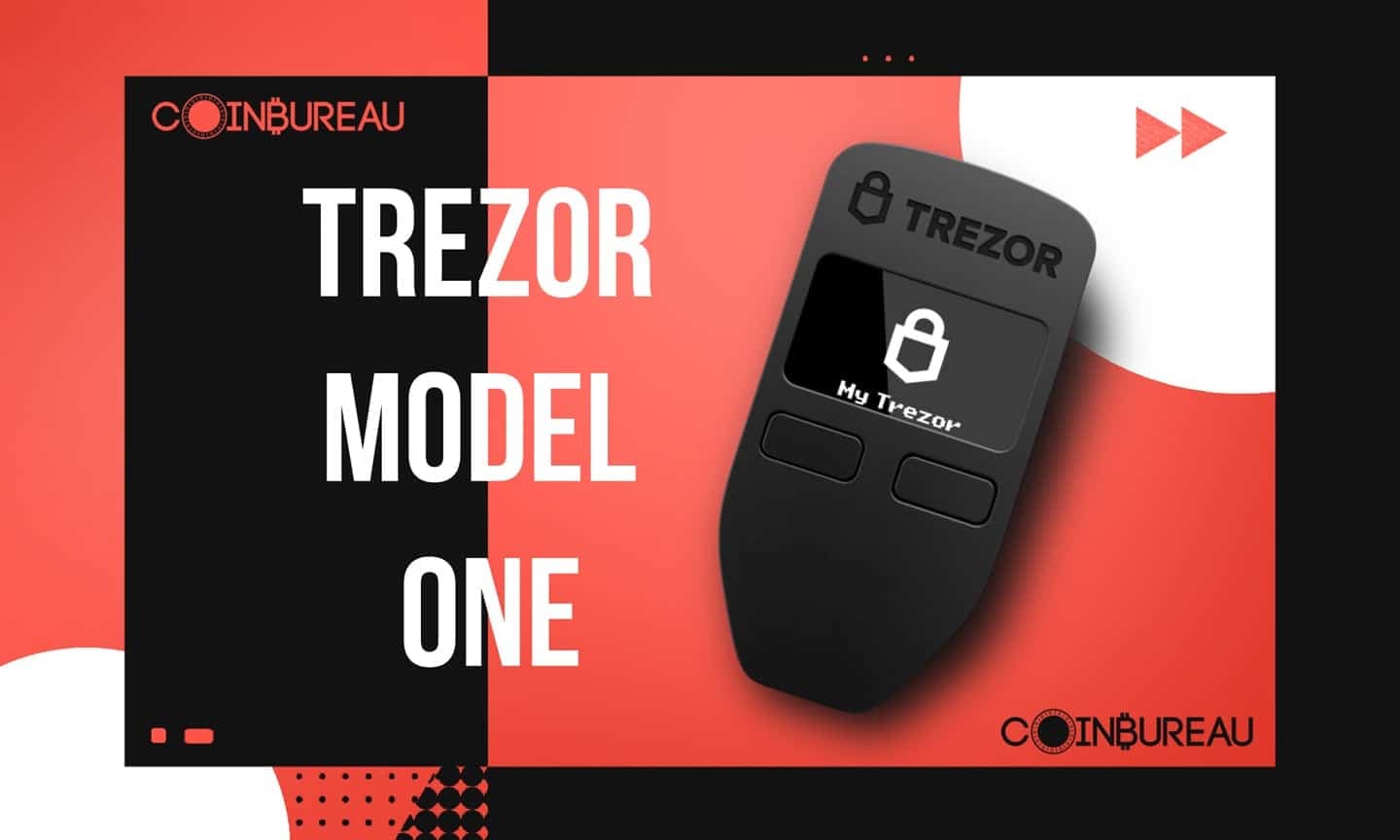
- Two buttons and an older connector standard.
- Does not support on-device passphrase entry, which affects high-security passphrase workflows.
Trezor Model T (older flagship, touchscreen)
- Discontinued, with Trezor explicitly pointing buyers toward Safe 5 as its successor.
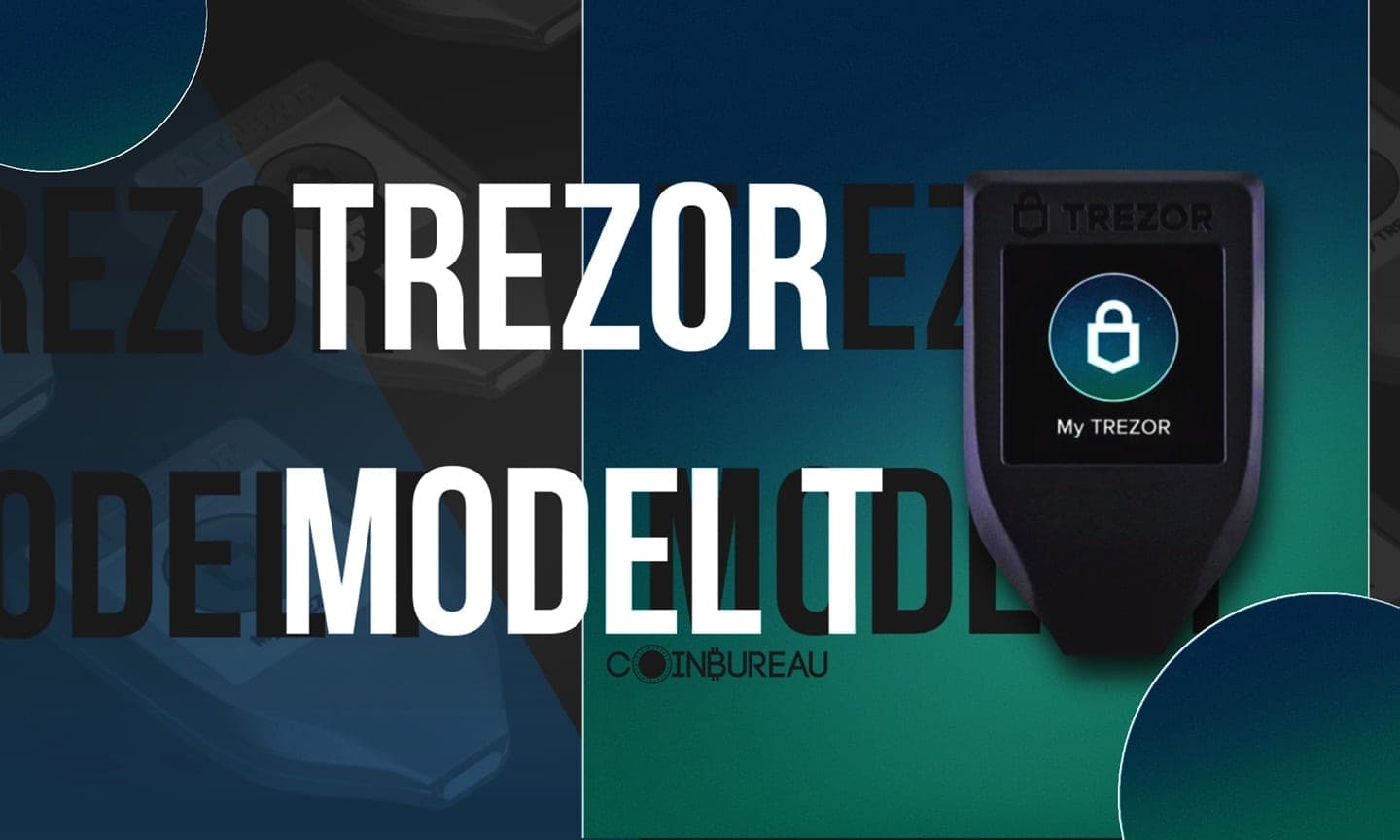
- Touchscreen improves daily UX for frequent confirmations and recovery workflows.
- Still relevant for some setups, and Trezor states it will keep receiving software updates until at least 2031 and critical fixes until at least 2036.
Trezor Safe 3 (modern value model)
- Current “default” choice for most people: modern security design, simple controls, strong price-to-features ratio.
- On-device passphrase entry via buttons, which is a big deal for serious users.
Trezor Safe 5 (modern flagship path)
- Current touchscreen model positioned as the modern replacement track for Model T.
- Combines touchscreen convenience with a secure element and other modern build choices.
At-a-Glance Comparison Table (One vs Model T vs Safe 3 vs Safe 5)
Before the table, a pricing note: Safe 3 and Safe 5 have MSRP on Trezor’s official store, while Model One and Model T prices vary by retailer because they are discontinued. As one snapshot, Best Buy listed Model One at $49.00 and Model T at $129.00, but those numbers can move quickly with stock and sales.
For official pricing, Trezor’s store lists Safe 3 at $79 and Safe 5 at $169.
| Category | Model One | Model T | Safe 3 | Safe 5 | Winner |
| Price | $49 | $129 | $79 | $169 | 🏆 Safe 3 |
| Ease of use | ✅ simple | ⭐ very good | ⭐ good | ⭐ best | 🏆 Safe 5 |
| Secure element | ❌ | ❌ | ✅ | ✅ | 🏆 Safe 3 / Safe 5 |
| Passphrase entry | ❌ host only | ✅ on-device | ✅ on-device | ✅ on-device | 🏆 Safe 3 / Safe 5 |
| Connector | micro-USB | USB-C | USB-C | USB-C | 🏆 Safe 3 / Safe 5 |
| Screen | small OLED/buttons | color touchscreen | mono OLED/buttons | color touchscreen | 🏆 Safe 5 |
| Recovery options | standard | standard + multi-share | standard + multi-share | standard + multi-share | 🏆 Safe 3 / Safe 5 |
| Shamir / multi-share | limited workflow | ✅ | ✅ | ✅ | 🏆 Safe 3 / Safe 5 |
| MicroSD slot | ❌ | ✅ | ❌ | ✅ | 🏆 Safe 5 / Model T |
| “Supported coins” feel | often 3rd-party | mixed | mixed | mixed | 🏆 depends |
| Mobile/desktop UX | ok, slower | better | good | best | 🏆 Safe 5 |
| Travel durability | ok | ok | ⭐ better | ⭐ best (build) | 🏆 Safe 5 |
New Developments Worth Factoring In
This section is here so you do not buy blind based on an outdated comparison.
 Trezor has Made Significant Improvements to its Wallets Since 2024. Pick the One That Suits Your Needs the Best
New Models and Product Positioning
The Safe line is now the primary buying path. Model One and Model T are still safe to use, but they are not sold through the official Trezor store as of Jan. 8, 2026.
That is the biggest practical change for buyers: availability and pricing for older devices now behaves like “legacy hardware.”
Pricing and Availability Drift
Our approach as reviewers is simple:
- We treat official store pricing as the baseline for Safe models.
- We treat retailer pricing as a moving snapshot for legacy models and expect variation by region.
- We encourage readers to cross-check the official store and the official product status before purchase, especially during sales seasons.
Firmware and Feature Drift
Coin support and features can change with firmware and Suite releases, and sometimes support is reduced for specific assets over time. For example, Trezor notes that as of February 2025, Trezor Suite discontinued support for several coins (including Dash and Bitcoin Gold).
What we re-checked for this update:
- Official product status for Model One and Model T.
- Current Safe pricing in the official store.
- Current passphrase entry behavior across models.
- Current language around secure elements in Safe devices.
- The current “supported coins” tool and how it labels Suite vs third-party.
The Big Security Question: Secure Element vs Trezor's Open-Source Philosophy
The most important modern differentiator between older Trezors and the Safe line is the integration of a secure element.
What a Secure Element Is
A secure element is a tamper-resistant chip, think of it as a “vault inside the vault.” It is designed to store sensitive secrets and enforce access controls in a way that is harder to bypass with physical attacks than a general-purpose microcontroller.
In plain terms, a secure element mainly helps if someone gets the device in their hands and tries to extract secrets or brute-force access using advanced hardware techniques.
Which Models Have It (And Which Don’t)
- Model One and Model T: Historically do not use a secure element for key protection in the same way the Safe line does.
- Safe 3 and Safe 5: Include a secure element layer as an extra defense against physical attacks.
If your buying decision is “old model vs Safe model,” this is the core security reason many people upgrade.
Real-World Threat Model: When Secure Element Matters vs When It Doesn’t
Here is the practical threat framing most people need:
- If you lose the device: You can recover with your wallet backup, so your main risk is someone else trying to access the device before you move funds.
- If the device is stolen by a casual thief: A strong PIN and a time delay do a lot of work. A secure element adds more friction, but good PIN discipline is still the front line.
- If you are a targeted person: Secure element protection becomes more relevant, because targeted attackers are more likely to attempt advanced extraction or brute-force workflows.
- If the attacker gets both your device and your backup: The secure element does not save you. That is where passphrase discipline matters most.
- Simple decision rule: If you are protecting meaningful long-term holdings, a secure element is a valuable extra layer, but passphrase discipline matters more than any single chip.
Bottom Line Security Recommendation
Always:
- Use a strong PIN.
- Keep firmware up to date.
- Verify you are using legitimate software and downloads.
Strongly recommended for serious holdings:
- Use a passphrase correctly and test it.
Secure element:
- Treat it as extra physical security, not a magic spell.
Setup Experience: Trezor One vs Model T (And How Safe 3/5 Compare)
Setup quality is not just convenience; it's where people make permanent mistakes.
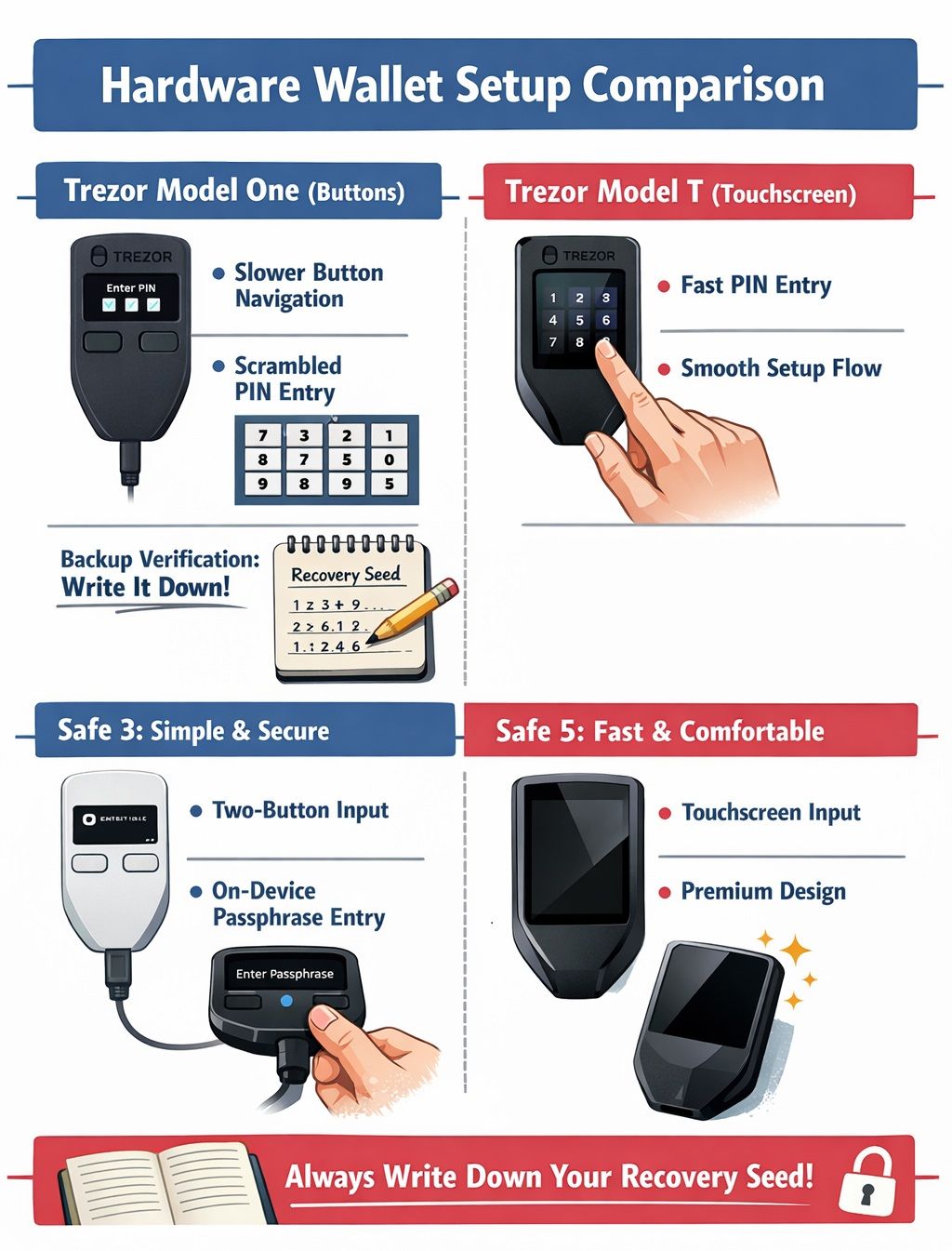 A Visual Walkthrough of Trezor Models
Unboxing and Authenticity Checks
The safest purchase is direct from the manufacturer or an authorized reseller. For modern devices, Trezor documents what to check, including packaging integrity and tamper-evident seals.
If anything looks “pre-initialized,” walk away. A legitimate hardware wallet should guide you through creating a new wallet backup during setup.
Also, do not panic if you are prompted to install firmware on first use. That can be a normal part of onboarding, especially if the device ships with older firmware.
Setup Walkthrough: Trezor Model One (Buttons)
Expect roughly 15 minutes for a normal setup. The friction points are consistent:
- Button-driven navigation is slower than touchscreen.
- PIN entry uses a scrambled grid conceptually designed to protect your PIN, but it can feel clunky for first-timers.
- Backup verification takes time, and it should, because this is the most important step.
- Trezor’s own getting-started guide emphasizes writing your backup down carefully and never sharing it.
Setup Walkthrough: Model T (Touchscreen)
Touchscreen does not magically make you safer, but it does remove friction:
- Faster PIN and confirmation flows.
- On-device entry for sensitive inputs is more comfortable.
- Recovery workflows generally feel smoother, which matters if you ever need to restore under stress.
Setup Walkthrough Notes for Safe 3 and Safe 5
- Safe 3 sits on the “simple and secure” side: Two-button input, but with modern security design and on-device passphrase entry.
- Safe 5 sits on the “fast and comfortable” side: Touchscreen input and a more premium feel for daily signing.
If you are a frequent signer, the Safe 5 experience tends to feel less tedious over time.
Beginner Error Traps Checklist
- Do not photograph your wallet backup.
- Do not type your backup into a website.
- Do not install random “Suite” apps or browser extensions that are not official.
- Always do a small receive and a small send test before funding heavily.
- When updating firmware, follow the official process inside Trezor Suite rather than hunting for downloads from search results, because fake wallet software is a common attack pattern.
Daily Use Comparison: What It Feels Like After the Honeymoon
Most “wallet comparisons” miss the real pain: small frictions that repeat every time you sign.
Sending Crypto (Confirmations, Navigation, Speed)
If you sign once a month, buttons are usually fine. If you sign multiple times a week, the difference becomes obvious:
- Buttons are deliberate but slower.
- Touchscreens reduce “menu friction” and make it easier to verify details quickly.
This is why frequent signers often end up preferring touchscreen devices, even if they originally bought a cheaper model.
PIN Entry and Recovery Flows
PIN entry matters because it happens often. Recovery matters because it happens under pressure.
- Model One: Functional, slower, more tedious navigation.
- Touchscreen models: Generally smoother input, less error-prone when you are tired or stressed.
Using Trezor With Third-Party Wallets
Third-party wallet support is both a strength and a source of annoyance:
- Great when you want power-user features, DeFi access, or chain-specific tools.
- Annoying when “supported asset” does not feel native in Suite and you need a second app for basic tasks.
- If you hold many assets across ecosystems, plan for at least one third-party workflow.
Passphrase Protection (The “25th Word” That Changes Everything)
If you want one upgrade that dramatically improves security without buying new hardware, this is it.
What a Passphrase Does
A passphrase creates a completely separate wallet that is linked to your existing wallet backup. You can think of it as an extra secret that “unlocks” a different set of accounts, even though the backup words are the same.
This beats “just hide the seed” because it gives you a second lock. A thief who finds your backup still cannot access the passphrase-protected wallet without the passphrase itself.
How to Use It Safely
Four rules you must not break:
- It is case-sensitive.
- Typos do not fail, they create a different wallet.
- You need a backup strategy for the passphrase itself.
- Test it with small funds first, and practice restoring before you rely on it.
Model Differences: On-Device vs Host Entry
On-device passphrase entry is preferable because it avoids typing secrets on a computer or phone.
Trezor documents the differences clearly:
- Safe 5 and Model T support on-device entry via touchscreen.
- Safe 3 supports on-device entry using buttons.
- Model One does not support on-device entry, so you type the passphrase on the connected computer or phone.
Practical advice: If you plan to use a passphrase for serious holdings and you do not want to type it on a computer, Model One is the wrong tool.
Decoy Wallet Pattern
Some advanced users keep a small amount in a “seed-only” wallet and the majority behind a passphrase wallet. The idea is simple: if you are ever pressured, the visible wallet does not reveal your full holdings.
This is only worth doing if you truly understand what you are doing, and you have practiced accessing both wallets correctly. Complexity can create self-inflicted loss.
Coin Support (And the “Native vs Third-Party” Reality)
This is where most buying mistakes happen, especially for altcoin collectors.
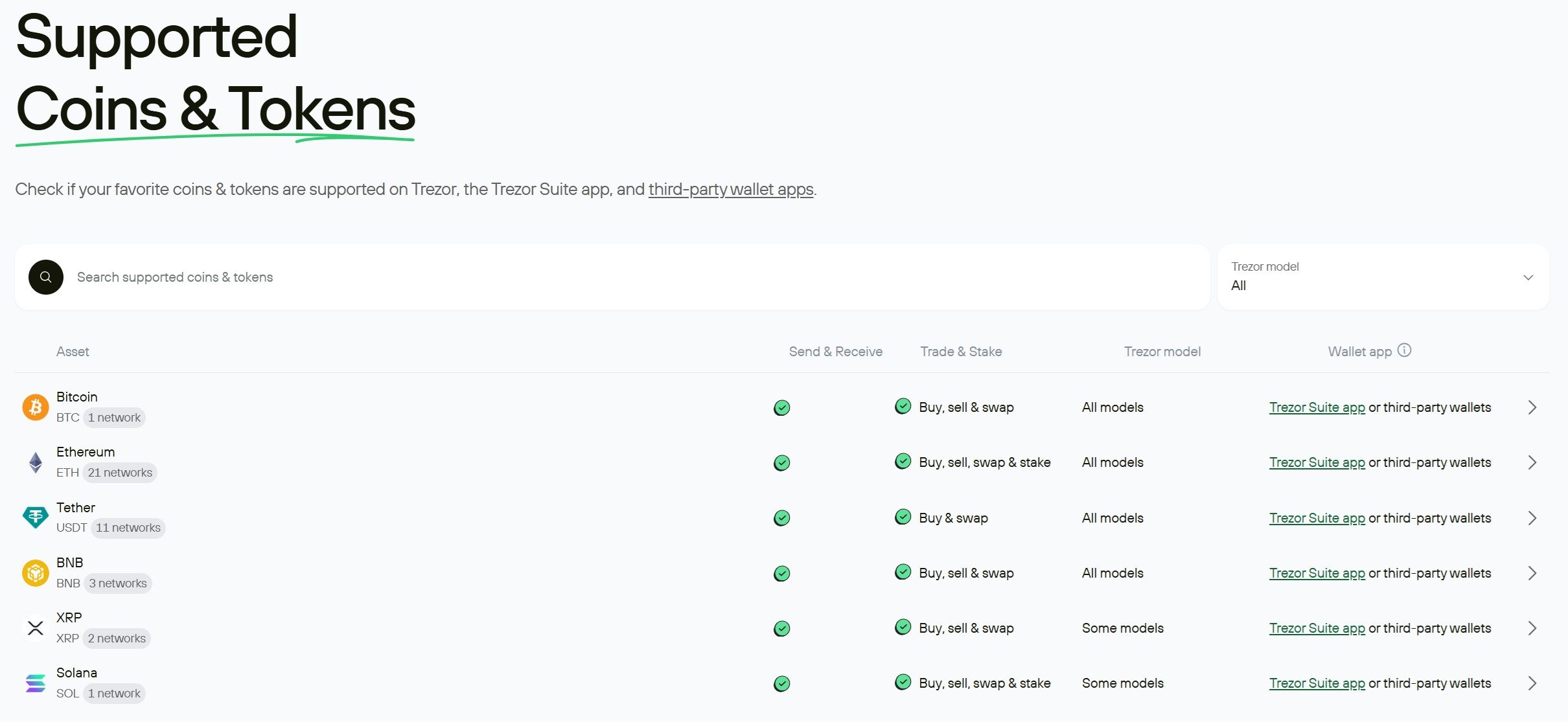 Trezor Supports a Large Number of Coins And Tokens
How Trezor Defines “Supported”
Trezor devices can securely manage thousands of assets, but the experience differs depending on whether the asset is supported natively in Trezor Suite or requires a third-party wallet.
Trezor’s supported coins tool is the best first stop because it shows support by model and calls out Suite vs third-party workflows.
The list goes well beyond Bitcoin and Ethereum. For example, you’ll find widely used networks like Litecoin (LTC), Stellar (XLM), and Avalanche (AVAX), plus meme staples like Dogecoin (DOGE) and Shiba Inu (SHIB). The key is that support isn’t one-size-fits-all: some assets are handled directly in Trezor Suite, while others require connecting your Trezor to a third-party wallet app. Trezor’s own support docs explain the native vs. third-party split in plain terms.
How to Check Support Before You Buy
Use this three-step check:
- Search your asset on the official supported coins page.
- Confirm whether it is supported in Suite or needs a third-party wallet.
- If it needs third-party, confirm you are comfortable with that wallet’s UX and security model.
Also pay attention to networks. Tokens on the “wrong network” can create confusion, and Trezor repeatedly warns that choosing a network purely for lower fees can backfire if it is unsupported.
Common Gotchas
Certain ecosystems and tokens are supported only through third-party wallets, so “supported” may still feel inconvenient.
If you hold 20+ assets, expect at least one workflow to be third-party. Plan for that up front.
Advanced Features and Ecosystem: What You Actually Get Beyond Cold Storage
Hardware wallets are not just vaults anymore. They are signing devices that can plug into a broader ecosystem.
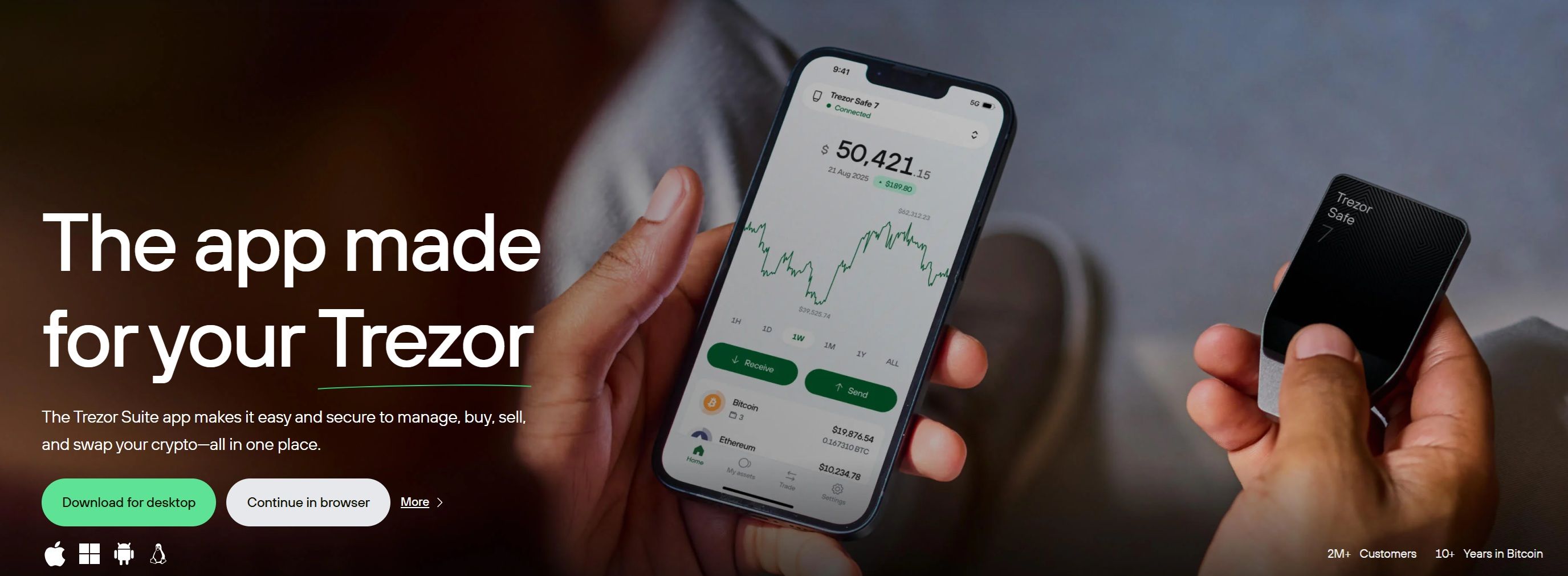 Trezor Suite is Designed for Day-to-Day Portfolio Management
Trezor Suite (What It’s Best At)
Trezor Suite is designed for day-to-day portfolio management, basic transaction workflows, and integrations that let you buy, sell, or swap in a single interface.
Just remember that convenience features can come with trade-offs, including fees and partner risk. Swaps also vary by network, and for example, Trezor notes that DEX swaps in Suite are limited to EVM assets, while Solana tokens cannot be swapped via DEX in that flow.
Privacy Features (Coin control, Tor) in Practical Terms
Two practical privacy tools still matter for many users:
- Tor in Suite can reduce IP-based tracking by routing traffic through Tor. Trezor provides guidance for enabling Tor connections in Suite settings.
- CoinJoin needs a careful update: Trezor discontinued CoinJoin rounds in Trezor Suite effective June 1, 2024 due to coordinator support ending, while noting that funds in existing CoinJoin accounts remain accessible.
Therefore, treat CoinJoin as a legacy feature for existing accounts, not a reason to buy a specific model.
Authentication Tools (U2F/FIDO2)
Many Trezor devices can act as a second factor for logins. This is useful if you want a hardware-backed authentication method for key accounts. Most people will not use it daily, but it is a nice bonus if you already own the device.
SD Card Slot and Why It Matters (or Doesn’t)
MicroSD is not a must-have for everyone, but it can matter for advanced users.
Trezor documents a feature called MicroSD card encryption on Model T and Safe 5 that binds the device to a secret stored on the card, adding another layer against physical attacks.
If that sounds like overkill, it probably is for your threat model. For high-risk users, it can be meaningful.
Trezor One vs Model T: Pros, Cons, and Who Each Is Still For
Even though this is a legacy comparison now, it is still useful.
Trezor Model One
Best for:
- Occasional signer.
- Tight budget.
- Simple BTC and basic ETH-style holdings.
- People who already own one and want to keep using it safely.
Watch-outs in 2026:
- Discontinued product with uncertain stock.
- Slower UX and more friction for frequent signing.
- No on-device passphrase entry, which is a real limitation for serious passphrase users.
Trezor Model T
Best for:
- Frequent transactions and confirmations.
- Touchscreen preference.
- Smoother setup and recovery experience.
- Certain advanced workflows that benefit from MicroSD support.
Watch-outs:
- Discontinued product that is explicitly positioned as replaced by Safe 5.
- Price-to-value can be weaker than Safe 3 and Safe 5 depending on what deals exist in your region.
What Should I Buy Scenarios
These scenarios are not financial advice; they're workflow advice based on common risk profiles.
Beginner Under $5k
- Recommendation: Safe 3, or keep using a reputable hot wallet until you can buy from a trusted channel.
- Why: You get modern security design and a clean path to learning hardware wallet hygiene without paying for premium UX.
Long-Term HODL $10k to $100k
- Recommendation: Safe 3 for most people, Safe 5 if you value touchscreen comfort.
- Emphasis: Use a passphrase, practice recovery, and consider redundancy (two devices, one backup plan). Your main risk is operational mistakes, not exotic hackers.
Active Onchain User and Frequent Signer
- Recommendation: Safe 5
- Why: Frequent signing makes touchscreen convenience worth paying for. Less friction reduces mistakes over time.
Altcoin Collector
- Recommendation: Safe 5 or Safe 3, with one strict rule: check native support first.
If you hold many assets, expect at least one third-party workflow. Make sure you like that workflow before buying hardware.
High-Risk Profile and Privacy Maximalist
Recommendation: Safe 5, plus operational security basics:
- Buy from trusted channels.
- Consider shipping hygiene and minimizing personal data exposure.
- Compartmentalize wallets and accounts.
- Use passphrases and practice restores.
For high-risk users, the “system” around the wallet matters as much as the wallet.
Safety Checklist: Buying, Verifying, Backing Up, and Storing
This is the shareable part. Most losses come from avoidable mistakes.
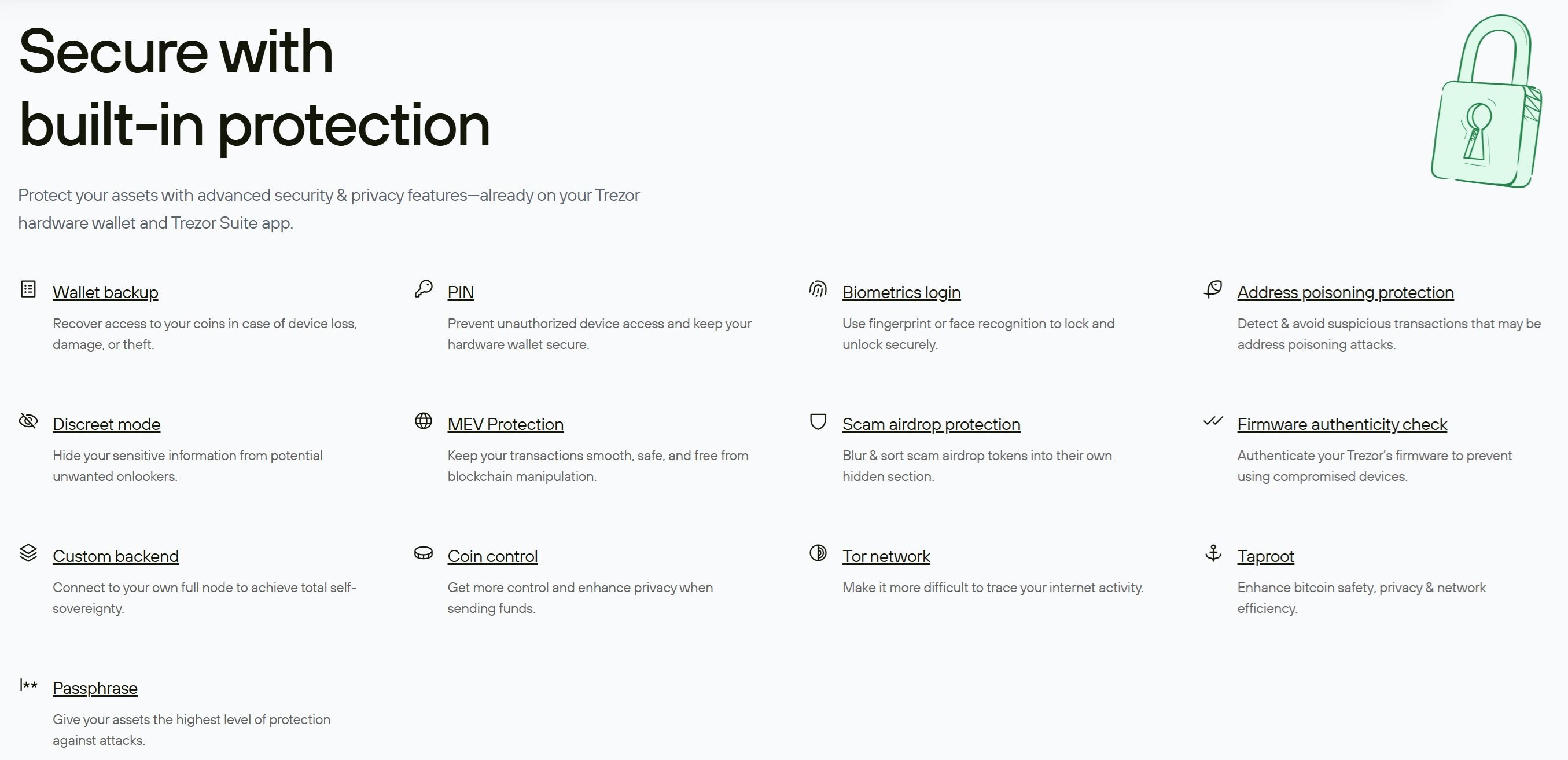 Trezor Walletd are Backed by Advanced Security and Privacy Features
Buying Safely (Where Not to Buy)
Avoid:
- Second-hand devices.
- Random marketplaces.
- Anything “sealed” that you cannot verify with official documentation.
Buy direct or from verified resellers. If the packaging looks wrong, stop and verify.
Verify Software Downloads
Use the official Trezor Suite pathway for onboarding and firmware updates, and be suspicious of search ads and lookalike domains. If you are prompted to “enter your seed to fix something,” that is almost always a scam.
Seed Storage and Metal Backups
Quick guidance:
- Paper is fine short-term, but it is vulnerable to fire and water.
- Metal backups improve durability.
- Use a two to three location strategy only if you can do it without increasing theft risk.
Do a basic audit cadence: confirm you can find your backup and that you still know your recovery plan.

Final Verdict: Trezor One vs Model T
So, do two the two stack up?
If You’re Choosing Only Between Model One and Model T
Pick Model One if:
- You sign rarely.
- Your holdings are simple.
- Budget matters more than convenience.
- You can accept a discontinued product and you do not need on-device passphrase entry.
Pick Model T if:
- You sign frequently.
- You value a touchscreen for speed and comfort.
- You want MicroSD-related advanced options.
- You find a strong deal from a reputable seller and accept it is discontinued.
If You’re Buying New in 2026
Default path:
- Safe 3 for most people.
- Safe 5 if you want the best touchscreen experience and lower daily friction.
To sum it all up in one line: Model One vs Model T is now a legacy comparison, but it’s still useful for owners and upgraders. New buyers should start with Safe 3 or Safe 5.