The Trezor Safe 3 feels like one of the cleanest hardware wallet picks for users who want cold storage without paying flagship prices. At $79, it brings together Trezor’s open-source firmware, offline signing, PIN protection, passphrase support, Shamir Backup, CoinJoin, Tor support, USB-C connectivity, and an EAL6+ Secure Element.
After using it, the appeal becomes fairly obvious. The Safe 3 sits in the practical middle of Trezor’s lineup. It is more secure than the older Model One because it adds a Secure Element, but it avoids the higher price of the touchscreen Safe 5 and flagship Safe 7. It does not feel flashy, and that is mostly the point. It is a compact signing device built around private key protection, recovery, transaction checks, and long-term storage.
Editor's Note (June 7, 2026): We fully updated this Trezor Safe 3 review in June 2026 to reflect current pricing, supported assets, security features, Trezor’s latest wallet lineup, and how the Safe 3 compares with the Safe 5, Safe 7, Ledger Nano S Plus, and Ledger Nano Gen5. We also expanded the review with a new scorecard, methodology, setup guidance, asset support caveats, and a clearer verdict on who should buy it.
Trezor Safe 3 Review: Quick Verdict
The Trezor Safe 3 is one of the cleanest hardware wallet picks for users who want cold storage without paying flagship prices. At $79, it combines Trezor's open-source firmware, offline signing, PIN protection, passphrase support, Shamir Backup, CoinJoin, Tor support, USB-C connectivity, and an EAL6+ Secure Element built around the OPTIGA Trust M V3 chip.
Our take: The Trezor Safe 3 is the best-value Trezor for most long-term holders, Bitcoin privacy users, and open-source advocates. It is more secure than the older Model One because it adds a Secure Element, but it avoids the higher price of the touchscreen Safe 5 and flagship Safe 7. Its main trade-off is convenience: there is no touchscreen, Bluetooth, battery, or wireless mobile flow.
Scorecard
-
1Security and Cold Storage 4.6/5 The Safe 3 keeps private keys offline, signs transactions on-device, and adds an EAL6+ Secure Element for stronger physical attack resistance. PIN protection, optional passphrase support, and transaction checks add practical layers for everyday self-custody.
-
2Asset Support 4.1/5 The wallet supports Bitcoin, Ethereum, Solana, ERC-20 tokens, SPL tokens, and thousands of supported assets through Trezor Suite and compatible tooling. Users still need to verify exact support before sending funds, especially for ecosystems such as Cosmos or Avalanche.
-
3Setup and Recovery 4.5/5 Setup through Trezor Suite is beginner-friendly, but still forces users to slow down during seed backup. Shamir Backup gives stronger recovery flexibility for users who can store recovery shares properly.
-
4Price and Value 4.7/5 At $79, the Safe 3 is the cheapest Trezor with a Secure Element. It gives users the core security features most long-term holders need without charging extra for a touchscreen or wireless features.
-
5User Experience 4.0/5 The USB-C and button-based workflow is simple and controlled, but slower than touchscreen wallets. It works best for desktop-first users who value careful approvals over speed.
-
6Privacy and Bitcoin Tools 4.5/5 CoinJoin and Tor support inside Trezor Suite make the Safe 3 especially strong for Bitcoin users who want better privacy tools. These features do not make Bitcoin anonymous, but they improve the default send-and-receive setup.
-
7Overall Score 4.5/5 A strong budget cold storage wallet for users who want open-source firmware, Secure Element protection, Shamir Backup, CoinJoin, Tor, USB-C, and Trezor Suite support without paying for flagship hardware.
Best For
- Users who want the lowest-cost Trezor hardware wallet with a Secure Element
- Long-term holders who want simple cold storage for Bitcoin, Ethereum, Solana, ERC-20 tokens, and SPL tokens
- Bitcoin users who want CoinJoin, Tor, and open-source firmware
- Desktop-first users who are comfortable with USB-C and physical buttons
- Users who want Shamir Backup for stronger recovery planning
- Open-source advocates who prefer Trezor's transparent firmware model
Not Ideal For
- Users who want a touchscreen, Bluetooth, wireless charging, or a premium device feel
- Mobile-first users who prefer a wireless wallet workflow
- Frequent traders who approve many transactions and want faster address review
- Users who need unsupported ecosystems such as Cosmos or Avalanche inside their main wallet flow
- Anyone who wants the widest possible chain support without checking Trezor's supported assets page first
- Users who may forget an optional passphrase or store recovery shares carelessly
Disclosure and Methodology
Some links in this article may be affiliate links. If you choose to use a service through these links, we may earn a commission at no additional cost to you.
For this Trezor Safe 3 review, we evaluated the wallet across six main categories: security and cold storage, asset support, setup and recovery, price and value, user experience, and privacy tools. We tested the Safe 3 as a real-world hardware wallet rather than judging it only by price or spec sheet.
We also weighed the limitations carefully, including the lack of touchscreen, Bluetooth, battery, and wireless mobile workflow. We considered the smaller monochrome screen and button-based approval flow.
Trezor Safe 3 At A Glance
| Category | Trezor Safe 3 |
|---|---|
| Type | Hardware Wallet |
| Price | $79 |
| Best For | Budget Security, Bitcoin Privacy Users, Open-Source Advocates, Long-Term Holders |
| Secure Element | Yes, EAL6+ |
| Chip | OPTIGA Trust M V3 |
| Firmware | Open Source |
| Touchscreen | No |
| Bluetooth | No |
| Connection | USB-C |
| CoinJoin | Yes |
| Tor | Yes |
| Shamir Backup | Yes |
| Supported Assets | Thousands Of Coins And Tokens, Including Tokens On Supported Networks |
| Main Omissions | Cosmos, Avalanche, Dash, Bitcoin Gold, DigiByte, Namecoin, Vertcoin |
| Main App | Trezor Suite |
The Safe 3 works best for users who want cold storage for Bitcoin, Ethereum, Solana, ERC-20 tokens, SPL tokens, and other supported assets. It also has a clear edge for Bitcoin privacy users because CoinJoin and Tor are built into the Trezor Suite experience.
The trade-off becomes clear once you use it. There is no touchscreen, Bluetooth, battery, or wireless flow. Every action runs through USB-C and physical buttons. That can feel plain beside newer wallets, but it also keeps the device simple and focused.
Overall, the Safe 3 gives most users Trezor’s strongest practical security features at the lowest Trezor price point with a Secure Element.
What Is The Trezor Safe 3?
The Trezor Safe 3 is a self-custody hardware wallet from SatoshiLabs. Its job is to keep private keys offline, then sign transactions inside the device instead of exposing sensitive wallet credentials to a computer, browser wallet, phone, or exchange account.
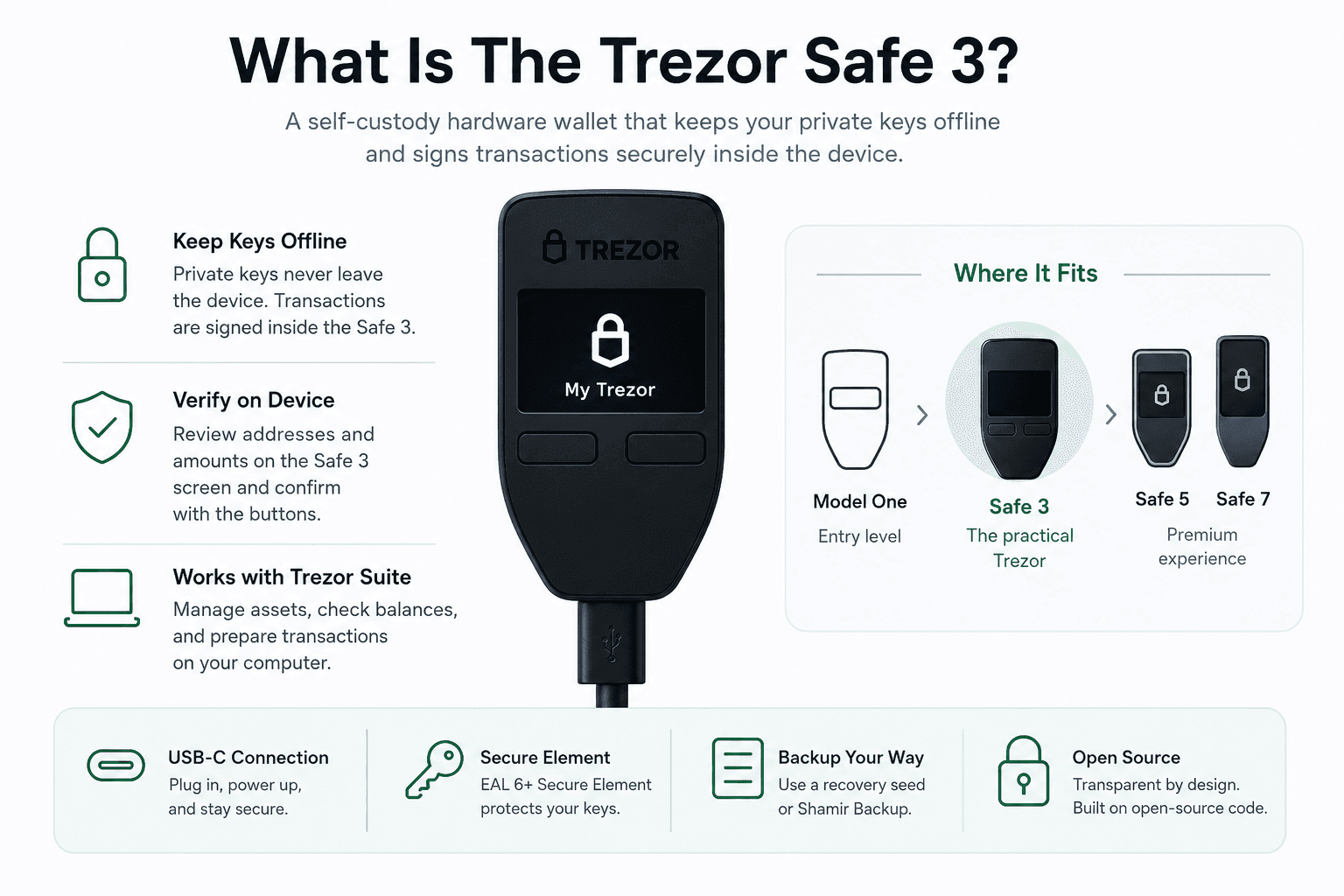 Trezor’s Button-Based Wallet Built For Offline Storage
In use, that flow feels deliberately slower than a software wallet. Your computer prepares the transaction, but the Safe 3 must approve and sign it. The transaction details appear on the wallet’s own screen, so you can check the address and amount before confirming with the physical buttons. That separate screen and manual approval step is the real cold storage advantage.
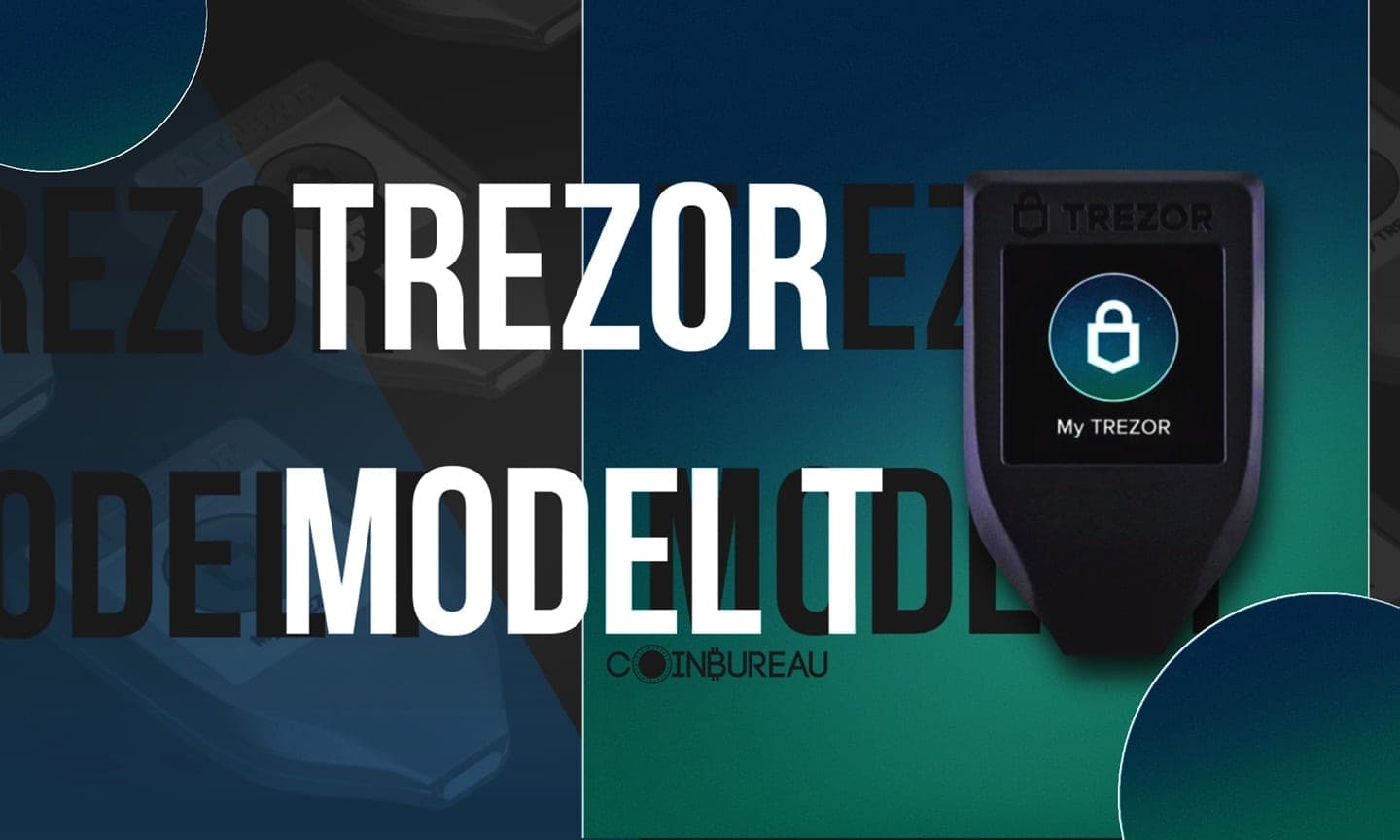
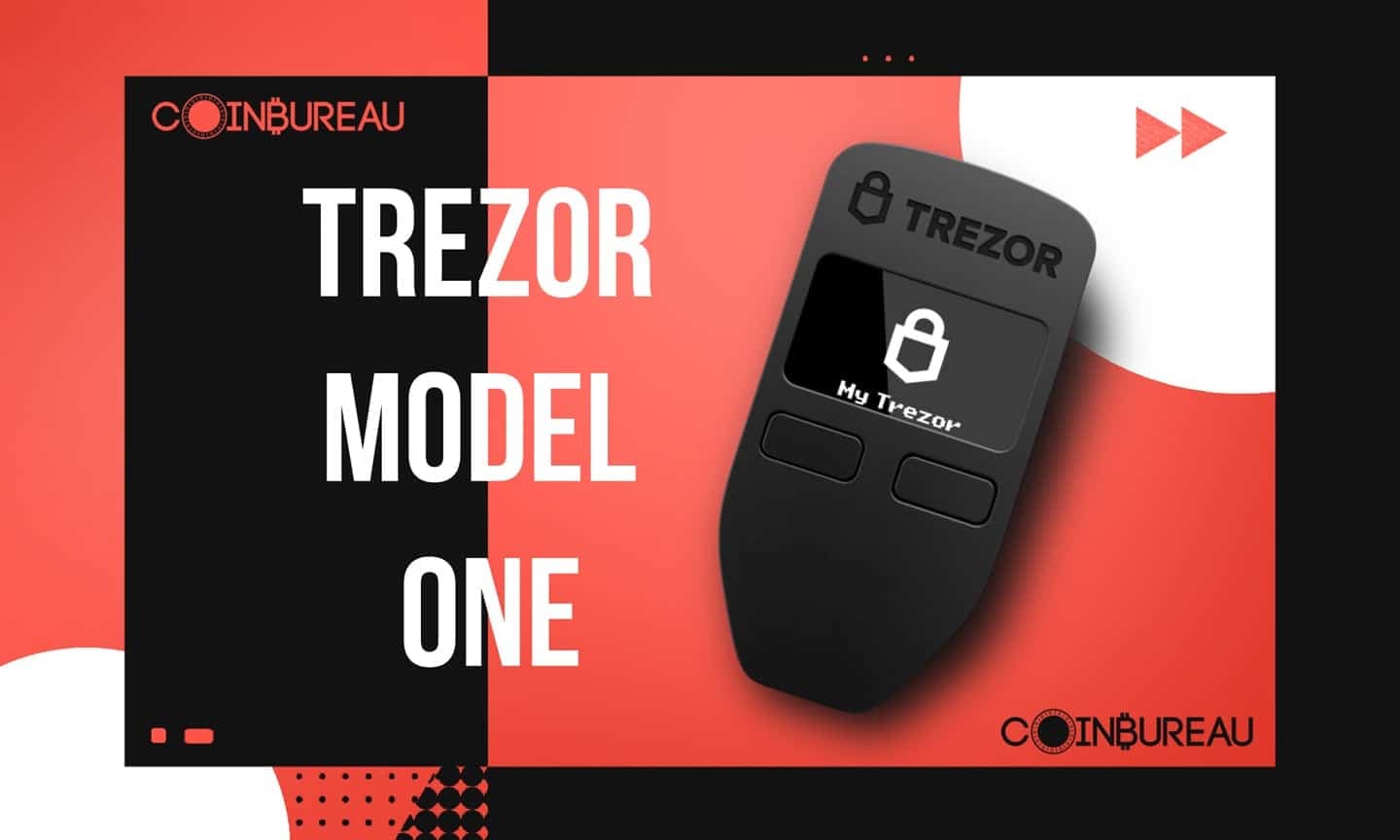
Within Trezor’s lineup, the Safe 3 sits above the older Trezor Model One and below the Trezor Safe 5 and Trezor Safe 7. It uses a monochrome OLED display and two buttons instead of a touchscreen. After using it beside the Safe 5, the Safe 3 feels more basic, but also more direct. The buttons are slower than a touchscreen, yet the approval flow feels controlled rather than fiddly.
The packaging and setup also match that no-frills approach. The device feels like a practical security tool rather than a premium gadget. You connect it through USB-C, manage assets through Trezor Suite, confirm transactions on the device, and store your recovery seed or Shamir Backup offline.
For a full breakdown of its security features, supported assets how it compares with other Trezor models, read our complete Trezor Safe 5 review.
Who Is The Trezor Safe 3 Best For?
The Safe 3 is best for users who want serious self-custody without spending premium-wallet money.
That includes first-time hardware wallet buyers, long-term holders, Bitcoin users, open-source advocates, and investors moving assets off exchanges. It is especially useful for people who want a Secure Element but do not want to pay for the Safe 5 or Safe 7.
It also fits desktop-first users better than mobile-first users. Since there is no Bluetooth, the workflow is built around plugging the device into a computer, opening Trezor Suite, and confirming actions manually. For long-term holders, that slower flow is not a weakness. Cold storage should make users slow down before moving funds.
Who Should Skip It?
You should skip the Safe 3 if you want a touchscreen, Bluetooth, or a more premium device experience.
The button-based interface works well, but it is slower than a larger touchscreen when reviewing addresses or approving transactions often. Users who mostly manage crypto from a phone may also find the USB-C workflow limiting compared with wallets built around wireless access.
Chain support is another reason to pause. If you need unsupported ecosystems such as Cosmos or Avalanche, check compatibility on Trezor’s supported coins page before buying. The Safe 3 is a strong wallet, but it is not the right match for every portfolio.
Is Trezor Safe 3 Safe?
Yes, the Trezor Safe 3 is one of the safer consumer hardware wallets for self-custody. Its security model keeps private keys offline, signs transactions on the device, and adds a Secure Element to improve physical attack resistance compared with older Trezor models.
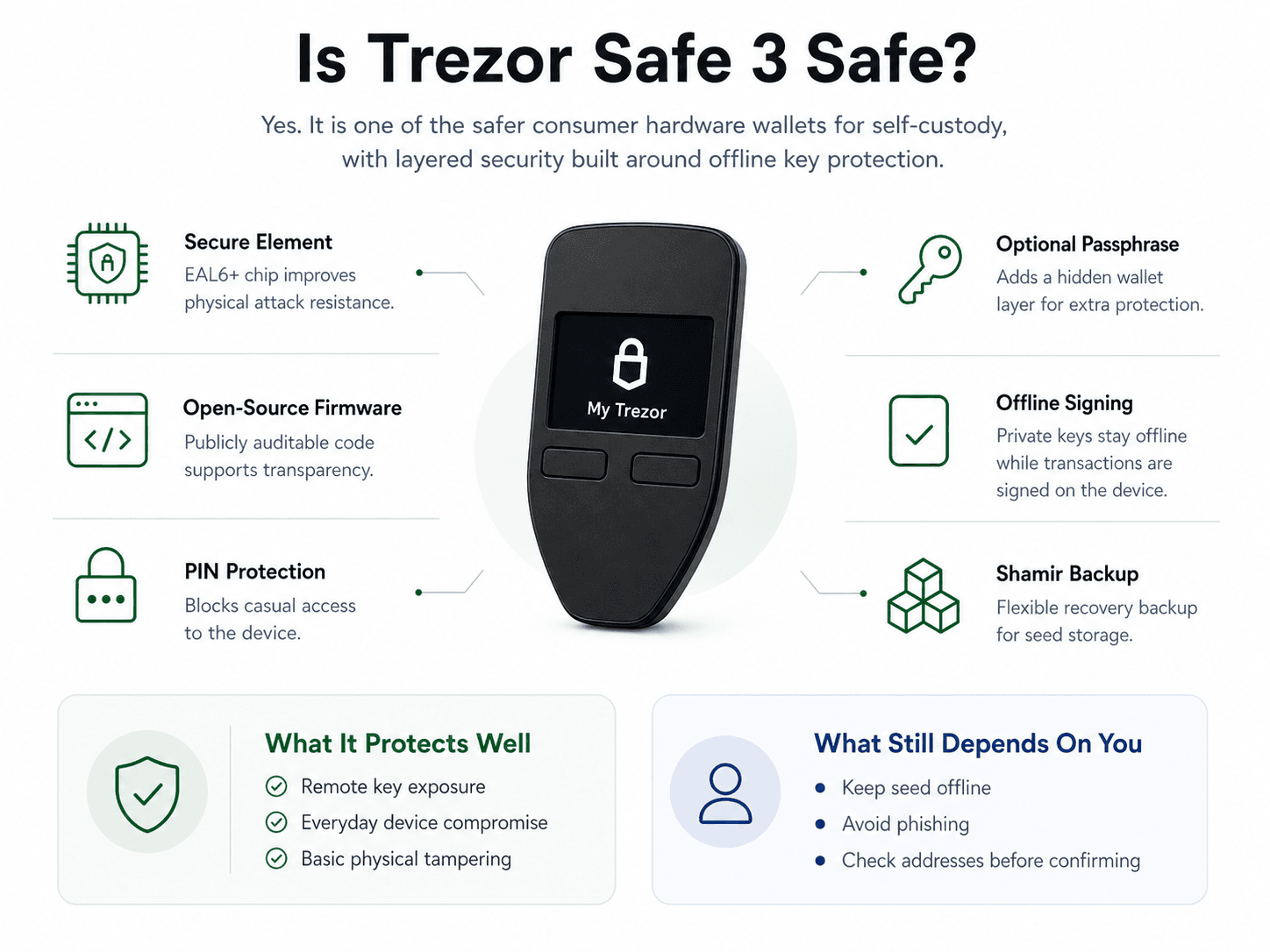 How Safe 3 Protects Keys, Recovery, And Transactions
The Safe 3 does not depend on one protection layer. It combines an EAL6+ Secure Element, open-source firmware, PIN protection, optional passphrase support, offline signing, and Shamir Backup. Each layer handles a different risk. The Secure Element helps with physical protection, the firmware supports auditability, the PIN protects device access, and recovery design helps protect against loss.
There is no confirmed remote exploit against the Trezor Safe 3. That said, hardware wallets do not remove user risk. A fake setup website, exposed recovery seed, phishing message, or careless backup can still lead to a loss. The Safe 3 gives users strong tools, but those tools only work if the recovery seed stays offline and transactions are checked carefully.
Physical attacks are also theoretically possible if a skilled attacker gets enough time with the device. The Secure Element reduces that risk, but it does not turn the wallet into an invincible vault. For normal consumer use, the Safe 3 is very safe. The user still has to handle seed storage and phishing risk properly.
Secure Element Explained
The Safe 3 uses an EAL6+ OPTIGA Trust M V3 Secure Element to improve physical security and help verify device authenticity.
In plain English, the Secure Element is a hardened chip designed to resist certain extraction, tampering, and fault attacks. That mainly helps if someone physically gets hold of the wallet and tries to break into it through hardware-level methods instead of phishing the user.
This is one of the biggest upgrades over older Trezor devices. Earlier models depended more heavily on the general-purpose STM32 chip, which made physical attack discussions a recurring part of Trezor security debates. The Safe 3 does not abandon Trezor’s open-source philosophy, but it does answer that older criticism with stronger hardware protection.
Open-Source Firmware And Why It Helps
Trezor’s open-source firmware gives users a more transparent security model than closed-source wallets.
The benefit is auditability. Developers and researchers can inspect the code, test assumptions, and report flaws. Trezor’s verified SatoshiLabs GitHub organization also helps users identify the project’s official codebase and avoid random lookalike repositories.
Open source does not mean the wallet is automatically flawless. It means users are not being asked to rely only on company claims. For security-conscious users, that transparency is one of Trezor’s biggest strengths.
PIN, Passphrase And Offline Signing
The PIN protects access to the physical device, while the optional passphrase creates an extra hidden wallet layer.
The passphrase is often described as a 25th word, but users should treat it carefully. It creates a separate wallet derived from the same recovery seed. That can improve security if used properly, but it can also lock users out if they forget the exact passphrase.
Offline signing is the core cold storage advantage. Your computer prepares the transaction, the Trezor signs it inside the device, and the computer broadcasts the signed transaction. The private key never touches the internet-connected machine.
That flow is slower than clicking through a browser wallet, but that friction is useful. It gives users a separate screen and physical confirmation step before funds move.
Here are some other safe and simple crypto wallet options for first-time users who don't want to make it so complicated to buy and hold their first crypto.
Trezor Safe 3 Features
The Safe 3 focuses on features that strengthen long-term self-custody rather than features that make the device feel flashy.
In daily use, that shows up clearly. The device is not trying to compete with a smartphone-like wallet experience. Its strongest additions are privacy tools, recovery flexibility, Bitcoin-only firmware support, and Trezor Suite compatibility. Those features connect directly to how people actually use hardware wallets: storing assets, approving transactions, protecting backups, and reducing exposure to surveillance or phishing.
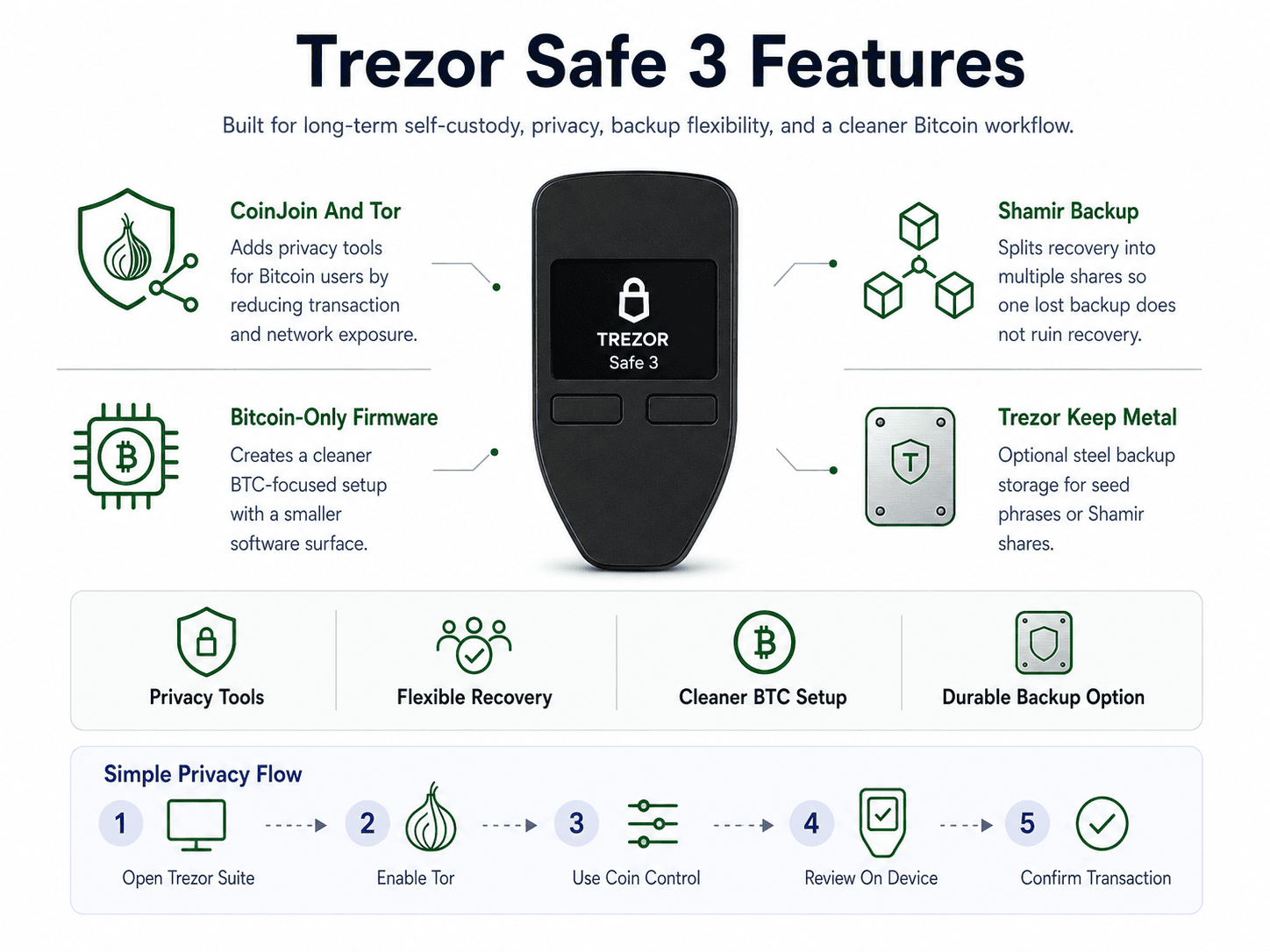 Privacy And Recovery Tools For Long-Term Crypto Storage
CoinJoin And Tor Support
CoinJoin and Tor make the Safe 3 especially interesting for Bitcoin users who care about privacy.
CoinJoin helps reduce transaction traceability by combining multiple users’ Bitcoin transactions, making ownership links harder to follow on-chain. It does not make Bitcoin fully anonymous, and it does not erase careless behavior such as address reuse or obvious exchange withdrawal patterns. Still, it gives users a privacy option that many hardware wallet ecosystems do not offer as directly.
Tor adds a different layer of privacy. Instead of focusing on blockchain transaction history, Tor in Trezor Suite helps reduce network-level exposure when using the app. Together, CoinJoin and Tor give Bitcoin users a stronger privacy setup than a normal send-and-receive wallet flow.
A simple privacy workflow looks like this:
- Open Trezor Suite.
- Enable Tor in privacy settings.
- Use coin control where relevant.
- Review transaction details carefully.
- Confirm only after checking the device screen.
Shamir Backup
Shamir Backup gives users a safer recovery structure than keeping one seed phrase in one place.
Instead of creating a single recovery phrase, Shamir Backup splits recovery into multiple shares. A 2-of-3 setup means any two shares can recover the wallet. A 3-of-5 setup means any three shares can recover it. This lowers the risk of one lost, stolen, or damaged backup destroying the whole recovery plan.
That structure is especially useful for larger balances. One share can be stored at home, another in a secure location, and another with a trusted person or institution. No single share is enough to recover the wallet by itself.
The trade-off is operational discipline. Shamir Backup works best for users who can store shares responsibly and remember the threshold setup. If the shares are scattered carelessly or too many are lost, recovery becomes harder instead of safer.
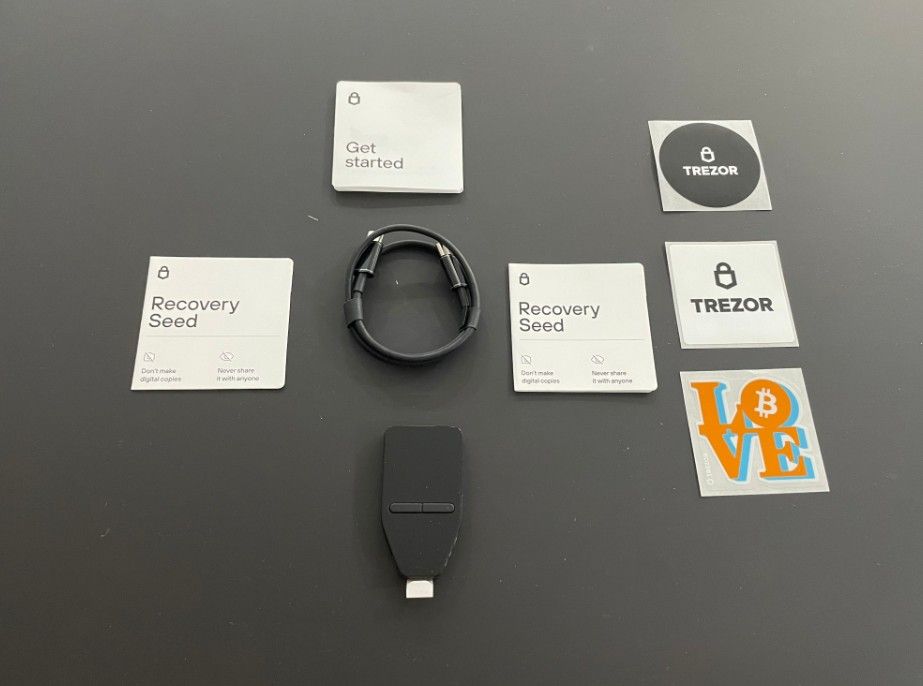 A Look At What's Inside The Trezor Safe 3 Box
Bitcoin-Only Firmware
Bitcoin-only firmware is useful for users who want a cleaner Bitcoin experience and a smaller software surface.
The limited Bitcoin-only edition is still relevant, but standard Safe 3 users can also install Bitcoin-only firmware. That means buyers do not need a separate device just to access the Bitcoin-only setup.
The benefit is focus. Bitcoin-only firmware hides altcoin accounts, removes unnecessary coin support, and creates a simpler interface for BTC holders. For Bitcoin-only users, this can make the wallet feel cleaner and easier to audit.
The caveat is firmware switching. Users should understand what firmware they are installing, especially if they already manage non-Bitcoin assets on the device.
Trezor Keep Metal
Trezor Keep Metal is an optional steel backup product for recovery seeds or Shamir shares.
This fits naturally with the Safe 3 because the wallet is only as safe as its recovery setup. A paper seed phrase can be damaged by fire, water, mold, or simple human error. A metal backup is designed to survive harsher conditions.
Users with small balances may not need one immediately. Users storing long-term holdings should at least consider a metal backup or another durable recovery method. Prices can change, so buyers should check Trezor Keep Metal on the current store before purchasing.
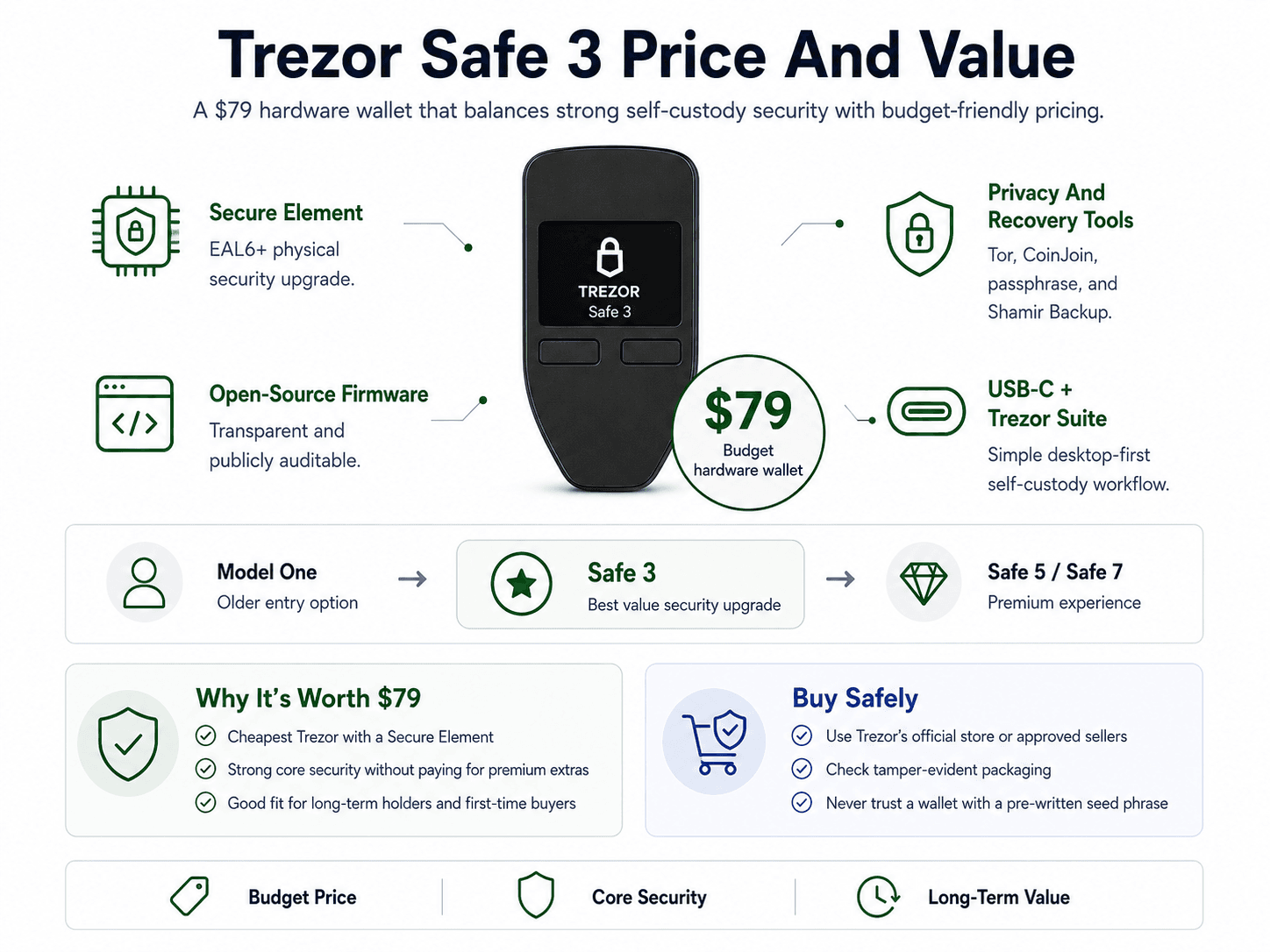
Trezor Safe 3 Price And Value
The Trezor Safe 3 costs $79, which places it directly in the budget hardware wallet category.
 What The $79 Secure Element Wallet Actually Offers
That price works because the Safe 3 does not feel stripped down where it counts. Buyers still get a USB-C hardware wallet with an EAL6+ Secure Element, open-source firmware, Trezor Suite support, PIN protection, passphrase support, Tor, CoinJoin, and Shamir Backup.
The strongest value point is simple. The Safe 3 is the cheapest Trezor with a Secure Element. That makes it a better security upgrade than the older Model One for most new buyers, while staying far cheaper than the Safe 5 and Safe 7.
Users should buy through Trezor’s official store or approved sellers only. Hardware wallet supply-chain risk is real. Check the tamper-evident packaging, verify the device during setup, and never use a wallet that arrives with a pre-written seed phrase.
Is The Trezor Safe 3 Worth $79?
Yes, the Safe 3 is worth $79 for most self-custody users.
The value comes from balance. It gives users the core security upgrade they want from a modern Trezor without forcing them to pay for a touchscreen or wireless features. For long-term holders, that is usually the right trade.
It is less attractive if you want Bluetooth, touchscreen navigation, or support for chains that Trezor does not handle well. In those cases, spending more on another model may be smarter than buying the Safe 3 and working around its limits.
Trezor Safe 3 Vs Trezor Safe 5 Vs Trezor Safe 7
The Safe 3 is the budget security pick, the Safe 5 is the usability upgrade, and the Safe 7 is the premium Trezor option.
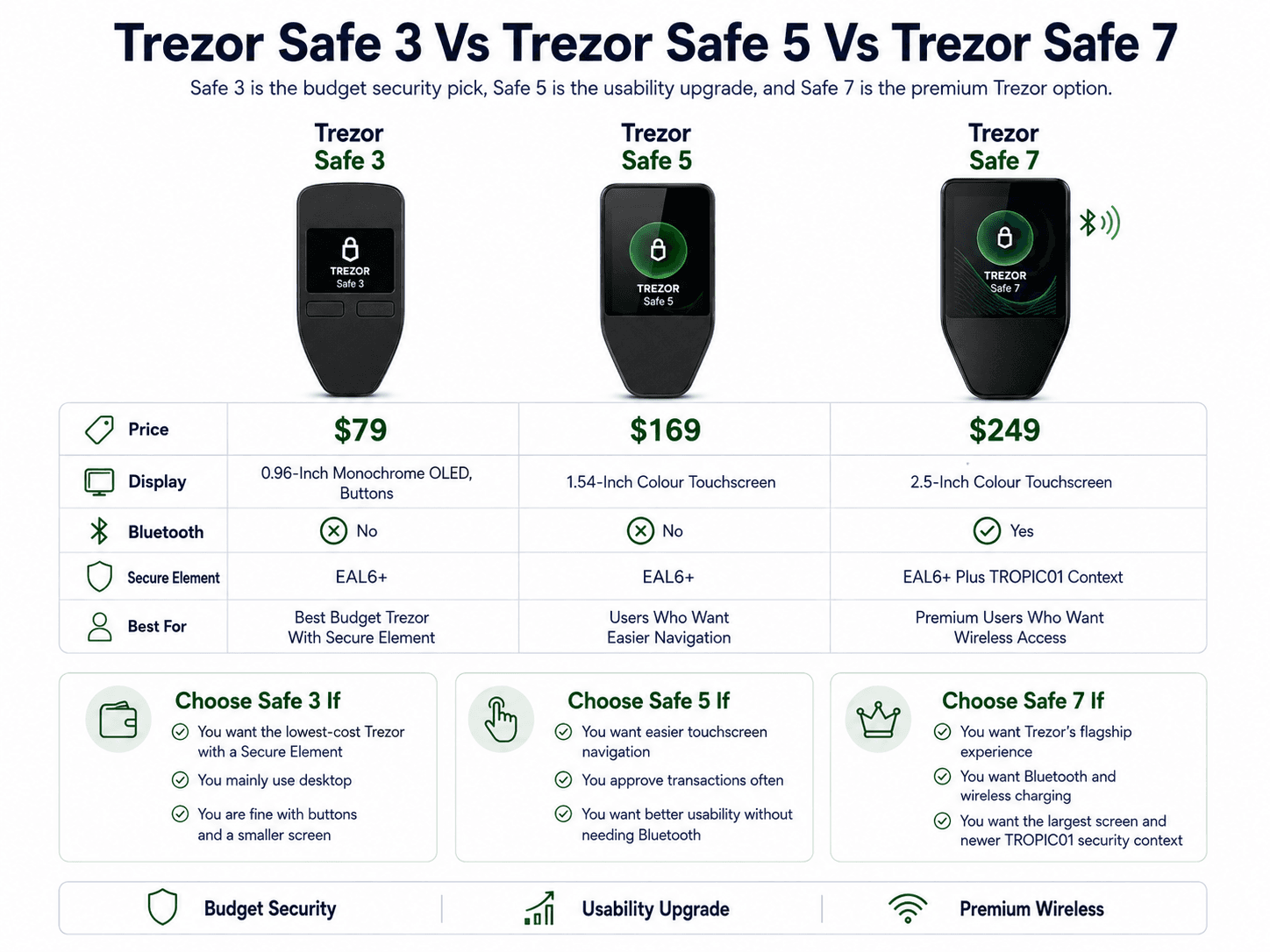 How Trezor’s Wallet Lineup Compares For Different Users
| Model | Price | Display | Bluetooth | Secure Element | Best For |
|---|---|---|---|---|---|
| Trezor Safe 3 | $79 | 0.96-Inch Monochrome OLED, Buttons | No | EAL6+ | Best Budget Trezor With Secure Element |
| Trezor Safe 5 | $169 | 1.54-Inch Colour Touchscreen | No | EAL6+ | Users Who Want Easier Navigation |
| Trezor Safe 7 | $249 | 2.5-Inch Colour Touchscreen | Yes | EAL6+ Plus TROPIC01 Context | Premium Users Who Want Wireless Access |
The decision is mostly about interface and convenience. All three devices follow Trezor’s broader security philosophy, but the experience changes as you move up the lineup. Safe 3 keeps costs low. Safe 5 adds a touchscreen. Safe 7 adds Bluetooth, wireless charging, a larger screen, and newer security context around TROPIC01 and firmware verification.
After using Safe 3 beside the touchscreen model, the difference feels less about security and more about comfort. The Safe 5 is easier for frequent approvals. The Safe 3 is better for users who want to set up cold storage, check transactions carefully, and avoid paying extra for a screen upgrade.
Choose Trezor Safe 3 If
- You want the lowest-cost Trezor with a Secure Element.
- You mainly use desktop.
- You prefer physical buttons over a touchscreen.
- You want a simple cold storage flow.
- You are a Bitcoin user who wants CoinJoin, Tor and open-source firmware.
- You do not mind the smaller monochrome screen.
- You are comfortable taking more time to review addresses on-device.
Choose Trezor Safe 5 If
- You want the Trezor experience with easier navigation.
- You prefer a colour touchscreen over button controls.
- You approve transactions often.
- You find physical button navigation frustrating.
- You want haptic feedback, Gorilla Glass 3 and USB-C.
- You want a smoother approval flow.
- You do not need Bluetooth or a wireless mobile workflow.
- You see the upgrade as mainly about usability, not a different self-custody model.
Choose Trezor Safe 7 If
- You want Trezor’s flagship hardware wallet.
- You want Bluetooth and wireless charging.
- You prefer a larger 2.5-inch colour touchscreen.
- You want Gorilla Glass 3 and the newer TROPIC01 security context.
- You want Trezor’s latest device-level security stack.
- You like the idea of post-quantum protection for firmware updates, device authentication and boot protection.
- You understand this does not make blockchains themselves quantum-safe.
- You see the Safe 7 as a premium convenience upgrade, not a necessary upgrade for most users.
Trezor Safe 3 Supported Coins And Tokens
Trezor supports major chains and thousands of tokens, but users should verify exact support before buying or sending funds.
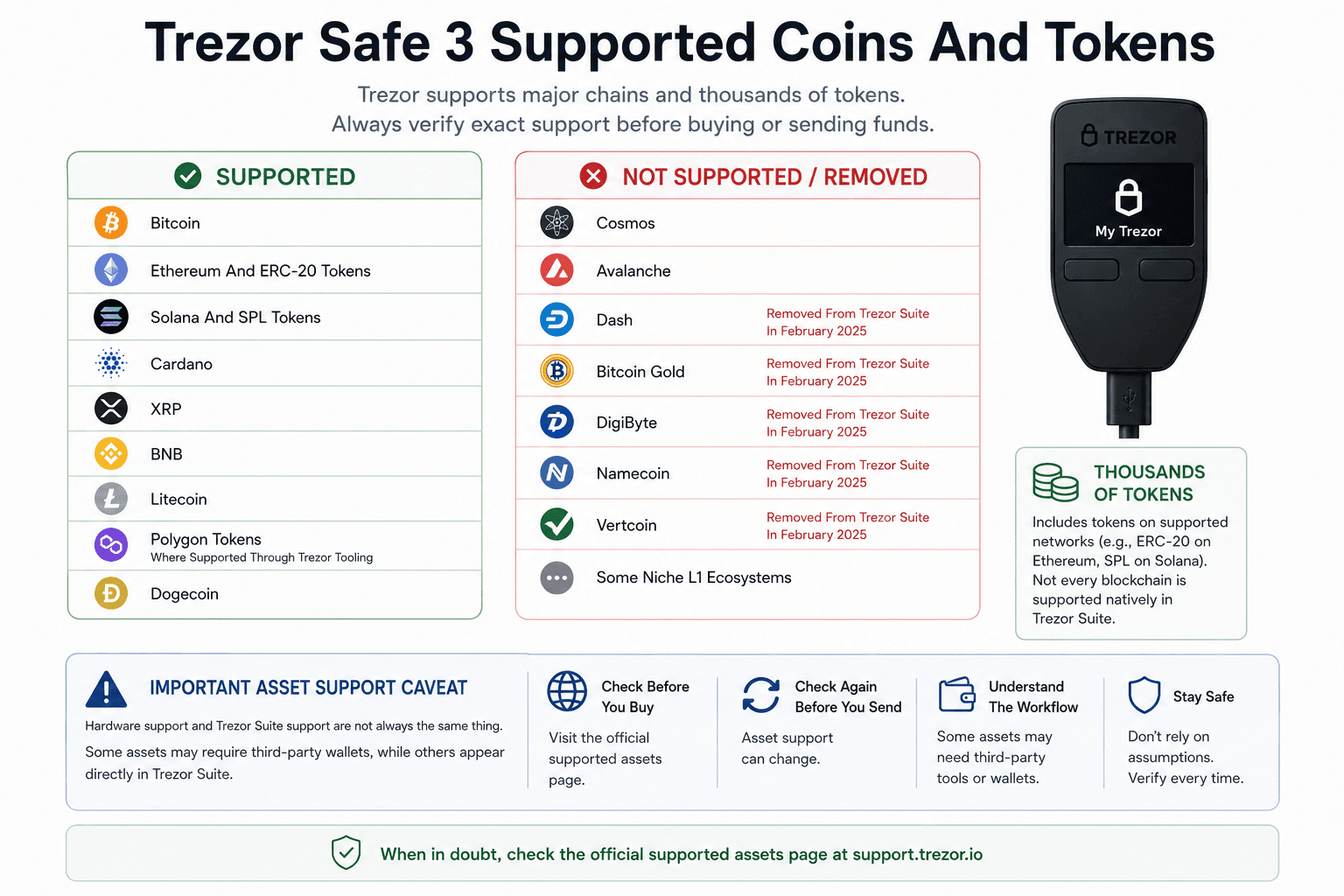 Supported Assets, Removed Coins, And Compatibility Limits
The “thousands of assets” figure can be misleading if read too quickly. It includes individual tokens on supported networks. Ethereum support includes ERC-20 tokens, and Solana support includes SPL tokens. That is different from saying every standalone blockchain is supported natively inside Trezor Suite.
| Supported | Not Supported / Removed |
|---|---|
| Bitcoin | Cosmos |
| Ethereum And ERC-20 Tokens | Avalanche |
| Solana And SPL Tokens | Dash, Removed From Trezor Suite In February 2025 |
| Cardano | Bitcoin Gold, Removed From Trezor Suite In February 2025 |
| XRP | DigiByte, Removed From Trezor Suite In February 2025 |
| BNB | Namecoin, Removed From Trezor Suite In February 2025 |
| Litecoin | Vertcoin, Removed From Trezor Suite In February 2025 |
| Polygon Tokens Where Supported Through Trezor Tooling | Some Niche L1 Ecosystems |
| Dogecoin |
The most important support issue is the difference between hardware compatibility and Trezor Suite support. Trezor’s confirms that Dash, Bitcoin Gold, DigiByte, Namecoin, and Vertcoin were discontinued in Trezor Suite as of February 2025.
That does not always mean every user instantly loses access, but it does mean removed assets may require migration steps, third-party tools, or alternative wallet access.
Important Asset Support Caveat
Hardware support and Trezor Suite support are not always the same thing.
Some assets may require third-party wallets, while others may appear directly inside Trezor Suite. This distinction is easy to miss, especially for beginners who assume “supported” means “fully managed in the main app.”
The safest approach is simple. Check the supported assets page before purchase, then check again before sending funds. Asset support can change, and chain-specific wallet workflows can be more complicated than the marketing page suggests.
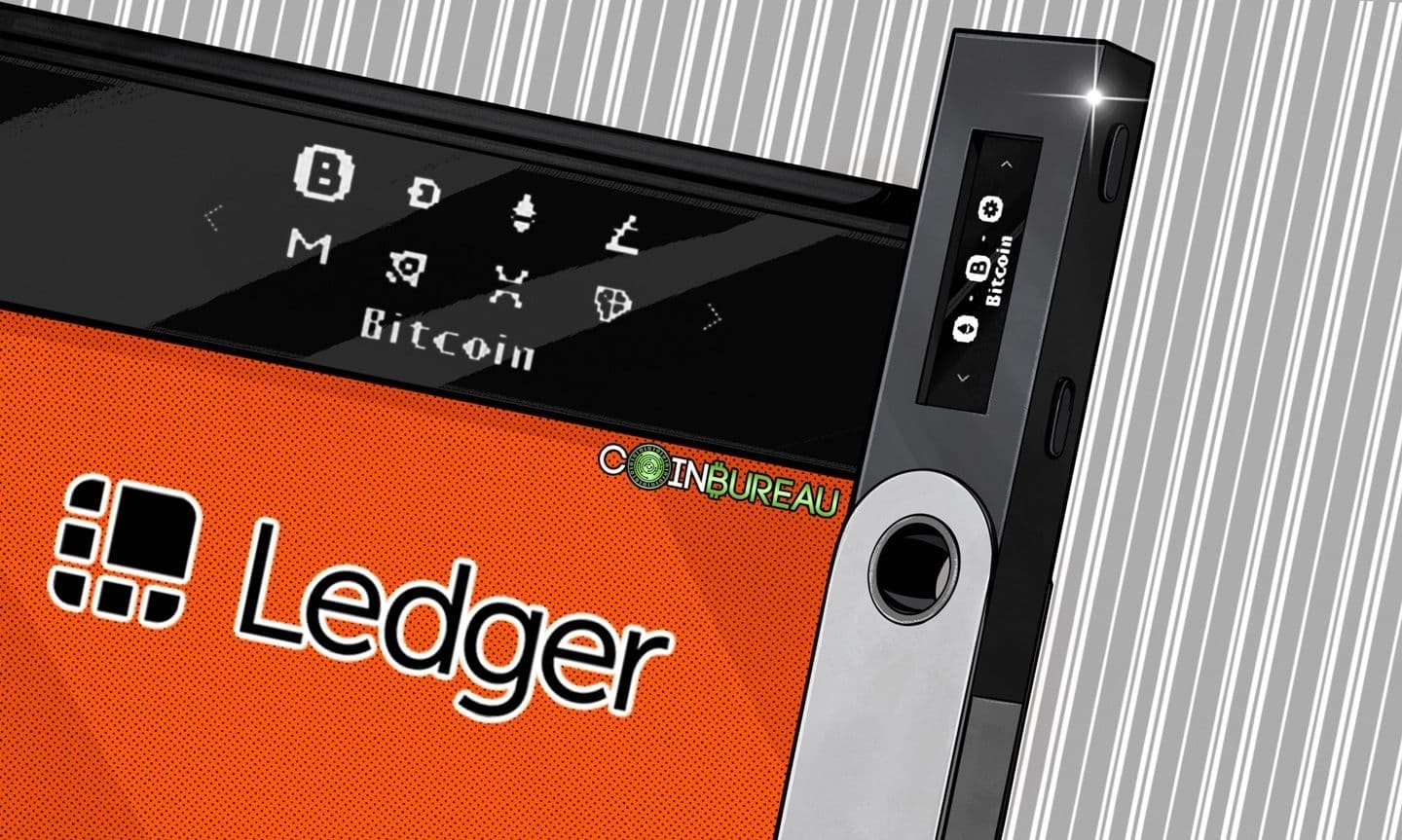
Trezor Safe 3 Vs Ledger Nano S Plus
The Trezor Safe 3 and Ledger Nano S Plus are direct rivals because both cost $79, use physical buttons, lack Bluetooth, and target budget hardware wallet buyers.
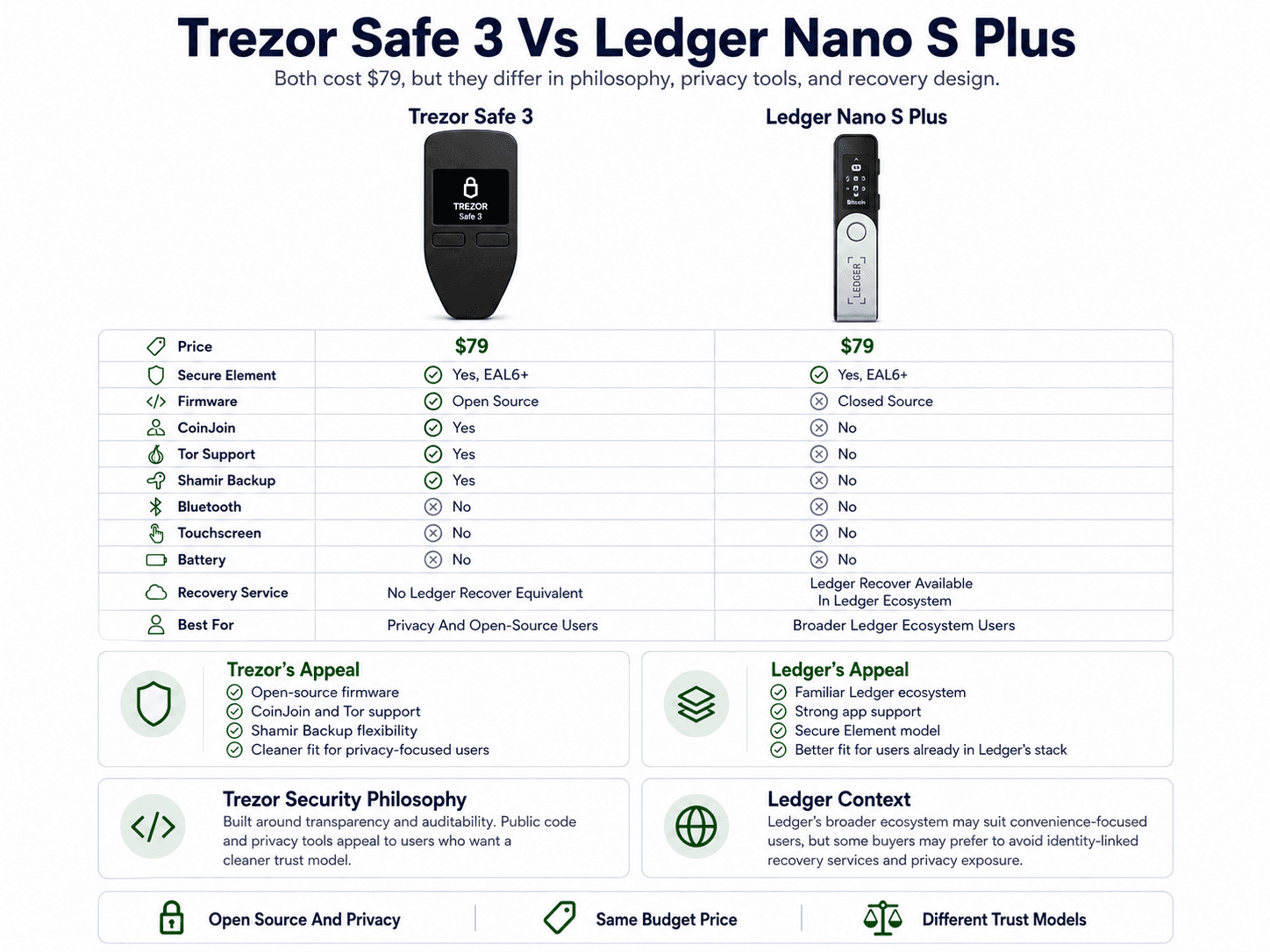 Two Budget Wallets With Different Security Philosophies
The difference is not only hardware. It is also philosophy. Trezor leans into open-source firmware, Bitcoin privacy tools, Tor, and Shamir Backup. Ledger leans into its Secure Element model, Ledger OS, and wider app ecosystem.
| Feature | Trezor Safe 3 | Ledger Nano S Plus |
|---|---|---|
| Price | $79 | $79 |
| Secure Element | Yes, EAL6+ | Yes, EAL6+ |
| Firmware | Open Source | Closed Source |
| CoinJoin | Yes | No |
| Tor Support | Yes | No |
| Shamir Backup | Yes | No |
| Bluetooth | No | No |
| Touchscreen | No | No |
| Battery | No | No |
| Recovery Service | No Ledger Recover Equivalent | Ledger Recover Available In Ledger Ecosystem |
| Best For | Privacy And Open-Source Users | Broader Ledger Ecosystem Users |
The Ledger Nano S Plus remains a strong competitor for users who like Ledger’s software ecosystem. The Safe 3 is better aligned with users who care more about public code, Bitcoin privacy, and recovery flexibility.
Trezor Vs Ledger Security Philosophy
Trezor and Ledger take different routes toward hardware wallet security. Trezor focuses on transparency and auditability. Its open-source firmware lets researchers inspect how the wallet works. Ledger uses a Secure Element and a more closed-source security stack, which requires users to place more trust in Ledger’s internal design and review process.
Neither approach is automatically perfect. Public code can still contain bugs. Closed-source systems can still be secure. The better choice depends on the user’s comfort level.
For users who want public code and a cleaner trust model, Trezor has the stronger appeal. For users who prefer Ledger’s app ecosystem and are comfortable with its architecture, the Nano S Plus remains a valid pick.
Ledger Data Breach And Recover Context
Ledger’s January 2026 Global-e incident adds a privacy angle to the comparison.
Ledger said the Global-e incident involved order data, including names, postal addresses, email addresses, phone numbers, and order details. It also said payment data, passwords, recovery phrases, and private keys were not affected.
The breach did not compromise Ledger devices or seed phrases. The risk sits elsewhere: phishing, privacy exposure, and physical security concerns for people whose order information may be tied to a hardware wallet purchase.
Read our reviews of Ledger hardware wallets:
Trezor Safe 3 Vs Ledger Nano Gen5
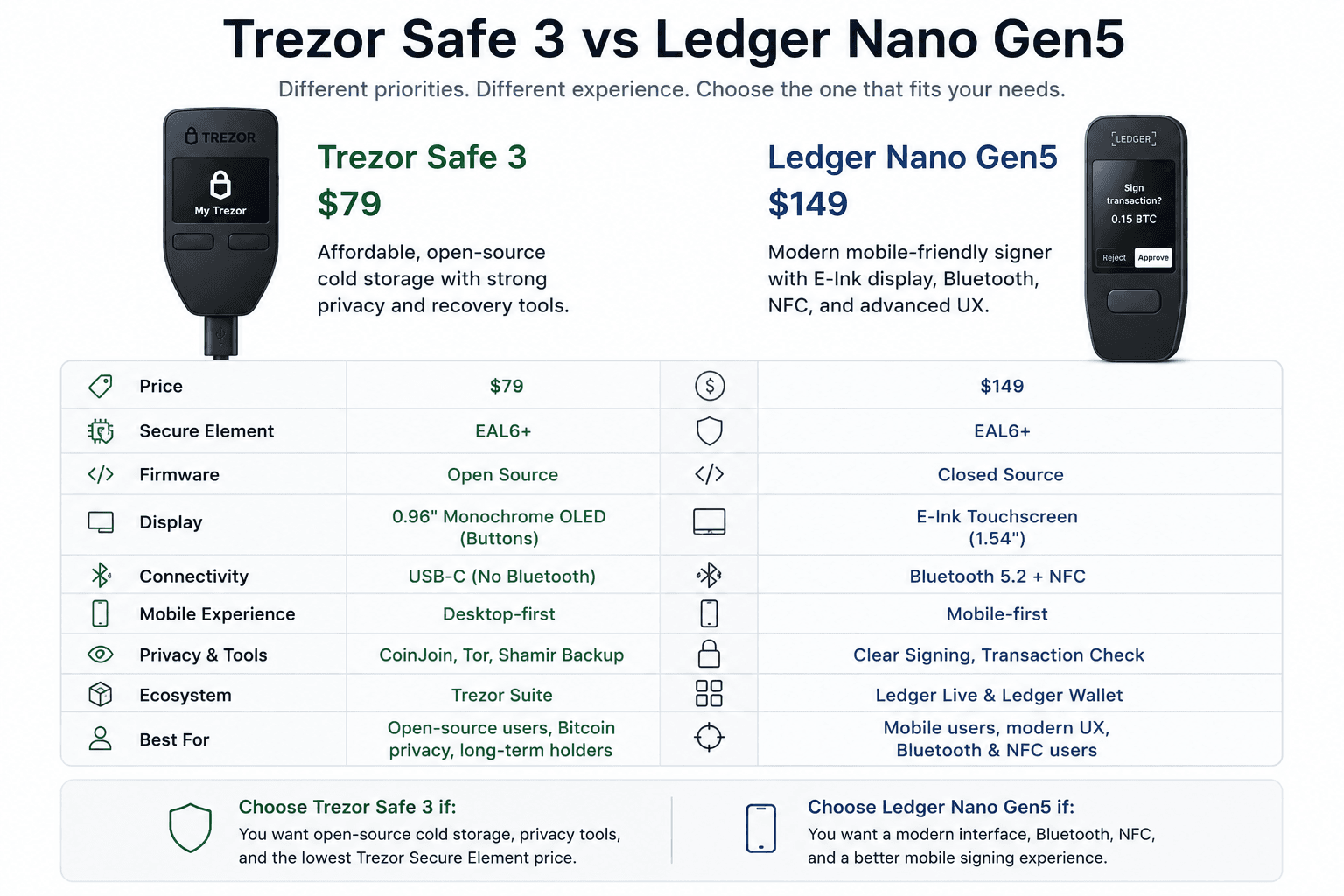
The Ledger Nano Gen5 is not the Safe 3’s direct price competitor because it costs more and targets a different user.
 Budget Cold Storage Compared With Mobile-First Signing
Ledger launched Nano Gen5 in October 2025 with an E-Ink touchscreen, Bluetooth, NFC, Ledger Wallet integration, Clear Signing, and Transaction Check. That makes it feel closer to a modern mobile signer than a basic USB hardware wallet.
Trezor’s device prioritizes affordability, open-source firmware, and simple cold storage. Ledger’s Gen5 device prioritizes a more modern interface and mobile-friendly signing.
- Choose Safe 3 if you want open-source cold storage at the lowest Trezor Secure Element price.
- Choose Nano Gen5 if Bluetooth, NFC, E-Ink review, and mobile workflows are higher priorities.
If you want to go beyond Ledger and Trezor, take a look at our top picks for the best seedless wallets.
How To Set Up The Trezor Safe 3
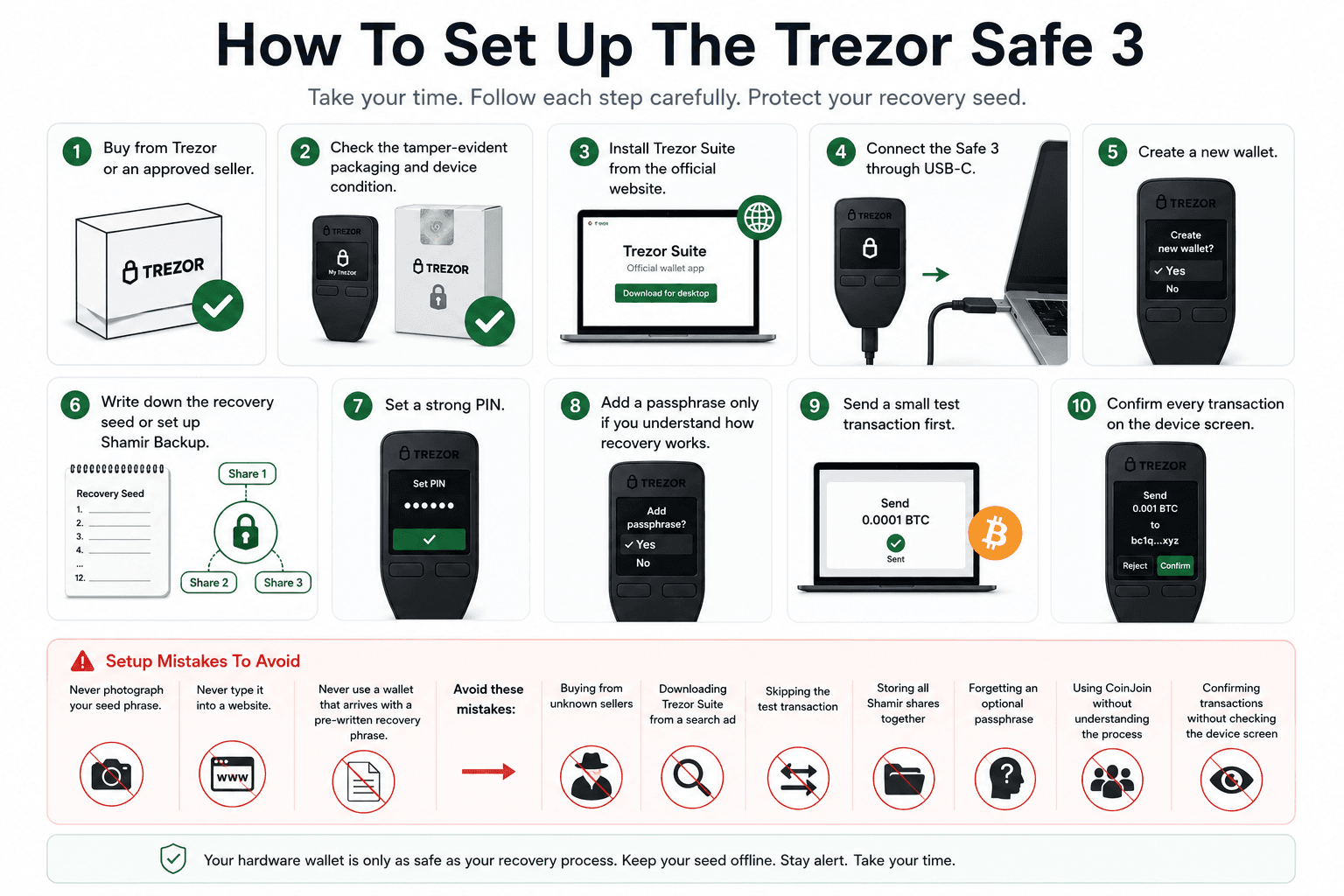
The Safe 3 setup feels beginner-friendly inside Trezor Suite, but it still asks users to slow down during seed backup. That is a good thing. Hardware wallets are meant to add friction at the points where mistakes become expensive.
 A Careful Setup Flow For Safer Self-Custody
- Buy directly from Trezor or an approved seller.
- Check the tamper-evident packaging and device condition.
- Install Trezor Suite from the official website.
- Connect the Safe 3 through USB-C.
- Create a new wallet.
- Write down the recovery seed or set up Shamir Backup.
- Set a strong PIN.
- Add a passphrase only if you understand how recovery works.
- Send a small test transaction first.
- Confirm every transaction on the device screen.
The setup flow is simple enough for new users, but the recovery step deserves full attention. Anyone with your seed phrase can restore the wallet elsewhere and move the funds. That is why the backup should never touch cloud storage, screenshots, email drafts, messaging apps, or password managers.
Setup Mistakes To Avoid
Never photograph your seed phrase. Never type it into a website. Never use a wallet that arrives with a pre-written recovery phrase.
Avoid these mistakes:
- Buying from unknown sellers
- Downloading Trezor Suite from a search ad
- Skipping the test transaction
- Storing all Shamir shares together
- Forgetting an optional passphrase
- Using CoinJoin without understanding the process
- Confirming transactions without checking the device screen
A hardware wallet protects private keys. It does not protect users from every bad click. The Safe 3 gives users a strong security base, but the recovery process still needs careful handling.

Final Verdict: Should You Buy The Trezor Safe 3?
Yes, the Trezor Safe 3 is the right buy for most users who want the best-value Trezor with a Secure Element.
After using it, the Safe 3’s appeal is easy to understand. It does not feel premium in the way the Safe 5 or Safe 7 does, but it gets the self-custody basics right: offline keys, clear transaction checks, strong recovery options, privacy tools, and a price that does not punish beginners.
It is especially strong for long-term holders, Bitcoin privacy users, open-source advocates, and anyone moving assets off exchanges for safer storage. It gives users the core protections they need without forcing them to pay for touchscreen or wireless features.
You should avoid it if you want a touchscreen, Bluetooth, the widest possible chain support, or the newest Trezor hardware. Its biggest limitation is convenience. Its strongest use case is simple, secure, open-source cold storage.
Before buying, verify current pricing, supported coins, regional availability, and seller authenticity. For most long-term holders, the Safe 3 is still the Trezor sweet spot.