


The Trezor One has been on the market since 2014, and people are still using it today. In an industry where new wallets come out often with rapid feature additions, remaining relevant is impressive. However, the real question isn’t about security; it’s whether this older design still fits how you use crypto now.
When you buy the Trezor One, you are buying a wallet that keeps your keys offline, limits its attack surface, and puts transparency ahead of convenience. That choice is why it’s still relevant, even as other wallets add touchscreens, Bluetooth, and mobile apps.
This review covers where the Trezor One still does the job, where it feels dated, and who it makes sense for. If you want simple, proven cold storage and don’t care about extras you won’t use, this wallet still deserves a look.
Quick Verdict
The Trezor One remains a dependable entry-level hardware wallet that prioritizes core security over modern polish. It does not chase features, touchscreens, or wireless convenience. Instead, it focuses on keeping private keys offline, auditable, and under user control. While its design and asset coverage feel dated in a market that has moved toward mobile-first and multi-chain usage, its security fundamentals remain strong. For long-term holders with straightforward portfolios, the Trezor One still does its job well.
Best For
- Long-term holders of Bitcoin, Ethereum, and compatible tokens
- First-time hardware wallet users who want proven fundamentals
- Users who value open-source transparency over new features
- Anyone seeking affordable, no-frills cold storage
Not Ideal For
- Users holding unsupported Layer 1 assets like SOL or ADA
- Active DeFi or NFT users who want a seamless native experience
- Mobile-first users who expect Bluetooth or USB-C
- High-value holders concerned about advanced physical attacks
Trezor One Quick Facts
| Fact | Details |
|---|---|
| Wallet Type | Hardware wallet (cold storage) |
| Connectivity | USB (Micro-USB only) |
| Primary Focus | Offline private key storage and transaction signing |
| Supported Assets | Bitcoin, Ethereum, ERC-20 tokens, and select UTXO-based coins |
| DeFi & NFTs | Via third-party wallets such as MetaMask |
| Security Model | Offline key storage, PIN, optional passphrase, open-source firmware |
| Recovery Method | 24-word BIP-39 recovery seed |
| Main Limitations | No touchscreen, limited asset support, dated hardware design |
| Ideal Use Case | Simple, long-term self-custody with minimal complexity |
How We Rate the Trezor One (Our Scoring Breakdown)
We rate the Trezor One based on how it performs today, not on its history. Long-term security and real-world use matter more to us than new or experimental features. A hardware wallet doesn’t have to stand out visually. It just has to stay relevant.
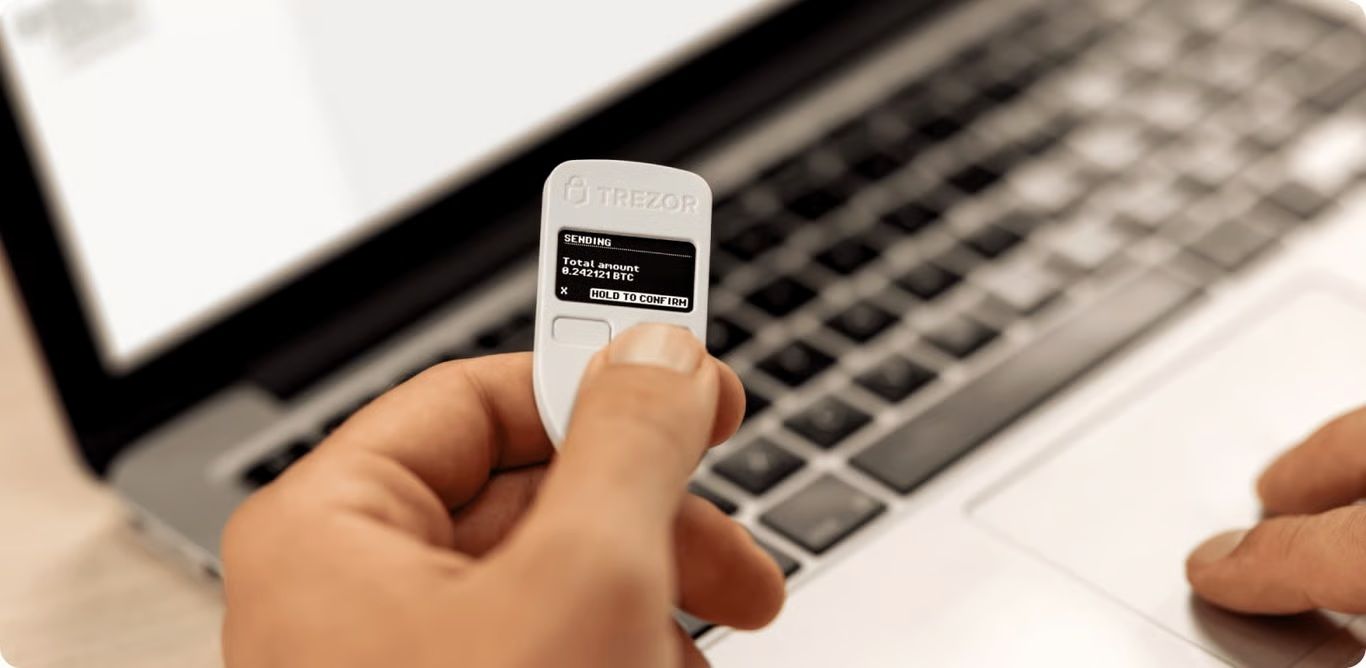 Trezor One Remains a Reliable Entry-Level Hardware Wallet. Image via Trezor
Overall Score
Security and reliability carry the most weight in our evaluation. Ease of use, asset support, and the software ecosystem follow close behind. Design choices, update cadence, and innovation matter, but they matter less than keeping your keys safe and your wallet usable when it counts.
The Trezor One scores highly because it does what a hardware wallet should do first: protect private keys while minimizing unnecessary risk. Category weights are fixed across all our hardware wallet reviews to ensure consistency and prevent score inflation in feature-driven models.
Category Scores
| Category | Weight | Score |
| Security and Track Record | 30% | 4.8 |
| Ease of Use | 20% | 4.3 |
| Supported Assets | 15% | 4.0 |
| Build Quality | 10% | 4.1 |
| Price and Value | 10% | 4.6 |
| Software Ecosystem | 5% | 4.2 |
| Customer Support | 5% | 4.4 |
| Innovation and Updates | 5% | 3.8 |
Security carries the highest weighting due to the Trezor One’s long operating history and transparent approach to disclosure. Asset support and innovation score lower because the wallet has not kept pace with newer chains or modern hardware trends.
What Prevents a 5.0 Score
- No touchscreen for on-device confirmation
- Plastic build that feels dated compared to newer models
- Missing support for several major Layer 1 networks
- Micro-USB connection instead of USB-C
- Known physical fault-injection vulnerability that requires prolonged physical access to the device
However, none of these issues make the Trezor One unsafe for normal use. They do, however, cap its score in a market that has moved forward in hardware design and asset coverage.
Why Hardware Wallets Are Still Essential
Crypto has grown up in a lot of ways, but the main risk is still the same. If you don’t control your private keys, you don’t truly own your assets. That’s the problem hardware wallets are built to solve, and they are still the most reliable solution.
Self-custody is not about distrust for its own sake. It is about removing dependency on systems you do not control. And most importantly, unlike custodial platforms, hardware wallets do not rely on withdrawal permissions, uptime policies, or internal risk controls to function.
For a detailed guide on the best hardware wallets, take a look at our top picks here.
 Hardware Wallets Continue to Remain a Must Have For Large Portfolios. Image via Trezor
Exchange Risk vs Self-Custody
Centralized exchanges are easier to use, but they introduce counterparty risk by design. That risk does not require a hack to become real. Insolvency, internal controls, regulatory intervention, or withdrawal freezes can all prevent you from accessing your funds.
History has shown that when exchanges fail, users are often unsecured creditors. Access can be delayed for months or lost entirely. Self-custody removes that layer of dependency. Your assets are not subject to an exchange’s balance sheet, internal policies, or regulatory exposure.
With a hardware wallet, you hold the keys directly.
Software Wallets vs Hardware Wallets
Software wallets prioritize convenience, but they run on internet-connected devices. That creates an unavoidable attack surface. Malware, phishing extensions, compromised updates, and clipboard hijackers all target hot wallets because they can.
Hardware wallets change the risk profile. Private keys never leave the device. Transactions are signed in isolated hardware, even if the connected computer or phone is compromised. This separation limits what an attacker can access remotely.
For our detailed guide on software wallets vs hardware wallets, take a look at our in-depth comparison here.
Why Offline Key Storage Still Wins
Storing keys offline eliminates certain types of remote attacks, as no background process exists for exploitation and no persistent connection for interception. An attacker must obtain physical access to the device and overcome additional safeguards.
That threat model has not changed. As crypto applications become more complex, keeping private keys offline remains one of the simplest and most effective security decisions you can make.
The Trezor Team and Company Background
Who builds your hardware wallet matters. Trust is shaped by incentives, transparency, and how a company handles security issues when they surface.
SatoshiLabs History
Trezor was developed by SatoshiLabs, a Prague-based company founded in 2013. In 2014, the team released one of the first commercially available Bitcoin hardware wallets in 2014, setting the standard for the category.
SatoshiLabs has remained independent and privately held, focusing exclusively on self-custody tools rather than custodial services or yield products, as outlined in SatoshiLabs’ official company history.
Open-Source Philosophy
Trezor’s firmware and software are open source. Anyone can inspect the code, reproduce builds, and verify how the wallet operates. This model allows public scrutiny rather than trust by reputation alone.
Security issues are documented through Trezor’s public security disclosures, where vulnerabilities, limitations, and mitigations are published openly. This transparency allows independent researchers to assess real-world risk instead of relying on marketing claims.
Why Trezor Still Matters in Crypto Security
Trezor’s relevance is not about leading on features. It is about consistency in how security is approached and communicated. Its relevance is not about leading on features but is about consistency in how security is approached and communicated.
Trezor played a big role in shaping how hardware wallets work today. Open documentation, public vulnerability disclosures, and user-controlled keys were all part of that early approach. Combined with a long track record and simple design decisions, that’s why Trezor is still referenced when people talk about self-custody and realistic threat models.
Trezor One Features and Specifications
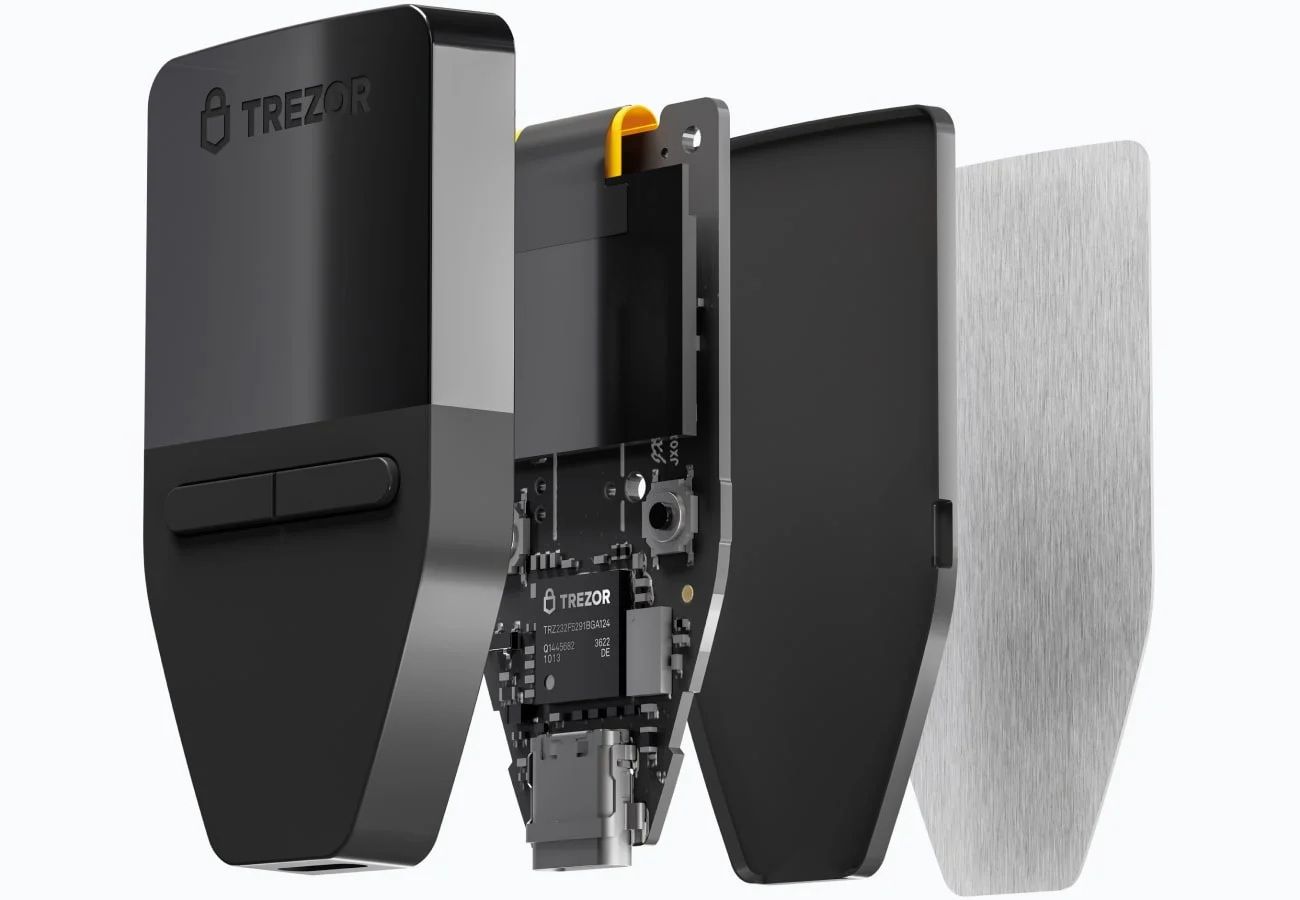
The Trezor One is simple by modern standards. That simplicity is intentional. Fewer components and interfaces reduce complexity and limit the attack surface.
 The Trezor One is Simple by Modern Standards, But Simplicity is Intentional. Image Via trezor.io
 Hardware Design and Specs
CPU
Microcontroller-based architecture focused on deterministic operation rather than general-purpose computing, as described in Trezor’s official technical documentation.
Screen
Monochrome OLED display used for transaction verification and PIN entry.
Buttons
Two physical buttons for navigation and confirmation, keeping critical actions on-device.
Connectivity
Micro-USB (USB-B) connection only. No Bluetooth, WiFi, or wireless interfaces.
Dimensions
Compact and lightweight, designed for portability and discreet storage.
What’s in the Box
The contents match what Trezor lists in its official Model One documentation.
- Trezor One hardware wallet
- USB cable (type B)
- Getting started card (package)
- Recovery seed card (24-word BIP-39 recovery phrase) x2
- Sticker x4
No wireless components. No batteries. Everything included serves one purpose: secure offline key storage.
Supported Coins and Assets
Asset support is where the Trezor One’s age shows most clearly. It handles core networks well, but it is not a universal wallet. Before you buy, you need to be precise about what it supports and what it does not.
What the Trezor One Supports
The Trezor One focuses on established networks with simpler signing requirements. If your portfolio lives here, coverage is solid. These are the core assets it handles directly.
Bitcoin (BTC)
Full native support, including modern address formats and SegWit. This is where the Trezor One is strongest.
Ethereum (ETH)
Supported for storage and transaction signing, with interaction handled through Trezor Suite and compatible interfaces.
ERC-20 tokens
Most standard ERC-20 tokens work through Ethereum support, assuming the contract follows the official ERC-20 specification.
BEP-20 tokens
BEP-20 is a token standard on BNB Smart Chain (BSC), similar to Ethereum’s ERC-20 standard..
Major UTXO-based coins
Assets built on the UTXO transaction model, such as Litecoin and Bitcoin Cash, are supported due to their structural similarity to Bitcoin. If you mainly hold Bitcoin, Ethereum, and the tokens around them, the Trezor One gives you what you need without extra complexity.
Critical Coin Limitations (Must-Read)
This is where many buyers make the wrong assumption. The Trezor One does not support several major networks, and these gaps are structural rather than temporary.
The following assets, among others, are not supported:
If you hold any of these coins, you need a clear upgrade path. Trezor’s newer devices expand support for modern Layer 1 networks, while other hardware wallets cover a broader range of chains by design.
This limitation does not make the Trezor One a bad wallet. It makes it a focused one. The mistake is assuming all hardware wallets support the same assets.
NFTs, Staking, and DeFi Support
You can use the Trezor One for today’s crypto tasks, but it relies on outside software. Advanced features aren’t built into the device, so using them comes with extra steps and potential risks. The Trezor One’s role is simple: it signs transactions. Everything else is handled by third-party apps.
NFT Storage via Third-Party Wallets
You can store NFTs on addresses controlled by your Trezor One, but you usually will not manage them inside Trezor Suite. In practice, NFT storage means you hold the keys on the device and use a third-party wallet to view and interact with the NFTs.
Trezor’s own guide on managing NFTs with Trezor walks through the expected setup. The key point is simple: your Trezor holds the keys, while a wallet like MetaMask handles the interface layer.
Staking Limitations
Staking is not a strength of the Trezor One. That is not a security failure. It is a scope limitation tied to asset support and software design.
Trezor Suite does support staking for certain assets, but staking availability is model-dependent and chain-dependent, as shown in Trezor’s staking in Trezor Suite documentation. If a coin is not supported on the device, it cannot be staked through the device.
If you plan to stake, your options are clear. Upgrade to a newer Trezor model that works with your chain, or go with a wallet that’s designed for staking-first ecosystems.
DeFi Usage Reality (MetaMask + Trezor)
You can use DeFi with a Trezor One, but it doesn’t handle it on its own. Most of the time, you’ll go through MetaMask and use your Trezor only to sign transactions. Both Trezor and MetaMask provide guides for connecting the two. This setup keeps your private keys offline while still letting you interact with dApps safely.
The reality check is simple. Hardware protects your keys, not your decisions. You can still approve malicious contracts or sign bad transactions if you are not careful.
Trezor Suite Software Experience
Trezor Suite is where you will spend most of your time. It defines how easy the wallet feels to use and how much control you actually have over your assets.
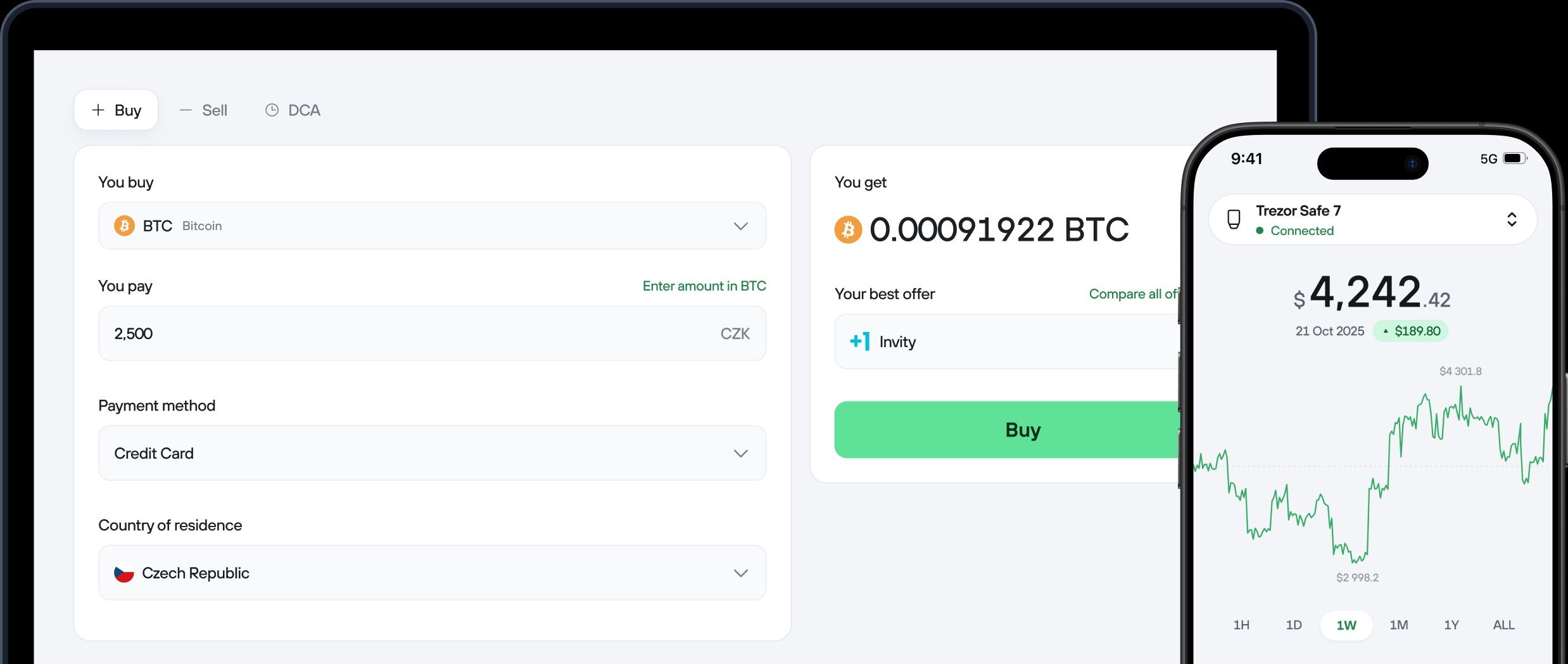 Trezor Suite Handles Onboarding, Firmware Updates, Account Management, and Transaction Signing. Image Via trezor.io
Desktop and Web App Overview
Trezor Suite simplifies wallet management. Onboarding, firmware updates, managing accounts, and signing transactions all happen in one interface. It supports both standalone use and third-party app connections.
Trezor outlines the scope of the Suite and supported platforms on the Trezor Suite app page, including how it fits into the broader Trezor ecosystem.
Buying, Selling, and Swapping
Trezor Suite includes built-in trading tools, but Trezor is not acting as an exchange. All trades are routed through third-party providers.
Trezor explains how Buy, Sell, and DCA features work through Invity in Getting to know Trezor Suite. KYC requirements, fees, and availability depend on the provider and your location.
Trezor also publishes step-by-step guides for trading crypto in Trezor Suite, including dedicated flows for buying, selling, and swapping assets.
Portfolio Tracking and Privacy Notes
Portfolio tracking in Suite is straightforward, but privacy depends on how you use it. On-chain balances are public by design, and software features can add additional metadata.
Trezor explains its data handling practices in User data protection and its broader privacy policy.
One feature worth understanding is labeling. Labels can be stored locally or synced to cloud services if you opt in, as explained in Labels in Trezor Suite.
Fake App Warning (Security Callout)
If you remember one rule, make it this: never enter your recovery seed into any app, website, or support form. The seed phrase is for offline recovery only.
Trezor documents common attack patterns in scams and phishing affecting Trezor users and provides verification steps in Download and verify Trezor Suite.
If anything asks for your recovery phrase, it is a scam.
Trezor One Security Deep Dive
This section focuses on what the Trezor One actually does to protect your keys, what it cannot protect against, and what that means in practice. Everything here is based on published documentation and disclosed research.
Core Security Features
PIN
Your PIN protects the device from casual access if someone physically obtains it. Trezor uses a randomized PIN entry layout designed to reduce the value of observing the screen during unlock, as described in its official PIN protection documentation.
Passphrase
Using a passphrase puts an extra layer on your wallet in addition to your seed, and it never leaves the device. That means if someone somehow extracts your seed, they still can’t access your funds without the passphrase. Trezor covers this in its official passphrase documentation.
Recovery seed
The recovery seed, referred to by Trezor as a wallet backup, is the master backup that restores access if the device is lost, damaged, or wiped. Trezor explains how backups work and why they are critical in Understanding wallet backups.
Tamper protection
The Trezor One ships in tamper-evident packaging designed to reveal obvious interference before first use. Trezor documents how to verify device authenticity in Authenticate Trezor Model One. This does not prevent sophisticated attacks, but it reduces basic supply-chain risk.
Known Hardware Vulnerability (Full Transparency)
Kraken Security Labs publicly disclosed a physical attack against Trezor devices using specific STM32 microcontrollers, including the Trezor One. The research shows that an attacker with physical possession of the device can use fault-injection techniques to extract sensitive data under controlled conditions, as detailed in Kraken’s hardware wallet vulnerability disclosure.
This attack falls under voltage glitching, also called fault injection. Instead of exploiting software, it targets the hardware directly and requires specialized tools, expertise, and uninterrupted access to the wallet.
Physical access requirement
This is not a remote exploit. The attacker must physically possess the wallet and perform a laboratory-style procedure. Without physical access, the vulnerability is irrelevant.
Why can’t it be patched
Since the issue comes from the microcontroller itself and not the firmware, it can’t be completely solved with software updates. Trezor’s technical explanation and response are documented in its response to the read protection downgrade attack.
Risk level assessment
If an attacker cannot physically access your device, this vulnerability does not increase your risk. If they can access it and you do not use a passphrase, the risk becomes meaningful. The attack targets data extraction from the device. It does not bypass basic operational security or negate the value of keeping keys off an internet-connected computer. This attack does not apply to remote attackers, malware, phishing, or online compromise scenarios.
How to Mitigate This Risk
Use a passphrase
A passphrase adds a secret that is not stored on the device. Even if the seed is extracted through a physical attack, funds in a passphrase-protected wallet remain inaccessible without that additional secret.
Secure seed storage
Your wallet backup remains the highest-value target. Anyone who gains access to the backup does not need the device at all. Protecting the backup is as important as protecting the hardware.
Upgrade path for high-value holders
If physical extraction attacks are a realistic concern, consider devices designed with an additional hardware barrier. Trezor states that its newer Safe devices include a Common Criteria EAL6+ secure element intended to increase resistance to physical attacks, as outlined in Trezor’s secure element documentation. Ledger documents a similar approach to secure elements and certification in its secure element explainer.
Is the Trezor One Still Relevant in 2026?
The Trezor One is one of the longest-running hardware wallets still in active use. That longevity raises a fair question in 2026: does age reduce its security or usefulness? From a custody perspective, the answer depends less on the release date and more on the threat model.
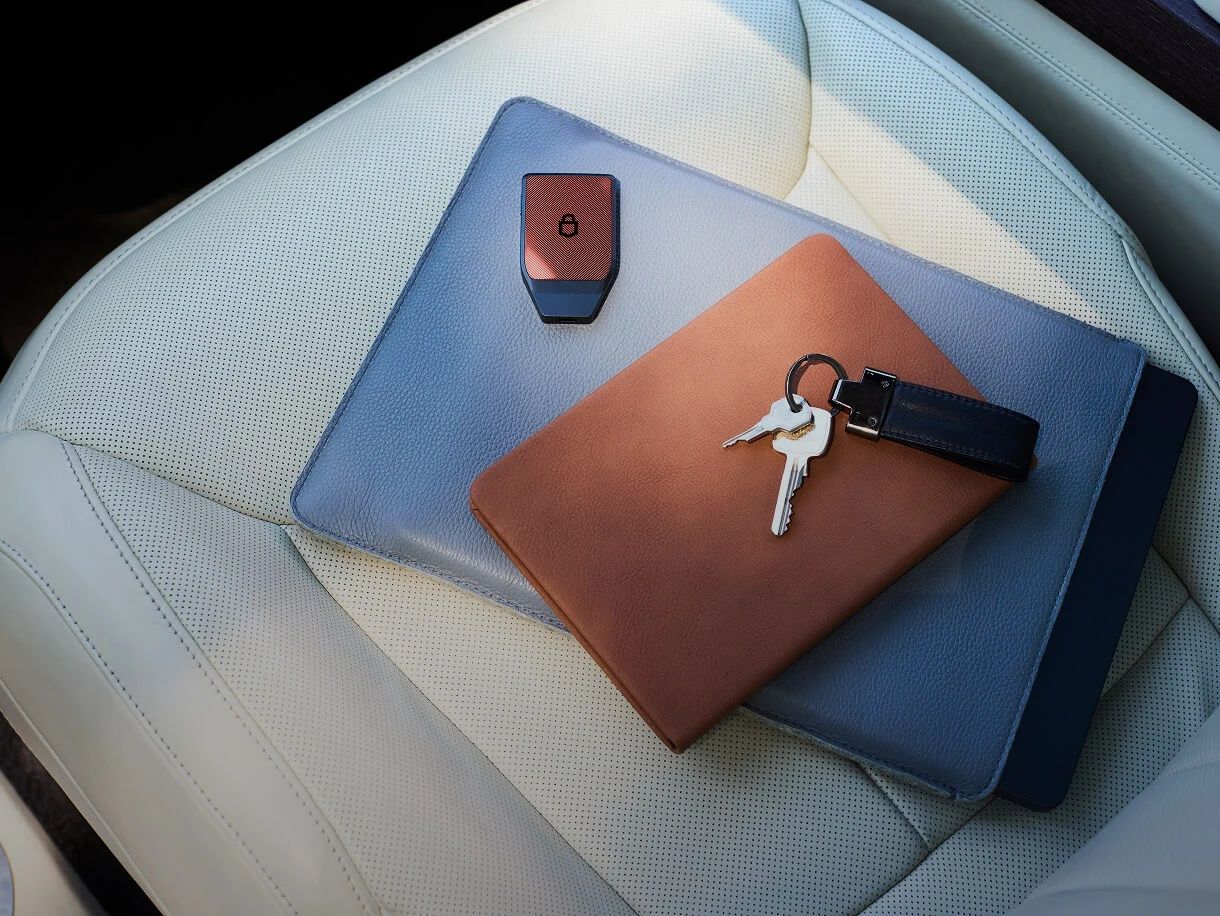 Trezor One is One of the Longest-Running Hardware Wallets Still in Active Use. Image Via trezor.io
Why Age Matters Less for Hardware Wallets
Hardware wallets exist to solve a narrow problem: keeping private keys isolated from internet-connected devices. That core requirement has not changed. Offline key storage, transaction signing on the device, and recovery via a seed phrase remain the foundation of self-custody.
This is why hardware wallets continue to be a reliable option for long-term self-custody. The underlying principles that protect private keys today are the same ones the Trezor One was built around.
What Still Works Perfectly
The Trezor One continues to perform its core function without degradation.
- Offline private key storage
- On-device transaction confirmation
- Open-source firmware that can be audited
- Proven compatibility with Bitcoin and Ethereum ecosystems
Its firmware and security model remain actively documented by Trezor, and the device continues to receive firmware maintenance and compatibility updates through Trezor Suite, which Trezor positions as its primary management software.
Where It Feels Dated
Where age does show is in usability and ecosystem coverage:
- No touchscreen for on-device verification
- Micro-USB instead of USB-C
- No native Bluetooth or mobile-first experience
- Missing support for several major Layer 1 networks
These are design limitations, not security failures. They matter more for users who interact frequently with DeFi, NFTs, or mobile wallets than for long-term holders.
Who Should Still Buy It
The Trezor One still makes sense if:
- You want simple, proven cold storage
- Your assets are concentrated in Bitcoin, Ethereum, and compatible tokens
- You value open-source transparency, which Trezor continues to emphasize across its devices
For these users, the security fundamentals remain sound and cost-effective.
Who Should Skip It
You should look elsewhere if:
- You hold assets on unsupported chains
- You expect frequent mobile use
- You want modern hardware UX features
- You prefer broader native staking and DeFi support
In those cases, newer hardware wallets align better with how crypto is commonly used in 2025.
Trezor One Price and Value
Price matters, but value depends on how closely a device matches your actual needs.
Current Pricing
The Trezor One is positioned as an entry-level hardware wallet and is listed at about $49 on the Official Trezor Model One pricing page. Regional taxes and shipping may apply, and prices can shift over time, so readers should check the official store for the most up-to-date cost and availability. By comparison, Trezor’s Model T runs about $129, and the Safe 5 about $169. That big gap in price makes the One an easy entry point if you’re starting with hardware wallets.
Value vs Competitors
Many newer wallets now include hardware features like secure elements, touchscreens, and USB‑C. The Trezor One doesn’t try to compete on those fronts. It keeps things simple, focusing on open‑source software and a transparent design you can understand. This means it may feel more basic, but it also makes it easier to see exactly how your security works. In Trezor’s own product line, the newer models are built for more complex use cases, while the Trezor One sticks to fundamental custody.
Who Gets the Best ROI
The Trezor One offers the best return on investment if:
- You are a long-term holder
- You do not need advanced UX features
- You prefer paying less for features you will actually use
If your crypto activity is limited to secure storage and occasional transactions, the Trezor One still delivers solid value in 2025.
Where to Buy the Trezor One Safely
Where you buy a hardware wallet matters almost as much as how you use it. Most real-world losses tied to hardware wallets start before the device is even powered on.
Official Sources Only
You should only buy a Trezor One from sources that Trezor itself controls or explicitly authorizes. This minimizes supply-chain risk and ensures you receive an untampered device.
The safest options are:
- Trezor’s official store
- Trezor’s list of authorized resellers
Buying directly from these sources ensures proper packaging, legitimate firmware, and access to official support if something goes wrong.
Where NOT to Buy (Scams Explained)
Avoid marketplaces where device provenance cannot be verified. This includes:
- Peer-to-peer resale platforms
- Auction sites
- Second-hand listings
- “New but discounted” listings from unknown sellers
Trezor explicitly warns that devices purchased from unofficial sources carry a higher risk of tampering or pre-setup attacks, where a wallet is initialized before it ever reaches you.
How to Verify Your Device Is Genuine
Even when buying from an official source, verification is mandatory. You should assume nothing until the device proves itself.
Trezor documents the full verification process in Authenticate Trezor Model One. This includes:
- Checking tamper-evident packaging
- Verifying firmware during first setup
- Ensuring the device asks you to create a new wallet, not restore one
If the device arrives with a seed phrase already provided, it is compromised. Do not use it.
Common Buying Scams
The most common scams tied to hardware wallet purchases follow predictable patterns:
- Pre-initialized devices with a printed seed phrase
- Fake “setup assistance” cards directing you to phishing sites
- Lookalike apps pretending to be Trezor Suite
- Sellers claiming firmware is “pre-updated”
Trezor documents these attack patterns in its scams and phishing guidance. The rule is simple: you generate your own seed, offline, during first setup. Anything else is a red flag.
Comparing Trezor Models: Which One Should You Choose?
Not all Trezor devices are built for the same user. The differences are not cosmetic. They affect asset support, physical security, and usability.
Model One vs Model T vs Safe 5
| Feature | Trezor One | Trezor Model T | Trezor Safe 5 |
| Price | $49 | $129 | $169 |
| Coins | 1,000+ coins & tokens supported via Trezor Suite & third-party wallets. Some major chains (e.g., ADA, SOL, XMR, XRP) require third-party wallets | 1,000+ coins & tokens. Supported assets are listed on Trezor’s official Supported Coins & Tokens page and can be filtered by device model. Broader native Layer 1 support than Model One | 1,000+ coins. Supported assets are listed on Trezor’s official Supported Coins & Tokens page and can be filtered by device model. Similar asset coverage to Model T |
| Security features | PIN, passphrase | PIN, passphrase | Secure element + passphrase |
| UX | Physical buttons, small screen | Touchscreen | Touchscreen |
| Best for | Basic cold storage, first-time users, Bitcoin & Ethereum holders | Power users who want broader asset support and touchscreen UX | Higher-value holders seeking stronger resistance to physical extraction attacks |
| Trezor does not publish a single numerical count of supported coins per device. Asset compatibility should always be verified on the official Supported Coins & Tokens page using the model filter. | |||
Upgrade Decision Framework
Use this simple filter to decide:
- Yes, Trezor One is enough
- You hold Bitcoin, Ethereum, and compatible tokens
- You want proven cold storage without advanced features
- Your threat model does not include sophisticated physical attacks
No, upgrade to a newer model
- You hold unsupported Layer 1 assets
- You want touchscreen confirmation
- You want stronger resistance to physical extraction attacks
- You manage higher value holdings
This is not about buying the newest device. It is about matching the wallet to your assets and your risk profile.
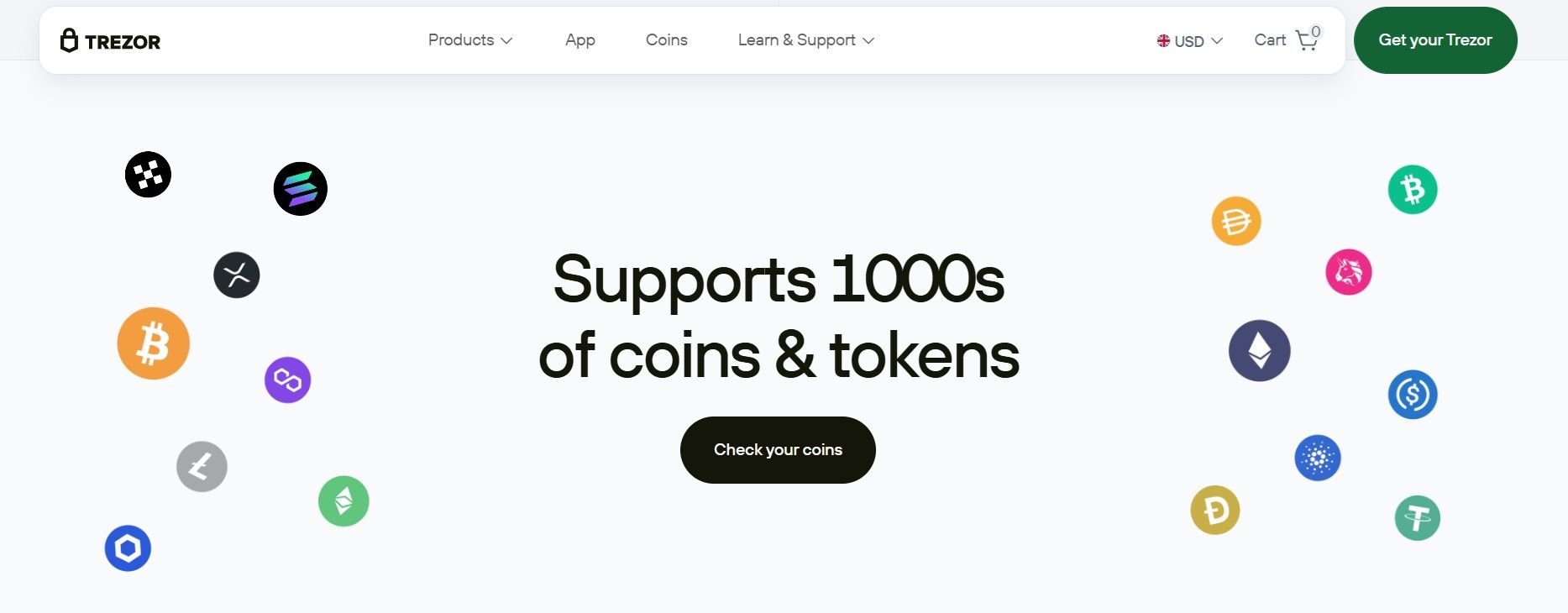 Trezor Supports 1.000+ Coins & Tokens via Trezor Suite & Third-Party Wallets. Image Via Trezor
Trezor Accessories and Seed Protection
Protecting your hardware wallet is only part of the job. How you protect your recovery seed often matters more.
Why Metal Seed Storage Matters
Your recovery seed is the single point of failure for a hardware wallet. If someone gets it, they do not need your device. If you lose it, you may lose access to your funds permanently.
Paper backups are vulnerable to fire, water damage, and physical degradation over time. This is why many security guides recommend metal seed storage for long-term resilience. Trezor itself highlights the risks of paper backups and the benefits of more durable storage methods in its official materials on wallet backups.
Metal seed storage is not about convenience. It is about survivability under real-world conditions.
Trezor Metal and Alternatives
Trezor offers its own stainless steel backup solution, Trezor Metal, designed to withstand fire, water, and physical stress. It supports standard recovery phrases and aligns with Trezor’s recommended backup practices.
There are also third-party metal backup solutions on the market. The key requirement, regardless of brand, is that the backup supports your full recovery phrase length and allows offline setup without involving apps or accounts. The metal is a complement to the wallet, not a substitute for careful storage practices.
Customer Support and Community
Hardware wallets are security products. Good documentation and clear support channels reduce user error, which is one of the biggest risks in self-custody.
Help Center and Documentation
Trezor maintains an extensive official knowledge base covering setup, security practices, firmware updates, and troubleshooting. The Trezor Help Center is the primary reference point for device usage and security guidance.
Most common issues are documented there, including step-by-step guides and security explanations written by the Trezor team.
Support Channels
Official support is handled through Trezor’s ticket-based system. Trezor does not offer direct phone support and does not initiate private messages asking for sensitive information.
All legitimate support interactions start from the official site and never request your recovery seed. This is a deliberate design choice to reduce social engineering risk.
Community Resources and Scam Warnings
There’s more than just the official documentation out there — a lot of Trezor users and devs chat about best practices, security topics, and updates. It’s useful to read, but you should always rely on official sources when security is involved.
Scam patterns targeting hardware wallet users are well-documented earlier in this review. The same rule always applies: if anyone asks for your recovery phrase, it is a scam.
Countries and Regions Supported
Availability and shipping matter more for hardware wallets than for most consumer electronics. Where Trezor ships, how long delivery takes, and which regions are excluded are governed by official policy, not reseller promises or marketplace listings.
Where Trezor Ships
Trezor sells and ships devices through its own website. It delivers to many countries across North America, Europe, Asia, and other regions. Shipping availability changes by country. The only place that reflects this accurately is Trezor’s official shipping page. Marketplace listings and resellers do not always reflect current availability.
Shipping Fees and Delays
Shipping costs are shown at checkout and vary by country, courier, and delivery speed. Trezor usually ships via carriers like DHL or UPS. You won’t see the final price until you enter a full shipping address. Free or discounted shipping does show up occasionally, but only during short promotional periods.
For orders sent outside the EU, local customs duties, VAT, or import taxes may apply. These are not included in the checkout price. How customs clearance works and how charges are handled is covered in Trezor’s official shipping and customs documentation.
EU, US, and UK orders typically arrive within 2–7 business days, 2–7 business days for the USA and UK via regional fulfillment, and around 13 business days for non-EU international destinations. Delays most commonly arise from customs inspections, peak demand periods, incorrect address details, or public holidays.
Restricted Regions
Trezor does not ship worldwide. Availability is limited by sanctions, export rules, and courier coverage. The checkout country selector is the most accurate way to confirm eligibility. Shipping to Russia and Ukraine remains unavailable, although official Trezor Safe 7 pre-order details list Ukraine with a planned delivery date of Feb. 16, 2026. Using reshipping services to bypass regional limits is not advised and may limit access to official support.
Final Verdict: Should You Buy the Trezor One in 2026?
The Trezor One isn’t the newest hardware wallet anymore — and that’s okay. What really matters is its reliability, simplicity, and a security approach that’s proven itself over the years.
Best For
- Long-term holders of Bitcoin, Ethereum, and compatible tokens
- First-time hardware wallet buyers who want proven fundamentals
- Users who value transparency and open-source security design
- Anyone seeking affordable cold storage without unnecessary features
Not Recommended For
- Users holding unsupported Layer 1 assets
- Active DeFi or NFT users who want a seamless native experience
- Mobile-first users who rely on Bluetooth connectivity
- High-value holders who want maximum resistance to physical extraction attacks
Final Recommendation
If your goal is straightforward, long-term self-custody and your assets fall within its supported range, the Trezor One remains a sensible choice heading into 2026. It is not the most advanced wallet on the market, but it is predictable, well understood, and secure when used correctly.
If your needs extend beyond basic cold storage, or if your portfolio has grown more complex, upgrading to a newer model makes more sense. The key is matching the wallet to your assets and your threat model, not chasing features for their own sake.

How We Tested the Trezor One (Methodology)
This review is based on hands-on testing, not spec sheets alone. The goal was to evaluate how the Trezor One performs in realistic self-custody scenarios in 2025 and heading into 2026.
Purchase Method
We purchased the Trezor One directly from Trezor’s official store to eliminate supply-chain risk and ensure the device arrived sealed, untampered, and running authentic firmware.
Duration
Testing was conducted over several weeks to cover initial setup, everyday use, firmware updates, and recovery workflows. This allowed us to observe both first-time user experience and longer-term usability.
Transactions Tested
We tested:
- Wallet initialization and recovery using a fresh seed
- PIN and passphrase setup
- Sending and receiving Bitcoin and Ethereum
- ERC-20 token interactions
- Transaction signing through Trezor Suite
- Third-party wallet connections for advanced use cases
Each transaction was verified on-device to confirm signing behavior and user confirmation flows.
Wallets Compared
For context, we compared the Trezor One’s experience against newer hardware wallets currently on the market, focusing on:
- Asset support breadth
- User interface and confirmation flow
- Set up and recovery process
- Software experience
These comparisons were used to highlight practical differences, not to rank products head-to-head.
Limitations
Our testing reflects supported assets and officially documented workflows. We did not attempt unsupported coins, unofficial firmware, or experimental modifications that fall outside Trezor’s recommended use. Physical extraction attacks were assessed at the documentation level rather than reproduced in-house due to the specialized equipment required.
Update Policy
We tested the Trezor One using the latest publicly available firmware and Trezor Suite release at the time of writing. Update behavior, prompts, and verification steps were observed as part of normal use. Any future firmware changes may alter specific behavior, but the underlying security model remains consistent with Trezor’s published design.
This methodology is designed to mirror how most users will actually interact with the Trezor One, rather than testing edge cases that require specialized lab conditions.