A few years ago, a “crypto portfolio” usually meant BTC and maybe ETH on one exchange. That world is gone. Now you might have spot coins on a centralized exchange, stablecoins in a DeFi pool, staked ETH on Lido, a leveraged position on a derivatives platform, and a handful of NFTs sitting in a browser wallet
At the same time, taxes and regulations have caught up. Many governments now expect full crypto transaction histories, cost basis, capital gains reports, and clear records for staking, airdrops, and yield. Trying to reconstruct that once a year from old emails and scattered CSVs is an easy way to miss trades or misclassify income.
Manual tracking only works while your activity stays small. The moment you add a second exchange, a hardware wallet, or a DeFi position, spreadsheets and screenshots start lying to you. A crypto portfolio tracker takes that mess and turns it into a single live dashboard with your positions, performance, and tax impact in one place.
This guide sticks to that practical goal. We walk through the major crypto portfolio trackers so you can pick the one that fits your situation, not chase some abstract “best overall.”
Read this simple guide to blockchain technology for a better grip throughout your research.
Our Top Picks At a Glance
Free portfolio tracking with a strong tax engine covering hundreds of integrations and thousands of assets. The free plan handles tracking and P&L; paid tiers unlock full tax reports for multiple countries.
Simple, free portfolio layer on top of CoinGecko’s pricing database with more than ten thousand coins. You enter positions manually and get watchlists and alerts without connecting exchanges.
Wallet-centric dashboard with connections to hundreds of wallets and exchanges across more than one hundred chains. It shows LPs, yield, and NFTs across major ecosystems in one view.
Mature portfolio plus tax product built for people with high trade volumes. Handles a large range of dapps and contracts and connects to popular tax filing tools with detailed forms.
Built around tax from day one, with broad integration support and multi-jurisdiction reports. The portfolio view exists to feed the tax engine, not the other way around.
Net-worth dashboard for people who want the full balance sheet. Kubera pulls data from banks, brokerages, crypto, real estate, domains, and other assets into one portfolio.
Delta covers crypto, stocks, ETFs, and more with a polished app and web client. Crypto Pro is built for the Apple ecosystem, storing data locally with deep Apple Watch integration.
Token Metrics provides AI-driven ratings and signals. Nansen Portfolio blends multi-chain tracking with labeled wallets and smart-money analytics, shifting you from tracking into research.
Comparison Table
| Platform | Price / Free Tier | Integrations (approx) | DeFi Support | NFT Support | Tax Reporting | Mobile App | Overall Rating* | Best For |
|---|---|---|---|---|---|---|---|---|
| CoinLedger | Free tracking, paid tax tiers | Hundreds of exchanges and wallets, thousands of coins | Yes, DeFi positions and on-chain data | Yes, NFT tracking | Yes, multi-country | Web (mobile friendly) | ★★★★★ | Tax-focused users who also want a clear tracker |
| CoinTracker | Free portfolio, paid tax plans | Major CEXes, wallets, large dapp and contract set | Broad DeFi coverage | Yes, DeFi and NFTs | Yes, deep US and global support | iOS, Android | ★★★★☆ | High-volume and DeFi-heavy traders |
| Koinly | Free preview, paid reports | Hundreds of exchanges, wallets, services | DeFi, mining, staking, futures | Yes, NFTs | Yes, many countries and methods | Web (mobile friendly) | ★★★★☆ | Users who want audit-grade tax reports |
| CoinGecko | Free forever | 10k+ coins; manual portfolios | Token prices only | No structured NFT view | No tax reports | iOS, Android | ★★★★☆ | Beginners and privacy-first manual trackers |
| CoinMarketCap | Free | 20,000+ coins/tokens; wallet sync; Binance and OKX sync; manual entry | DexScan on-chain DEX analytics | No NFT portfolio | No tax reports | iOS, Android | ★★★★☆ | Beginners who want free manual or synced tracking |
| CoinStats | Free + premium | Hundreds of wallets/exchanges, 100+ chains | Deep DeFi coverage | Yes, NFT portfolio and floors | Export only | iOS, Android, Web | ★★★★★ | DeFi/NFT-heavy on-chain users |
| Delta | Free + PRO subscription | Brokers, exchanges, wallets (unlimited on PRO) | Indirect via connected platforms | Limited NFT support | No tax engine | iOS, Android, Web | ★★★★☆ | Multi-asset active investors |
| Kubera | Paid only | Banks, brokers, crypto, real estate | Limited DeFi | No NFT focus | No tax engine | Web-first | ★★★★☆ | Net-worth and multi-asset wealth tracking |
| Crypto.com App | Free app; trading/card fees | Internal exchange, 400+ coins, Cronos/DeFi | Some DeFi and NFT via own ecosystem | NFT marketplace | Export only | iOS, Android | ★★★☆☆ | One-app users inside Crypto.com |
| Crypto Pro | Free base, paid extras | Dozens of exchanges, wallets, metals | Limited DeFi | No NFT portfolio | No tax engine | iOS, macOS, Apple Watch | ★★★★☆ | Apple-only privacy-focused users |
| Token Metrics | Subscription only | Data feeds across exchanges and chains | Analytics more than dashboards | Some NFT analytics | No tax engine | Web | ★★★★☆ | Traders needing AI-driven analytics |
| Nansen Portfolio | Free start + paid tiers | 100+ chains, labeled wallets | Yes, detailed DeFi | Some NFT views | No tax engine | Web | ★★★★★ | On-chain native traders and funds |

What Is a Crypto Portfolio Tracker and How Does It Work?
 Monitor Your Crypto Asset Performance with The Best Portfolio Trackers. Image via Shutterstock
 A crypto portfolio tracker is an application or online platform that helps cryptocurrency investors monitor the performance, value, and overall health of their digital asset holdings. By consolidating data from various exchanges, wallets, and blockchains, these trackers provide a comprehensive, real-time overview of an investor's portfolio in a single dashboard.
Core Functions of a Portfolio Tracker
At heart, a crypto portfolio tracker is the layer that makes sense of everything you do across exchanges and wallets. CoinTracker and similar tools describe the idea simply: connect your accounts once, and view value, performance, and profit or loss in one interface.
The most serious trackers try to cover four core jobs.
Aggregation across exchanges, wallets, and chains
A tracker pulls balances and transaction histories from centralized exchanges, hardware wallets, browser wallets, and DeFi protocols. It does that through exchange APIs or on-chain reads, then combines them into one portfolio view.
Real-time price, profit and loss
The tool fetches live prices for each asset, multiplies them by your holdings, and shows total portfolio value, daily moves, and unrealized P&L. Sites like CoinGecko and CoinMarketCap started as price feeds and then added portfolios on top of those data streams, while apps like CoinStats and Delta bake prices directly into their dashboards.
Asset allocation and diversification views
Beyond raw value, you get charts that show how your portfolio is spread across coins, sectors, chains, and sometimes asset classes such as stocks and funds. Delta and Kubera lean hard into these breakdowns because multi-asset investors care a lot about mix and risk concentration.
Historical performance and cost basis
Tax-aware trackers keep full trade histories and compute cost basis per lot. They show realized versus unrealized gains and often split out long-term versus short-term exposure. CoinLedger, CoinTracker, Koinly, and CoinTracking build their entire value proposition on this ledger and tax calculation layer.
How Trackers Connect to Exchanges and Wallets
The way a tracker plugs into your accounts goes straight to both convenience and safety. So before picking a tool, you need to understand how these connections usually work.
Most trackers rely on two main channels.
Read-only API keys for exchanges
On a centralized exchange, you generate an API key inside your account settings. For tracking, you strip out trading and withdrawal permissions so the key can only read balances and transactions. Tools like CoinTracker, CoinStats, Delta, and similar products state clearly that they only need this read-only access and never any permission that can move funds.
Public addresses for on-chain wallets
For non-custodial wallets, you share public addresses or connect via protocols such as WalletConnect. Platforms like CoinStats, Nansen Portfolio, Debank, and DeFi read balances and DeFi positions directly from the blockchain. They do not see your seed phrase and cannot sign transactions.
Encryption and key handling
Modern trackers encrypt API keys in transit and at rest. Delta, for example, highlights the use of read-only connections and standard encryption. Exchange-integrated apps such as Crypto.com and multi-asset tools like Kubera talk about security certifications and hardened infrastructure to reassure users about sensitive financial data.
Why private keys never belong in a tracker
No legitimate portfolio tracker needs your seed phrase or private key. If an app asks for anything that can move funds, that is a red flag. The whole point of a tracker is to read your data, not control your money.
Tracker vs Exchange App vs Spreadsheet
Before committing to a dedicated tracker, it is worth asking whether an exchange app and a spreadsheet can do the job. The answer depends on how much activity you have and where it sits.
When an exchange app is enough
If everything lives on a single large exchange and you never touch DeFi, the in-house portfolio view can be enough. The Crypto.com app is a good example. It gives you balances, order history, card activity, earn products, and a portfolio view in a single interface, as long as all your holdings stay within that ecosystem.
Where spreadsheets start failing
A simple sheet can handle a small BTC or ETH stack with a handful of buys each year. The trouble starts when you add multiple exchanges, cross-platform transfers, staking rewards, airdrops, and DeFi activity. Spreadsheets then tend to double-count transfers, drop trades, lose fee details, and misrepresent cost basis. Tax platforms like CoinLedger and CoinTracker spend a lot of time explaining that regulators expect line-by-line histories; maintaining that by hand over several years is a grind.
Why trackers take over once activity grows
As soon as you have more than one exchange and at least one on-chain wallet in the mix, a dedicated tracker usually pays for itself in reduced chaos. CoinLedger, CoinTracker, Koinly, and CoinTracking all sell the same idea: keep a continuous ledger that can generate tax-ready reports and give you an honest portfolio view without monthly spreadsheet surgery.
Why You Should Use a Crypto Portfolio Tracker in 2025
 Track, Analyze and Manage Your Portfolio From One Place. Image via Shutterstock
 So far, we have looked at what trackers do and how they plug in. Next comes the “why” from different user viewpoints. A beginner does not need the same toolset as a DeFi farmer or a tax-conscious long-term holder, but all three gain from a proper tracker in different ways.
For Beginners – Clarity and Confidence
New investors mostly want to answer three questions: what do I own, what is it worth, and am I up or down?
A free tracker like CoinGecko or CoinMarketCap gives clear answers without requiring users to connect exchange or wallet accounts. CoinGecko uses manual portfolio entry, while CoinMarketCap also supports automatic wallet syncing and direct Binance and OKX syncing. Users can then see portfolio value, average buy price, and gains or losses on the web and mobile. The interface is light enough that you do not feel like you are running an accounting system, which matters at the start.
There is another quiet benefit. A portfolio tool stops you from forgetting positions. Old airdrops, meme coins bought on impulse, or tiny remnants from previous trades show up as line items. That matters once some of those “forgotten” bags appreciate, and you want to know where they came from and what they are worth.
Most of all, beginners stop chasing pure price moves and start looking at returns against their own entries. That shift from “coin is green or red today” to “I am up or down this much” usually leads to calmer decisions.
For Active Traders and DeFi Users
Active traders and DeFi users care less about basic balances and more about seeing the whole board at once.
Once you juggle multiple exchanges, stablecoin balances on-chain, LP positions, and staking, you need a cross-exchange, cross-wallet overview. Tools like CoinTracker, CoinStats, Nansen Portfolio, and Delta give you that view. You can see positions and orders across centralized venues and browser or hardware wallets on one screen instead of flipping through several apps.
DeFi adds another layer. Gas costs, yield farming rewards, re-staking, and liquidity provider exposure all change your true P&L. DeFi-aware trackers read protocol positions and help avoid double-counting. For example, they can distinguish between LP tokens and the underlying assets, instead of treating both as separate holdings. Debank, Nansen, CoinStats, and DeFi lean into this on-chain coverage, especially for Ethereum and major L2s.
For high-frequency traders, automatic imports and categorization also reduce missed trades. That matters once you start generating P&L views or tax reports, because a few missing entries can distort both performance and liabilities.
For Taxes, Compliance, and Record-Keeping
The third reason to care about portfolio trackers is less exciting but very real: tax and compliance.
Tax authorities in the US, UK, EU, and many other regions now expect detailed transaction histories, not just “I sold some crypto.” Crypto tax engines like CoinLedger, CoinTracker, Koinly, and CoinTracking are essentially portfolio trackers with a tax brain on top. They record every trade, deposit, withdrawal, and income event, then classify each for your jurisdiction
Instead of scrambling at year-end to download CSVs from multiple platforms, you get a continuous ledger. That ledger can produce exports for tools such as TurboTax and H&R Block or local online filing portals. Reports usually include capital gains summaries, income from staking and airdrops, and often localized forms or schedules.
Even if your current portfolio is modest, setting up this pipeline early saves a lot of pain later. Once you have two or three tax years behind you and several venues involved, retroactive reconstruction is slow and painful. A portfolio tracker keeps everything lined up as you go.
How to Choose the Right Crypto Portfolio Tracker
 Criteria To Choose the Right Crypto Portfolio Tracker. Image via Shutterstock
Now the hard part: Picking a tool. The right tracker for a small, KYC-only spot portfolio is not the right one for a DeFi-heavy trader or a multi-asset investor. This section gives a framework so you can filter options rather than evaluating every feature list from scratch.
Security and Data Privacy
Security comes first, because everything else is optional if the setup puts your funds or data at risk. Start with the connection model. Look for explicit “read-only API” language. Delta, CoinTracker, CoinStats, and Crypto Pro all stress that their connections cannot move funds and that they never need private keys or seed phrases. That is the minimum bar.
Next, look at encryption and login security. You want TLS for data in transit, encryption for API keys at rest, and support for two-factor authentication on your tracker account. Exchange-integrated products like Crypto.com and data-heavy tax tools talk about certification frameworks and secure handling of financial data for good reason.
Finally, read the privacy policy. Some tools like Crypto Pro emphasize local storage and optional encrypted backups, while cross-asset tools like AssetDash talk about pseudonymous usage. If a platform avoids clear statements about data resale or long retention periods, treat that with caution.
Also, if you're just starting, then here are some top security tips and mistakes to avoid to keep your crypto safe.
Supported Exchanges, Wallets, and Blockchains
Once safety passes the test, coverage comes next. A tracker is only useful if it can see enough of your activity.
For centralized exchanges, check support for the big names you actually use: Binance, Coinbase, Kraken, KuCoin, Bybit, Crypto.com, and similar venues. CoinStats, CoinTracker, Koinly, CoinLedger, and CoinTracking all publish integration pages that list these directly.
For blockchains, look at whether the tool covers Ethereum, BNB Smart Chain, Solana, Polygon, Arbitrum, Base, Optimism, and any other L1 or L2 you care about. CoinStats claims coverage across more than a hundred blockchains, while Nansen Portfolio highlights broad chain support with labeled wallets.
If you farm or stake on smaller or newer chains, integration counts start to matter. It is much easier to keep everything in one tool than to maintain separate trackers just to patch support gaps.
DeFi and NFT Support
Coverage is not just about chains and exchanges. DeFi and NFTs add their own complexity, and many trackers treat them as first-class citizens or as an afterthought.
On the DeFi side, you want to know whether the tracker can read LP positions, staking deposits, lending positions, and yield farming strategies. CoinStats and Nansen Portfolio show protocol names, token allocations, and yields across major platforms like Uniswap, Aave, Curve, Lido, and others.
For NFTs, check whether the tool shows collections, individual tokens, and floor prices per collection. CoinStats and AssetDash offer NFT portfolio views across Ethereum and other chains, including estimated values based on floor prices.
When DeFi and NFTs are central to your strategy, it often makes sense to lean on a DeFi-focused tracker as the main dashboard. Debank and Nansen are built around wallet-first, DeFi-heavy tracking, while a more generalist tool may only show token balances without acknowledging complex positions.
Pricing, Free Tiers, and Limits
Once you know a tool covers your stack, price, and limits, decide whether it works long term.
Free tiers vary widely. CoinLedger, CoinTracker, and Koinly offer free portfolio tracking or tax previews but charge for full tax reports once you cross certain transaction counts. CoinGecko stays free for manual tracking, while CoinMarketCap’s free Portfolio supports manual entry alongside automatic wallet syncing and direct Binance and OKX syncing. Delta offers free tracking but reserves unlimited connections and advanced analytics for its Pro plan.
Look closely at limits rather than just the price tag. Some tools cap the number of transactions, portfolios, connected accounts, or historical depth. Others cap features such as DeFi coverage or alert types behind paid plans.
The usual trade-off looks like this: a free tool is fine while your portfolio is small and your activity is light. Once your transaction count or DeFi involvement reaches a point where manual tax prep would take you hours, a paid plan tends to pay for itself by preventing mistakes and saving time.
UX, Mobile Apps, and Alerts
User experience is easy to dismiss until you have to stare at a dashboard daily. A clumsy interface costs you attention and increases your chance of missing something important.
Check how the dashboard handles filtering and drill-downs. You want quick filters by asset, chain, account, and time period. Delta and Kubera put effort into clean layouts and multi-portfolio structures so you can separate, for example, trading accounts from long-term holdings.
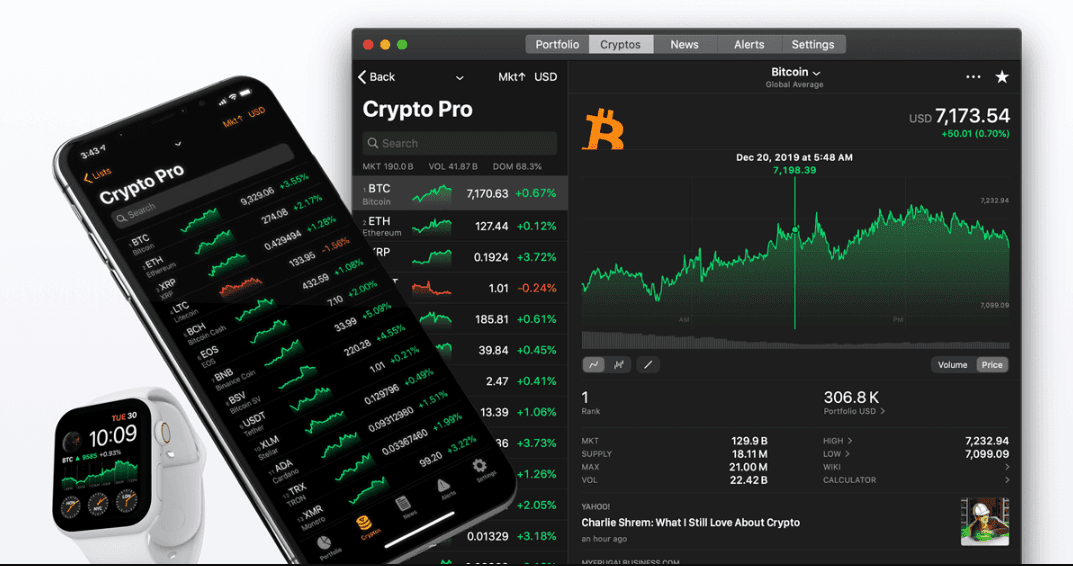
Then look at the mobile. If you check markets on your phone more than on a laptop, mobile support is not a side feature; it is the main interface. Delta and Crypto Pro stand out here with widgets, lock screen views, and watch complications. CoinStats also offers solid mobile apps with DeFi-aware views.
Alerts are the final piece. Most good trackers offer price and percentage alerts. Some, like Delta and The Crypto App, add context around why an asset might be moving. The more you rely on alerts instead of constant chart-watching, the more those details matter.
Tax Reporting Capabilities
The last filter is whether you need tax reports from the tracker or just exports into a separate tool. If you want the tracker to generate tax reports directly, focus on CoinLedger, CoinTracker, Koinly, and CoinTracking. They all produce capital gains summaries, income reports, and jurisdiction-specific exports.
Look at cost-basis methods and forms. Koinly, for example, supports FIFO, LIFO, HIFO, average cost, and jurisdiction-specific pooling methods. CoinLedger and CoinTracker highlight support for forms like IRS Form 8949 and Schedule D in the US, along with exports tailored for the UK, Canada, and other tax systems.
Finally, check integrations with tax filing platforms. Many tools export directly to TurboTax, H&R Block, or local online filing systems, which saves you from manual data entry later. If you mainly need exports, even a non-tax tracker paired with a tax tool can work, but that adds another moving part to maintain.
Top Crypto Portfolio Trackers in 2025
With the framework in place, we can now walk through the flagship tools one by one. Each review follows the same pattern, so you can compare them on equal terms: overview, quick stats, pros and cons, key features, pricing, best fit, and a blunt one-line verdict.
CoinLedger – Best Overall for Tax Reporting and Portfolio Management
 Tracks Asset Balances And Tax Data For You. Image via Coinledger
CoinLedger started life as crypto tax software and gradually grew a free portfolio tracker on top of the same engine. That heritage shows; everything is built around clean records and compliant reports.
Quick stats
- Rating: 4.8/5 (editorial)
- Pricing: Free tracking; paid tax reports based on transaction count
- Integrations: Hundreds of exchanges and wallets, tens of thousands of assets
- DeFi/NFT: Supports on-chain activity and NFTs
- Mobile: Web, mobile-friendly UI
Pros
- Free portfolio tracking with cost-basis and P&L views.
- Strong tax engine with localized reports for several major jurisdictions.
- Unlimited wallets and exchanges per tax-year tier within a plan.
- DeFi and NFT imports that cover most of what retail users hold.
Cons
- No native mobile app yet; everything runs through the browser.
- Interface design focuses more on clarity than on flashy analytics.
- High transaction counts can push you into more expensive tiers.
Key features
CoinLedger imports transactions from exchanges, wallets, and DeFi protocols, then classifies trades, income events, and transfers. You get a portfolio view that shows holdings, realized and unrealized gains, and tax previews. When you are ready to file, you can generate tax reports for your country, export into filing tools, or download PDF summaries.
Pricing summary
Free Portfolio Tracking: Unlimited wallets/exchanges and assets tracked, cost basis & P & L view, DeFi & NFT support.
- Hobbyist: $49, offering up to 100 transactions per tax year
- Investor: $99, offering up to 1,000 transactions per year
- Pro: $199, supports up to 3,000 transactions per year.
Extra transaction-volume pricing above 3000 txs requires additional payments per batch.
Who it’s best for
Retail and semi-pro traders who care about tax reporting and want one tool that handles both tracking and compliance.
Our take
If you care about taxes and do not mind a browser-based interface, CoinLedger is the most balanced all-rounder in this list.
CoinTracker – Best for High-Volume Traders and Detailed Tax Reports
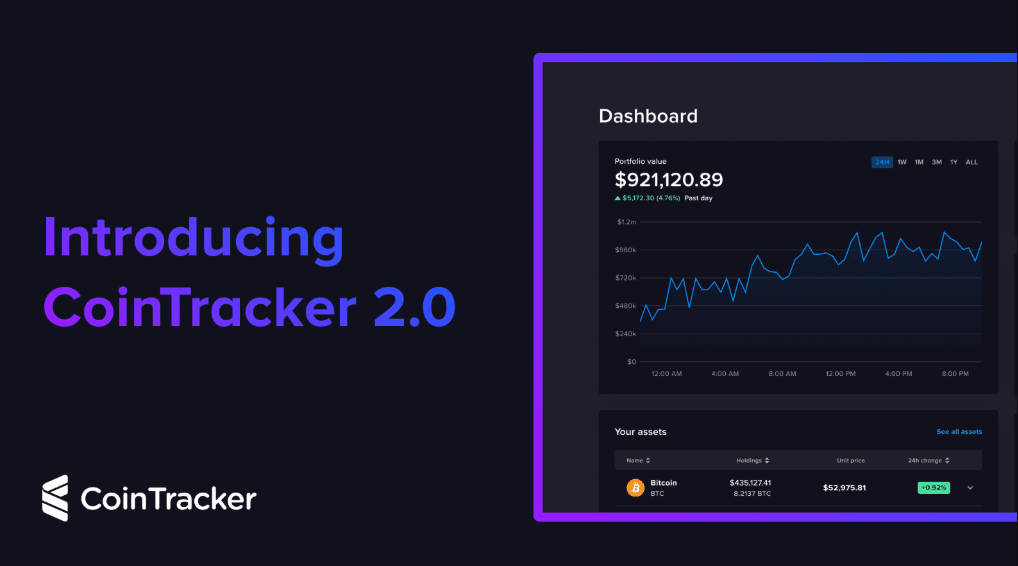 Automated Crypto Tax Reporting For High-Volume Traders Globally. Image via Cointracker
CoinTracker is one of the longest-running portfolio plus tax platforms in crypto and has grown alongside the market. That history shows in both coverage and depth, especially for complex, high-volume users.
Quick stats
- Rating: 4.7/5
- Pricing: Free portfolio; paid tax and premium features
- Integrations: Extensive coverage of exchanges, wallets, dapps, and smart contracts
- DeFi/NFT: Supported for both tracking and tax
- Mobile: iOS and Android apps
Pros
- Strong DeFi and smart-contract coverage, built up over the years.
- Direct links to tax filing products and detailed IRS-focused outputs.
- Mature dashboards with tax-loss harvesting hints and liability previews.
- Mobile apps that let you track performance on the move.
Cons
- Interface can feel heavy for small portfolios or new users.
- Pricing climbs quickly with higher transaction counts.
- Coverage for obscure chains and protocols may still lag and need manual fixes.
Key features
CoinTracker connects to exchanges, wallets, and on-chain accounts, imports transactions, and computes performance and tax. It supports gains and losses, income classification, and detailed tax reports, including breakdowns by asset and holding period. DeFi and NFT activity feed into the same engine rather than sitting outside.
Pricing summary
The free tier gives you portfolio tracking and a limited tax preview. Paid tiers scale by transaction volume and unlock advanced DeFi, NFT, and filing features.
Free portfolio tracking available.
Paid/tax-report tiers (as per recent comparison):
- 100 transactions plan: $59 (all prior tax years included)
- 1,000 transactions plan: $199
- For heavy volume (up to 10,000 transactions): $599
Good option if you want one system for multiple tax years.
Who it’s best for
Users with hundreds or thousands of transactions who need one system to go from raw data to tax filing without bouncing between tools.
Our take
When your history is long and messy, CoinTracker is one of the few products that can realistically wrestle it into shape.
Koinly – Best Pure Crypto Tax Software with Strong Tracking
 Koinly Is a Dedicated Crypto Tax Software With Powerful Portfolio Integration. Image via Koinly
Koinly sits closest to the “pure tax engine” end of the spectrum. It can act as a tracker, but tax is clearly the main act, not an add-on.
Quick stats
- Rating: 4.6/5
- Pricing: Free preview; paid reports by transaction count
- Integrations: Very broad integration list across exchanges and wallets
- DeFi/NFT: Covers DeFi, mining, staking, derivatives, and NFTs
- Mobile: Web-first, mobile-friendly
Pros
- Wide jurisdiction coverage across many countries.
- Multiple cost-basis methods, including ones tied to local tax rules.
- Ability to handle complex activities such as futures and liquidity pools.
Cons
- UX is shaped around tax workflows more than portfolio aesthetics.
- No first-class native mobile app on the level of Delta or CoinStats.
- High on-chain transaction volumes can push you into upper pricing tiers.
Key features
Koinly imports transactions from exchanges, wallets, and DeFi protocols, then classifies trades, income, and transfers. It produces localized tax reports and exports for common filing tools. NFTs, mining rewards, staking income, and derivatives are all supported.
Pricing summary
Koinly lets you import and preview tax results for free, then charges per tax year based on transaction count when you download full reports.
- Entry-level plan (Newbie/Hodler): $49, up to 100 transactions.
- Mid-tier plan: $99, covers up to 1,000 transactions.
- Higher-volume / “Trader” plan: $179, supports up to 3,000 transactions per year.
For very active users, there is also a plan offering support for 10,000+ transactions (price tier $279), suitable for power traders.
Who it’s best for
Users who already know their main problem is tax compliance and want a serious engine to handle it, with portfolio tracking as a bonus.
Our take
If you are worried about audits more than dashboards, Koinly is a straightforward, tax-first choice.
CoinGecko – Best Free Real-Time Tracker
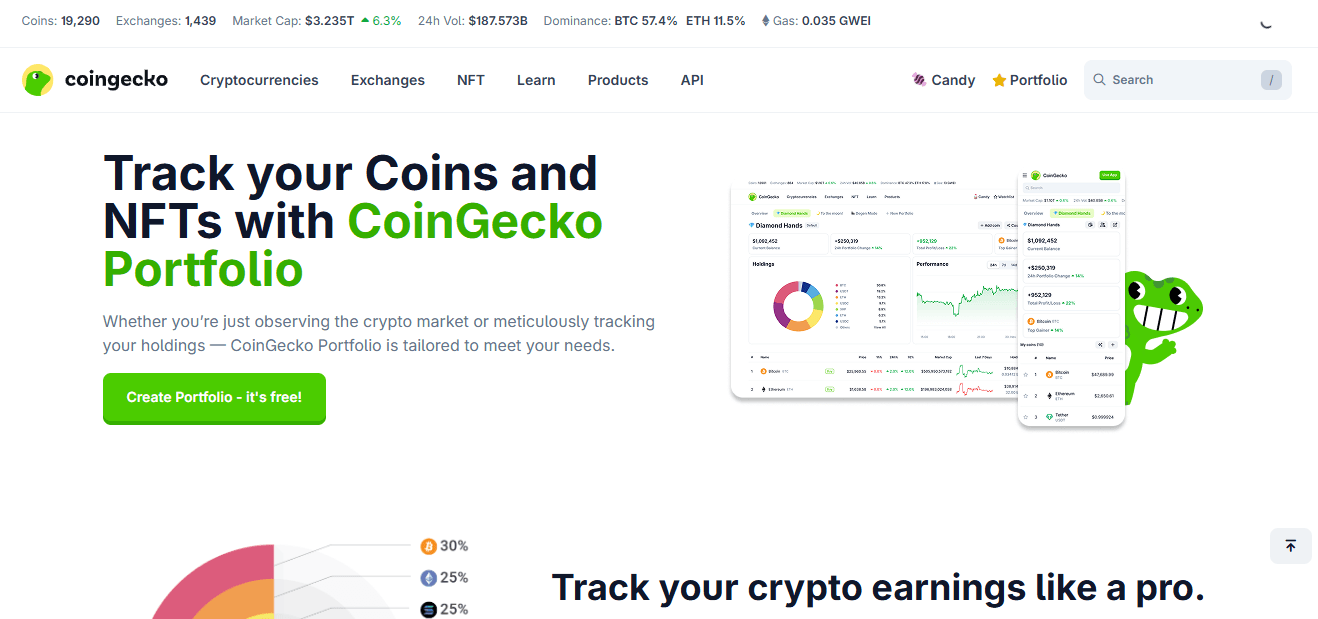 Free Real-Time Tracking And Crypto Market Data With Coingecko. Image via Coingecko
CoinGecko is known first as a pricing and data site. Its portfolio feature rides on that data and turns it into a free, low-friction tracker.
Quick stats
- Rating: 4.4/5
- Pricing: Free
- Integrations: No automatic exchange connections; all positions are entered manually
- DeFi/NFT: Basic token tracking, no structured DeFi or NFT view
- Mobile: iOS and Android apps
Pros
- Completely free portfolio feature.
- No API keys or wallet connections needed, which suits privacy-minded users.
- Deep coin coverage and reliable price data.
Cons
- No automatic syncing from exchanges or wallets.
- No cost-basis logic or tax reporting.
- Limited context for DeFi or NFT holdings.
Key features
You can create multiple portfolios, add buys and sells manually, and track P&L against each position. Watchlists, alerts, and educational content sit alongside the portfolio.
Pricing summary
The portfolio is free. CoinGecko’s paid tier focuses on data extras, not basic tracking.
Who it’s best for
Beginners and privacy-focused users who want a simple log of positions without connecting any accounts.
Our take
If you want “price app plus simple portfolio for free,” CoinGecko is the obvious starting point.
CoinMarketCap – Best Flexible Portfolio Tracker for Beginners
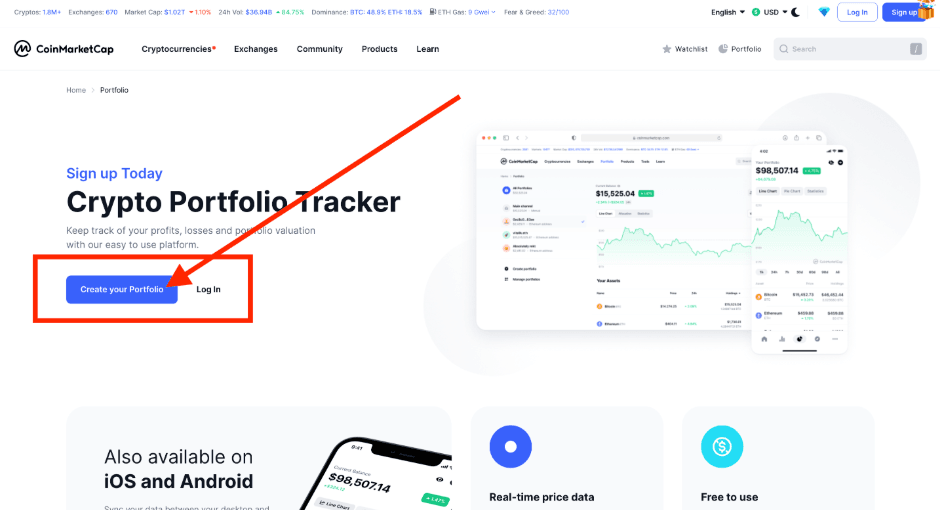 Free Portfolio Tracker With Manual and Automatic Tracking Options. Image via CoinMarketCap
CoinMarketCap follows a similar path to CoinGecko: price site first, portfolio second. Its free Portfolio tool supports manual transaction entry, automatic on-chain wallet syncing, and direct Binance and OKX account syncing. CoinMarketCap says its broader platform reaches hundreds of millions of users each year.
Quick stats
- Rating: 4.6/5
- Pricing: Free
- Integrations: Manual entry, automatic on-chain wallet syncing, and direct Binance and OKX account syncing
- DeFi/NFT: DexScan provides on-chain DEX analytics; no dedicated NFT portfolio
- Mobile: iOS and Android
Pros
- Beginner-friendly interface with a low learning curve.
- Multiple portfolios, price alerts, and watchlists.
- Wallet and exchange connections are optional; manual entry remains available.
Cons
- Direct exchange syncing is currently limited to Binance and OKX.
- No tax logic or reports.
- DeFi analytics are available through DexScan, while dedicated NFT portfolio functionality remains limited.
Key features
CoinMarketCap Portfolio lets you add buys, sells, and transfers manually, sync supported on-chain wallet addresses for automatic updates, or connect Binance and OKX accounts to sync balances. CoinMarketCap then calculates portfolio value and profit or loss using its market data. Portfolios also integrate with watchlists and alerts, while DexScan provides additional on-chain DEX data such as liquidity, trading activity, and other market metrics.
CoinMarketCap’s public market-data pages can be browsed without a login or KYC. Portfolio itself requires a CMC account, but connecting a wallet or exchange is optional.
Pricing summary
All portfolio features are free for registered users.
Who it’s best for
Users who want a free portfolio tracker with a choice between manual entry and supported automatic wallet and exchange syncing within the familiar CoinMarketCap ecosystem.
Our take
If you already use CoinMarketCap for market data and want a free portfolio with both manual entry and automatic syncing options, its Portfolio tool provides both in the same platform.
CoinStats – Best for DeFi and NFT Tracking
 Comprehensive Platform For Tracking DeFi And NFT Investments. Image via CoinStats
CoinStats positions itself as a full crypto management app. The pitch is simple: connect nearly everything and see your crypto life in one place, with DeFi and NFTs treated as first-class citizens.
Quick stats
- Rating: 4.8/5
- Pricing: Free tier plus premium subscriptions
- Integrations: Hundreds of wallets and exchanges, more than a hundred blockchains, and large DeFi coverage
- DeFi/NFT: Strong dashboards for both
- Mobile: iOS, Android, and web
Pros
- Rich DeFi protocol coverage, from LPs to staking and yield.
- NFT portfolio views with collection-level and wallet-level breakdowns.
- Solid UX across mobile and web with alerts and widgets.
Cons
- No full tax engine; you rely on exports and separate tax tools.
- Depth and feature set can overwhelm newcomers who only use CEXes.
- Some advanced features live behind premium tiers.
Key features
CoinStats connects to centralized exchanges, on-chain wallets, and DeFi protocols via APIs, WalletConnect, and addresses. It displays balances, positions, and yields across chains, and adds sections for NFTs and DeFi positions.
Pricing summary
Free plan: $0 / month: basic portfolio tracking (limited wallets/exchanges, limited syncs).
Premium plan (monthly billing): $13.99/ month. With Premium, you get unlimited wallet & exchange connections, live portfolio &P/L tracking, support for 300+ wallets/exchanges and 120+ blockchains, DeFi and NFT position tracking, advanced analytics (allocations, performance charts, wallet analysis), customizable alerts, full transaction history and sync limits, news feed, and multi-device support across mobile and web.
Who it’s best for
DeFi farmers, NFT collectors, and wallet-first users who want a single cockpit for on-chain activity.
Our take
If your main playground is on-chain rather than on exchanges, CoinStats is one of the strongest daily dashboards you can pick.
Delta – Best for Crypto + Stocks in One App
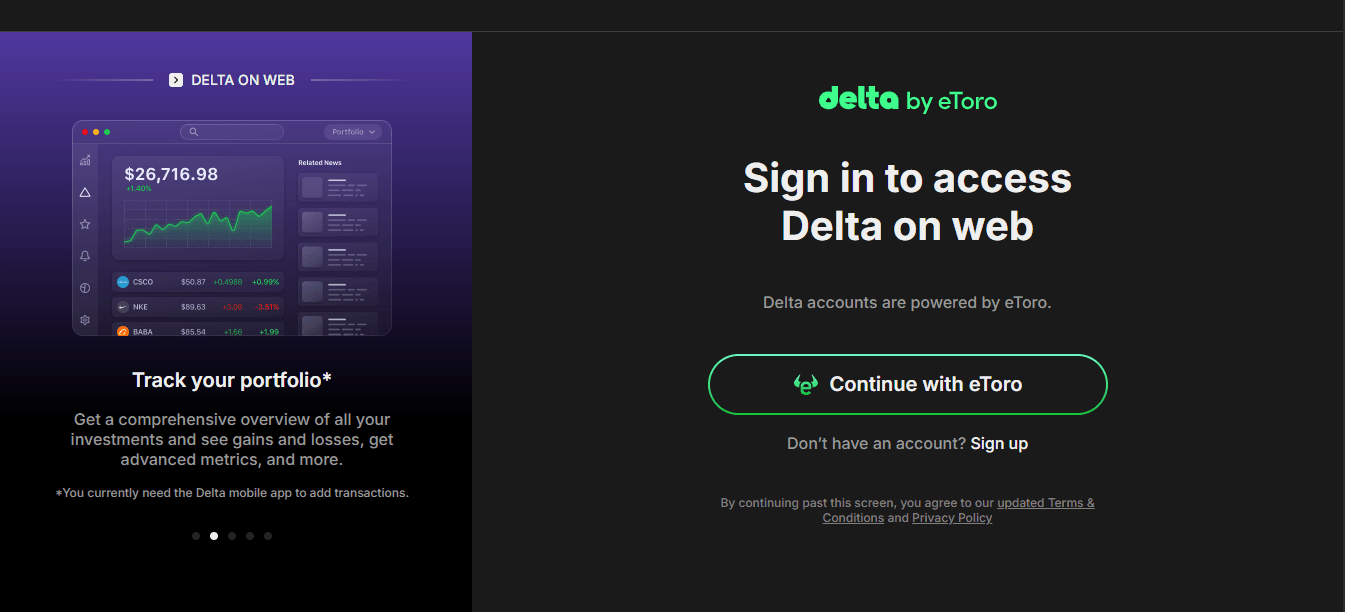 Unified Tracking App For Stocks And Cryptocurrencies. Image via Delta
Delta was built from the start as a cross-asset portfolio app. It treats crypto, stocks, ETFs, and other instruments as peers, which suits investors who refuse to separate “crypto portfolio” and “traditional portfolio.”
Quick stats
- Rating: 4.6/5
- Pricing: Free base app; Delta Pro subscription for advanced features
- Integrations: A wide spread of brokers, exchanges, and wallets, with unlimited connections on Pro
- DeFi/NFT: Indirect via connected platforms, not a DeFi-first tool
- Mobile: iOS, Android, and web client
Pros
- Polished UX and clear visualizations for multi-asset portfolios.
- Read-only connections and standard security practices.
- Strong alerts and explanations for asset moves on the Pro tier.
Cons
- No built-in tax engine; only exports.
- DeFi support is limited compared to DeFi-native tools.
- Pro pricing can feel steep if you only hold a few assets.
Key features
Delta allows multiple portfolios, unlimited connections on Pro, and breakdowns by asset class. It also provides analytics and alerts that explain notable moves in your holdings.
Pricing summary
The free tier handles basic tracking. Delta Pro, available as a subscription, offers unlimited connections, enhanced analytics, and advanced alerts.
- Free basic app: Includes connection to a limited number of exchanges/wallets (e.g., up to two exchanges and two wallets).
- Pro/paid subscription: More connections, advanced portfolio, multi-device sync, real-time time and analytics features. This plan comes at an annual cost of around $13.99 monthly, $99 annually, and $299 lifetime for full functionality.
Who it’s best for
Investors who view crypto as one sleeve in their much comprehensive investment strategy and want everything in one interface.
Our take
If you want to see your crypto, stocks, and funds in one timeline rather than juggling separate apps, Delta is an easy sell.
Kubera – Best for Multi-Asset Net Worth Tracking
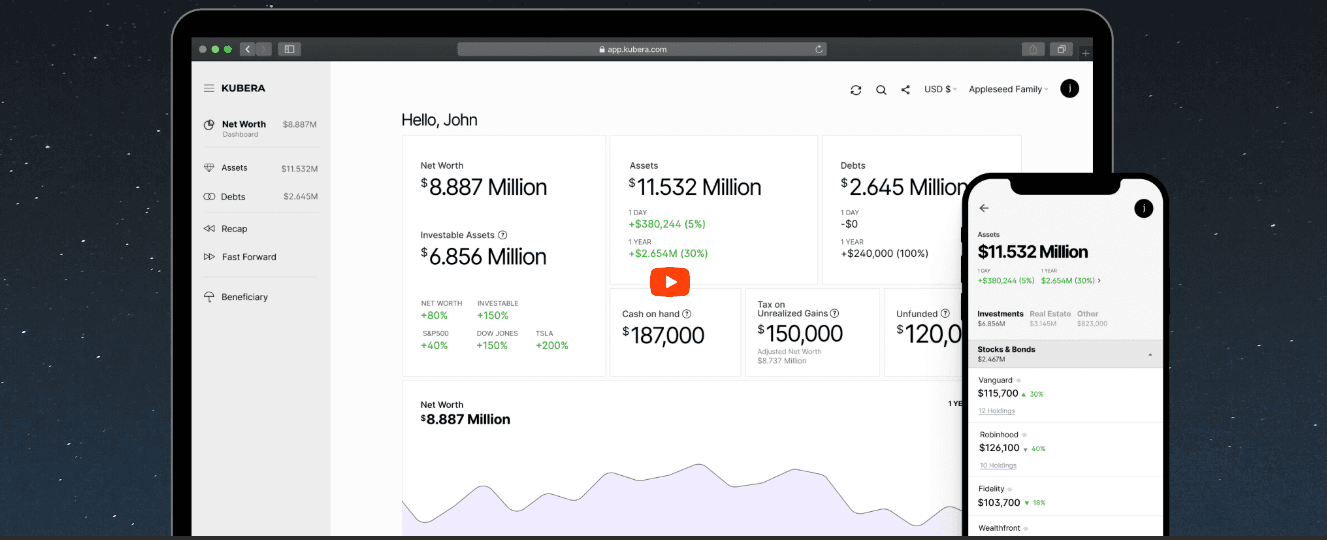 Multi-Asset Dashboard To Monitor Complete Net Worth Seamlessly. Image via Kubera
Kubera does not really see itself as a “crypto tool” at all. It is a net-worth platform where crypto is one of many inputs alongside bank accounts, brokerages, real estate, private investments, and other assets.
Quick stats
- Rating: 4.5/5
- Pricing: Paid subscription; no free tier
- Integrations: Banks, brokers, crypto exchanges, and manual asset entries
- DeFi/NFT: Limited native handling
- Mobile: Web-first, works well on mobile browsers
Pros
- Full net-worth view covering both traditional finance and crypto.
- Support for real estate, domains, and other less common assets.
- Features aimed at long-term planning and beneficiary handover.
Cons
- No native tax reports.
- DeFi and NFTs are clearly not the central focus.
- Subscription cost sits higher than most crypto-only trackers.
Key features
Kubera lets you connect financial accounts and crypto platforms, add manual assets, and track net worth over time. It includes features for estate planning, such as “dead man’s switch” style beneficiary access.
Pricing summary
Only paid plans are available, aimed at serious wealth tracking rather than casual price watching.
- No free tier available.
- Annual “Kubera Black” plan starts at $249 per year and goes up to $2999 for the entire year
- Focuses on complete net-worth tracking, including crypto, stocks, bank accounts, real estate, and other assets.
Who it’s best for
Multi-asset investors and families who want a single, long-term view of wealth, with crypto as one slice of that pie.
Our take
If you already think in terms of balance sheets, not coin lists, Kubera will feel natural.
Crypto.com – Best All-in-One Exchange + Portfolio Tracker
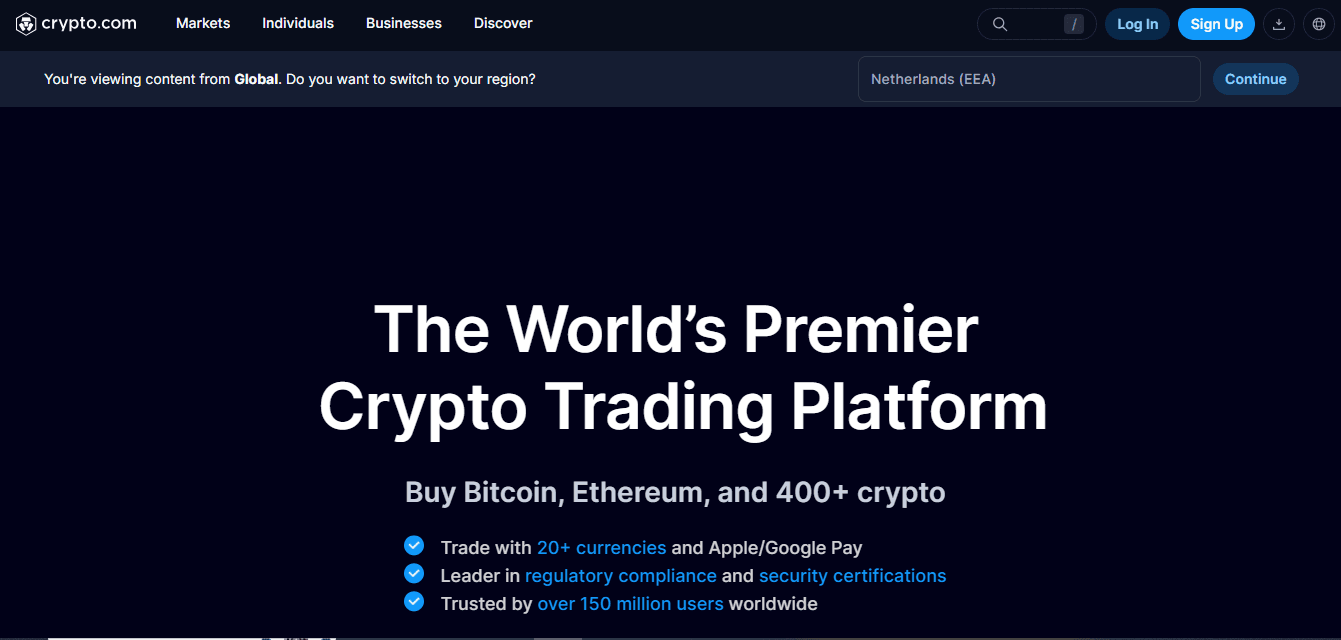 Integrated Exchange And Portfolio Management App In One. Image via Crypto.com
Crypto.com is first and foremost an exchange, card, and yield platform. Its app also doubles as a portfolio tracker inside that ecosystem.
Quick stats
- Rating: 4.1/5
- Pricing: Free app, with spreads, trading fees, and card economics in the background
- Integrations: Internal Crypto.com exchange and related products
- DeFi/NFT: Staking, earn products, and the Cronos ecosystem; separate NFT marketplace
- Mobile: iOS and Android
Pros
- Unified experience for trading, card spending, earn products, and portfolio.
- Security frameworks and certifications targeted at institutional-grade custody.
- A broad asset list and product range for users who stay inside one venue.
Cons
- Portfolio view only covers assets held with Crypto.com.
- KYC and regional restrictions block features in some countries.
- Centralized custody adds counterparty risk.
Key features
The app shows your holdings across spot, earn, card, and other internal products. You can top up, trade, and track from the same place, which suits users who treat Crypto.com as their main crypto bank.
Pricing summary
- Free to use as an app with an integrated wallet and trading interface.
- No separate portfolio-only pricing tier.
- Costs arise through trading fees, spreads, and product usage rather than portfolio tracking.
Who it’s best for
Users who mostly live inside one exchange ecosystem and want a strong native app around it.
Our take
This is an excellent “inside the house” tracker, but if your funds sit across multiple venues, you still need an external tool.
Crypto Pro – Best for Apple Users and Privacy
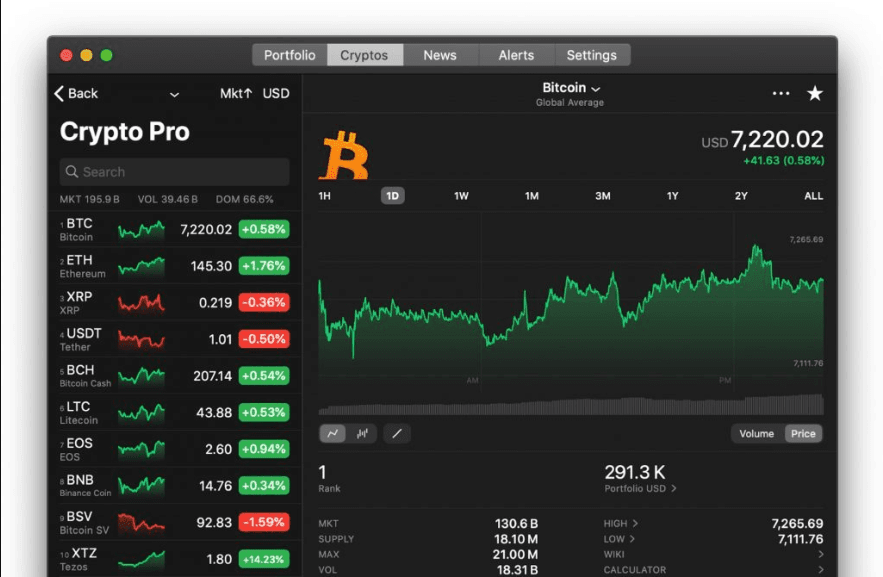 Privacy-Focused Application Built Exclusively For Apple Users. Image via Crypto Pro
Crypto Pro is a portfolio tracker built for people who live in the Apple world and care a lot about privacy. It runs on iPhone, iPad, Mac, and Apple Watch and keeps data local by default.
Quick stats
- Rating: 4.6/5
- Pricing: Free base app with paid upgrades
- Integrations: Dozens of exchanges and wallets, metals and fiat
- DeFi/NFT: Limited native handling
- iMobile: IOS, macOS, Apple Watch
Pros
- Local-first storage with optional encrypted backups.
- Deep support for widgets and watch complications.
- No ads and a strong privacy stance.
Cons
- No tax engine or tax reports.
- No Android or web version.
- DeFi support is basic compared to on-chain dashboards.
Key features
Crypto Pro supports multiple portfolios, price alerts, Apple Watch complications, QR scanning, and custom views. API keys are stored locally, and backups go through encrypted Apple services or private cloud storage.
Pricing summary
The core app is free. Certain integrations and advanced features require in-app purchases or a subscription.
Who it’s best for
Apple-only users who want a privacy-first tracker for prices and portfolios, without server-side profiles.
Our take
If you carry an iPhone and Apple Watch all day and dislike cloud-heavy products, Crypto Pro fits that lifestyle very well.
Token Metrics – Best AI-Driven Analytics and Research
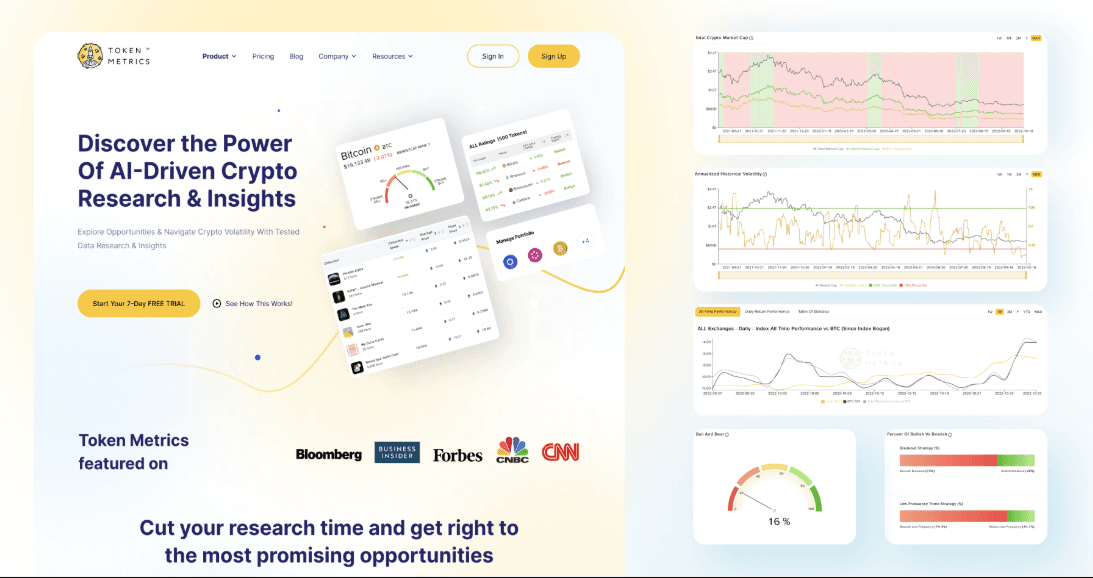 Advanced Ai-Driven Analytics To Guide Your Investment Decisions. Image via TokenMetrics
Token Metrics calls itself an AI-driven crypto research platform. Portfolio tracking is part of the package, but the star feature is analytics.
Quick stats
- Rating: 4.3/5
- Pricing: Subscription only
- Integrations: Exchange and chain data feeds; portfolio and watchlist connections
- DeFi/NFT: Covered through analytics rather than separate dashboards
- Mobile: Web interface; TradingView integration for signals
Pros
- AI-backed token ratings and risk scores.
- Access to on-chain, social, and developer data in one place.
- Indicators and strategies that hook into popular charting tools.
Cons
- Pricing is high for casual users.
- Not a great starting point if you only need balance tracking.
- Data and signals can overwhelm if you are not already trading actively.
Key features
Token Metrics offers token pages with scores, narratives, whale wallet data, and signals. Portfolio tracking sits alongside these features, more as context for strategy than as the main driver.
Pricing summary
Tiers cover individuals and institutions, with higher levels unlocking more data and signals.
- Basic: Costs $0, and comes with free access to AI-driven market insights and analytics.
- Advanced: Priced at $99 per quarter, it provides advanced analytics and detailed token insights, designed to elevate your trading.
- Premium: This subscription costs $499 per quarter and includes exclusive webinars, research, and a community to help improve your cryptocurrency investment strategy.
Who it’s best for
Active traders and funds that want a research and signal platform with portfolio awareness, not a plain tracker.
Our take
If you want something closer to a “crypto research terminal” and are willing to pay for it, Token Metrics is a serious option.
Honorable Mentions – Advanced and Niche Crypto Portfolio Tools
The tools above cover most needs, but a few others deserve a mention for more specialized roles. This section walks through them briefly so you know when they might be worth adding to your stack.
Nansen – On-Chain Analytics and Smart Money Tracking
Nansen is primarily an on-chain analytics platform. Its Portfolio module is strong, but the real edge comes from labeled wallets and smart-money tracking.
You can connect wallets, see DeFi positions, and track performance across more than a hundred chains. At the same time, you can study how large funds, market-making firms, and known smart-money wallets move capital, then compare your holdings to theirs.
If you trade based on on-chain flows, Nansen’s portfolio view becomes part of a larger research workflow.
Debank – DeFi Wallet-Centric Tracking
Debank was built around the idea that DeFi is wallet-first. It tracks EVM wallets across chains, showing balances, DeFi positions, NFTs, and transaction history.
Instead of focusing on exchange integration, Debank zeroes in on Ethereum and L2 DeFi users who want a live account explorer with portfolio overlays. Messaging and social features sit on top of this wallet data, making it feel more like a web3 interface than a traditional tracker.
It is a strong fit if most of your time and capital stay on EVM chains and you rarely rely on centralized exchanges.
CoinTracking – Long-Term Tax + Data Archiving
CoinTracking is one of the oldest names in crypto tax and portfolio tracking. It leans heavily into long-term data archiving and custom reporting.
If you have several cycles of active trading behind you, with complex history across many exchanges, CoinTracking’s ability to import old data and build long-horizon reports is valuable. It is less about slick mobile dashboards and more about getting your entire history into a structure you can audit.
CryptoCompare / AssetDash / The Crypto App (Optional Cluster)
A few smaller tools round out the picture:
- CryptoCompare combines market data, charts, and portfolio tracking. It suits users who want detailed charts and news embedded in the same environment as their portfolio.
- AssetDash offers privacy-friendly cross-asset tracking, including stocks, crypto, and NFTs. It prides itself on minimal personal data collection and supports many platforms and chains.
- The Crypto App focuses on mobile users who want one app for prices, alerts, portfolio tracking, and a basic converter. It is light and handy if you mostly manage your crypto life on your phone.
Finally, here are our top picks for the best Crypto Research tool
Feature Deep Dives – Tax, DeFi, NFTs, and Analytics
 Manage Your Tax, DeFi, NFTs and Analytics All At One Place. Image via Shutterstock
By now, you should know which tools interest you. This section dives a bit deeper into specific feature sets that often decide between two otherwise similar choices.
Tax Reporting: Methods, Forms, and Country Support
On the tax side, there are three big angles: methods, forms, and country coverage.
Common cost-basis methods include FIFO, LIFO, high-cost (HIFO), average cost, pooling, and specific identification. Koinly, CoinTracker, CoinLedger, and CoinTracking all support several of these and let you choose what fits your jurisdiction and strategy.
For forms, tools aimed at US users produce outputs compatible with IRS Form 8949 and Schedule D. Those targeting the UK, Canada, and other countries provide HMRC-style reports, CRA capital gains schedules, and similar exports. The same tools typically handle income classification for staking, airdrops, and mining.
Country support matters more as regulations tighten. Koinly and CoinLedger spell out country lists and offer localized guidance, while CoinTracker focuses deeply on US compliance and extends from there. CoinTracking, with its long history, emphasizes detailed archives and custom exports that advanced users can tune.
DeFi Tracking: Protocol Coverage and Limitations
DeFi tracking comes down to protocol coverage and how well the tool understands complex positions.
Look for explicit support for major protocols such as Uniswap, Aave, Curve, Lido, Compound, and Yearn. DeFi-aware trackers will show LP token composition, staking balances, lending positions, and sometimes even projected yields. CoinStats, Nansen, Debank, and DeFi is strong in this area.
There are always limitations. New protocols and unusual derivatives appear faster than most trackers can integrate them. That means you will occasionally see “unknown token” entries or blank positions for exotic pools. When you rely heavily on the long tail of DeFi, expect some manual cleanup regardless of the tool.
NFT Tracking: Display and Valuation
NFTs add visual and valuation challenges that many trackers only partially solve.
On the basics, you want a tracker that shows collections, individual tokens, and estimated values based on floor prices. CoinStats and AssetDash give you NFT dashboards that aggregate holdings across wallets and chains.
However, rarity, trait-based pricing, and cross-market liquidity still require dedicated NFT tools and marketplaces. A portfolio tracker is best used for “what is my NFT stack roughly worth and how is it changing,” not for precision pricing or trading edge.
Advanced Analytics and On-Chain Insights
Some users want more than P&L and balances. They want to know which sectors are gaining attention, where smart money is rotating, and how specific tokens score on fundamentals or sentiment.
Token Metrics covers that territory with AI-driven ratings, risk metrics, and trading strategies. Nansen does it with labeled wallets, flow dashboards, and sector-level breakdowns. Used together with a tracker, these tools turn your portfolio view from a static snapshot into a decision support system.
The trade-off is cost and complexity. These platforms assume you already trade or allocate actively. If you mainly buy and hold, their depth can feel like overkill.
Mobile Apps, Widgets, and Alerts
Finally, a quick look at the mobile experience across tools.
Most major trackers now offer iOS and Android apps, including CoinTracker, CoinStats, CoinGecko, CoinMarketCap, Delta, Crypto.com, Crypto Pro, Debank, AssetDash, and The Crypto App. The differences show up in polish and feature more than availability.
Crypto Pro and Delta stand out for widgets, lock screen views, and watch support. DeFi-heavy users often lean on CoinStats mobile to keep an eye on positions and yields. If you live on your phone, it is worth installing two or three candidates and simply comparing which dashboard you enjoy opening.
Security and Privacy – Staying Safe While Using Trackers
 Always Stay Safe While Using Trackers. Image via Shutterstock
No matter how good a tracker looks on paper, it is only worth using if you connect it safely. This section focuses on the practical side of adding accounts without putting funds or sensitive data at risk.
How API Connections Work (and What “Read-Only” Actually Means)
A typical exchange integration follows a simple chain.
You create an API key in your exchange account, turn off trade and withdrawal permissions, and paste that key into the tracker. The tracker then signs requests to the exchange’s API and receives account balances and transaction histories in return.
“Read-only” means the API key can request information but cannot create orders or initiate withdrawals. Even if someone got hold of that key, they could see your balances but could not move funds. If a tracker ever asks you to leave trading or withdrawal rights turned on, walk away.
Data Storage, Encryption, and Privacy Policies
Connections are only half of the story; you also need to know where your data lives.
Some tools, like Crypto Pro, store data locally on your device and use encrypted backups via iCloud or similar services. That model reduces exposure to server breaches, at the cost of relying on your own backup discipline.
Others, such as CoinLedger, CoinTracker, and Koinly, keep encrypted records on their own servers because they need long-term histories for tax reporting. In those cases, the privacy policy and security pages matter. You want clarity on encryption, retention, and data resale.
Exchange-integrated apps like Crypto.com store portfolio data alongside your trading and KYC records in the same infrastructure used for custody and operations. Here, your trust decision is really about the exchange itself rather than the tracker in isolation.
Best Practices When Linking Exchanges and Wallets
Regardless of which tool you choose, a few habits go a long way.
- Turn on 2FA for every tracker and exchange account.
- Create separate read-only API keys for each tracker instead of reusing keys across apps.
- Revoke API keys when you stop using a tracker or after testing a new one.
- Never share seed phrases, private keys, or API keys with withdrawal permissions.
Treat a tracker as a window into your accounts, not as another wallet.
Comparing Security Approaches Across Major Trackers
To tie it together, here is a short security snapshot for some of the tools in this guide.
| Tool | API model | 2FA | Data storage | Privacy angle |
|---|---|---|---|---|
| CoinLedger | Read-only APIs and CSVs | Supported | Encrypted cloud storage | Focus on secure handling of tax data |
| CoinTracker | Read-only APIs and public addresses | Supported | Encrypted cloud storage | Emphasizes trusted, restricted connections |
| Koinly | API and CSV imports | Supported | Encrypted cloud storage | Tax-first posture with compliance focus |
| CoinStats | APIs, WalletConnect, addresses | Supported | Cloud | Large-scale DeFi syncing with standard app security |
| Delta | Read-only connections | Supported | Cloud | Clear statement on read-only access and encryption |
| Crypto Pro | Optional APIs, local-first | Device level | Local with encrypted backup | Strong privacy messaging and no data resale |
| Nansen | Wallet addresses only | Supported | Cloud | On-chain data only; no custody or trading |
The goal is not to crown one winner here, but to show the patterns. Pick the one whose security model matches your risk tolerance and the sensitivity of your data.
Which Crypto Portfolio Tracker Should You Use? (Decision Framework)
At this point, you have a lot of information. To cut through it, this section turns everything into a simple decision path and a few personas.
Quick Decision Flowchart
Start with the question: What is your primary goal right now?
- If the goal is free basic tracking, CoinGecko or CoinMarketCap are the obvious starting points.
- If the goal is serious tax reporting, jump straight to CoinLedger, CoinTracker, or Koinly, possibly backed by CoinTracking for history-heavy cases.
- If the goal is DeFi and NFT-aware tracking, lean on CoinStats as your main app and consider adding Debank or Nansen for deeper wallet analytics.
- If the goal is a multi-asset wealth view, use Kubera as the core and Delta for more active market monitoring and alerts.
- If the goal is mobile-first tracking, focus on Delta and Crypto Pro, with CoinStats if most of your activity is on-chain.
- If the goal is AI-driven research and analytics, look at Token Metrics and Nansen alongside a basic tracker.
You can always switch tracks later, but starting with the right category saves time.
Use Case Snapshots
To make it even more concrete, here are some typical profiles and setups that match them.
Beginner Investor (0–10 transactions per month)
- Best tools: CoinGecko, CoinMarketCap.
- Why: Both offer free portfolio tracking. CoinGecko uses manual entry, while CoinMarketCap also supports automatic wallet syncing and direct Binance and OKX syncing.
Active Trader (100+ transactions, 2–5 exchanges)
- Best tools: CoinLedger, CoinTracker, Koinly, with Delta for market-facing views.
- Why: The first three handle tax and transaction history across venues; Delta gives you a polished multi-asset front end for daily monitoring and alerts.
DeFi Farmer / NFT Collector
- Best tools: CoinStats as your main portfolio tracker; Debank and Nansen for wallet-level analytics and smart-money context; AssetDash if NFTs dominate your holdings.
- Why: You get a central cockpit for positions plus specialist tools for on-chain flows and NFT valuations.
Tax-Conscious Long-Term HODLer
- Best tools: CoinLedger, Koinly, CoinTracking.
- Why: They combine multi-year transaction histories, detailed cost-basis logic, and jurisdiction-specific reports, which matter more than glossy charts when you hold through multiple cycles.
Multi-Asset Investor (Crypto + Stocks + Real Estate)
- Best tools: Kubera for net-worth tracking, Delta for active investing and alerts.
- Why: Kubera treats everything you own as one portfolio; Delta gives you trading-oriented analytics across crypto and securities.
Getting Started – Set Up Your First Crypto Portfolio Tracker
 Use This Simple Five-Step Process To Setup Your Crypto Tracking Portfolio. Image via Cryptopro
Once you know which tool fits you, the final step is getting it set up correctly. This section walks through a simple five-step process you can reuse whenever you add or change a tracker.
Step 1 – Choose a Tracker Based on Your Profile
First, match yourself to one of the personas or goals above and pick a primary tool. Keep it simple.
Beginners can start with CoinGecko or CoinMarketCap. Tax-focused users can begin with CoinLedger or CoinTracker. DeFi-heavy users can start with CoinStats. Mobile-first users can lean on Delta or Crypto Pro.
Start on the free tier unless you already know you need a specific paid feature.
Step 2 – Create an Account and Lock It Down
Next, set up your account with security in mind.
Use a unique, strong password and store it in a password manager. Turn on two-factor authentication in both the tracker and your exchanges. Avoid reusing usernames and passwords from other financial services.
This step feels boring, but cleaning up after an account issue is far worse.
Step 3 – Connect Exchanges and Wallets Safely
Now it is time to connect your accounts.
For exchanges, create read-only API keys. Disable trading and withdrawals before copying the keys into the tracker. For non-custodial wallets, use public addresses or WalletConnect-style connections.
Start with one or two key accounts, check that the data pulls in correctly, and then add the rest. There is no prize for connecting everything in one sitting and then spending hours reconciling mistakes.
Step 4 – Clean Up Data and Verify Balances
After the first sync, do a sanity check.
Compare the totals shown in the tracker with what you see inside exchanges and wallets. Look for glaring differences. Then, check for duplicated trades, missing transfers, or mislabeled internal moves between your own wallets.
Most tax-aware tools have reconciliation views that highlight gaps and suspicious entries. Use them early instead of discovering problems at tax time.
Step 5 – Configure Alerts, Tax Settings, and Dashboards
With the basics in place, the last step is to shape the tool around how you actually work.
Set up price and P&L alerts for key holdings. If the tracker has tax options, choose cost-basis methods and your tax year. Customize dashboards so your main screen shows allocation, unrealized P&L, and any risk metrics that matter to you.
From there, your job is simple: keep using the same tool and let it build a clean history rather than resetting every year.
Final Verdict – Our Top Picks and When to Upgrade
The market for trackers is crowded, but the practical choices narrow quickly once you look at use cases. This final section recaps the winners and gives a simple rule for when to move beyond your first setup.
Summary of Winners by Use Case
Here is the cheat sheet.
- Best overall blend of tracking and tax: CoinLedger
- Best free starter: CoinGecko
- Best flexible beginner tracker: CoinMarketCap
- Best DeFi and NFT hub: CoinStats, with Debank and Nansen Portfolio as deeper companions
- Best heavy-trader tax stack: CoinTracker or Koinly, with CoinTracking for long histories
- Best multi-asset wealth view: Kubera, backed by Delta for active trading and alerts
- Best mobile experience: Delta and Crypto Pro
- Best analytics layer: Token Metrics and Nansen together
You do not need all of them. You need the one or two that align with how you actually use crypto today.
When to Switch or Add a Second Tracker
You will know it is time to upgrade or add a second tool when one of three things happens.
- You hit transaction or account limits and find yourself hacking around them with manual work.
- You move deeper into DeFi or NFTs, and your current tracker simply does not see key positions.
- You realize tax prep has turned into a serious job, and a simple portfolio app can no longer produce what you need.
At that point, switching from a free manual tracker to a tax-aware tool, or adding a DeFi-centric dashboard on top of your main tracker, is usually the right next step.
Our Closing Thoughts
Once you hold more than pocket change in crypto, tracking stops being optional. Regulators want records, your own risk management needs visibility, and your future self will not remember the details of every trade or farm.
You do not need the perfect tool from day one. You need a tool that fits your current mix of exchanges, wallets, DeFi exposure, and tax requirements, with room to grow. Start with something simple and free that matches your profile, use it consistently, and step up to heavier tools only when your portfolio complexity genuinely demands it.