Crypto wallets are the backbone of digital asset ownership. Whether you’re trading altcoins, minting NFTs, or staking for yield, your wallet is your gateway to the blockchain. But with thousands of wallets now available across platforms and ecosystems, choosing the right one isn’t just a matter of taste, it’s a question of security, compatibility, and control.
And in 2026, the bar is higher than ever. From air-gapped hardware wallets to sleek mobile apps with DeFi integrations, today’s best crypto wallets go far beyond simple storage. Some prioritize military-grade protection, others focus on intuitive interfaces and multi-chain support. No single wallet does it all, but some stand out for doing one thing exceptionally well.
In this guide, we’re highlighting the top crypto wallets, each selected for its strengths in a specific category. This article doesn’t just list the best wallets; it breaks down what makes them different, helping you decide which one fits your priorities.
Quick Answer: Best Crypto Wallets in September 2026
In Coin Bureau's testing, Ledger Flex is the top pick for long-term hardware storage, Trezor Model T is best for open-source control, Base App works well for Coinbase users moving to self-custody, MetaMask remains the leading Web3 wallet, and Trust Wallet is the strongest mobile-first all-rounder.
-
1Best Hardware Wallet for Long-Term Holders: Ledger Flex Ledger Flex is the best fit for long-term holders because it combines offline key storage, an E Ink touchscreen, Bluetooth and USB-C support, and broad asset coverage in a premium hardware wallet.
-
2Best for Open-Source Control: Trezor Model T Trezor Model T is ideal for users who value transparent self-custody, open-source firmware, on-device confirmations, Trezor Suite, and third-party wallet integrations like MetaMask.
-
3Best for Coinbase Users Moving to Self-Custody: Base App Base App is a strong choice for Coinbase users and beginners because it offers a clean mobile and browser experience, self-custodial control, NFT support, and easy access to major networks and DApps.
-
4Best Web3 Wallet: MetaMask MetaMask remains the go-to wallet for Ethereum, EVM networks, DeFi, NFTs, and Web3 apps thanks to its broad DApp compatibility, custom network support, and hardware wallet integrations.
-
5Best Mobile Crypto Wallet: Trust Wallet Trust Wallet is the strongest mobile option because it supports millions of tokens across 100+ blockchains, with NFT access, staking, swaps, DeFi tools, and a beginner-friendly interface.
-
6Best for Cross-Platform Use: Exodus Wallet Exodus Wallet is best for users who want one wallet across desktop, mobile, and browser, with local key encryption, built-in swaps, staking, Solana NFT support, and Trezor integration.
-
7Best Budget Hardware Wallet: SafePal S1 SafePal S1 is the best budget hardware wallet because it offers air-gapped QR signing, EAL5+ security, tamper resistance, wide token support, and DeFi access through the SafePal App at a low price.
-
8Best for Maximum Offline Security: NGRAVE ZERO NGRAVE ZERO is the strongest premium offline security pick because it never connects by USB, Wi-Fi, Bluetooth, or NFC, and uses QR signing, fingerprint protection, and an EAL7-certified operating system.
-
9Best Seedless NFC Hardware Wallet: Tangem Wallet Tangem Wallet is best for users who want simple hardware security without a default seed phrase, using NFC cards, an EAL6+ chip, mobile access, and multi-card backup options.
-
10Best Seedless Wallet for Beginners: Zengo Wallet Zengo Wallet is the easiest seedless software wallet for beginners because it uses MPC security, FaceLock recovery, a Web3 firewall, mobile access, and simple in-app buying, selling, and swapping.
Disclosure and Methodology
Some links in this guide may be affiliate links. If you choose to sign up or buy a product through them, we may earn a commission at no additional cost to you. That does not affect how these wallets are ranked or reviewed.
For this comparison, we focused on the ten wallets covered in this guide: Ledger Flex, Trezor Model T, Base App, MetaMask, Trust Wallet, Exodus Wallet, SafePal S1, NGRAVE ZERO, Tangem Wallet, and Zengo Wallet. We considered custody model, security architecture, platform support, recovery design, hardware or software setup, token and network coverage, NFT support, DApp access, ease of use, and suitability for different user needs.
Our review process prioritized practical wallet usage, including setup, recovery, sending and receiving assets, connecting to DApps, viewing NFTs where supported, hardware wallet initialization, transaction signing, companion app usability, and compatibility with major ecosystems such as Ethereum, Bitcoin, Solana, BNB Smart Chain, and major Layer 2 networks.
Disclaimer
This article is for educational purposes only and should not be treated as financial, investment, legal, tax, or security advice. Wallet features, asset support, prices, fees, integrations, recovery options, and regional availability can change quickly, so users should verify details directly with official wallet providers before downloading, buying, or using any wallet.
Users should never share private keys, seed phrases, passwords, recovery phrases, wallet access codes, or backup cards with anyone. Always download wallet apps from official sources, test with small amounts where possible, keep backups offline, and understand the risks before storing, transferring, buying, selling, staking, swapping, or interacting with any crypto asset.
Best Crypto Wallets At A Glance
| Wallet | Type | Custody | Seed Phrase | Connectivity | Platforms | NFT Support | DApp Access | Token Support | Security Level | Price (USD) | Coin Bureau Score |
|---|---|---|---|---|---|---|---|---|---|---|---|
| Ledger Flex | Hardware | Self-custodial | Yes | USB-C, Bluetooth | Desktop, Android (OTG) | Ethereum, Polygon | Via Ledger Live & external wallets | 5,500+ | EAL6+ | $249 | 4.7/5 |
| Trezor Model T | Hardware | Self-custodial | Yes | USB-C, MicroSD, no Bluetooth | Desktop, Android (browser access) | Ethereum, Polygon via third party | Trezor Suite + integrations | 1,800+ + ERC20s | Open-source secure element | $219-$280 | 4.5/5 |
| Coinbase Wallet | Software | Self-custodial | Yes, cloud backup optional | Online | Mobile, Browser Extension | Ethereum, Solana | Built-in browser | Thousands | Secure enclave + biometric | Free | 4.4/5 |
| MetaMask | Software | Self-custodial | Yes | Online | Mobile, Browser Extension | Ethereum, mobile only | Extensive | EVM chains + custom RPC | Encrypted local storage | Free, 0.875% swap fee | 4.6/5 |
| Trust Wallet | Software | Self-custodial | Yes | Online | Mobile, Browser Extension | Ethereum, BSC | Built-in browser | Millions, 100+ chains | Local key storage + biometric | Free | 4.5/5 |
| Exodus Wallet | Software | Self-custodial | Yes | Online | Mobile, Desktop, Browser | Solana | Web3 via browser extension | 260+ listed, thousands supported | Trezor integration + encryption | Free, small swap spread | 4.3/5 |
| SafePal S1 | Hardware | Self-custodial | Yes, 12/18/24 words | Air-gapped, QR only | Mobile only | Ethereum, BSC, Polygon, Solana | Via SafePal App | 30,000+ | EAL5+ + tamper detection | $49.99 | 4.5/5 |
| Tangem Wallet | Hardware | Self-custodial | Seedless, optional backup | NFC | Mobile only | Not yet available, coming soon | WalletConnect only | 6,000+, 38 networks | EAL6+ smartcard chip | $54, 2 cards / $69, 3 cards | 4.4/5 |
| Zengo Wallet | Software | Self-custodial, MPC | Seedless, MPC-based | Online | Mobile only | Ethereum, Polygon | WalletConnect only | 1,000+ | MPC + 3FA + audits | Free / $19.99 Pro | 4.5/5 |
| NGRAVE ZERO | Hardware | Self-custodial | Perfect Key + optional mnemonic | Air-gapped, QR only | Mobile via LIQUID app | Ethereum, Polygon planned | Via MetaMask | 1,500+, 13 blockchains | EAL7 + tamper-resistant | $398 / $498 with GRAPHENE | 4.6/5 |
How We Reviewed and Tested These Wallets (Methodology)
This section explains how this guide was put together, what we tested directly, and where its limits are, so you can judge how closely it reflects real-world wallet usage.
Testing Methodology
We evaluated more than 20 crypto wallets across hardware and software categories using real setups, not theoretical comparisons. Testing focused on how wallets behave in everyday scenarios, including setup, asset management, and interaction with common blockchain applications.
For software wallets, we installed and used each wallet on supported platforms (mobile, desktop, or browser) and tested basic flows such as wallet creation, recovery, sending and receiving assets, connecting to DApps, and viewing NFTs where supported. For hardware wallets, we tested device initialization, backup and recovery processes, transaction signing, and companion app usability.
Where relevant, wallets were connected to popular ecosystems such as Ethereum, major Layer 2 networks, Bitcoin, Solana, and BNB Smart Chain to confirm real-world compatibility. We prioritized common user actions like holding assets, interacting with DeFi, and managing NFTs rather than edge-case configurations.
Security assessments combined hands-on observation with third-party data from sources like CER.live, CertiK, published audits, and vendor documentation. For hardware wallets, we also considered physical design choices that affect attack surface, such as air-gapping, secure elements, and tamper resistance.
What We Didn’t Test
We did not attempt to simulate advanced attack scenarios, perform penetration testing, or audit wallet code ourselves. Those tasks require specialized security research and are better handled by independent auditors.
We also did not test long-term device durability, extreme environmental conditions, or niche use cases such as institutional custody setups, multisig-heavy workflows, or automated trading bots. Wallets designed primarily for highly technical or enterprise environments were excluded to keep the guide focused on realistic retail and prosumer usage.
By narrowing the scope to everyday behavior, this methodology aims to reflect how most people actually use crypto wallets in 2026, rather than how they perform in idealized or highly specialized conditions.
Our Expert Picks

1. Best Hardware Wallet For Long Term Holders: Ledger Flex
Think of Ledger Flex as Ledger’s high security vault with a travel friendly twist. An E Ink touchscreen, Bluetooth and USB C, and support for 5,500+ assets make it a wallet you buy once and keep for years.
- CC EAL6+ secure element (bank grade chip) for offline protection
- E Ink touchscreen that is easy to read and simple to navigate
- Bluetooth for mobile convenience, USB C for fast stable desktop use
- 5,500+ tokens supported, plus Ethereum and Polygon NFTs
- Personalizable display and a durable lightweight build
- Priced at a premium compared with entry level hardware wallets
| Platform(s) | Works with Ledger Live on mobile and desktop. Pair via Bluetooth or plug in with USB C |
| Security | CC EAL6+ secure element, offline key storage, transaction verification on device |
| CER Security Rating | CCC |
| Assets / Networks | 5,500+ tokens, NFTs on Ethereum and Polygon (ERC 721, ERC 1155) |
| Display | 2.84" E Ink (16 grayscale) for crisp low glare confirmations |
| Ledger Recovery Key | PIN protected backup card for your 24 word recovery phrase, included with new Flex and Stax |
| Price | $249, premium build aimed at long term use |
The Flex sits in Ledger’s sweet spot. More comfortable and capable than entry models, without going full luxury. If you are building a serious BTC or ETH stack and dabbling in NFTs, it feels purpose built.
2. Best Crypto Wallet For Open Source Control: Trezor Model T
Trezor Model T pairs a color touchscreen with open source firmware and strong privacy tools. It works with Trezor Suite and popular third party wallets for flexible, transparent self custody.
- Color touchscreen for clear on device confirmations
- Open source firmware and software for full transparency
- CoinJoin support for privacy focused BTC transactions
- Works with Trezor Suite, MetaMask and more
- Optional microSD feature for added protection
- Plastic body feels less sturdy than metal builds
- Some assets need third party wallets for full features
- No Bluetooth, USB C only
| Platform(s) | Trezor Suite on desktop and mobile, works with MetaMask and other wallets |
| Security | Open source firmware, offline key storage, on device approvals |
| CER Security Rating | C |
| Assets and Networks | 1,800+ tokens, ERC20s and NFTs on Ethereum and Polygon, Solana support in Suite |
| Connection | USB C, no Bluetooth |
| microSD Feature | Optional microSD support for extra security options |
| Price | About $130 |
Model T remains a favorite for security first and privacy minded users. The touchscreen keeps flows simple, the open source stack builds trust, and Suite integration makes portfolio tasks straightforward.
The Ledger Flex was included in our article on the best hardware wallets. If you're on a budget, check out our top picks for the best hardware wallets under $100.
3. Best Wallet for Coinbase Users Moving to Self Custody: Base App
Previously called Coinbase Wallet
Base App is a non custodial wallet that gives you full control of your keys and assets with a simple mobile and browser experience. It supports major networks, NFTs, and easy DApp access while keeping setup friendly for beginners.
- Non custodial control of private keys
- Clean mobile app and browser extension
- Multi chain support across Ethereum, Solana, and EVM networks
- NFT gallery and smooth DApp access
- Easy transfers with a linked Coinbase account
- No full desktop app, browser extension only
- Fewer advanced customizations than power user wallets
- Online connectivity increases attack surface compared with cold storage
| Platform(s) | iOS, Android, Chrome browser extension |
| Security | Non custodial keys, biometric login, optional encrypted cloud backup |
| CER Security Rating | C |
| CertiK Skynet Score | BBB (73.54) |
| Assets and Networks | Thousands of tokens, Ethereum, Solana, EVM chains including Base, Optimism, Arbitrum, BNB Chain, Polygon |
| NFTs | Displays and stores NFTs on Ethereum, Solana, Polygon |
| Price | Free wallet, pay network gas only |
Base App is a friendly bridge into self custody for Coinbase users and beginners. It keeps the interface simple, supports the chains most people use, and plays well with DeFi and NFTs without overwhelming new users.

4. Best Web3 Wallet: MetaMask
Iconic Ethereum Wallet Since 2016
MetaMask is the go to self custodial wallet for Ethereum, EVM networks, and now Solana, with Bitcoin support on the way. Available as a browser extension and mobile app, it is a favorite for DeFi traders, NFT collectors, and Web3 power users thanks to its broad DApp compatibility and network flexibility.
- Works with major EVM chains and lets you add new networks manually
- Very broad DApp compatibility across DeFi and NFTs
- Staking and bridging via MetaMask Portfolio
- Hardware wallet support with Ledger and Trezor
- Now supports Solana, with Bitcoin support planned
- No traditional 2FA or cloud backup
- Manual NFT and token setup for some assets
- Hot wallet that requires an internet connection
- Frequently targeted by phishing and malware attacks
| Platform(s) | Browser extension, iOS, Android |
| CER Security Rating | AA to AAA |
| CertiK Skynet Score | AA (89.77) |
| Assets and Networks | Ethereum and EVM chains including BNB, Arbitrum, Optimism, Base, Polygon, plus Solana, with Bitcoin support coming soon |
| NFTs | ERC 721 and ERC 1155 storage and display |
| Price | Free, plus network gas fees |
MetaMask remains the most important wallet for Ethereum and DeFi. While some rivals feel sleeker, few match its DApp reach, network flexibility, and growing multi chain support including Solana now and Bitcoin soon.

5. Best Mobile Crypto Wallet: Trust Wallet
Trust Wallet is a free mobile and browser wallet that gives you full control of your crypto without sign up. Backed by Binance, it supports millions of tokens on 100+ blockchains, plus NFTs, staking, and swaps in one simple app.
- Supports millions of tokens on 100+ blockchains
- Easy to use for beginners with a clean interface
- Works with NFTs, staking, DeFi, and swaps in one app
- Backed by Binance and fully open source
- No sign up or personal details required
- No desktop app and no built in 2FA
- Recovery phrase must be stored manually
- Customer support can be slow
- As a hot wallet, it’s less secure than hardware options
- Like all software wallets, can be targeted by phishing scams
| Platform(s) | iOS, Android, Browser Extension |
| CER Security Rating | AAA |
| CertiK Skynet Score | AA (91.74) |
| Assets and Networks | Millions of tokens across 100+ blockchains including BTC, ETH, BNB, SOL, and ADA |
| NFTs | Ethereum (ERC721/1155) and BNB Smart Chain (BEP721/1155) |
| Price | Free, plus network gas or swap fees |
Trust Wallet is one of the most versatile mobile crypto wallets, perfect for beginners and altcoin collectors alike. Its huge token and chain support, combined with NFT, DeFi, and staking access, make it a top all in one choice for mobile users.
6. Best Crypto Wallet for Cross Platform Use: Exodus Wallet
Exodus is a free non custodial wallet for desktop, mobile, and browser. It supports thousands of assets, staking for major coins, and a Solana NFT marketplace in a sleek, beginner friendly interface. Keys are encrypted locally and it connects with Trezor for cold storage.
- Works on desktop, mobile, and browser
- Supports thousands of assets plus Solana NFTs
- Built in staking and swaps without sign up
- Trezor integration for hardware level security
- Clean design that is easy for beginners
- No traditional 2FA
- Hot wallet, depends on device security
- Not fully open source
- Swap feature uses spread based pricing
- No special privacy features
| Platform(s) | Desktop, iOS, Android, Browser Extension |
| CER Security Rating | AAA |
| CertiK Skynet Score | A (84.95) |
| Assets and Networks | Thousands of cryptocurrencies including BTC, ETH, and ERC 20 tokens |
| Staking | ADA, ALGO, SOL, ATOM and more |
| NFTs | Solana NFTs with marketplace access |
| Hardware Support | Trezor Model One and Model T |
| Price | Free, network fees and small swap spread |
If you want one wallet that feels at home on every device, Exodus is hard to beat. It is easy to learn, supports a wide range of assets, and pairs with Trezor when you want extra protection.

7. Best Budget Hardware Wallet: SafePal S1
SafePal S1 is a compact air gapped hardware wallet that signs transactions with QR codes. It stays offline at all times and pairs with the SafePal App for NFTs, DeFi, and multichain support. At $49.99 it delivers strong protection at a very low price.
- Fully offline with QR code signing
- Supports 30,000+ tokens across 100+ blockchains
- Tamper resistant with self destruct protection
- NFTs and DeFi through the SafePal App
- Travel friendly, credit card sized, very affordable
- No USB, Bluetooth, or Wi Fi which can be less convenient
- Battery needs occasional charging
- Not fully open source
- Learning curve for first time hardware users
| Platform(s) | SafePal App on iOS and Android |
| Connection | Air gapped, QR code signing only |
| Security | EAL5+ secure element, self destruct, device authentication |
| Assets and Networks | 30,000+ tokens on 100+ blockchains including BTC, ETH, BNB, SOL, ADA |
| NFTs | Ethereum, BSC, Polygon, Solana, and TON via the app |
| Display and Camera | 1.3" color screen with built in camera for QR scanning |
| Battery | 400 mAh, about 20 days typical use between charges |
| Price | $49.99 |
SafePal S1 delivers impressive offline security for under $50 and is a strong pick for travelers and long term holders. The QR based workflow keeps keys isolated, though some users may miss the convenience of USB or Bluetooth.
8. Best Wallet for Maximum Offline Security: NGRAVE ZERO
NGRAVE ZERO is a premium air gapped hardware wallet that never connects by USB, Wi Fi, Bluetooth, or NFC. It signs with QR codes, uses an EAL7 certified OS with fingerprint unlock, and pairs with the LIQUID app for portfolio and send flows while staying fully offline.
- Air gapped design with QR code signing only
- EAL7 certified OS and fingerprint security
- GRAPHENE steel backup that is fire and water resistant
- Works with MetaMask or Rabby for 100+ EVM networks
- Large 4 inch touchscreen with a clear interface
- Higher price than most wallets
- Limited native chains, relies on third party apps for many networks
- No desktop app, mobile LIQUID app only
- Larger device that is less pocket friendly
| Platform(s) | LIQUID mobile app on iOS and Android |
| Connection | Air gapped, QR code signing only |
| Security | EAL7 certified OS, fingerprint sensor, tamper protection and secure wipe |
| Assets and Networks | Native support for major assets like BTC, ETH, BNB, LTC, plus ERC 20 and MultiversX ESDT. Access 100+ EVM chains via MetaMask or Rabby |
| NFTs | Supports Ethereum NFTs with expansion planned |
| Display | 4 inch touchscreen |
| Backup | GRAPHENE two part stainless steel backup plates |
| Price | €398 for ZERO, €498 with GRAPHENE backup |
If you want the strongest offline setup and do not mind a higher price, NGRAVE ZERO is a standout pick. It keeps keys fully isolated, adds a tough steel backup, and still lets you reach many networks through MetaMask or Rabby when needed.

9. Best Seedless NFC Hardware Wallet: Tangem Wallet
Tangem is a tap to use smartcard wallet with no seed phrase by default. Your keys live inside an EAL6+ chip and you access them by tapping the card with your phone. Packs include two or three cards so you can set up simple backups without any paper seed.
- Seedless setup with easy tap to use access
- Two or three card packs for simple backups
- Supports 6,000+ tokens across 38 networks
- Durable card that needs no battery or cables
- App shows balances without the card present
- No desktop app and no on card screen
- If you lose all cards without a backup you lose access
- Needs an NFC enabled smartphone
- NFT and staking support are planned features
| Platform(s) | Tangem App on iOS and Android |
| Security | EAL6+ secure element, NFC tap, tamper resistant smartcard |
| Assets and Networks | 6,000+ tokens across 38 networks including BTC, ETH, XRP, ADA, SOL |
| Connection | NFC only, no USB or Bluetooth |
| Backup and Recovery | Multi card recovery by default, optional seed phrase setup |
| Warranty | 25 year replacement warranty |
| Price | $54 for two cards, $69 for three |
Tangem makes hardware security as simple as tap and go. It is a great fit for beginners and mobile first users who want seedless backups and a wallet that never needs charging, as long as you keep at least one spare card safe.
10. Best Seedless Wallet for Beginners: Zengo Wallet
Zengo is a seedless mobile wallet that uses MPC to split control between your phone and Zengo servers. No single private key exists, setup is fast, and you get clear in app swaps, a Web3 firewall, and strong recovery options.
- Seedless security with MPC, no single point of failure
- Simple mobile app with risk alerts from a Web3 firewall
- 3 factor recovery with email, cloud file, and FaceLock
- Buy, sell, and swap inside the app
- Supports 1,000+ assets and Ethereum NFTs
- Mobile only, no desktop app
- Private keys cannot be exported to other wallets
- In app swaps and buys include provider fees
- Some Web3 features use WalletConnect
- Premium tools are part of Zengo Pro
| Platform(s) | iOS and Android |
| Security | MPC seedless design, FaceLock, Web3 firewall, regular audits |
| CER Security Rating | AAA |
| CertiK Skynet Score | A (85.00) |
| Assets and Networks | 1,000+ assets across major networks including BTC, ETH, SOL, XRP, plus Ethereum L2s |
| NFTs | Gallery support for Ethereum and Polygon |
| Recovery | 3FA with email, cloud recovery file, and 3D FaceLock |
| Price | Essentials is free. Pro is $19.99 per month or $199.99 per year |
Zengo removes the pain of seed phrases while keeping strong protection. It is an easy pick for beginners and cautious users who want a secure mobile wallet with clear risk warnings and simple recovery.
Other Wallets We Considered
Sparrow
Sparrow offers complete control over your Bitcoin, letting you customize trading fees and choose between public, private, or Bitcoin Core servers. It features a powerful transaction editor and supports the Lightning Network for faster payments.
Why We Didn’t Choose It
While highly capable, Sparrow is best suited for advanced Bitcoin users. Its interface and features require a solid understanding of Bitcoin fundamentals, making it less beginner-friendly than our top picks.
BlueWallet
BlueWallet is a modern mobile Bitcoin wallet offering Lightning Network support, multi-signature options, and a variety of transaction tools. Its clean design makes advanced Bitcoin features more accessible on mobile devices.
Why We Didn’t Choose It
Although it’s great for Bitcoin power users, BlueWallet’s highly technical features and lack of broader asset support make it less versatile for multi-chain users.
Best Wallet
Best Wallet offers a polished mobile experience with built-in portfolio tracking, token swaps, and DeFi/NFT marketplace integration. It also prioritizes user privacy with no sign-up requirements.
Why We Didn’t Choose It
The wallet is still relatively new and lacks the proven track record of older, established competitors. While its roadmap is promising, it hasn’t yet built the trust needed for a top recommendation.
What is a Crypto Wallet?
A crypto wallet is a tool that lets you access, store, and manage your digital assets. It doesn’t “hold” coins like a physical wallet—instead, it stores the private keys that prove ownership of on-chain funds. Wallets generate addresses, which are used to send and receive assets across blockchains.
They come in many forms, from mobile apps to fully offline hardware devices. Understanding how wallets and addresses work is essential to keeping your assets secure. For a deeper look, see our full guide on crypto wallets and addresses.
Types of Crypto Wallets Explained
Crypto wallets come in various forms, each with trade-offs between security and convenience.
- Hot wallets are connected to the internet, making them ideal for quick access and frequent transactions. Examples include MetaMask, Coinbase Wallet, and Trust Wallet.
- Cold wallets operate offline and are used for long-term storage. These include hardware devices like the Ledger Flex, Trezor Model T, and NGRAVE ZERO.
- Mobile wallets like Zengo and SafePal offer portability and ease of use through dedicated apps, often with built-in swap and buy/sell features.
- Desktop wallets such as Exodus cater to users who prefer managing assets from their computer.
- Hardware wallets are physical devices that store keys offline. Examples include Tangem Wallet, SafePal S1, and Ledger.
- Paper wallets, now rarely used, involve printing private keys on paper. While air-gapped by nature, they're fragile and hard to back up securely.
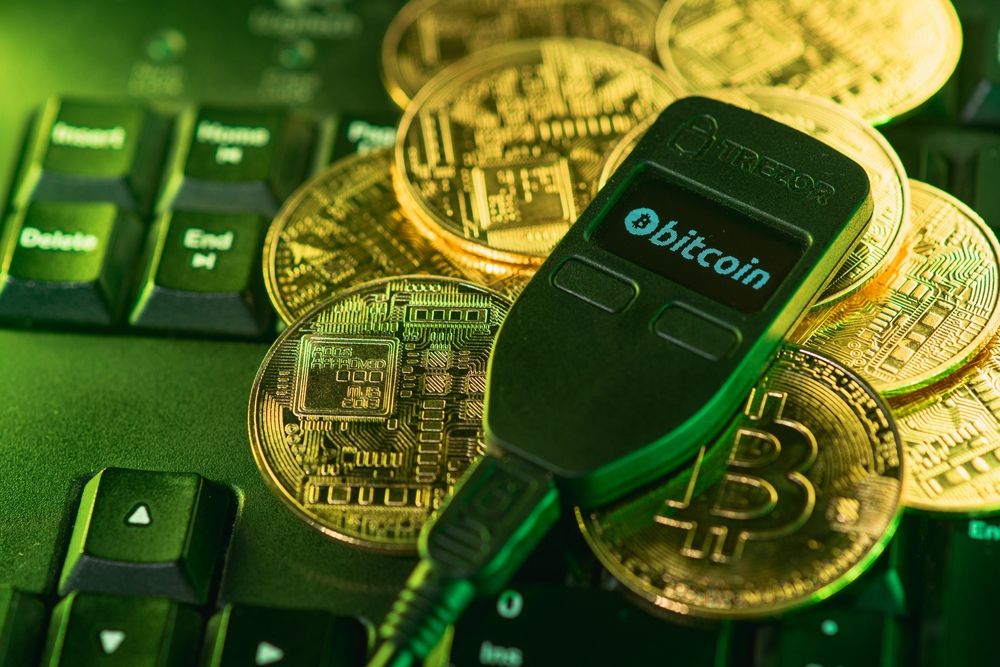 Crypto Wallets Come In Various Forms. Image via Shutterstock
Key Features to Look for in a Wallet
Choosing a wallet starts with the fundamentals. At baseline, any good wallet should have a solid reputation, active development, a clean security record, and real user adoption. If a wallet hasn’t stood the test of time or lacks transparency, it’s not worth trusting with your keys.
Next, check for network support. A wallet must be compatible with the blockchains and tokens you actually use—whether that’s Ethereum, Bitcoin, Solana, or newer L2s. This alone can narrow down your options quickly.
Finally, consider the features that matter most to you. Some wallets like MetaMask or Zengo offer in-app swaps and staking. Others like Ledger support hardware-grade security. NFT collectors may prioritize gallery support; DeFi users may care about DApp access and bridging. Prioritize features that match how you use crypto—not just what looks good on paper.
Security Considerations When Choosing a Wallet
Security is paramount when selecting a crypto wallet. Key factors include:
- EAL Certifications: Common Criteria EAL (Evaluation Assurance Level) ratings assess a wallet's security rigor. EAL5+ is standard for many hardware wallets, while EAL7, as seen in NGRAVE ZERO, represents the highest level of security assurance.
- Air-Gapped Design: Wallets like ELLIPAL Titan and NGRAVE ZERO operate entirely offline, using QR codes for transaction signing, thereby minimizing exposure to online threats.
- Secure Key Generation: Robust wallets generate private keys using true random number generators and user entropy, ensuring uniqueness and unpredictability.
- Backup and Recovery Options: Features like seed phrases, encrypted backups, and multi-signature setups are crucial. For instance, Tangem offers a seedless recovery mechanism using multiple cards.
- Open Source and Audits: Open-source wallets allow community scrutiny, enhancing transparency. Regular third-party security audits further validate a wallet's integrity.
- Tamper-Resistant Hardware: Physical security measures, such as tamper-evident seals and self-destruct mechanisms, protect against unauthorized access.
Evaluating these features ensures robust protection for your digital assets.
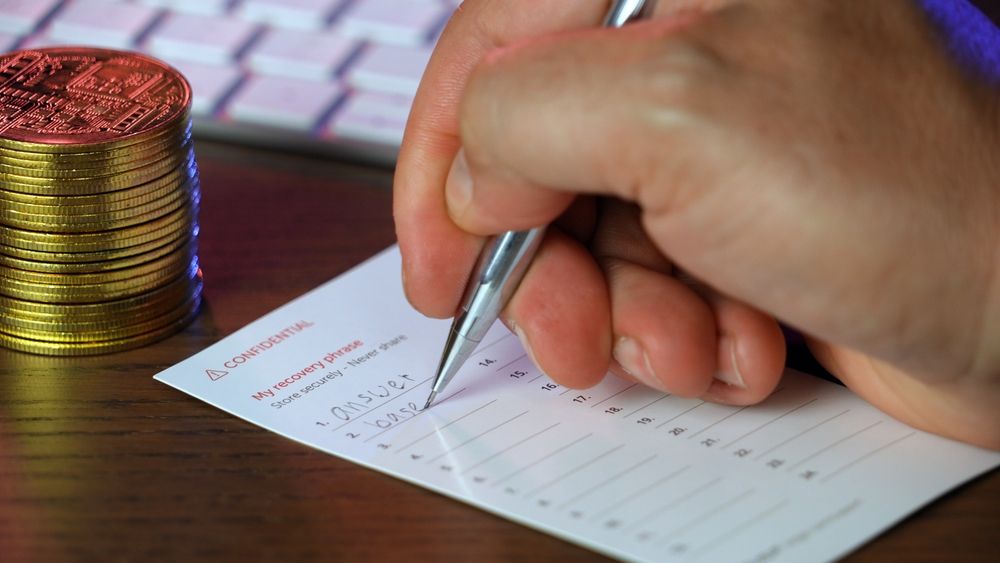 It's Important That You Keep Your Recovery Phrase Safe. Image via Shutterstock
Choosing the Right Wallet Based on Your Needs
Finding the right crypto wallet starts with understanding how you plan to use it, whether that’s long-term cold storage, daily DeFi activity, or NFT collecting. Use our wallet picker tool below to select your primary use case, and we’ll match you with the option that best fits your needs.
Find the Best Crypto Wallet for You
Select the option that best matches your primary use case:
Zengo or Coinbase Wallet — Simple setup, mobile-friendly, with optional cloud recovery and biometric login. Perfect for getting started without technical stress.
Ledger Nano S Plus — Affordable, secure hardware wallet with support for 5,500+ tokens.
NGRAVE ZERO — Air-gapped, touchscreen-based wallet with EAL7 certification and physical tamper protection.
MetaMask — The go-to browser wallet for Ethereum and EVM chains.
Trust Wallet — Built-in DApp browser, multichain support, staking, and swaps on mobile.
Exodus Wallet — Stunning interface with native NFT gallery on desktop and mobile.
Zengo — Mobile-first wallet with secure keyless recovery and NFT viewing support.
Zengo Pro — Offers seedless recovery and 3FA protection.
NGRAVE + GRAPHENE — Physical stainless-steel backup plate with tamper-proof redundancy.
Trust Wallet — Fully mobile, supports multiple chains, staking, and built-in DApp browsing.
Zengo — Smooth onboarding, no seed phrase, and secure recovery with mobile-first features.
How to Set Up a Crypto Wallet Safely
Setup flows vary from wallet to wallet, but the core safety steps remain consistent. Skipping them risks everything, no matter the platform.
Software Wallets (e.g., Trust Wallet, Zengo, MetaMask):
- Download only from official sources like verified app stores or GitHub.
- Use strong passcodes or biometric access where possible.
- If the wallet uses a recovery phrase, write it down offline; don’t store it digitally.
- For seedless wallets like Zengo, ensure biometric recovery and cloud backups are properly configured.
- Turn on additional security settings, such as 2FA or Web3 firewalls if available.
Hardware Wallets (e.g., Ledger, Tangem, NGRAVE):
- Set up in a private environment and generate keys on the device itself.
- Avoid any connection to untrusted networks during setup.
- Store backups securely—either on paper, metal, or multi-part solutions like Graphene.
- Keep firmware updated using the official companion app, not third-party tools.
These precautions lay the foundation for long-term self-custody.
Final Thoughts
Crypto wallets aren’t one-size-fits-all; each shines in different contexts. From high-security hardware like NGRAVE to slick mobile apps like Zengo, your ideal wallet depends on how and where you interact with crypto. We've highlighted top options across all categories, but the smarter approach is to use more than one: hardware wallets for long-term cold storage, and software wallets for daily DeFi or trading use. This spreads risk and improves convenience.
For deeper breakdowns of each wallet’s strengths, tradeoffs, and supported chains, check out our full reviews on Coin Bureau. In crypto, the right setup is layered, not singular.
Further Reading