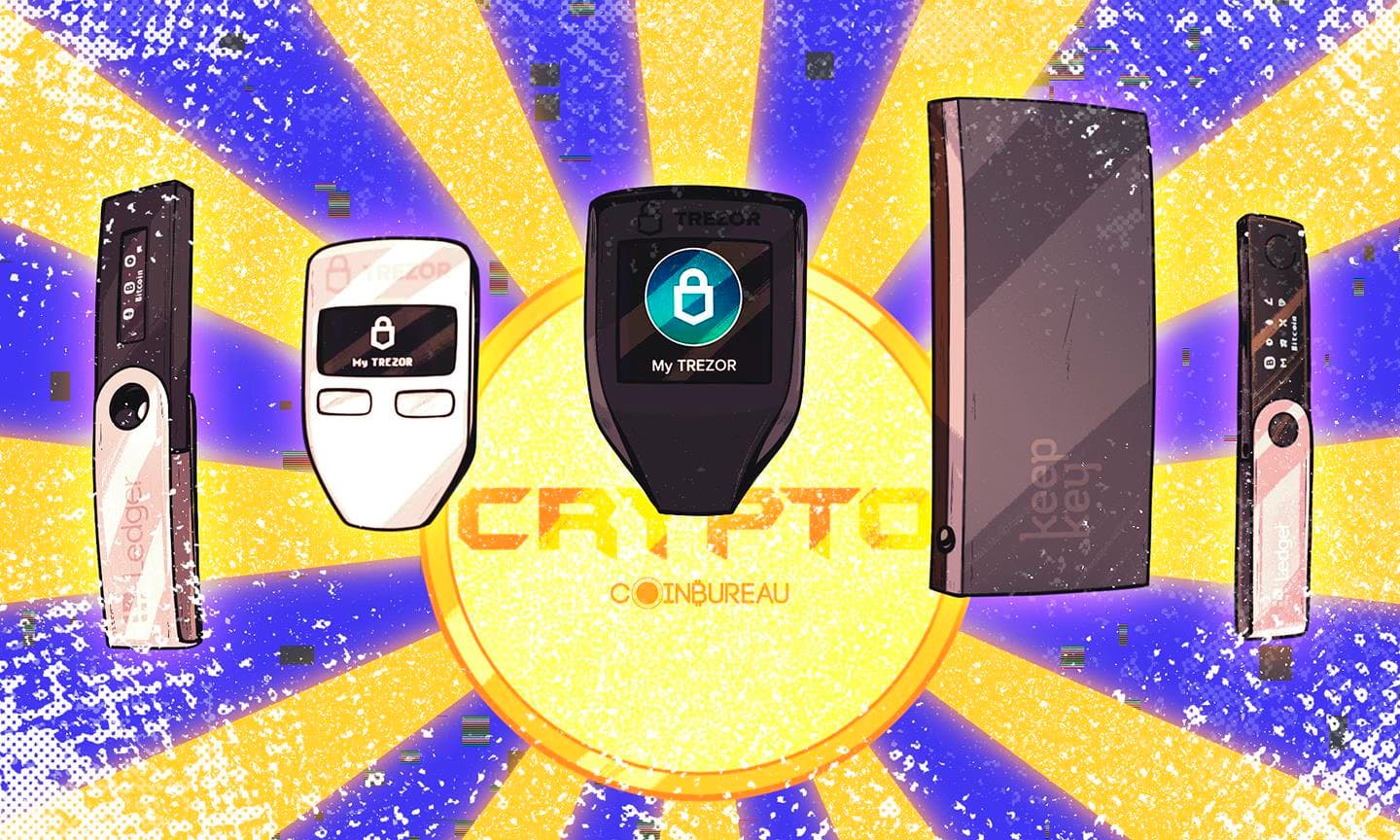
Crypto wallets don’t actually hold your coins, rather they hold the keys that let you move them. Broadly, you’ll choose between software wallets (fast, phone- and browser-based) and hardware wallets (slower, but built to keep keys offline). From there, security and privacy come in tiers: seed phrases vs passkeys, simple single-key setups vs multi-sig or MPC, and “how much data does the provider collect?”
With so many options, it’s easy to default to what’s popular. Enter BRON: a non-custodial wallet built around recoverability, offering secure recovery. It’s aimed at users who want self-custody without constant seed-phrase anxiety today.
BRON Wallet Quick Verdict (1-Minute Summary)
BRON is a recovery-first, non-custodial wallet that combines MPC key splitting, passkeys, and a structured recovery flow with built-in delays to make self-custody more forgiving, especially for people who fear losing access more than they care about maximum “purist” portability. It also packs what affluent users typically want: cross-chain swaps with higher limits, lower fees, capital tiering (multiple accounts), and hidden vaults.
Strengths
- Clear recovery guardrails (guardians + time delays)
- Modern login via passkeys
- Broad multi-chain support + DeFi connectivity via WalletConnect
Weaknesses
- Different trust/availability trade-offs than classic seed wallets
- Signing requires the desktop app + device security requirements (mobile app expected later in 2026)
- Some advanced DeFi tooling may feel lighter than specialist wallets
Best For
- People who value recoverability and “safety rails”
- Users who prefer seedless-style UX over manual phrase management
Not Ideal For
- Seed/hardware purists who want maximum portability and minimal dependencies

Quick Facts
| Item | Details |
|---|---|
| Operator & custody | Operated by BRON Foundation; non-custodial (you retain control of your cryptographic credentials). |
| Platforms & signing | Desktop app (macOS/Windows) + web; mobile access via web (mobile apps stated as in development). Transaction signing happens in the desktop app and requires secure auth (Touch ID/Secure Enclave or Windows Hello). |
| Login | Passkeys (passwordless login tied to your device/security key). |
| Recovery | Guardians (invite ≥2; 48-hour guardian activation delay + 48-hour recovery delay; codes visible only after guardian login). |
| Supported networks | Supported networks include BTC, ETH/ERC-20, TRON/TRC-20, Solana/SPL, Base, BSC, Polygon, Optimism, Ronin, HyperEVM, Gonka and Canton Coin/tokens. |
| Privacy | Privacy Notice: collects minimal account/contact + limited technical data; does not store full private keys/seed phrases; on-chain activity is public by design. |
| Pricing / access | 14-day trial with full feature access; after trial, a workspace may lock (e.g., swaps/transfers unavailable) until requirements are met—funds aren’t blocked, and owners can reactivate trial access to withdraw or fix setup. |
Why Recovery Matters More Than People Think
Imagine dropping your phone in the ocean, having it stolen, or simply upgrading to a new device. In traditional finance, you can reset your password or call support. In self-custody, your wallet recovery process is the support desk; and if it’s confusing, fragile, or easy to mess up, you can end up permanently locked out. This is why understanding the importance of recovery is critical.
 In Self-Custody, your Wallet Recovery Process is the Support Desk. Image via Freepik
Reality Check
Self-custody is often described as “being your own bank.” That’s useful, but it misses the most important detail: banks don’t just store money, they also run recovery and continuity plans so customers can regain access after something goes wrong. Government security guidance treats this as a core idea: backup and recovery methods exist so services can be restored after a disruption. In crypto, you inherit that responsibility.
The Real Failure Mode: It’s not only “Getting Hacked”
Security threats like phishing are very real as attackers try to trick you into clicking malicious links, opening harmful attachments, or handing over sensitive information. And consumer protection agencies repeatedly warn that crypto scams are widespread and constantly evolving. These are real risks, yes.
But there’s a quieter risk that doesn’t make headlines: losing access through everyday life events (lost devices, forgotten credentials, accidental deletion, poor backup practices). The painful part is that, unlike a compromised password, there often isn’t a universal “reset” button in self-custody. That’s why recovery design deserves just as much attention as “security features.”
Real-Life Scenario: The Lost Phone Problem
Here’s where the guardian model can feel more “real life” than seed-only recovery.
Say your phone disappears while traveling. With many wallets, the situation quickly turns into a high-pressure checklist: Do I still have the phrase? Is it stored safely? Can I enter it correctly on a new device without making a mistake?
BRON’s approach shifts that pressure into a pre-planned social confirmation process: you start recovery, contact two people you’ve already chosen, and they share codes only after verifying it’s really you (ideally via a call or another agreed method). Then the built-in delay creates time to notice and respond if something feels off, especially useful if the loss event is paired with panic, distraction, or the risk of coercion.
What this Review Covers
In this BRON review, we’ll look at whether BRON’s recovery-first approach makes self-custody more realistic for normal people, and then evaluate the trade-offs through the lens of security, privacy, usability, supported networks/features, and costs.
What Is BRON?
At its core, BRON is a non-custodial crypto wallet, meaning it’s designed as a software interface for interacting with blockchains, without the provider taking custody of your assets. It is founded by Dmitry Tokarev, who previously built cryptocurrency custody firm Copper.
 BRON is Positioned for People who want Self-Custody but Fear loosing Access. Image via BRON
BRON is built and operated by the BRON Foundation, which states in its Terms of Use and Privacy Notice that it runs the bron.org website and the associated wallet software. The project’s public messaging is centered on bringing “institutional-style” safeguarding concepts into a consumer-friendly wallet experience (for example, seedless recovery and built-in controls), rather than assuming users will manage everything perfectly on their own.
What makes it different is its approach to access and signing: BRON uses MPC (Multi-Party Computation), where “signing power” is split into encrypted pieces (“shards”) stored separately, rather than relying on a single private key or seed phrase. A simple analogy is keeping “spare keys” in different secure places so that one loss doesn’t become a total lockout.
Positioning
BRON is positioned for people who want self-custody but worry about the most common failure modes; losing access, mishandling backups, or making a one-time mistake that becomes permanent. It leans into passkeys (passwordless login) and structured recovery options to make day-to-day use feel more like modern account security, while still aiming to keep control with the user.
Feature Snapshot
Key highlights include Guardians for recovery (with a built-in 48-hour security delay), Hidden Vault accounts to reduce “over-the-shoulder” risk, plus features like cross-chain swaps and staking and more advanced controls such as a policy engine for teams.
Core Features Deep-Dive
BRON’s feature set is built around a single premise: self-custody only works for most people if recovery is realistic under stress. Instead of assuming users will securely store (and never lose) a recovery phrase, BRON tries to design “seatbelts” into the access-and-recovery process; so a lost phone or a bad day doesn’t automatically become a permanent loss event.
 Self-Custody only Works for most People if Recovery is Realistic under Stress. Image via Freepik
Primary Feature: The Impossible to Lose Recovery Model (Guardians + 48-Hour Delay)
BRON’s core value proposition isn’t guardians by themselves, it’s the “Impossible to Lose Wallet” concept: a recovery design that assumes people will eventually lose access, and builds a safe path back in without turning your account into a shared wallet.
The Guardian system is the main mechanism powering that promise. You select at least two trusted people to act as recovery helpers if you ever lose signing access. Crucially, BRON is explicit that guardians are not co-owners of your wallet: they can’t view balances or transactions, can’t initiate transfers, and can’t trigger recovery unless you start the process.
The flow is designed to be both practical and resistant to common attacks:
- Guardians are notified when you initiate recovery, but recovery codes aren’t sent by email, rather only visible after the guardian logs into their own BRON account.
- New guardians have a built-in security delay before they can help with recovery. This is meant to reduce the risk of someone being added and used immediately in a hostile scenario.
- Once you collect and enter codes from two guardians, BRON applies a 48-hour recovery delay before recovery can be finalized; similar to a “cooling-off period” on an important account change.
One extra safeguard worth calling out is what happens if a recovery is started unnecessarily (or maliciously) while you still have access. BRON notes that existing passkeys remain active during the recovery delay, and signing in with an existing passkey cancels the active recovery request. It is a simple but potent backstop that can prevent an accidental lockout spiral.
Security & Privacy
To understand BRON’s security model, it helps to know what it’s not doing. BRON says it uses MPC (Multi-Party Computation) to avoid a single private key or seed phrase being the one “master password” to your funds. Instead, when you create an account, control is split into multiple encrypted shards: one stays on your device, one is held by BRON, and a third is held by a trusted third party and is intended for recovery use. A useful everyday analogy is a safety deposit box that needs multiple pieces to open. So, losing one piece doesn’t automatically mean losing everything.
On the login and access side, BRON leans into passkeys (a modern, passwordless way to sign in using your device unlock). The FIDO Alliance frames passkeys as a move away from “phishable” passwords and one-time codes, helping reduce risks like credential reuse and many common phishing flows. For privacy, BRON’s Privacy Notice is the key reference for what it says it collects and how it handles personal data off-chain, while also acknowledging that on-chain activity is public by design.
Hidden Vaults
BRON also offers Hidden Vault accounts, which can be concealed from the main interface behind a separate PIN. This was designed to protect users against street crime and other real-world threats. This is less about “crypto stealth” and more about everyday privacy; useful when you’re screen-sharing, using your wallet in public, or simply want to reduce what’s visible at a glance.
Other Features
Beyond recovery, BRON also tries to cover the essential self-custody functionality checklist, especially for users who want DeFi access without juggling multiple tools.
Wallet Connect
For DeFi, BRON supports WalletConnect, acting as a secure bridge to DApps where signing and approvals stay inside BRON and are authorized via your passkey rather than exposed keys. Notably, BRON surfaces approval and spending-cap details directly inside the wallet, allowing users to review connected domains, see exactly what permissions are live, and adjust or revoke them without jumping out to third-party dashboards.
Cross-Chain Swaps
For trading and portfolio moves, BRON includes a built-in Swap feature. BRON frames this as a non-custodial flow where you request quotes from independent liquidity providers (“solvers”), review the best available option, then execute the swap directly on-chain. It also notes that any liquidity premium (effectively the solver’s fee/spread) is set by the solver, and not by BRON itself.
Device Security and Onboarding
BRON’s “device security + onboarding” is intentionally strict. Its desktop apps require secure authentication (for example, Touch ID with Apple Secure Enclave on supported Macs, or Windows Hello with biometrics/PIN), because BRON relies on securely stored local cryptographic material for signing. During setup, BRON also walks users through how to create and store a passkey (including options like iCloud Keychain, password managers, or a hardware security key).
Zama Protocol
In January 2026, BRON and Zama executed the first confidential payroll on Ethereum mainnet, paying real salaries in confidential USDT (cUSDT). The transactions are publicly verifiable, but amounts stay encrypted end-to-end, visible only to the sender and each recipient.
This is enabled by Zama’s protocol using Fully Homomorphic Encryption (FHE) and the new ERC-7984 confidential token standard (backed by OpenZeppelin, Zama, Inco, and others), which keeps balances and transfer amounts encrypted onchain while preserving composability.
Bottom line: Confidential tokens make “real” onchain finance practical, and BRON is positioning itself as an early native wallet for that future.
Why It Matters
Taken together, these choices aim to make self-custody more forgiving. The combination of shard-based signing, passkey-based access, and human-verified recovery is designed to reduce the odds that one mistake turns into a permanent loss. The trade-off is that you’re accepting a different trust model than a purely seed-phrase wallet, so the real question becomes whether this recovery-first approach matches your personal risk profile and day-to-day habits.
Supported Assets, Networks & DApp Coverage
A wallet can be beautifully designed, but it’s only truly useful if it supports the chains you actually use. Think of blockchains like different “rails” for moving value: Bitcoin rails, Ethereum rails, Solana rails, and so on. If your wallet doesn’t speak the right “rail language,” you simply can’t receive or use those assets in one place.
 Limited Asset Support can be a Deal Breaker when it comes to Wallets. Image via Freepik
Coins & Chains Supported
According to BRON’s supported networks list, the wallet currently supports BTC, ETH (and ERC-20 tokens), TRON (and TRC-20 tokens), Solana (and SPL tokens), plus several EVM ecosystems including Base, BSC, Polygon, and Optimism. It also supports Canton Coin and Canton-native tokens (CIP-56). BRON notes that you can deposit tokens on supported networks, but emphasizes selecting the correct network (for example, choosing the right USDT network) to avoid mistakes.
DeFi / DApp Access
For DeFi, BRON supports WalletConnect (desktop app), which lets you connect to DApps and sign transactions from inside BRON, while keeping keys private. BRON also highlights that you can review and manage approvals/spending caps directly in the wallet, which is useful for reducing “forgotten permission” risk.
Fees, Costs & Limits
Before looking at BRON’s pricing, it’s worth separating two kinds of costs: what you pay to use the wallet’s interface, and what you pay to use the blockchain. Even “free” wallets can still cost money to transact, because blockchains charge network fees.
 Wallet Options Subscription Cost is different from Network Fees. Image via Freepik
Wallet Cost Structure
On the wallet side, BRON advertises 14-day free access and a tiered plan model where access can be unlocked either by holding $BRON or via a fiat subscription (with different tiers offering different workspace capabilities).
The basic plan starts from $20/month. Each step up a tier adds more options.
If a new workspace reaches the end of the trial without meeting plan requirements, BRON explains that the workspace becomes locked (for example, swaps and transfers are unavailable), but it also states it does not block funds and owners can reactivate trial access to withdraw or fix setup issues. Trial mechanics and restrictions are spelled out in detail in the Help Center.
BRON also notes under its tiered plans that it plans to add features such as NFTs, scheduled payments, and BRON Tags, which are simple IDs that let you receive assets without sharing long wallet addresses. These features were scheduled for Q4 of 2025, but again, we stand at the last day of the year, so users can expect these additions in Q1 of 2026.
Transaction Costs
When it comes to in-app swaps, BRON notes that quotes may include a liquidity premium (the solver’s fee/spread), and that network fees are shown upfront. BRON also states a specific Canton policy: transactions on Canton CC incur a 2 CC fee per transaction.
Finally, remember that network fees can vary widely with demand for on chains like Ethereum, where gas fees are a function of network usage and fee mechanics.
Setup, Backup & Day-to-Day UX
BRON’s user experience is shaped by one guiding principle: the “setup” stage should also build safer habits from day one. If you think of a wallet like the keys to a house, BRON is trying to make sure you also set up the spare keys properly before you need them.
 BRON Strongly Encourages Assigning Guardians. Image via Freepik
Onboarding
BRON’s Initial Set Up flow revolves around creating a passkey for passwordless login, then generating your first vault/account. When you create an account, BRON describes how it uses MPC to generate and distribute signing material as encrypted shards rather than issuing a traditional seed phrase, which is also covered in its Create the First Account guide.
Setting Up Guardians (your recovery “seatbelt”)
Once you’re in, BRON requires you to assign Guardians. The practical best practice is simple: pick people who can reliably keep access to their own passkeys, and agree in advance how you’ll verify recovery requests (a quick call, for example). That way, recovery becomes a calm checklist and not a panic scramble.
Web and Desktop Use
For day-to-day transactions, BRON distinguishes between the browser experience and full signing functionality in the dedicated app. Its desktop app requirements (Touch ID / Secure Enclave on supported Macs, or Windows Hello on Windows) are designed to protect the local shard used for signing. For DeFi access, BRON supports WalletConnect to connect to DApps while keeping signing inside the wallet.
It's important to note that users can withdraw permissions directly in the app, without needing to use external tools like revoke.cash.
Support & “Don’t get scammed” hygiene
BRON also publishes guidance on recognizing official emails and messages, useful for reducing the odds of falling for fake recovery or “install this” prompts during stressful moments.
Comparisons & Alternatives
BRON sits in a wider trend of wallets trying to make self-custody less brittle in real life, especially when the problem isn’t “getting hacked,” but simply losing access. Instead of treating this as a brand-by-brand contest, it’s more useful to compare design patterns (guardians, key-splitting, passkeys, time delays) and then see where BRON’s approach is similar, or meaningfully different.
 There are many Similar Options out there that Focus on Secure Recovery. Image via Freepik
 Wallets with Guardian-Style Social Recovery
Ready (formerly Argent) (guardian recovery)
- Design pattern: guardians help you recover access without relying purely on a seed phrase.
- Similarity to BRON: both reduce “single point of failure” recovery scenarios by involving trusted people and introducing friction (delays).
- Trade-offs vs BRON: implementation and ecosystem assumptions differ (Ready’s account model and supported environments won’t map 1:1 to BRON), so the “best” option depends on what chains/apps you use and how you prefer to manage recovery.
Safe + Candide (smart-account style recovery)
- Design pattern: recovery is modular in the Safe ecosystem, rather than baked into a single wallet UX.
- Similarity to BRON: guardian system as well. The goal is still controlled recovery that can involve trusted contacts; services like Candide’s Safe Recovery Service describe trusted contact recovery with a grace period concept.
- Trade-offs vs BRON: flexibility can be a strength, but UX and safety depend on how modules/services are configured and which wallet integrates them—more “power-user configurable,” sometimes less “turnkey simple.”
MPC and “Keyless” Wallets (Seedless by Design)
- Design pattern: One of the most popular wallets where MPC-style key splitting replaces a single seed phrase with secret shares.
- Similarity to BRON: both aim to reduce catastrophic loss from one leaked/misplaced recovery secret.
- Trade-offs vs BRON: recovery flows and trust assumptions differ, as Zengo’s model isn’t “guardian-driven” in the same way BRON emphasizes.
- Design pattern: 2-of-3 MPC shares for signing, stored separately.
- Similarity to BRON: “split control” to avoid one master key.
- Trade-offs vs BRON: share storage and recovery mechanics can create a different balance between recoverability, portability, and reliance on provider infrastructure.
- Design pattern: threshold signing with WebAuthn support (the standards family behind passkeys).
- Similarity to BRON: modern authentication + split-key security themes.
- Trade-offs vs BRON: different architecture and UX choices, which is important for users who care about interoperability and where trust is placed.
Adjacent “Anti-Lockout” Designs
- Design pattern: 2-of-3 key system designed to reduce “lost recovery = lost funds.”
- Similarity to BRON: both target the lockout problem directly.
- Trade-offs vs BRON: Bitkey uses key redundancy, BRON uses MPC + guardians; and their product focus differs (Bitkey is more Bitcoin-centric, BRON is more multi-chain).
Passkey-First Wallet Onboarding
- Design pattern: Coinbase positions Smart Wallet around passkeys as the default experience, minimizing the need to manage a recovery phrase.
- Similarity to BRON: both lean into a “modern login” experience that aims to reduce the most common self-custody failure mode: users mishandling backups under stress.
- Trade-offs vs BRON: BRON’s model emphasizes structured recovery controls (guardians + delays) alongside its signing model, while Coinbase’s Smart Wallet framing is more about streamlined access and smart-wallet UX. Different users may prefer one approach over the other depending on whether they value recovery guardrails, portability, or simplicity most.
Who Should Use BRON (and Who Shouldn’t)
BRON is designed for people who want self-custody, but don’t want their entire financial safety to hinge on storing a seed phrase perfectly.
 BRON is Designed for People who want Self-Custody that doesn't Hinge on a Seed Phrase. Image via Freepik
Best for
- Recovery-anxious users who prefer social-style recovery via Guardians and appreciate built-in time buffers like the 48-hour recovery delay.
- People who like modern login flows using passkeys instead of passwords.
- Users who want a “split-control” security model using MPC.
- People active across BRON’s supported networks and those who connect to DeFi via WalletConnect.
Not ideal for
- Users who want maximum portability and minimal provider dependencies (classic seed-only workflows).
- Advanced users who require very specific chains, niche DeFi tooling, or highly customized setups.
- Users who prefer a purely “solo” recovery model (no trusted contacts, no social recovery layer).
Bottom Line
BRON is a recovery-first wallet built for a simple reality: most self-custody failures don’t happen because someone “hacked the blockchain”; and they happen because people lose access at the worst possible time. By combining MPC-based key splitting with passkeys and a structured recovery flow using Guardians plus time delays, BRON aims to reduce the risk of a single mistake becoming permanent.
That said, this is not a universal upgrade over seed-phrase wallets, rather just a different trade-off. Users should be comfortable with the idea of recovery involving trusted contacts, and should take time to understand what the wallet can and can’t protect against (especially phishing and risky approvals).
Then there is also this clear bifurcation of long-term hodlers or high volume traders, who would almost always prefer the premium security via hardware wallets. Software wallets are a good option too, depending on what kind of trading volume and frequency you have.
If BRON’s approach matches your habits, particularly if you value recoverability and modern login UX, it’s worth exploring the workflow during the trial period before committing. At the end of the day, always analyze and see what suits your trading needs best.