


Withdrawing money from Coinbase is straightforward once you know which funds are available and which payment methods your account supports.
Coinbase supports bank withdrawals, eligible debit cards, PayPal, and regional payment services. Fees, limits, and arrival times depend on your country, account, and payment method.
This guide covers the process on desktop and mobile, common withdrawal problems, and cashing out from the separate Base App.
Editor's Note (Nov. 5, 2026): We fully updated this guide in November 2026 to reflect Coinbase's latest withdrawal processes, fees, limits, and payment options. The refresh includes revised step-by-step instructions for desktop and mobile, updated regional withdrawal methods and processing times, and Coinbase Advanced's fee changes. We have also added clearer cost comparisons, explanations of deposit holds and Transfer Protection, expanded troubleshooting guidance for failed or delayed withdrawals, and updated instructions for cashing out through the Base App. The article has also been restructured to make it easier for readers to find the fastest, cheapest, and most suitable way to withdraw their money.
Quick Answer: How to Withdraw Money From Coinbase
To withdraw money from Coinbase, open your cash balance, select Withdraw Cash, enter the amount, choose an eligible bank account or payment method, review the fees and confirm. If your funds are held in cryptocurrency, sell them into an eligible fiat balance first. Standard bank withdrawals generally suit routine cash-outs, while eligible instant methods offer faster access, sometimes at additional cost. Availability, fees and processing times depend on your country, account and payment method.
Coinbase Withdrawals: Key Findings
-
Withdrawal process: Sell, select and confirm Sell crypto into an eligible fiat balance if needed, open Withdraw Cash, select a supported destination and confirm. The steps are similar on desktop and mobile.
-
Available balance: Not all funds can be withdrawn Only your available-to-cash-out balance is eligible. Recent bank deposits, unsettled funds, account restrictions and security reviews can prevent withdrawals even when assets appear in your portfolio.
-
Payment methods: Bank transfers are the standard option Coinbase supports ACH, wires, SEPA, Faster Payments, eligible debit cards, PayPal and selected local banking services. Available methods vary by country and account eligibility.
-
Processing times: Instant to several business days Eligible instant bank and card payouts typically arrive within 30 minutes but may take up to 24 hours. Standard ACH and SEPA withdrawals generally take 1–5 and 1–3 business days, respectively. Other methods have regional timelines.
-
Fees: Selling and withdrawing are separate costs Cash-out charges depend on the payment method and region. Selling crypto can add trading fees, spreads and slippage. Compare the final amount received rather than relying on advertised withdrawal charges alone.
-
Coinbase Advanced: Potentially lower selling costs Advanced uses order-book trading with maker/taker fees instead of standard Coinbase's embedded quote spread. It may reduce conversion costs, but execution prices, fee tiers and liquidity affect the final result.
-
Withdrawal problems: Holds and verification are common causes Unavailable funds, unsupported banks, payment limits, identity checks and Transfer Protection can delay cash-outs. Check your balance, transaction status, hold expiry and pending security approvals before contacting support.
-
Base App: Self-custody cash-outs follow a different process Eligible Base App users can cash out through integrated providers or transfer supported crypto to Coinbase before selling. Provider fees, network costs, identity requirements and available destinations may differ from regular Coinbase withdrawals.
Disclaimer
This guide reflects Coinbase withdrawal information reviewed as of Nov. 5, 2026. Payment methods, trading fees, withdrawal charges, processing times and limits vary by jurisdiction, account eligibility and provider. Published estimates do not guarantee arrival times or withdrawal approval. Deposit holds, security reviews and banking restrictions may delay access to funds. Always verify the final transaction preview and current Coinbase terms before confirming. This article is for educational purposes only and does not constitute financial, investment or legal advice.
Disclosure
Some links in this guide may be affiliate links. If you choose to use a service through these links, we may earn a commission at no additional cost to you.

How to Withdraw Money From Coinbase: Step-by-Step
Withdrawing usually involves selling crypto into an eligible fiat balance, then transferring that cash to a supported destination. Skip the sale if you already hold withdrawable fiat. Sending crypto to another wallet is a blockchain transfer, not a cash withdrawal.
Read our full Coinbase exchange review.
How to Withdraw Money From Coinbase on Mobile
- Open Coinbase and select Cash.
- Tap Withdraw → Withdraw Cash.
- Enter an amount or choose Withdraw Maximum.
- Confirm the withdrawal currency.
- Under Transfer To, select an eligible destination.
- Tap Preview and check the amount received, fees, bank details, and estimated arrival.
- Select Withdraw now and complete any security prompts.
Two-Factor Authentication (2FA) or Transfer Protection may require additional approval. Before submitting, verify the bank's identifying details, not just the destination's display name. If the preview shows a different fee or arrival date than expected, go back and compare another available method rather than assuming the initial estimate will apply.
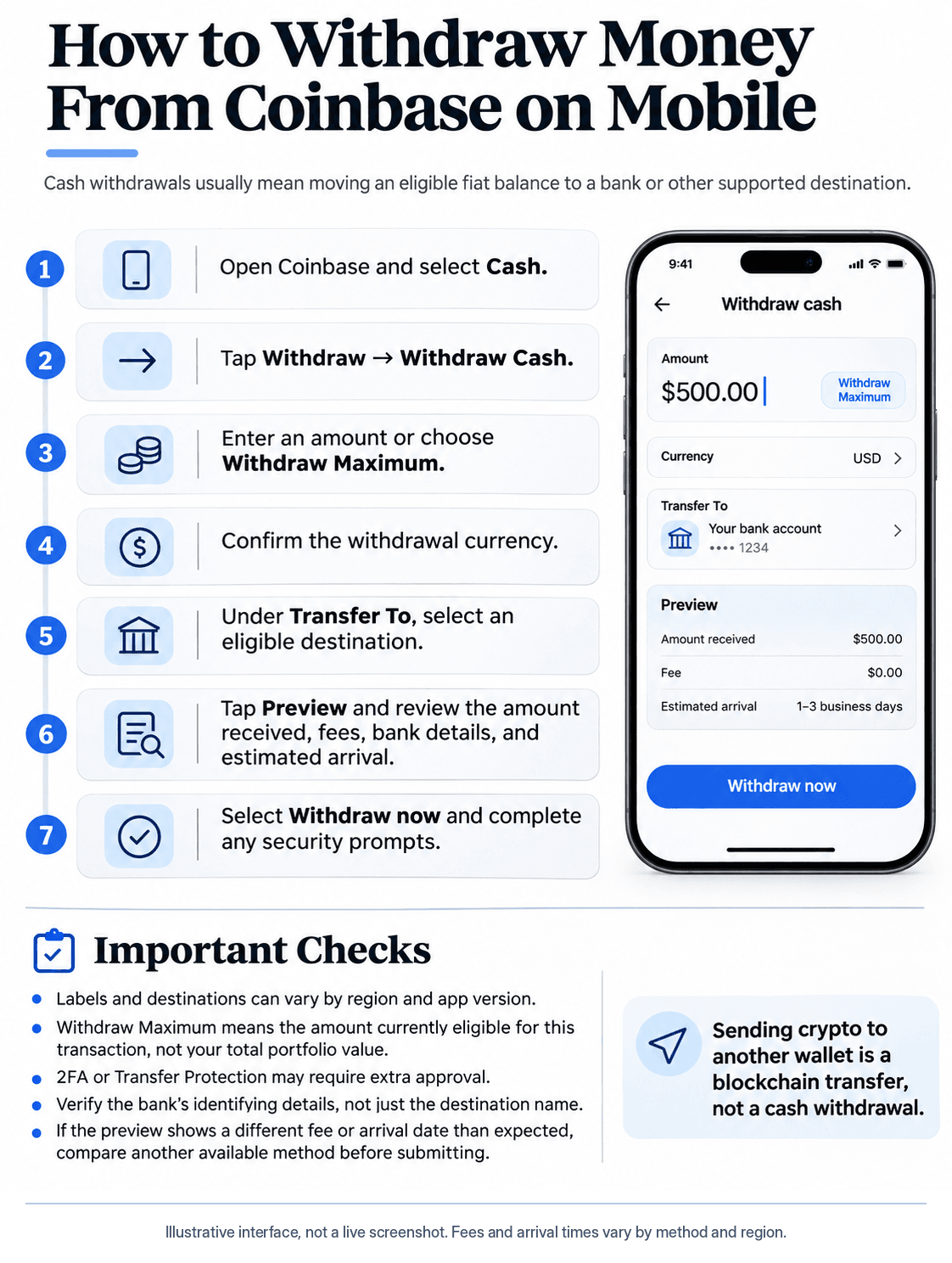 Step-by-Step Guide to Withdrawing Coinbase Cash on Mobile, From Selecting a Destination to Confirming the Transfer
How to Withdraw Money From Coinbase on Desktop
- Sign in to Coinbase.com and select Withdraw Cash on the home page.
- Enter the withdrawal amount or choose Max.
- Confirm the cash currency and destination under Transfer To.
- Select Preview to check charges and expected arrival.
- Select Withdraw Now and complete any authentication.
Save your confirmation, then track the transaction in your cash balance's activity or transaction history. Submission confirms that Coinbase accepted the request; the receiving bank may still need to process it. Keep the confirmation until the deposit appears in your bank. If the transaction later fails or is returned, the record will help you explain the issue to support.
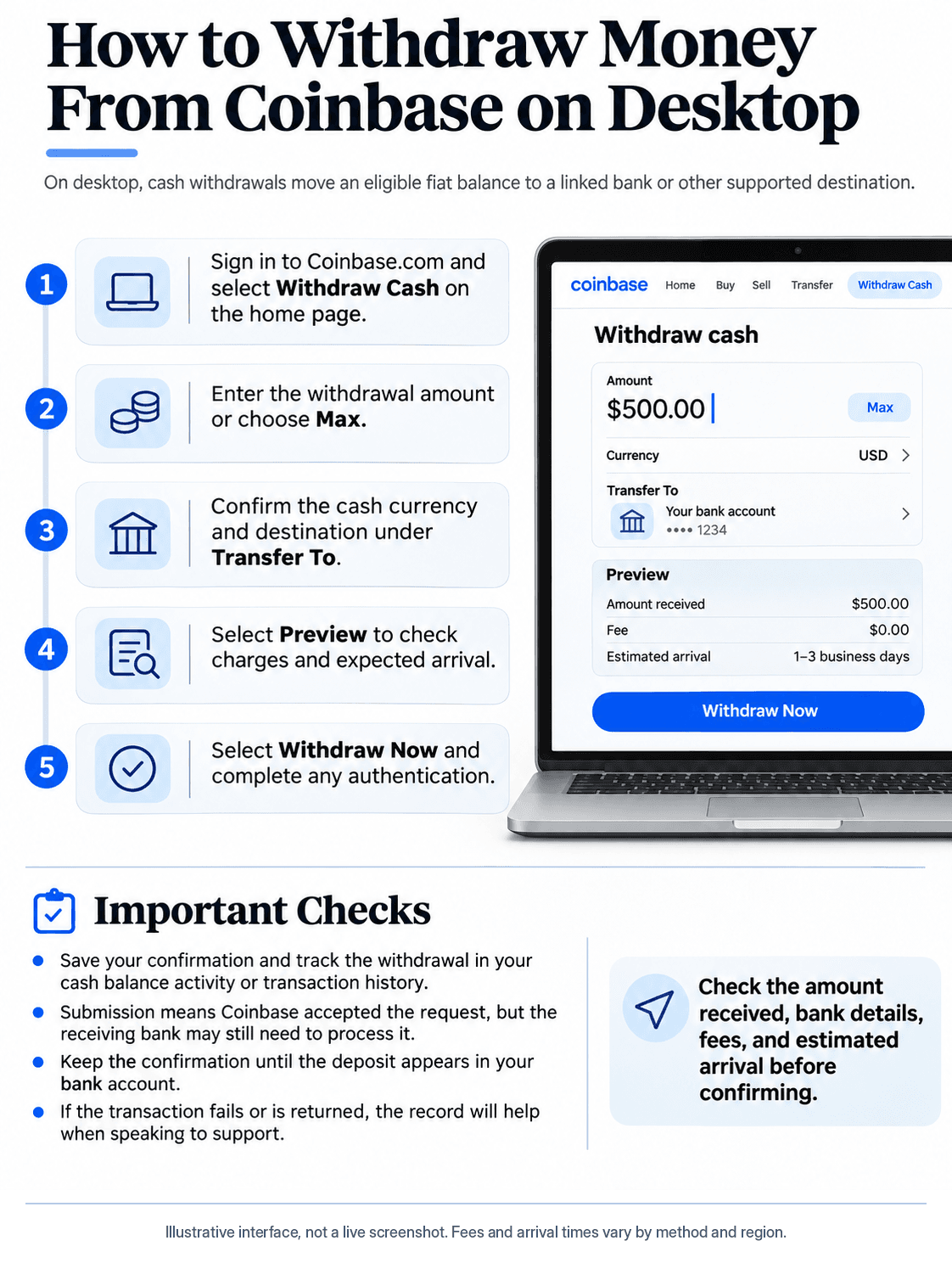 How to Withdraw Cash From Coinbase on Desktop, Review Fees, Confirm Bank Details, and Track Your Transfer
How to Sell Crypto on Coinbase Before Withdrawing
- On desktop, select Sell. On mobile, open Buy & Sell → Sell.
- Choose Bitcoin (BTC), Ethereum (ETH), or another supported asset and enter the amount.
- Under To, select an eligible USD, EUR, GBP, or other fiat cash balance.
- Select Review order and check the quoted price, spread, fee, and proceeds.
- Select Sell now.
A completed sale does not override an existing deposit hold or account restriction.
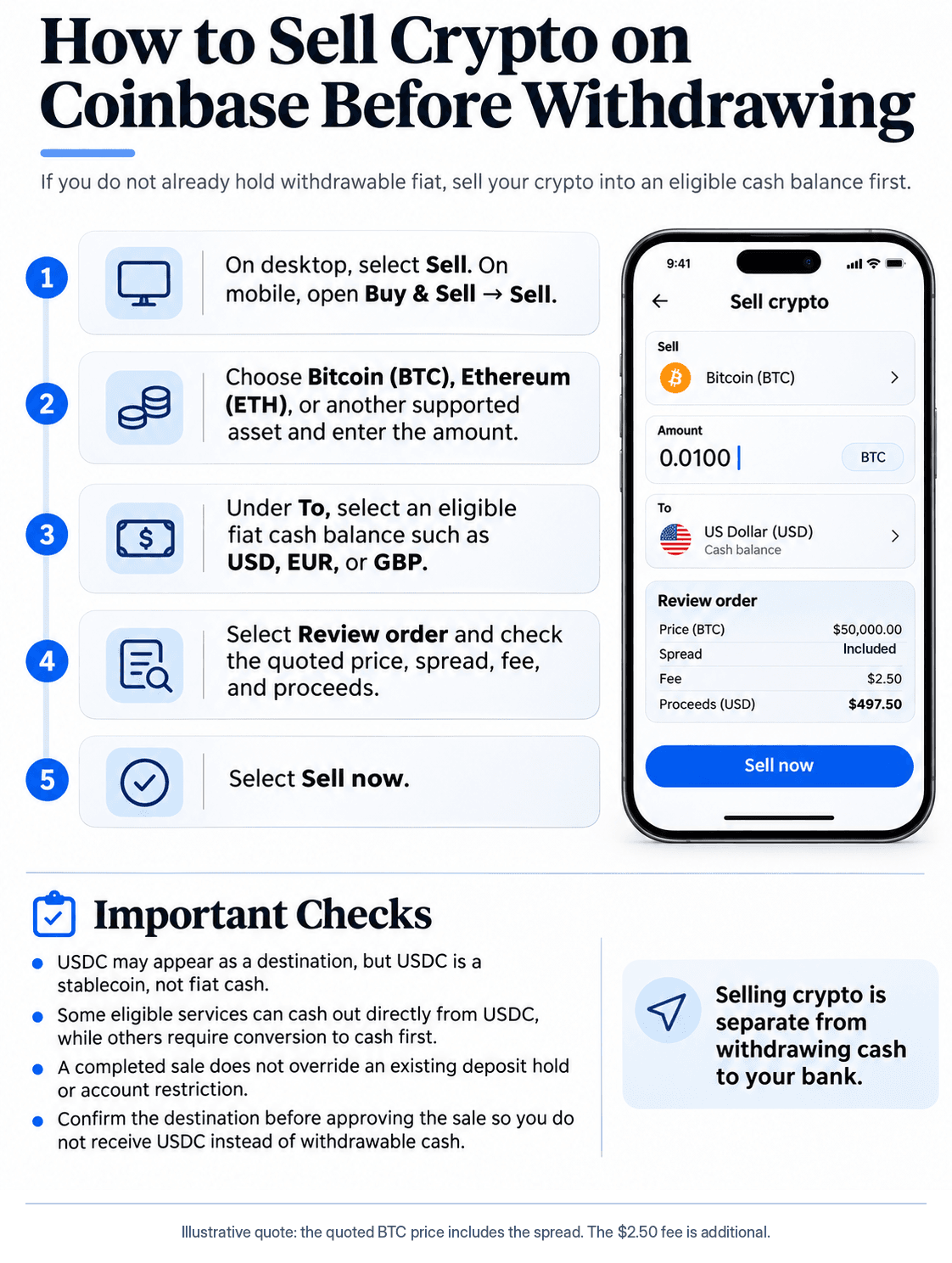 How to Sell Cryptocurrency on Coinbase, Review Trading Costs, and Convert Your Holdings Into Withdrawable Cash
What Do You Need Before You Can Withdraw From Coinbase?
You need a verified account, funds available to withdraw, and a supported destination. A linked card or a large crypto portfolio does not automatically satisfy those requirements.
Check Your Available Cash Balance
| Balance | Meaning |
|---|---|
| Total account value | Combined value of cash, crypto, and other eligible holdings |
| Cash balance | Fiat currency in the account |
| Available-to-cash-out balance | Cash currently eligible for external withdrawal |
For example, an account with $1,000 in Bitcoin and $500 in USD has a total value of about $1,500. If $300 of the USD is held, only $200 may be withdrawable, assuming no other restrictions or fees.
Open your cash balance and review its balance summary. Funds usable for trading may still be unavailable for external transfers. A recently purchased asset also contributes to your portfolio value without increasing your available fiat. This is why the cash balance and the account's total value can disagree substantially even when every transaction has settled correctly.
Link and Verify a Bank Account, Debit Card or PayPal
- Open Settings on desktop or Profile & Settings on mobile.
- Select Payment methods → Add a payment method.
- Choose an available bank, card, or provider and complete verification.
Verification may require a secure bank connection, test deposits, and Know Your Customer (KYC) identity checks. The destination should belong to you and match your verified name. Coinbase documents additional review for name mismatches.
A linked payment method may be absent from the withdrawal screen because it is deposit-only, unverified, incompatible with the currency, ineligible for instant payouts, or affected by a restriction. Use the destinations offered in the transaction preview. If verification fails, check the payment method's ownership and currency rather than repeatedly attempting the withdrawal. A method that works for a crypto purchase may offer no payout functionality at all.
What Are the Best Coinbase Withdrawal Methods?
For routine payouts, start with an eligible bank transfer. Instant services prioritize speed, sometimes at additional cost. Compare the amount received and arrival estimate before confirming. The fastest rail is not always the fastest end-to-end option if your deposit is still held or the destination requires verification.
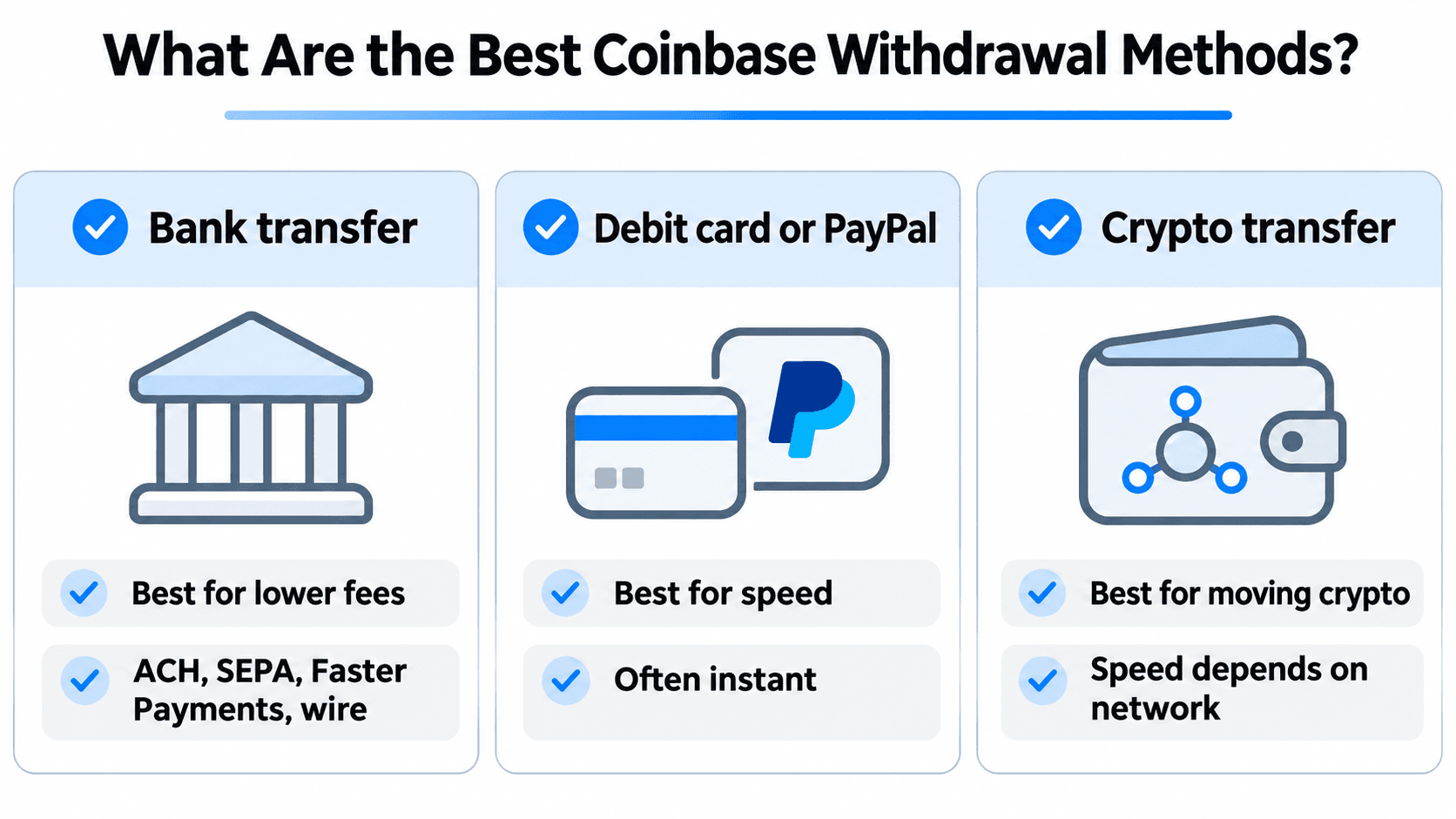 Comparing Coinbase Bank Transfers, Instant Cashouts, and Crypto Transfers to Find the Best Option
| Withdrawal Method | Supported Region | Typical Processing | Fee Structure | Best For |
|---|---|---|---|---|
| ACH bank transfer | U.S. | 1–5 business days | Check preview | Routine withdrawals |
| Instant bank via RTP | Eligible U.S. banks | Usually near-instant | Transaction-specific | Speed |
| Eligible debit card | Selected regions | Around 30 minutes; delays possible | Method-specific | Urgent payouts |
| PayPal | Supported countries | Regional, sometimes instant | Region-dependent | Convenience |
| SEPA transfer | Eligible European accounts | 1–3 business days | Method-specific | EUR withdrawals |
| Faster Payments | U.K. | 1–3 business days in Coinbase's table | Method-specific | GBP withdrawals |
| Local bank methods | Other selected markets | Country-specific | Varies | Local payouts |
Bank Transfers vs. Instant Cash Out vs. PayPal
ACH (Automated Clearing House) suits standard U.S. bank withdrawals. Eligible wire transfers offer another route, especially for larger payments, although bank fees and cutoffs apply.
RTP (Real-Time Payments) supports eligible U.S. instant bank cash-outs. Coinbase publishes a $100,000 per-transaction limit for eligible instant bank withdrawals from supported USD or USDC balances. The receiving account must qualify for RTP.
Instant debit-card payouts depend on Visa Fast Funds or Mastercard Send support. A card that accepts purchases may not receive withdrawals. Coinbase's instant cash-out guidance says eligible payouts typically take about 30 minutes, but can take up to 24 hours. Card providers may impose their own limits.
PayPal supports withdrawals in selected countries, with local timing and fees. An instant route cannot bypass unavailable funds, verification, or security delays. Likewise, an RTP-enabled bank does not mean every customer account at that bank qualifies for Coinbase RTP cash-outs. PayPal eligibility and supported currencies should be checked inside the account rather than inferred from a payment method used elsewhere.
Coinbase Withdrawal Methods by Country
Coinbase's North American, European, and Asia-Pacific tables distinguish deposit methods from withdrawal methods.
| Country or Region | Documented Cash-Out Methods | Key Restriction |
|---|---|---|
| United States | ACH, wires, RTP, eligible cards, PayPal | Bank and card eligibility varies |
| United Kingdom | Faster Payments, eligible cards, PayPal, supported SEPA | GBP and EUR arrangements differ |
| European Union | SEPA, eligible cards, PayPal | Some local methods are deposit-only |
| Canada | Interac e-Transfer, eligible EFT, PayPal | Deposit support does not imply cash-out support |
| Australia | PayID/BSB banking | Debit cards not listed for withdrawals |
| Singapore | SGD FAST; eligible USD SWIFT | Different fees and currencies |
| India | IMPS, NEFT, RTGS | UPI listed for deposits, not cash-outs |
For Singapore, Coinbase lists SGD FAST withdrawals as free and eligible USD SWIFT transfers at $25, excluding possible receiving-bank charges.
For India, its publishes IMPS limit is INR 500,000 per transaction; NEFT and RTGS have separate limits. Coinbase warns that adding a bank account in India permanently disables crypto sends from that account. Review this condition before linking a bank.
In the U.K., GBP Faster Payments and EUR SEPA use different payment arrangements; check the currency before selecting a destination.
In Canada, Interac e-Transfer may arrive in about five minutes under ordinary conditions, while EFT funding or cash-out eligibility can involve different bank requirements.
In Australia, Coinbase lists PayID/BSB bank withdrawals rather than a general debit-card cash-out option.
How Much Does Coinbase Charge to Withdraw Money?
The total cost can include a crypto-selling fee, a spread or execution-price difference, the cash-out charge, and receiving-bank costs. Withdrawing existing fiat avoids a new crypto sale.
Coinbase Selling Fees vs. Cash-Out Fees
A selling fee applies when you sell cryptocurrency. A cash-out fee applies when funds are paid to an external destination. A spread is the difference between the reference market price and the quoted execution price. Standard Coinbase sales can include both a fee and an embedded spread.
Coinbase says charges vary by transaction amount, payment method, market conditions, asset, and region. For simple Coinbase limit orders, Coinbase separately discloses a 1% execution fee, with an additional fee of up to 1.875% depending on payment method. Those are simple-trading charges, not Coinbase Advanced maker/taker fees.
Net proceeds = Starting crypto value − Sale-price shortfall − Trading fees − Cash-out fee − Receiving-bank costs
For an accurate comparison, inspect the actual sell quote first, then the withdrawal preview. A bank advertising a free incoming transfer can still apply currency-conversion charges if the payment arrives in a different denomination.
Is Coinbase Advanced Cheaper for Cashing Out?
Coinbase Advanced trades against an order book instead of a standard Coinbase quote with an embedded Coinbase spread. The market bid-ask spread and execution slippage still affect proceeds.
A maker order adds liquidity; a taker order removes it. A limit order can incur taker fees if it immediately matches an existing order.
Coinbase's published regional entry-level reference rates are:
| Region | Maker | Taker |
|---|---|---|
| United States | 0.50% | 0.90% |
| EU and U.K. | 0.25% | 0.50% |
| Brazil, India, and other international markets | 0.09% | 0.10% |
These are reference rates, not guaranteed charges for every account or trading pair. Eligible volume and USDC balance criteria can change your tier. Coinbase's structure begins qualifying users for improved volume-based tiers at $10,000 in applicable trading volume. Check the Advanced fee schedule and your order preview.
Coinbase One may provide qualifying simple-trade benefits and, at certain subscription tiers, Advanced spot-trading rebates. The standard zero-trading-fee benefit does not cover Advanced orders or waive the 1% simple-limit-order execution fee. Spreads can remain. Coinbase's membership disclosures describe Basic, Preferred, and Premium eligibility, including relevant rebate restrictions. Add the subscription cost if subscribing solely to cash out.
Compare standard Coinbase's quoted net proceeds with Advanced's expected execution price and fee, then include the same applicable bank withdrawal charge. Advanced is not automatically cheaper for every sale. A resting limit order may attract a lower maker fee but might never fill at your target price. A market order prioritizes execution but typically pays the taker fee and may suffer slippage. The correct comparison uses realistic executed proceeds, not the posted maker rate alone.
Coinbase Withdrawal Cost Examples
These are illustrative assumptions, not live Coinbase quotes. Receiving-bank costs are assumed to be $0.
| Scenario | Amount Before Selling | Trading Costs | Withdrawal Charge | Net Received |
|---|---|---|---|---|
| $100 existing cash, standard bank | $100 | $0 | Assumed $0 | $100 |
| $100 existing cash, instant | $100 | $0 | Assumed $2 | $98 |
| $1,000 standard Coinbase sale | $1,000 reference value | Assumed $10 quote shortfall + $15 fee | Assumed $0 | $975 |
| $1,000 Advanced sale | $1,000 reference value | Assumed $2 execution shortfall + 0.90% taker fee on $998 | Assumed $0 | $989.02 |
| $10,000 sale, percentage payout | $10,000 reference value | Assumed $60 selling costs | 1% of $9,940 = $99.40 | $9,840.60 |
| $10,000 sale, fixed payout | $10,000 reference value | Assumed $60 selling costs | Assumed $25 | $9,915 |
For $100, the hypothetical instant option costs $2 more than the standard route. For $1,000, Advanced produces about $14 more under these assumptions, but execution and fee tiers can reverse the result. For $10,000, a fixed charge can be cheaper than a percentage fee.
Some routes also cap transaction size. Review both the sale preview and the withdrawal preview before choosing. The $2 instant charge, $25 fixed charge, and 1% payout charge in this table are assumptions, not a menu of Coinbase payment fees. The 0.90% Advanced calculation uses the published U.S. entry-level taker reference rate on an assumed executed value of $998, yielding about $8.98 in trading fees.
How Long Do Coinbase Withdrawals Take? Holds and Limits Explained
Two things apply: when funds become withdrawable and how long the selected payment rail takes to deliver them. Selling crypto does not cancel a deposit hold.
Coinbase Withdrawal Processing Times by Method
| Method | Published Timing | Qualification |
|---|---|---|
| U.S. ACH | 1–5 business days | Bank cutoffs and holidays |
| Eligible instant bank/card | Around 30 minutes, up to 24 hours | Provider checks can delay |
| U.S. wire | 1–3 business days | Some qualifying transfers process sooner |
| SEPA | 1–3 business days | Bank posting may follow Coinbase processing |
| U.K. Faster Payments | 1–3 business days in Coinbase's table | Use preview estimate |
| PayPal | Regional; eligible U.S./EU routes instant, U.K. one business day | Provider restrictions apply |
| Canada Interac e-Transfer | Up to five minutes normally | Congestion can delay |
| Australia PayID/BSB; Singapore FAST | Listed as instant | Bank checks can apply |
| Singapore USD SWIFT | 3–4 business days | Eligibility and bank handling |
| India IMPS/RTGS; NEFT | IMPS/RTGS listed as instant; NEFT roughly 30 minutes to two hours | Bank and account restrictions |
Business days exclude weekends and applicable holidays. A standard withdrawal requested late Friday may not begin until Monday. Coinbase's processing-time guidance explains how late-day requests move to the next business day. The estimate in your transaction preview is the best account-specific starting point. A "completed" entry on Coinbase does not always mean the bank has posted the deposit. When the estimated date passes, check the transaction reference and receiving-bank status before submitting another cash-out.
Why Does Coinbase Put Funds on Hold?
Coinbase may credit certain bank-funded deposits for trading before the underlying payment clears. Those funds can buy or trade crypto but cannot leave the platform until the hold expires.
Find your expected availability date in your cash balance summary, transaction details, or confirmation email. Coinbase's funds-on-hold guidance says mandatory holds cannot be shortened. They typically expire by 11:59 p.m. Pacific Time on the listed date, although disputes or security concerns can extend restrictions.
Selling crypto purchased with held funds does not free the resulting cash. Even after the initial hold, some outgoing routes can remain restricted; Coinbase may offer withdrawal to the original funding bank. Contact support if that account is inaccessible. A security delay under Transfer Protection is separate from a funding hold. The first concerns whether the underlying money is settled; the second concerns whether an outgoing transfer has passed security authorization. Knowing which restriction appears in the account helps determine whether you need to wait, approve a transaction, or contact support.
How to Check Coinbase Withdrawal Limits
- Desktop: Profile icon → Settings → Account limits.
- Mobile: Menu → Profile & Settings → Limits.
Coinbase's account-limits guide notes that limits depend on eligibility, payment method, region, and account activity.
Check four different constraints: selling capacity, available cash, withdrawal-method limit, and receiving-bank limit. Daily and weekly limits can replenish 24 hours or seven days after the relevant first transaction rather than at midnight. For larger withdrawals, check bank acceptance limits and any offered increase-limit verification.
Why Can't I Withdraw Money From Coinbase? Common Problems and Fixes
A disabled cash-out can stem from insufficient eligible funds, incomplete verification, an unsupported destination, or security controls. The table gives possible causes, not account-specific diagnoses.
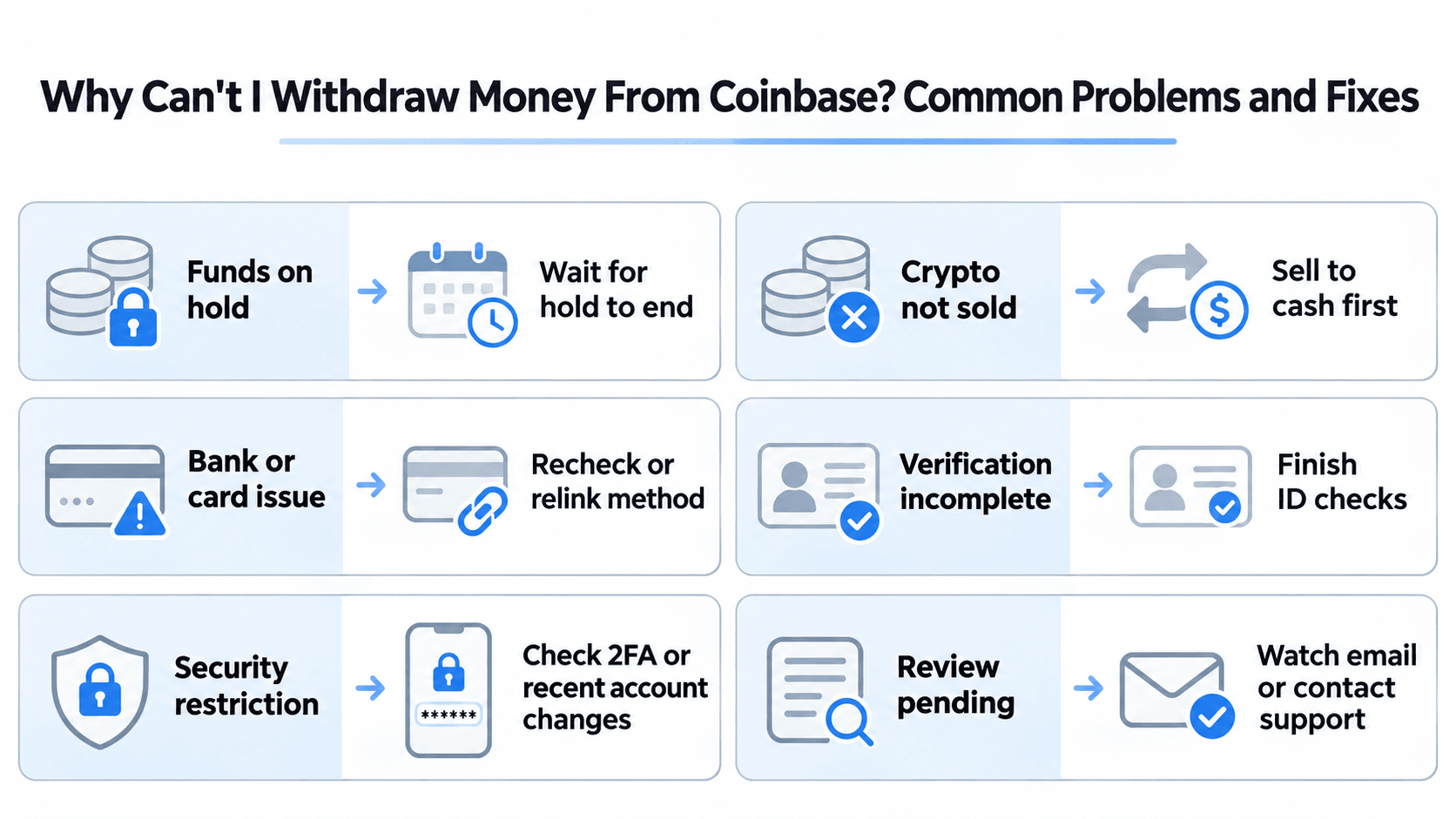 Common Reasons Coinbase Withdrawals Fail and How to Resolve Them
| Problem | Possible Cause | Next Step |
|---|---|---|
| Cash Out button disabled | No eligible cash or account restriction | Check balance and notices |
| Cash Out Unavailable | Hold, verification, or payment restriction | Read the stated restriction |
| Bank account missing | Unsupported destination or incomplete linking | Check payment methods |
| Instant payout unavailable | Ineligible bank or card | Check RTP/card compatibility |
| Withdrawal rejected | Limit, mismatch, or bank block | Review transaction details |
| Extra delay | Transfer Protection or security review | Check pending approvals |
Fix "Cash Out Unavailable" or a Disabled Withdrawal Button
Start with the available-to-cash-out balance, not total portfolio value. Sell crypto into eligible cash where required, then check any hold date, identity verification, account notice, and payment-method eligibility.
Coinbase can permit trading while blocking external withdrawals if the underlying deposit has not cleared. If a hold has expired but a restriction remains, see whether the originating bank is available as a destination. Contact Coinbase Support when the stated date has passed without a usable resolution, or if an identity or compliance review requires help.
Repeated attempts do not remove mandatory holds. If the restriction concerns a security review, look for instructions in your account rather than assuming a standard ACH timing estimate applies. Coinbase Support is the appropriate escalation point for account-specific restrictions that the interface does not explain.
Why Isn't My Bank or Instant Withdrawal Option Showing?
Check country eligibility, account-name matching, bank verification, currency support, and whether the payment method receives payouts rather than deposits only. Instant cards require compatible Visa Fast Funds or Mastercard Send support; RTP requires an eligible receiving bank.
Open Payment methods, check the link status, then reopen the withdrawal preview. A failed bank connection may require reconnection. A withdrawal restriction can persist even when the bank link works. Use another supported account in your name if necessary. Linking a new destination may require a fresh verification process and does not automatically make held funds available. Check the withdrawal screen again once the new destination has been confirmed.
Can Coinbase Security Settings Delay Withdrawals?
Yes. Transfer Protection can apply to crypto sends and cash withdrawals. Controls include daily transaction thresholds, additional verification, trusted-contact approval, and configurable 6–48-hour delays.
Review Account Security Settings and any outstanding approvals. Coinbase's management instructions explain that reducing or disabling protection may itself remain subject to the original delay. These authorization checks differ from bank-deposit holds. If a trusted-contact approval is required, review the request carefully; do not turn off security features merely because a withdrawal is taking longer than expected.
What to Do if Your Coinbase Withdrawal Is Pending, Failed or Missing
Check the transaction status before submitting another request. Pending means processing or approval remains outstanding; completed means Coinbase has finished its part, not necessarily that your bank has posted it; failed means it did not complete; returned means the receiving provider sent it back.
Coinbase Withdrawal Pending or Failed: What to Check
Review the amount, currency, destination, submission date, estimated arrival, status, and any rejection message or pending verification. Check bank cutoffs, holidays, and the official Coinbase Status page for a relevant payment-service incident.
Limits, mismatched bank details, and bank rejections can cause failures. Check whether a failed or returned payment has been credited to your cash balance. Avoid duplicate requests while its status is uncertain. If Coinbase reports a service incident, identify whether it affects your specific banking rail. An outage involving crypto sends, for example, need not explain a delayed ACH transfer.
Coinbase Says Completed, but the Bank Hasn't Received the Money
- Confirm the receiving bank, account ending, currency, and expected arrival.
- Save the withdrawal confirmation, date, amount, and payment reference.
- Ask the receiving bank to trace the incoming transfer using those details.
- If it remains unlocated beyond the quoted window, contact Coinbase Support with the transaction record and relevant screenshots.
For ACH or SEPA returns, request any available bank rejection code. A blockchain transaction hash generally does not trace a fiat bank payment. Rejections or currency conversion may also reduce the returned amount through bank charges.
Use official Coinbase support channels. Anyone demanding a separate crypto payment to release withdrawal funds is a potential scam. When contacting support, supply the amount, currency, date, destination, transaction reference, and a screenshot of the status. Remove unrelated sensitive bank details from any image before sharing it.
Can You Withdraw Money Directly From Coinbase Wallet or the Base App?
Coinbase's custodial exchange balances and self-custody wallet assets use different cash-out processes. Coinbase Wallet transitioned into the Base App, and the classic wallet experience closed Aug. 15, 2026.
Eligible Base App users can sometimes cash out through an integrated provider without first transferring assets to Coinbase exchange. Self-custody means the user controls the wallet's signing credentials, while a regular Coinbase account relies on Coinbase's custody system. Available fiat off-ramps still involve banks or payment providers, so location and identity requirements can apply.
Cashing Out Through the Base App
Coinbase's Base App cash-out instructions describe this process:
- Open Assets → Cashout.
- Choose an eligible payment method or provider.
- Select the asset and amount, then Continue.
- Review fees, exchange rate, destination, and estimated proceeds.
- Select Confirm and complete provider verification if required.
Eligible routes include linked Coinbase account services and supported third-party fiat off-ramps. Available methods vary by country and asset.
Coinbase currently publishes estimated fees of 2%–3% for the Coinbase.com-linked route and 2%–5% for third-party providers. Actual quotes can also reflect network costs and conversion rates. Review the final amount received rather than treating an estimated percentage as a guaranteed total fee. An off-ramp can also have asset, network, and minimum-transaction restrictions that differ from Coinbase's regular cash-withdrawal options.
A payment directly to a bank differs from a sale that credits a Coinbase cash balance. In the latter case, make a separate fiat withdrawal. For additional wallet context, see our Coinbase Wallet and Base App review.
Transferring Crypto to Coinbase Before Cashing Out
If no suitable direct off-ramp is available, transfer supported crypto to Coinbase, sell it there, and withdraw the proceeds:
- On Coinbase, select the asset to receive and copy its deposit address and supported network.
- In your self-custody wallet, select the same asset and network.
- Enter the Coinbase address and any required memo or destination tag.
- Verify every detail, check the network fee, and confirm.
Coinbase's receiving instructions warn that unsupported networks can cause permanent loss. USDC, for example, exists on multiple chains; matching the token name is insufficient. You may need native network gas, such as ETH on Ethereum. Those blockchain costs are separate from fiat withdrawal fees. Sending an asset on an unsupported network can result in permanent loss, so verify the receiving network on Coinbase before confirming and consider a small test transfer when appropriate.
Our exchange-versus-wallet guide explains custody and transfer differences.

Closing Thoughts
For a successful Coinbase cash-out, confirm available funds, an eligible destination, and the total costs before proceeding. Standard bank transfers suit routine withdrawals; instant options can be faster but may have different fees and limits.
If selling crypto first, compare standard Coinbase's quoted proceeds with your Coinbase Advanced fee tier. If a withdrawal stalls, identify whether the cause is a funding hold, destination restriction, account limit, or security approval. Save the confirmation until the money reaches your bank.