DeFi has come a long way from simple token swaps on a single chain. Today, users often juggle multiple networks, bridges, gas tokens, wallets, and apps just to do routine tasks like swapping assets, earning yield, or managing positions. That complexity has become one of DeFi’s biggest barriers, especially for beginners.
As the market matured, a new category of “DeFi superapps” emerged to streamline the experience by bundling key features into one interface and abstracting away some of the behind-the-scenes steps. That’s the niche defi.app aims to fill.
Quick Verdict (30-Second Summary)
Key Specs Snapshot
| Custody model | Non-custodial (you control access). |
|---|---|
| Swap fee | 0.03% notional. |
| Perps fee | 0.03% notional (plus funding rates). |
| Networks | Ethereum, Arbitrum, BNB Chain, Base, Solana, Sonic. |
Who It’s For
- Multi-chain DeFi users who are tired of manual bridging, network switching, and gas management.
- Beginners to intermediate users who want a cleaner, guided DeFi experience without stitching tools together.
- Active DeFi participants who regularly swap tokens, deploy yield, or manage positions across chains.
- Users comfortable with self-custody but happy to trade some transparency for convenience.
Who It Isn’t For
- Cold-storage-only holders who rarely interact on-chain and don’t need an active interface.
- Users who want full manual control over routing, bridges, and execution at every step.
- Anyone in restricted jurisdictions or users specifically seeking unrestricted perps access.
- Risk-averse users who may mistake “gasless” or “one-click” UX for lower protocol risk.
What Is defi.app?
At its core, defi.app is a DeFi “all-in-one” interface designed to bundle common on-chain tasks, like token swaps, perpetuals trading, and earning yield, into a single app experience across EVM networks and Solana. A helpful way to think about it is a universal remote: instead of juggling multiple apps, networks, and transaction steps, the goal is to manage everything from one dashboard.
The defi.app ecosystem also has $HOME as its native token with a total supply of 10 billion tokens.
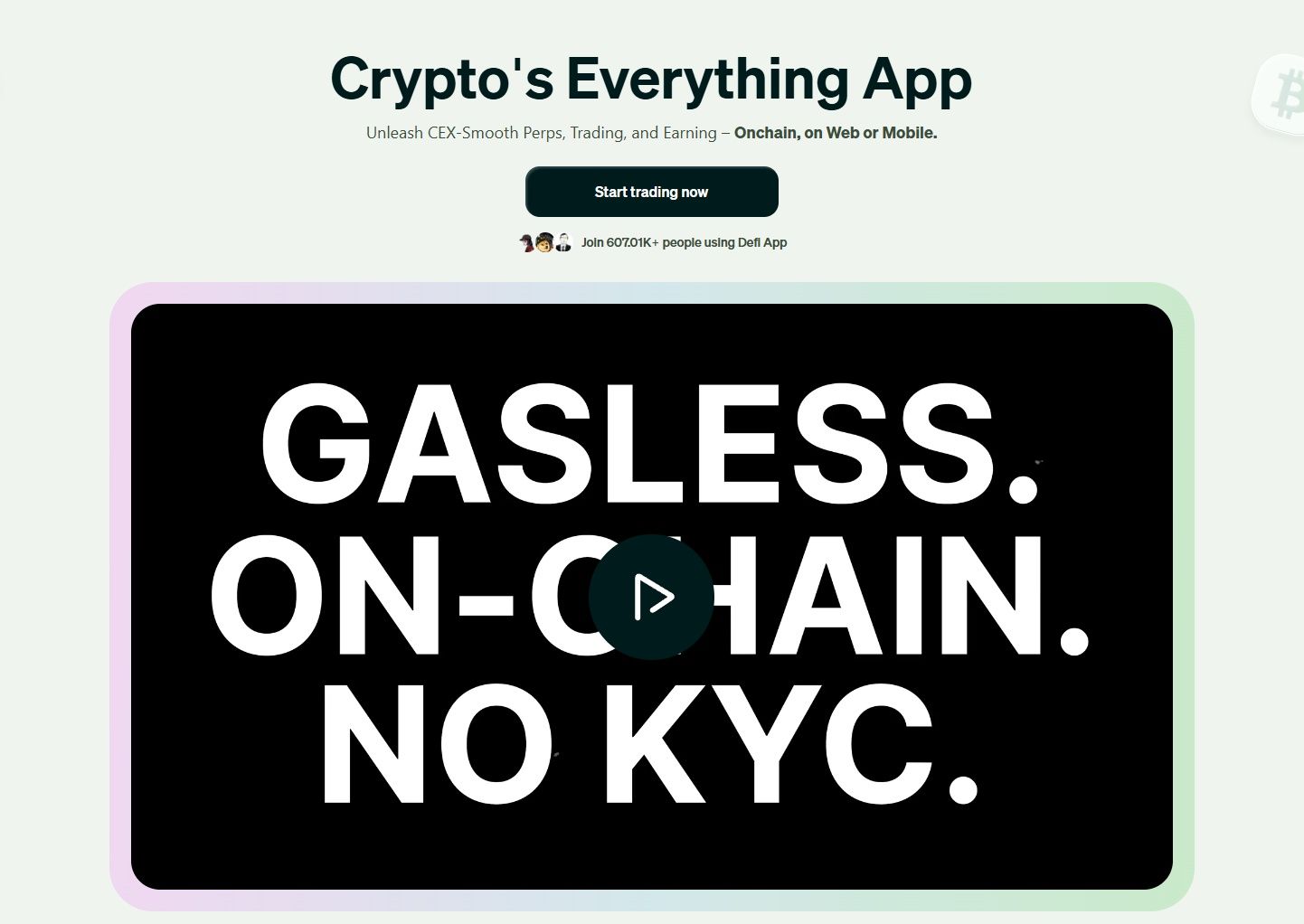 Defi.app is a DeFi “All-in-One” Interface Designed to Bundle Common On-Chain Tasks. Image via defi.app
Ownership and History
The interface is offered by Big Bang Studio. In its EU crypto-asset documentation, Big Bang Studio is described as a Cayman Islands foundation company incorporated on April 8, 2024, acting as a “steward and facilitator” for the protocol and ecosystem, with that role expected to evolve as decentralization increases. The same document lists Dan Greer as a co-founder and David Lloyd as a director.
Understanding Non-Custodial Nature
Defi.app positions itself as non-custodial, meaning the company does not hold or control user funds and does not have access to users’ private keys. In everyday terms: it’s closer to using your own house key than leaving your keys with a front desk. Convenient tools can be provided, but control (and responsibility) stays with you.
Remember: Non-custodial doesn’t mean “risk-free.” You still face smart contract, routing, and user-error risks, especially when using complex DeFi features.
Availability and Access Basics
Defi.app takes a broadly global approach, but its Terms of Service include restrictions for users in certain jurisdictions and explicitly prohibit attempts to bypass those restrictions (for example, via VPNs). So, even if the app is downloadable, specific features and access can still vary by region.
The terms also list “Restricted Territory” names including Algeria, Bangladesh, Bolivia, Belarus, Cuba, Iran, Iraq, Libya, North Korea, Syria, Venezuela, Yemen, Zimbabwe, plus Crimea and Sevastopol, and it also adds a catch-all for any country subject to embargo/similar sanctions by Canada, Panama, the US, the UK, or the EU.
Notable Features and Trading Experience
Defi.app brings the most common DeFi actions like swapping tokens, earning yield, and trading perpetuals, all into a single interface that works across EVM networks and Solana. The big idea is to reduce the “tab-hopping” most DeFi users go through (wallet → bridge → DEX → portfolio tracker) and make it feel closer to using one financial dashboard.
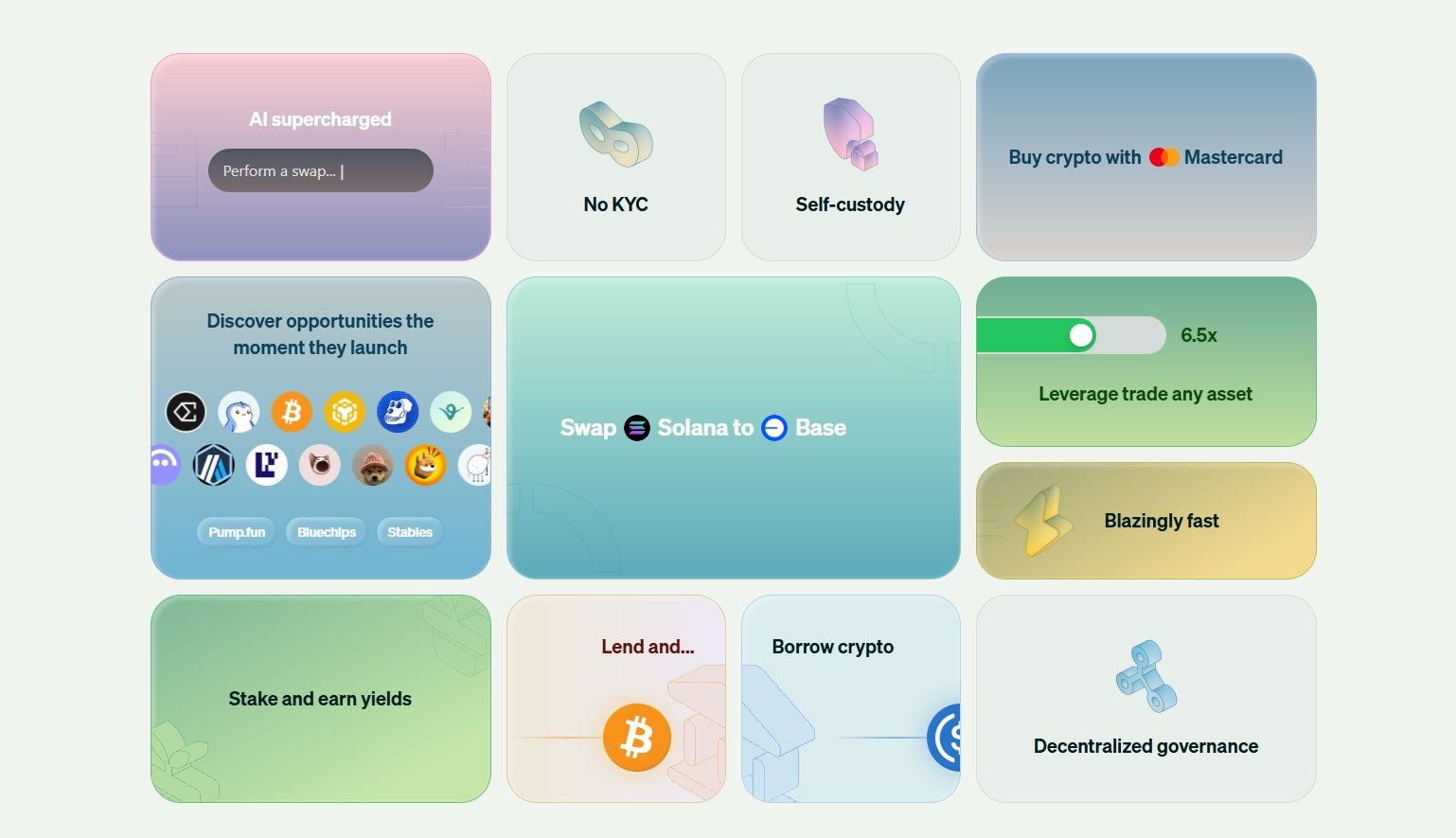 The Main Idea is to Reduce the “Tab-Hopping” most DeFi Users Go Through. Image via defi.app
Wallet and Portfolio
When you create an account, defi.app automatically creates two built-in wallets: one for EVM chains and one for Solana. You can fund these default wallets and start using the app right away.
It also supports wallet aggregation, meaning you can attach additional EVM and Solana wallets and switch between them inside the same interface. To keep things simple, only one EVM wallet and one Solana wallet can be active at a time. Think of it like choosing which card is “active” in your mobile wallet before you tap to pay.
Swaps and Execution
The spot trading flow revolves around token swaps: pick the asset you’re selling, the asset you want, review the quote, and confirm. Swaps use an intent-based execution model, where you specify the outcome you want and the system handles routing rather than making you manually choose bridges or liquidity pools. You can also view and edit the proposed configuration before executing.
On costs: defi.app charges a 0.03% trade fee on the notional value of each swap.
Cross-Chain Swaps
Defi.app’s “superapp” pitch leans heavily on making cross-chain activity feel less like a multi-step process. Its core features emphasize not needing to manage gas tokens and bridging manually, with routing handled in the background. Practically, this is most useful for beginners who don’t want to think about which network they’re on, which is similar to paying in your local currency while your bank handles the conversion behind the scenes.
Earn and Yield Options
The Earn section aggregates yield opportunities across multiple protocols and networks, and tracks position value, APY, and yield earned. Deposits may involve small gas/provider fees, and if your deposit requires swapping assets, the same 0.03% swap fee applies to the swap portion. The docs also list examples of supported yield sources, including Aave, liquid staking providers, and select liquidity pools.
Perpetuals Trading
Defi.app supports perpetuals, which are contracts that let you trade price movements without owning the underlying token, with no expiry.
It includes common perps mechanics like leverage (noted as up to 1–40x depending on the asset) and funding rates (payments between longs and shorts that help keep perp prices close to spot). Perps are also explicitly region-limited, with the docs stating restricted regions, including the US, are blocked from making trades. Again, defi.app charges a 0.03% trade fee on the notional value of each perp trade.
User Ratings and Review Themes
App store ratings can change quickly, but here’s the snapshot and the main patterns visible as of Jan. 30, 2026,
| Platform | Rating | Review volume | What users most often mention (from visible reviews) |
|---|---|---|---|
| Apple App Store | 5.0 / 5 | 4 reviews (not a good sample size for accuracy) | Very limited data, but praise for a clean UI and fast/smooth transactions. |
| Google Play Store | 4.8 / 5 | 112 reviews | Strong emphasis on smooth UX, gasless trading, and “no bridging” convenience; a visible critical note mentions liquidity depth for some tokens and occasional sync delays. |
Gasless Trading and Chain Abstraction
“Gasless” in DeFi doesn’t mean transactions are free. It means you can often trade without first stocking up on each chain’s native gas token (like ETH or SOL), which is similar to using a toll pass where the payment is handled in the background. Defi.app says it sponsors gas fees across supported chains so you can trade immediately without separately acquiring native gas tokens.
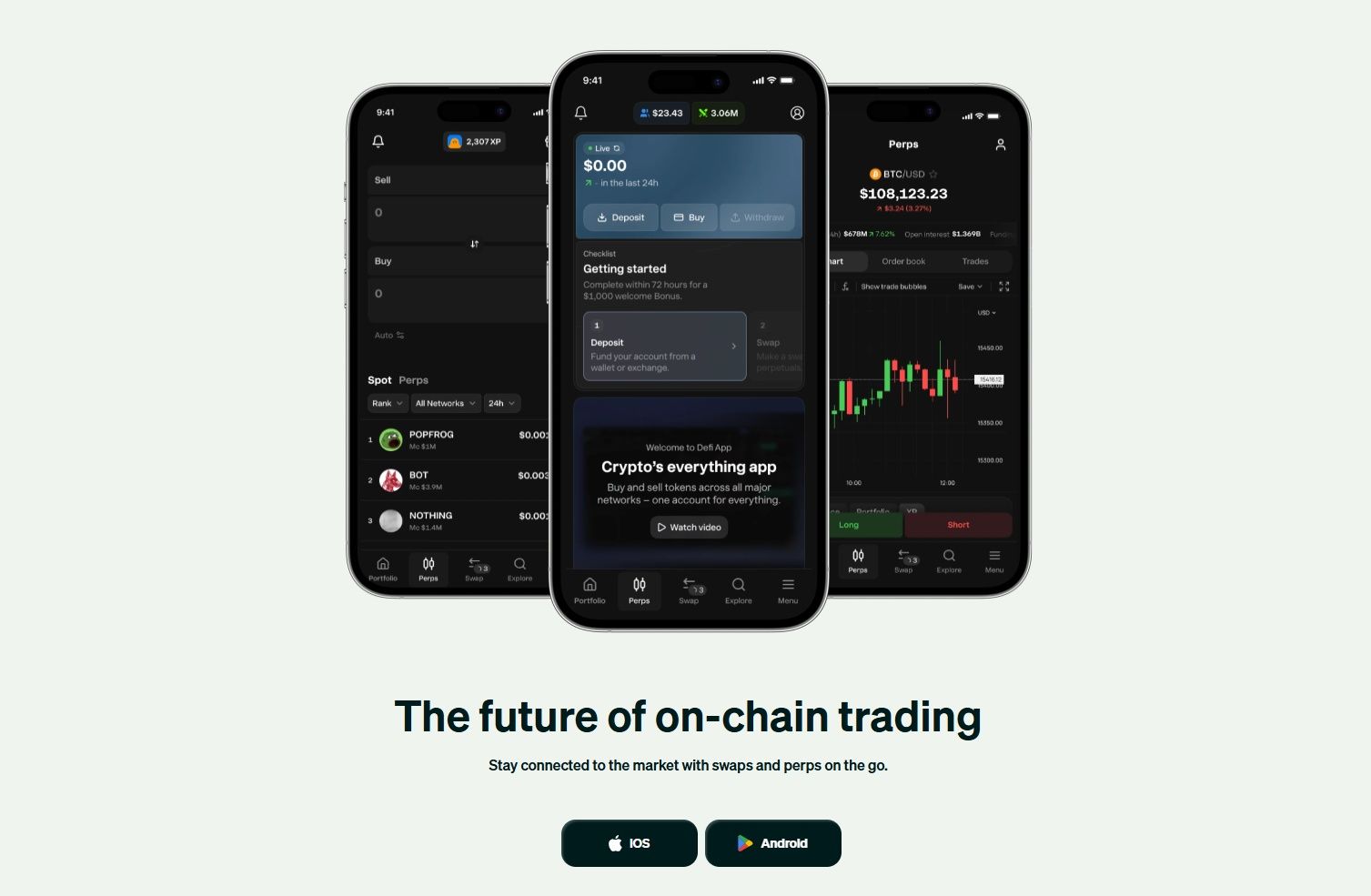 “Gasless” in DeFi doesn’t mean Transactions are Free. Image via defi.app
What “Gasless” Really Means
- Gas still exists, but it’s just abstracted from the user experience.
- On EVM chains, this is enabled through smart accounts (account abstraction) built around EIP-4337, which can support things like sponsored gas and alternative fee payment methods.
- Defi.app also positions $HOME as part of its gas abstraction design, stating users can execute transactions across supported chains using only HOME in their wallet.
Why Chain Abstraction Matters
- Reduces the need for manual bridging and network switching by handling cross-chain execution behind the scenes.
- Simplifies multi-chain usage by keeping one EVM address across supported EVM chains (plus a Solana address), as per the smart accounts overview.
Tradeoffs to Understand
- Less transparency by default: routing/bridging happens in the background, so users should still sanity-check the final output and any visible route details.
- Costs can reappear as spreads, execution fees, or network realities, especially on Ethereum, which defi.app notes can be prohibitively expensive due to smart account overhead and gas.
Fees and Real-World Costs
Fees in DeFi tend to show up in a few different places. With defi.app, it helps to separate platform fees (what the app charges) from execution costs (network fees, bridging/routing, and price impact).
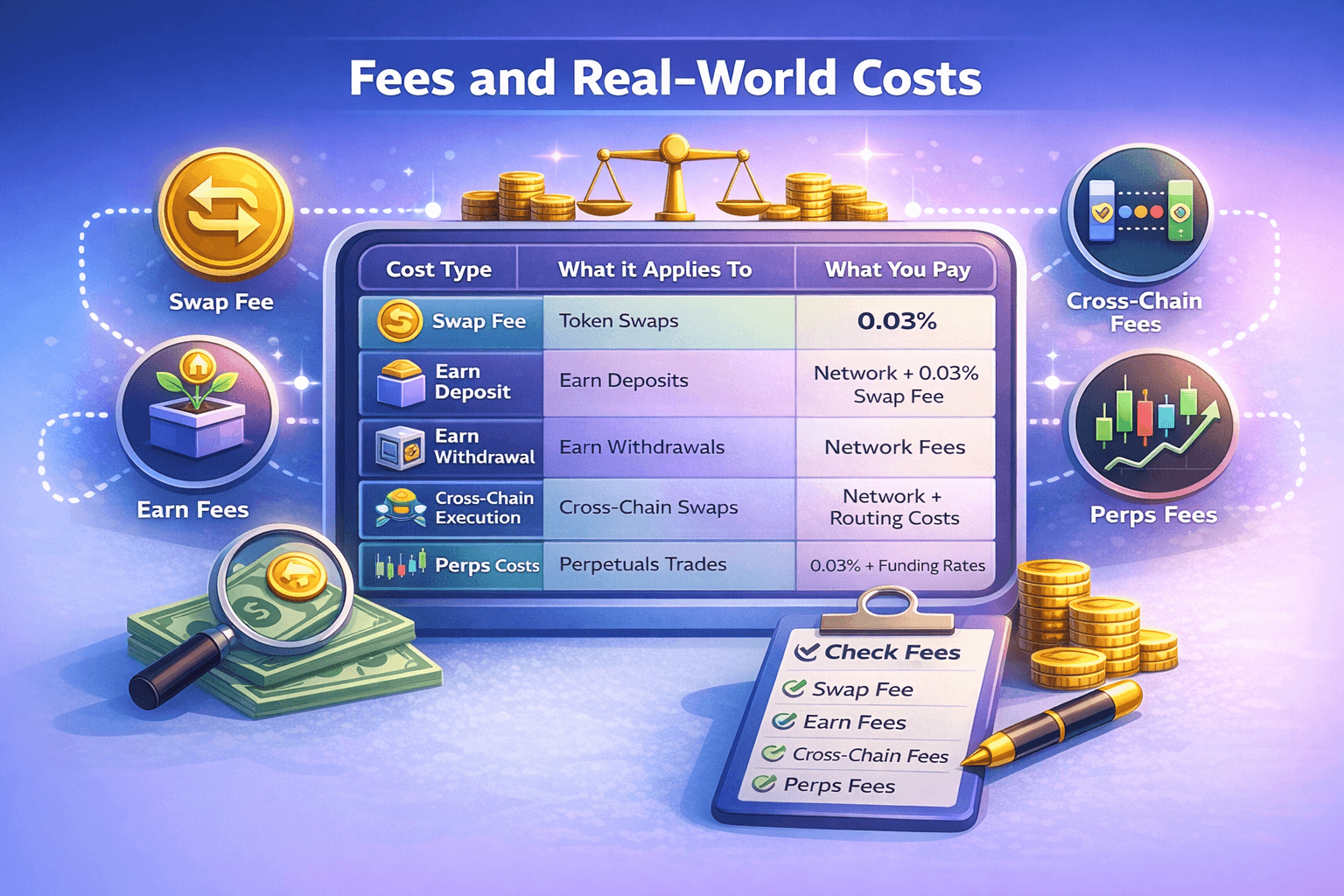 Defi.app Helps to Separate Platform Fees from Execution Costs
Here's a quick glance at things, followed by a breakdown of each:
| Cost type | What it applies to | What you pay |
|---|---|---|
| Swap fee | Token swaps | 0.03% of notional value |
| Earn deposit costs | Depositing into Earn | Network/provider fees may apply; if a swap occurs during deposit, 0.03% swap fee applies to the swapped portion |
| Earn withdrawal costs | Withdrawing from Earn | You receive principal + yield minus network fees |
| Cross-chain execution costs | Cross-chain swaps/routing | Can include network fees + routing/bridging costs + price impact; watch final “you receive” |
| Perps trading fee | Perpetuals trades | 0.03% of notional value per trade |
| Perps funding | Perpetuals positions | Variable funding rates (paid between longs and shorts) |
Fee Categories that Matter
- Swaps: 0.03% of the notional value (the dollar value of the trade). Example: a $1,000 swap → ~$0.30 fee.
- Earn deposits: you may incur small gas/provider fees. If a swap happens during deposit, the same 0.03% fee applies to the swap portion.
- Earn withdrawals: you receive principal + yield minus network fees.
Cross-Chain Cost Drivers
- Even when the UX feels “one-click,” cross-chain execution can involve routing/bridging plus network costs. The key number to watch is the final “you receive” amount shown before confirmation.
Perps cost drivers
- Perps trades: 0.03% of notional value per trade, plus variable funding rates (paid between longs/shorts).
Pre-Trade Checklist
Check before you hit confirm:
- Total fee estimate
- Minimum received
- Any visible route/provider details
If you want a sanity check on current pricing rules, the official changelog is the fastest place to see updates.
Security, Custody and Key Risks
Security in DeFi is best thought of as layers of locks. Even if one layer is strong, risk can still come from the app interface, the smart contracts it touches, the chains it routes through, other third parties, or simple user mistakes.
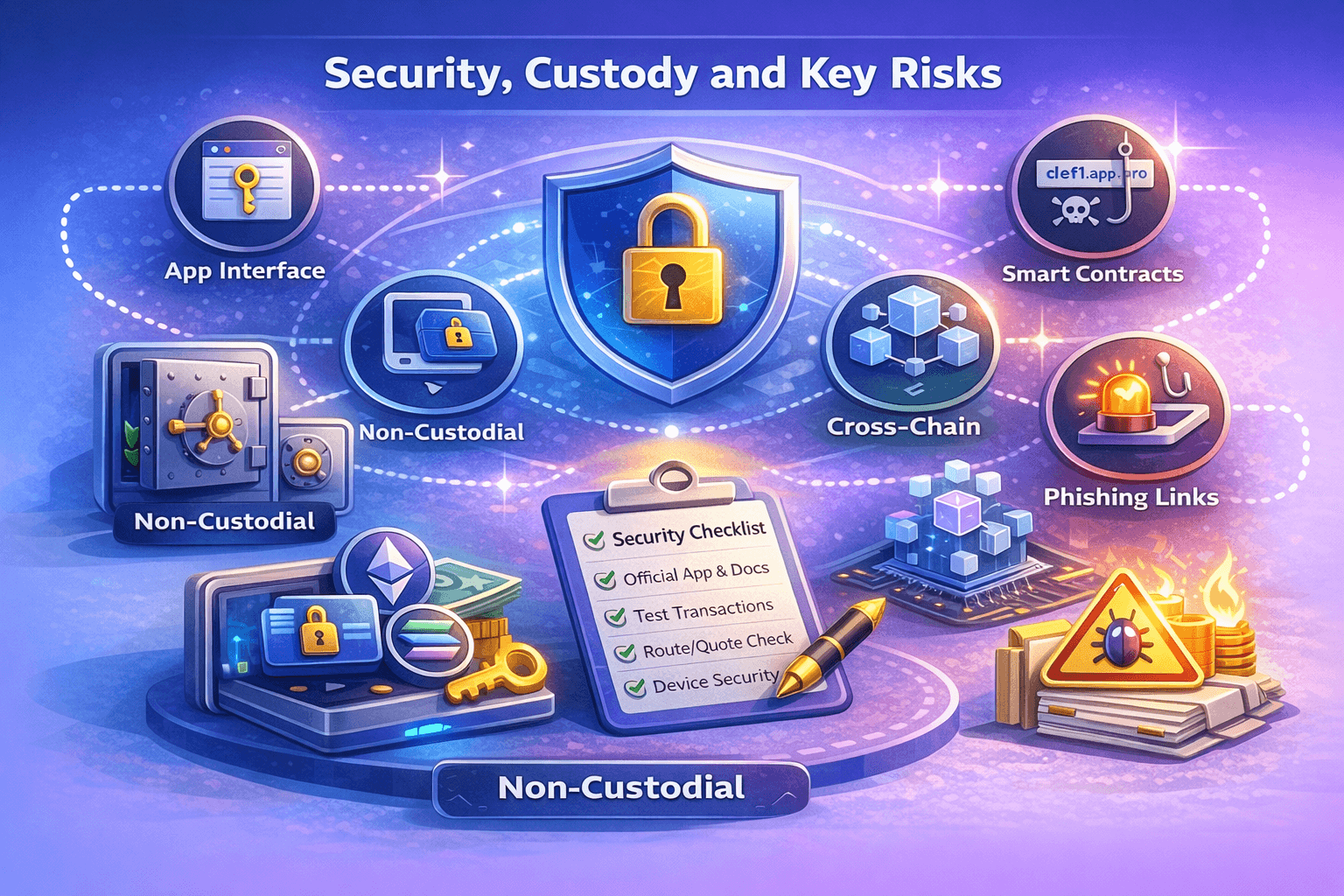 Security in DeFi is Best Thought of as Layers of Locks, and Vigilance is Key
Custody and Key Management
Defi.app is non-custodial and that it does not have “possession, custody or control” over user funds, and does not have access to users’ private keys. That also means you are responsible for securing access.
At the same time, defi.app uses an embedded wallet architecture built around Smart Accounts (account abstraction) and third-party integrations:
- Turnkey provides key management for signing on both Solana and EVM.
- On EVM, user funds live in a smart contract wallet, while Turnkey manages a signer key (so importing the signer key into MetaMask can show an “empty” EOA).
- On Solana, the Turnkey wallet is where Solana-based assets live.
Smart Contract and Protocol Risk
Defi.app publishes a dedicated Audits page that links to third-party security reviews and reports (hosted in its audits repository). These reviews cover areas like smart contracts, the web app, airdrop contracts, and infrastructure.
Still, audits are not insurance. In DeFi, risk can come from:
- Contract bugs or misconfigurations,
- Upgrades/admin controls,
- External protocol dependencies (for Earn/perps integrations).
Cross-Chain and Routing Risk
Defi.app’s intent-based execution delegates swaps to solvers/relayers that choose routes based on liquidity and costs, and it integrates multiple exchanges/routers like 0x, 1inch, Jupiter, OpenOcean). That can improve convenience, but it also adds dependency risk: you’re relying on routing infrastructure, relayers, and the underlying venues.
On Solana, users can select transaction modes (Auto/Jito/Classic) that affect speed and MEV protection, which is useful, but another knob that can impact execution outcomes.
User-Side Risks
Most losses in DeFi still come from basics:
- Phishing links and fake apps,
- Malicious approvals (giving a contract permission to move tokens),
- Address poisoning and copy/paste mistakes.
Safety Checklist
- Use the official app and docs as your starting point, not random links.
- Start with a small test transaction before moving meaningful size.
- Review the route/quote and ensure the final “you receive” amount makes sense.
- If something isn’t working, check status.defi.app before retrying repeatedly.
- Keep device security tight (updates, screen lock), and treat recovery/export options with extra care.
For extra knowledge and safety, revert to our general safety guide on how to mitigate your risks in trading.
HOME Token and Tokenomics
The $HOME token sits at the center of defi.app’s design. In simple terms, it’s meant to be both a governance tool (how users steer the protocol) and a utility token (how certain in-app mechanics work). The official $HOME tokenomics page is the best reference point for the current structure.
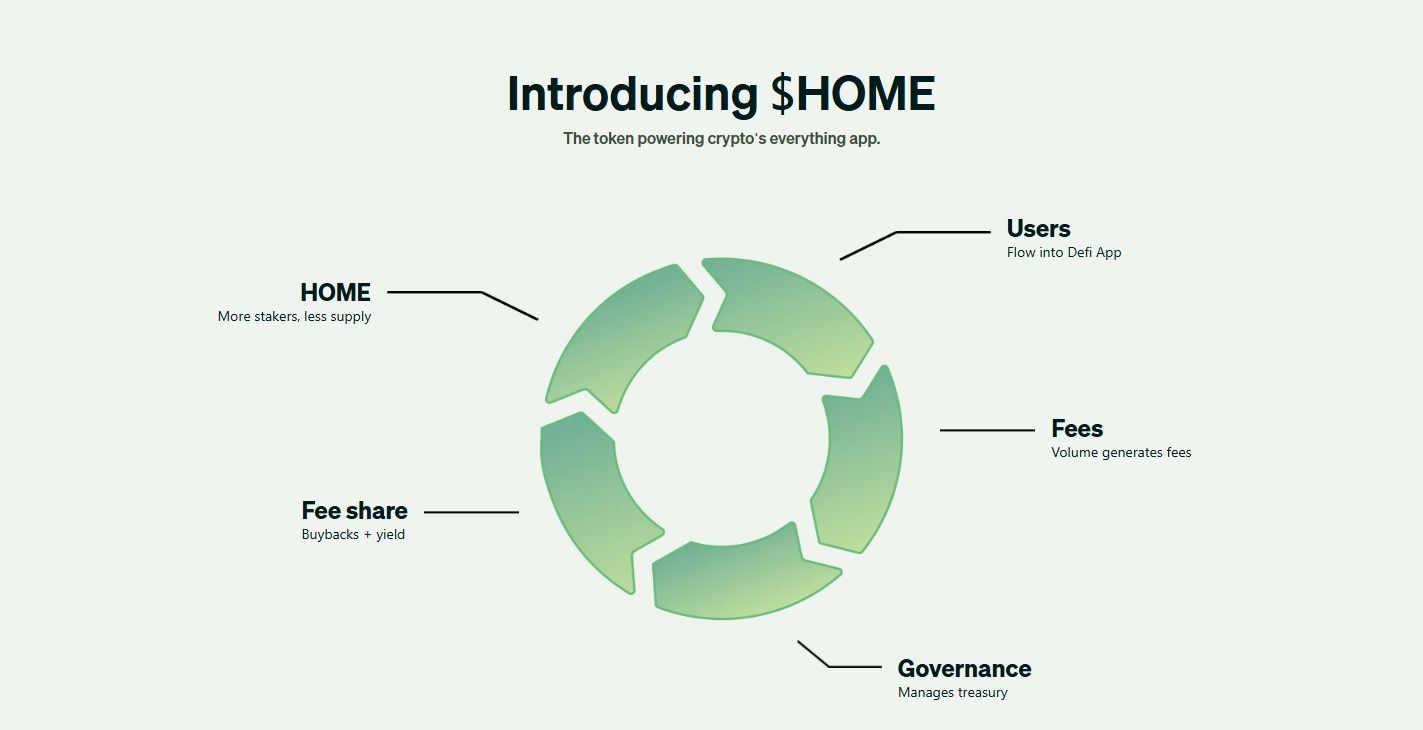 HOME is meant to be both a Governance Tool and a Utility Token. Image via defi.app
What HOME is Used for
- Governance: The MiCAR crypto-asset whitepaper describes $HOME as the protocol’s governance token, with voting proportional to token holdings at snapshot.
- Gas abstraction: The tokenomics docs state $HOME can be used for gas abstraction so users can transact without holding each chain’s native gas token.
- Incentives: Holding/locking HOME can unlock XP multipliers, and defi.app also outlines staking and bonus HOME mechanics tied to activity and engagement.
Tokenomics Overview
- Total supply: 10,000,000,000 HOME
- TGE: June 10, 2025
- Allocation: Community & Ecosystem (47%), Core Contributors (20%), Early Backers (10%), Foundation (10%), Protocol Development (8%), Liquidity & Launch (5%).
Vesting and Unlock Considerations
The vesting schedule includes:
- Liquidity & Launch: 100% unlocked at TGE.
- Community & Ecosystem: 36.6% unlocked at TGE; then unlocks over 36 months after a 4-month lock-up.
- Core Contributors / Early Backers: 0% at TGE; 12-month lock-up; 25% at cliff; then unlocks over 36 months.
- Foundation: 50% at TGE; then unlocks over 24 months after a 6-month lock-up.
Risks Tied to Incentives
- The MiCAR document also states $HOME does not grant ownership or security-like rights.
- Unlock schedules can create supply-driven volatility, especially around cliffs and large linear unlock periods.
- XP/reward loops can encourage over-trading or excessive leverage if users chase points rather than manage risk.
Where To Buy $HOME
You can buy the HOME at various centralized exchanges like MEXC, Bitget, Gate and Binance. In addition, HOME can be bought on decentralized exchanges including PankcakeSwap.
Getting Started on defi.app
If you’re new to DeFi, the safest way to begin with defi.app is to set up your wallets properly, fund them with a small amount, and run a “test swap” before doing anything more complex.
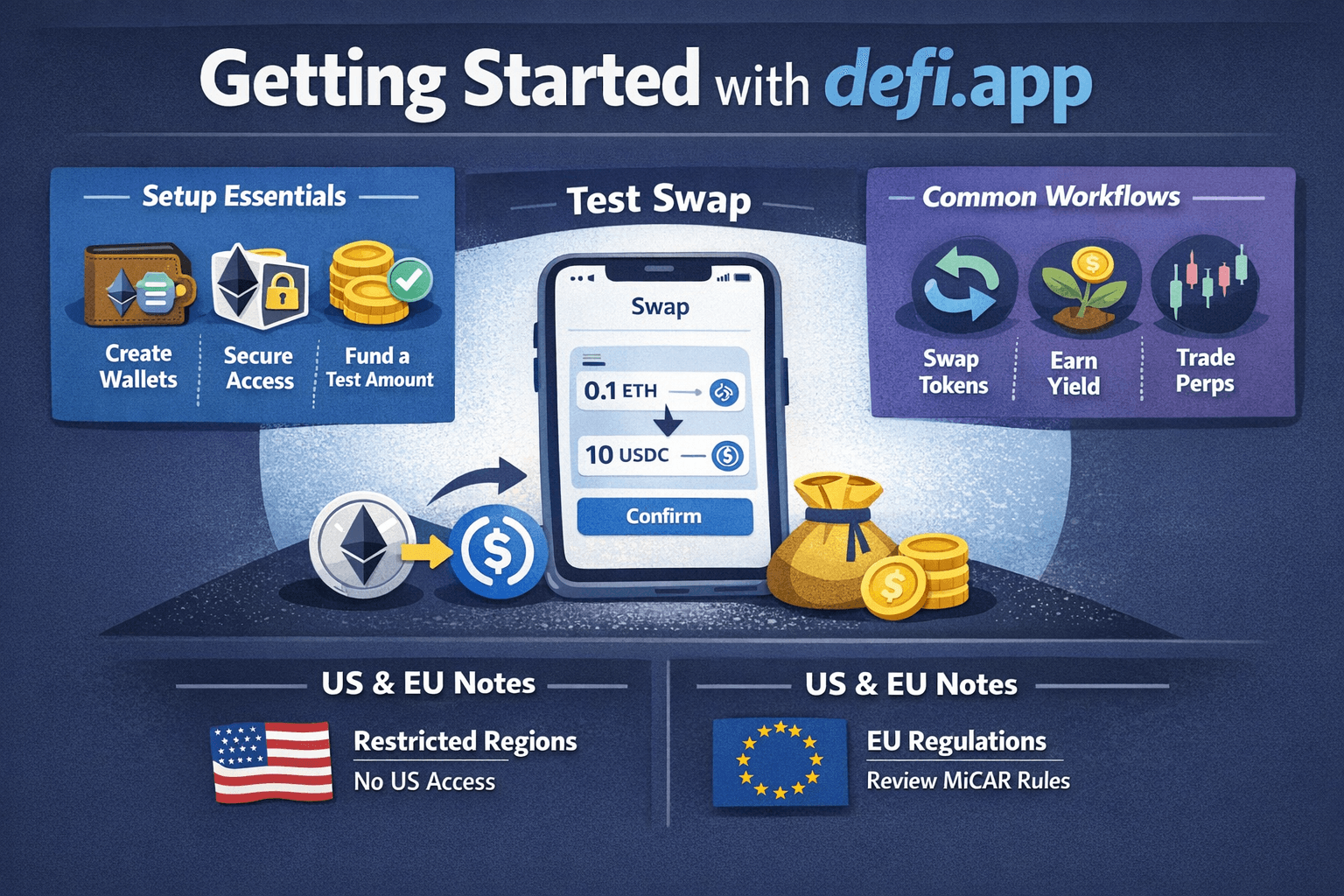 The Safest Way to Begin with Defi.app is to Set Up your Wallets Properly and Fund them with a Small Amount
Setup Essentials
- Create and configure wallets: Onboarding starts by setting up your default EVM and Solana wallets.
- Secure access early: If you use Smart Accounts, understand how key management and signing work before moving meaningful funds.
- Fund with a test amount: Send a small amount first so you can confirm everything behaves as expected.
Common Workflows
- Swap tokens: Use the Swap Tokens flow, then double-check the quote and minimum received before confirming.
- Earn yield: Browse opportunities in Earn Yield, then review what you’re depositing into (strategy/protocol exposure) and any applicable fees.
- Perps (advanced): If you’re experienced, understand trading Perpetuals carefully first, especially leverage, liquidation, and funding mechanics.
US and EU Notes
- Jurisdiction restrictions: defi.app’s Terms of Service lists “Restricted Territory” names including Algeria, Bangladesh, Bolivia, Belarus, Cuba, Iran, Iraq, Libya, North Korea, Syria, Venezuela, Yemen, Zimbabwe, plus Crimea and Sevastopol, and it also adds a catch-all for any country subject to embargo/similar sanctions by Canada, Panama, the US, the UK, or the EU.
- Perps access: As per the perps documentation mentioned above, restricted regions (including the US) are blocked from trading.
- EU context: If you’re in the EEA, it’s worth reviewing the project’s official MiCAR crypto-asset white paper (also shared above) for disclosures relevant to EU users.
Final Verdict
Defi.app is best understood as a self-custody “DeFi one-window app” that bundles swaps, Earn, and perpetuals into one interface, with a strong focus on gasless trading and chain abstraction. If you’re someone who finds multi-chain DeFi messy, like bridges, network switching, and keeping gas tokens around, then its intent-based swaps and abstraction-first design can make the experience feel much simpler.
The tradeoff is that simplicity can hide complexity. Defi.app is non-custodial, so security still depends on smart contract safety, routing infrastructure, and user behavior, even with published audit references. Also, access can vary by region due to jurisdiction restrictions. If you try it, start small, verify quotes/routes, and treat $HOME’s role as part of the broader cost-and-risk picture, and not a guarantee of “free” usage.