What Is Surfshark
Surfshark is a cybersecurity company best known for its VPN service and a broader set of privacy and security tools. A VPN (virtual private network) works a bit like putting your internet connection inside a locked tunnel. It encrypts the data leaving your device before it travels across a network. In everyday terms, this can be most helpful on shared connections like airport or hotel Wi-Fi, where you may be logging into sensitive accounts such as email, banking or crypto exchanges.
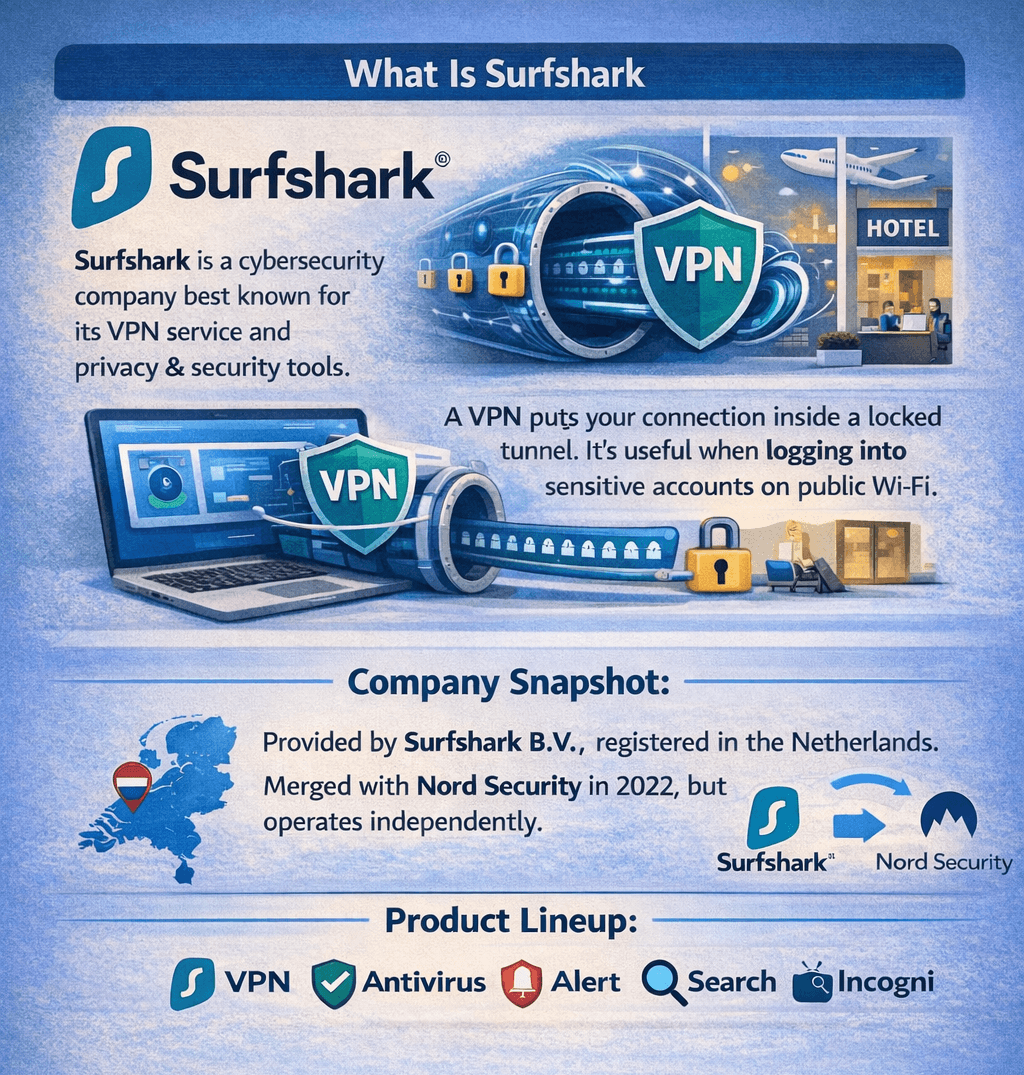
A VPN Creates a Secure, Encrypted Tunnel between Your Device and a VPN Server
Company Snapshot
The service is provided by Surfshark B.V., with a listed business registration in the Netherlands. Surfshark’s ownership background includes its 2022 merger under one holding company with Nord Security, while continuing to operate independently.
Product Lineup
Surfshark’s product suite includes its VPN, plus tools like Antivirus, Alert, and Search. These are packaged into bundles such as Surfshark One (VPN, Alternative ID, Antivirus, Alert, Search, and CleanWeb) and One+, which adds Incogni.
How Surfshark Works
At a high level, Surfshark works like most consumer VPNs. You install the app, sign in, and connect to a server location. From that moment, your internet traffic is routed through a protected connection instead of going directly from your device to a website or app.
Encrypted Tunnel and IP Masking
When you connect, a VPN creates a secure, encrypted tunnel between your device and a VPN server. Encryption is like turning your data into a locked “secret code” while it moves across the network. The VPN also masks your IP address so websites see the VPN server’s IP (similar to using a “return address” that isn’t your home address). This improves privacy, but a VPN does not make you completely anonymous.
Protocols and Routing
Surfshark supports multiple VPN protocols (including WireGuard, OpenVPN, IKEv2, and L2TP). These protocols are the “rules” that govern how the tunnel is set up and secured. Surfshark also offers Nexus, which connects its VPN servers into a single network using software-defined networking.
Privacy, Logging, and Data Handling
Privacy is what a VPN is generally all about. Surfshark’s privacy posture starts with a practical distinction: what a VPN can see while you’re connected versus what a subscription service needs to run an account. Most details are available in the official Privacy Policy for any specifics that you may seek, but we will break down some commonly sought aspects.
No-Logs, Plus Short-Lived Connection Data
Surfshark describes its VPN as “logs-free” in the sense that it doesn’t store your browsing history, the websites you visit, or other activity that would reveal what you did online, as mentioned in the privacy policy. To keep the VPN functioning, its servers can temporarily keep connection details, such as a user ID and/or IP address and connection timestamps. However, this information is automatically deleted within 15 minutes after a session ends.
Account, Subscription, and Payment Footprint
Like most subscription services, Surfshark retains some account data (for example, email address, account registration details, and subscription metadata) and notes it is kept while your subscription is active and for 2 years after the last login.
For billing, Surfshark privacy policy also notes that payment partners collect certain transaction details (and, depending on location, may require additional information) when handling payments and refunds.
Transparency and Legal Requests
Surfshark publishes a quarterly Transparency Report that lists categories and counts of requests it receives. For example, the report’s October–December 2025 section notes that none of the requests resulted in the disclosure of user-related data. Surfshark also maintains a Trust Center summarizing third-party assurance work tied to its privacy and security commitments.
Security Features That Matter for Crypto Use
For crypto users, the best VPN security features are the ones that prevent “small mistakes” from turning into big losses. Think of it like locking your front door: it doesn’t make your house invisible, but it does reduce the chance of an easy break-in. Surfshark’s core security toolkit covers both connection protection and behind-the-scenes controls that help keep the service itself harder to compromise.
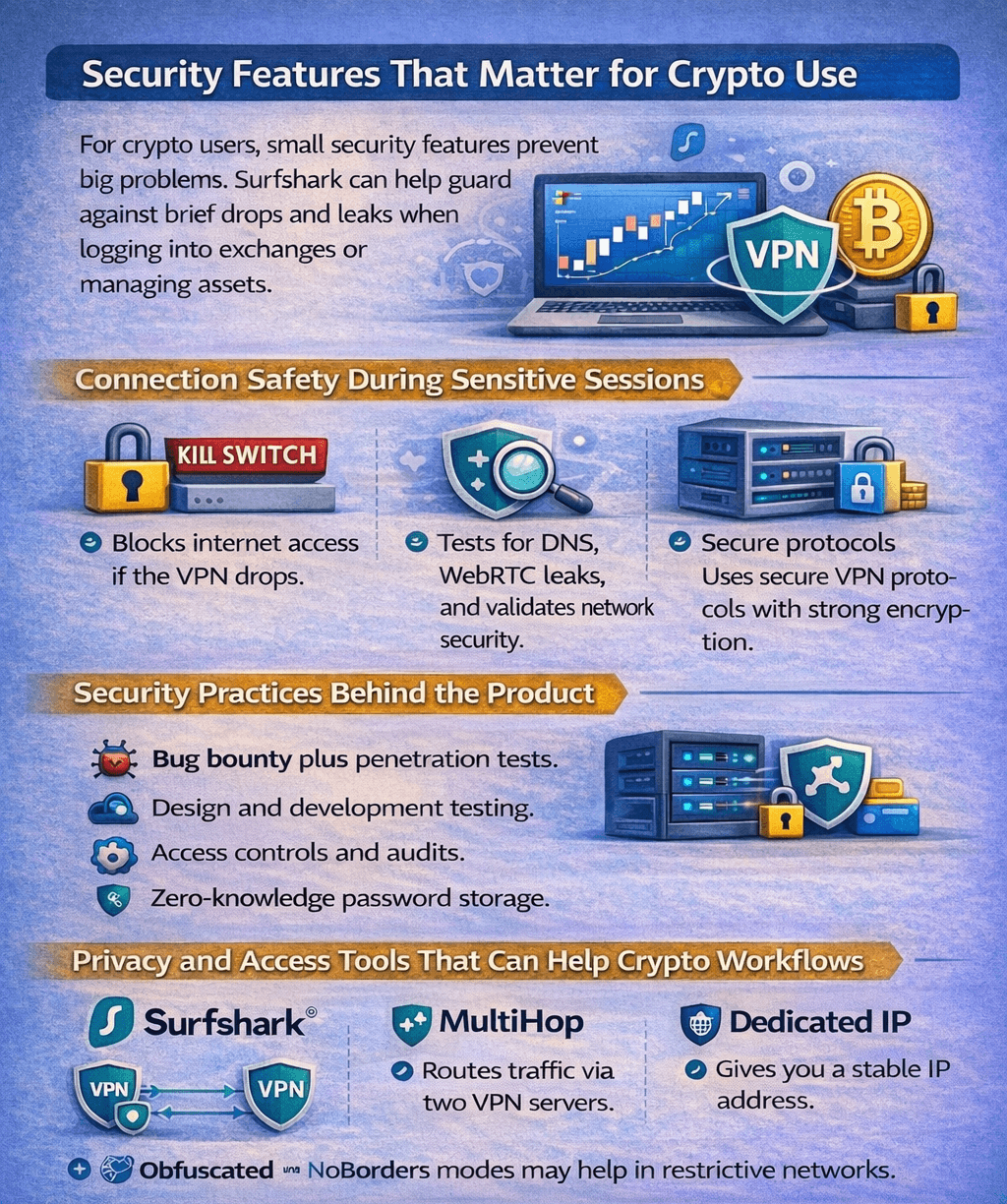
The Best VPN Security Features are the ones that Prevent “Small Mistakes” from Turning into Big Losses
Connection Safety During Sensitive Sessions
When you’re signing into an exchange or approving a wallet transaction, the biggest risk is often a brief network hiccup.
Kill Switch: If the VPN drops, this feature is designed to cut off internet access so your device doesn’t quietly revert to your regular connection mid-session.
Leak checks: Even with a VPN on, certain “side channels” can expose network details. Surfshark offers a built-in-style approach to validating this via its official DNS leak test and WebRTC leak test.
Secure protocols and encryption: Surfshark Trust Center lists support for modern protocols like WireGuard, OpenVPN, and IKEv2, along with encryption methods including AES-256-GCM and ChaCha20, plus 2048-bit RSA keys for parts of the connection setup.
Security Practices Behind the Product
A VPN is only as trustworthy as the way it’s built and maintained. Surfshark outlines several security controls in its Trust Center that are relevant for readers who care about operational security, not just app features. These include:
Third-party bug bounty to incentivize vulnerability discovery.
Penetration tests performed internally and externally to look for exploitable weaknesses.
Secure design and development that includes threat modeling and testing approaches like SAST.
Privileged Access Management and the principle of least privilege to limit sensitive system access.
24/7 automated security monitoring plus supporting measures like automated patching and threat intelligence.
Zero-knowledge password storage, described as encrypted logins that can’t be decrypted from the database.
Privacy and Access Tools that can Help Crypto Workflows
Some Surfshark features are useful, but they come with tradeoffs that matter for exchange reliability.
MultiHop routes traffic through two VPN servers for an extra layer, which can be helpful for privacy but may reduce speed.
Rotating IP changes your IP periodically, which can improve privacy but may interrupt “high-friction” logins.
Dedicated IP gives you a stable IP that isn’t shared with other users, which can reduce CAPTCHAs and risk flags for some services, at the cost of being more consistent.
On restrictive networks, Surfshark promotes obfuscated servers and its NoBorders mode.
Speed, Stability, and Real-World Performance
A VPN almost always adds a little overhead, because your traffic takes a detour through a VPN server and is encrypted along the way. Surfshark notes that while it does not impose speed, bandwidth, or data limits, you may still see slower speeds and higher response time than a direct connection, sometimes around 20–30% depending on conditions and routing. The practical takeaway is simple: performance is less about the brand name and more about how you use it.
What Affects Speed Most
These are the main “everyday” factors that influence what you feel in real use:
Distance to the server: Connecting to a nearby location usually reduces latency and improves responsiveness.
Protocol choice: Surfshark supports multiple VPN protocols, and its own guidance positions WireGuard as a strong default for performance in many cases.
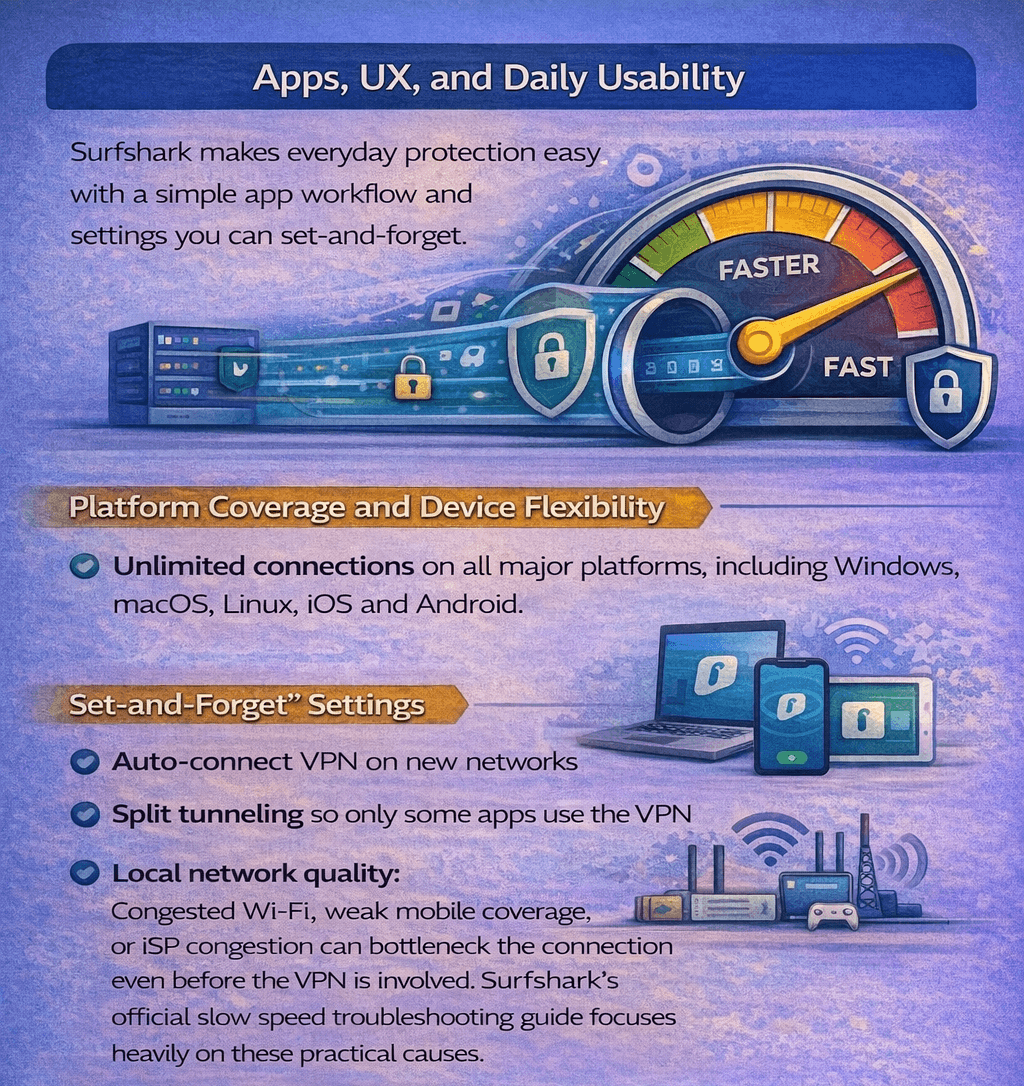
Local network quality: Congested Wi-Fi, weak mobile coverage, or ISP congestion can bottleneck the connection even before the VPN is involved. Surfshark’s official slow speed troubleshooting guide focuses heavily on these practical causes.
Stability for Longer Crypto Sessions
For trading, portfolio monitoring, and account management, stability can matter as much as raw speed. Surfshark promotes two architecture-level features aimed at keeping sessions steady:
Everlink, a self-healing system designed to recover dropped VPN connections,
Nexus, which connects servers into a single network using software-defined networking to improve stability and global routing.
Apps, UX, and Daily Usability
Surfshark’s day-to-day experience is built around a simple “open the app, tap connect” workflow, with a few settings that help you keep protection on without constantly thinking about it, which is similar to putting your phone on auto-lock instead of remembering to lock it every time.
Surfshark Offers a Chrome Extension, but it only Protects Traffic Inside the Browser
Platform Coverage and Device Flexibility
Surfshark provides apps across major platforms via its official download pages, including Windows, macOS, Linux, iOS, and Android. A single account supports unlimited simultaneous connections, which is useful if you want the VPN on a laptop, phone, and a second device at the same time.
“Set-and-Forget” Settings
If you often join new networks, Auto-connect can connect the VPN as soon as your device detects Wi-Fi or ethernet. Surfshark also supports trusted networks, which can automatically disconnect the VPN when you return to a network you trust (like home). For workflows that break under a VPN, split tunneling lets you choose which apps or sites use the VPN tunnel and which don’t.
Browser Extensions
Surfshark does offers a Chrome extension, but it only protects traffic inside the browser, not other apps on your device.
Pricing, Plans, and Paying With Crypto
Surfshark sells three core tiers on its official pricing page:
Surfshark Starter: Includes a basic VPN.
Surfshark One: Adds Alert and Antivirus to the plan.
Surfshark One+: One plus further adds Identity theft coverage and Data removal by Incogni.
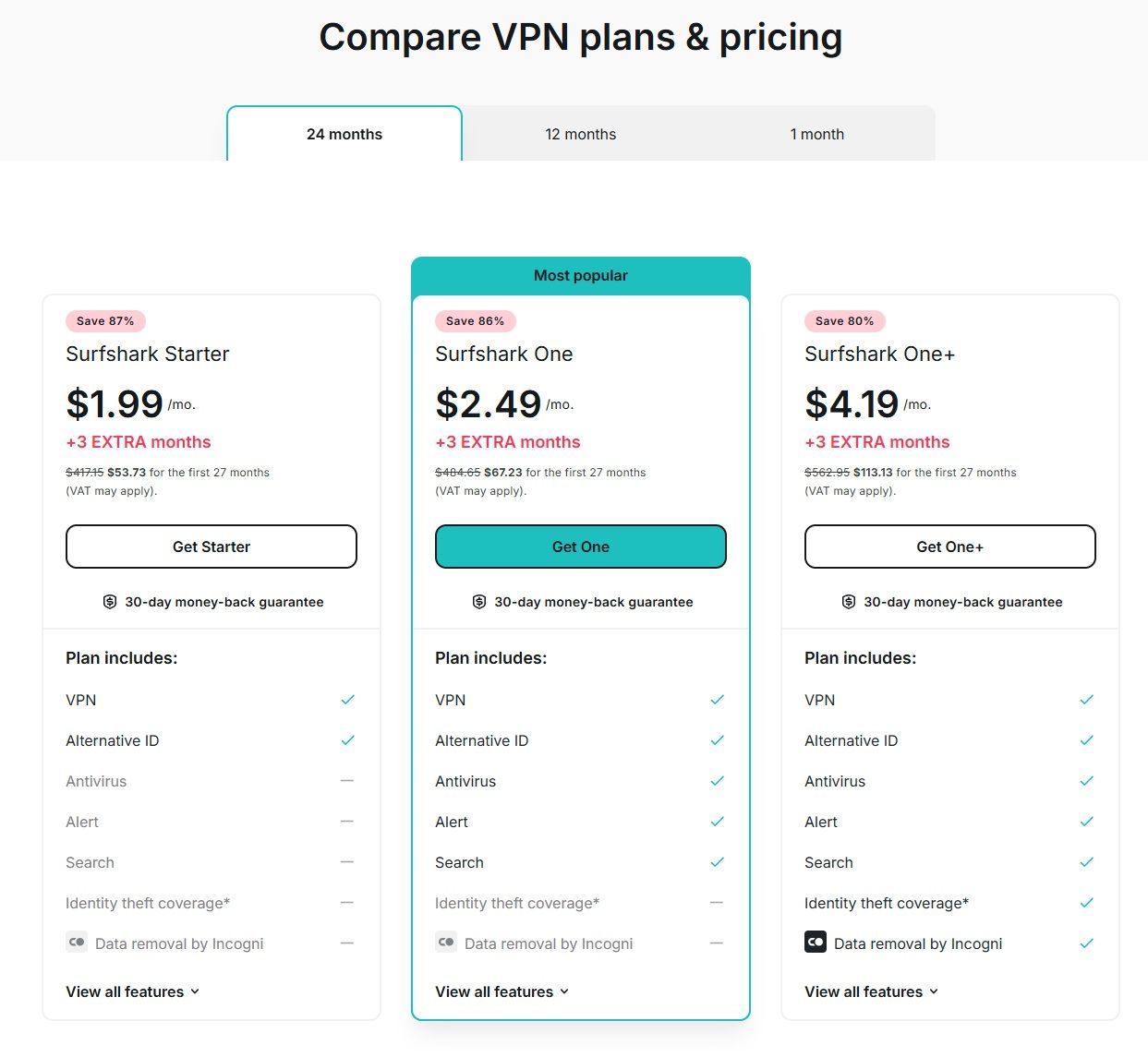
Surfshark Offers Monthly, 1-Year, and 2-Year Subscriptions
Price Tiers
Surfshark offers monthly, 1-year, and 2-year subscriptions, where the 2-year subscriptions offer the cheapest deals. The lowest advertised “from” rates shown for the 2-year plans are:
$1.99/month for Starter
$2.49/month for One
$4.19/month for One+
Pricing can vary by currency, VAT, and coupons, and renewals use the applicable renewal price.
Note: Pricing checked on March 4, 2026.
Payment Modes
For payments, Surfshark lists:
Credit and debit cards
PayPal
Google Pay
Apple Pay
Cryptocurrency (cannot be used on mobile devices)
Other popular payment methods may vary by region
It is important to note that crypto payment means are unavailable on mobile devices. Crypto checkout uses the CoinGate flow described on Surfshark’s VPN with Bitcoin page, which lists supported coins such as BTC, ETH, LTC, SOL, XRP, DOGE, and others, with the list noted as valid as of June 1, 2025.
Surfshark also offers a 30-day money-back guarantee on the initial purchase.
Using Surfshark for Crypto Safely
A VPN is best treated like a seatbelt for your internet connection: it won’t make you “invisible,” but it can reduce risk in common crypto scenarios like public Wi-Fi logins, travel, and day-to-day account access. Here’s a practical setup that aligns with Surfshark’s official features.
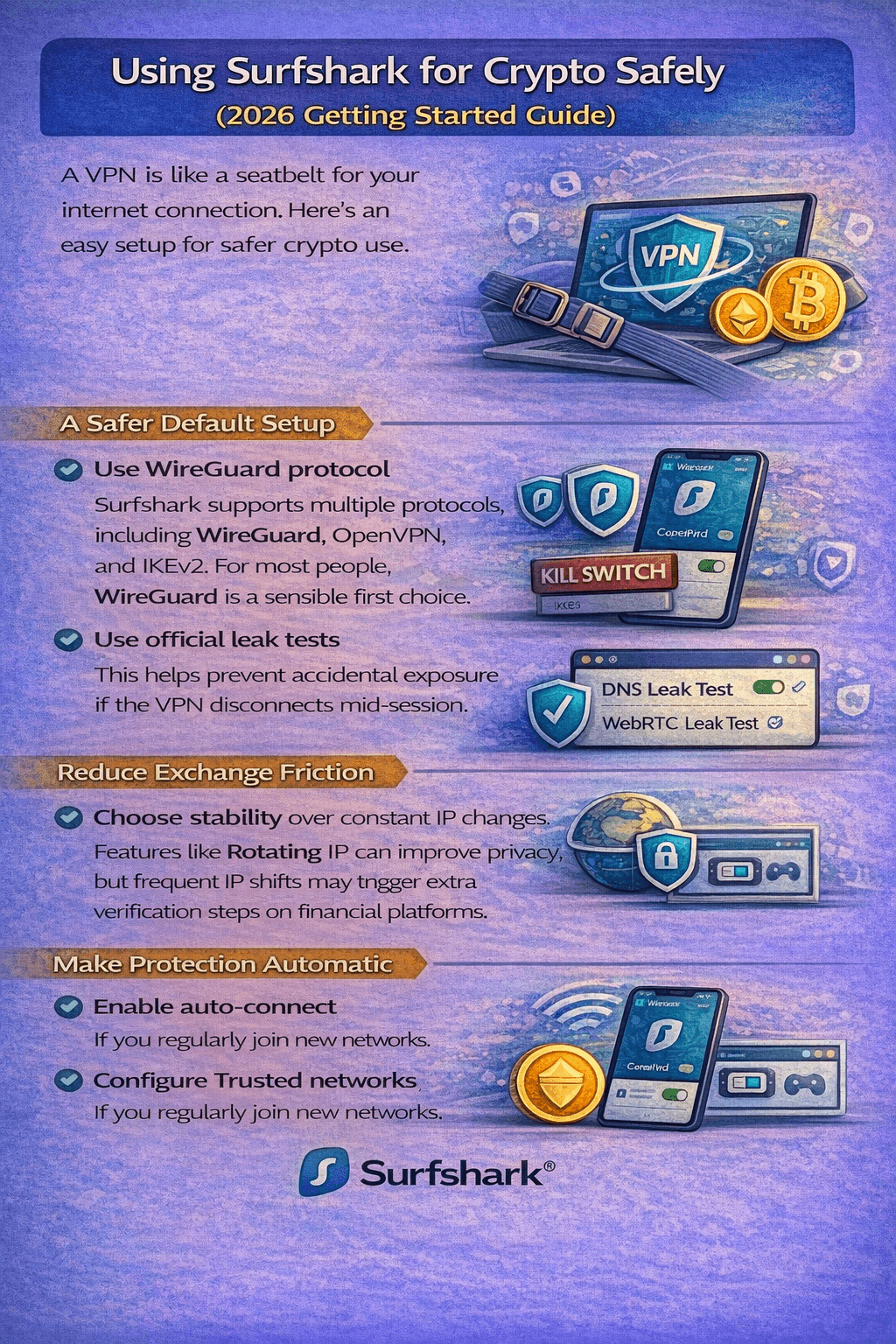
A VPN won’t Make You “Invisible,” but it can Reduce Risk in Common Crypto Scenarios like Public Wi-Fi Logins
A Safer Default Setup
Start with a fast, modern protocol: Surfshark supports multiple protocols, including WireGuard, OpenVPN, and IKEv2. For most people, WireGuard is a sensible first choice.
Turn on the Kill Switch: This helps prevent accidental exposure if the VPN disconnects mid-session.
Verify leaks once, then re-check after major updates: Use Surfshark’s official DNS leak test and WebRTC leak test to confirm your setup isn’t revealing network identifiers.
Reduce Exchange Friction without Overcomplicating Things
Prefer stability over constant IP changes: Features like Rotating IP can improve privacy, but frequent IP shifts may trigger extra verification steps on financial platforms.
If you need a consistent “home base” IP for logins, consider Dedicated IP, which gives you a static IP that isn’t shared with other users.
Make Protection Automatic on Travel Networks
If you regularly join new networks, enable Auto-connect and configure Trusted networks so the VPN engages where you need it most. If a specific app breaks behind a VPN, split tunneling can keep sensitive crypto activity inside the tunnel while letting other traffic go direct.
Surfshark vs Competitors (Crypto-Focused)
If your main goal is using a VPN alongside crypto safely, the differences that matter most usually come down to three things: payment footprint, session stability for financial logins, and reliability on restrictive networks.
One practical note for traders: If you’re tempted to “privacy-max” with constant IP changes, Surfshark notes that Rotating IP can’t be used together with some server types like Dedicated IP, so it’s often better to pick stability first for exchange sessions.




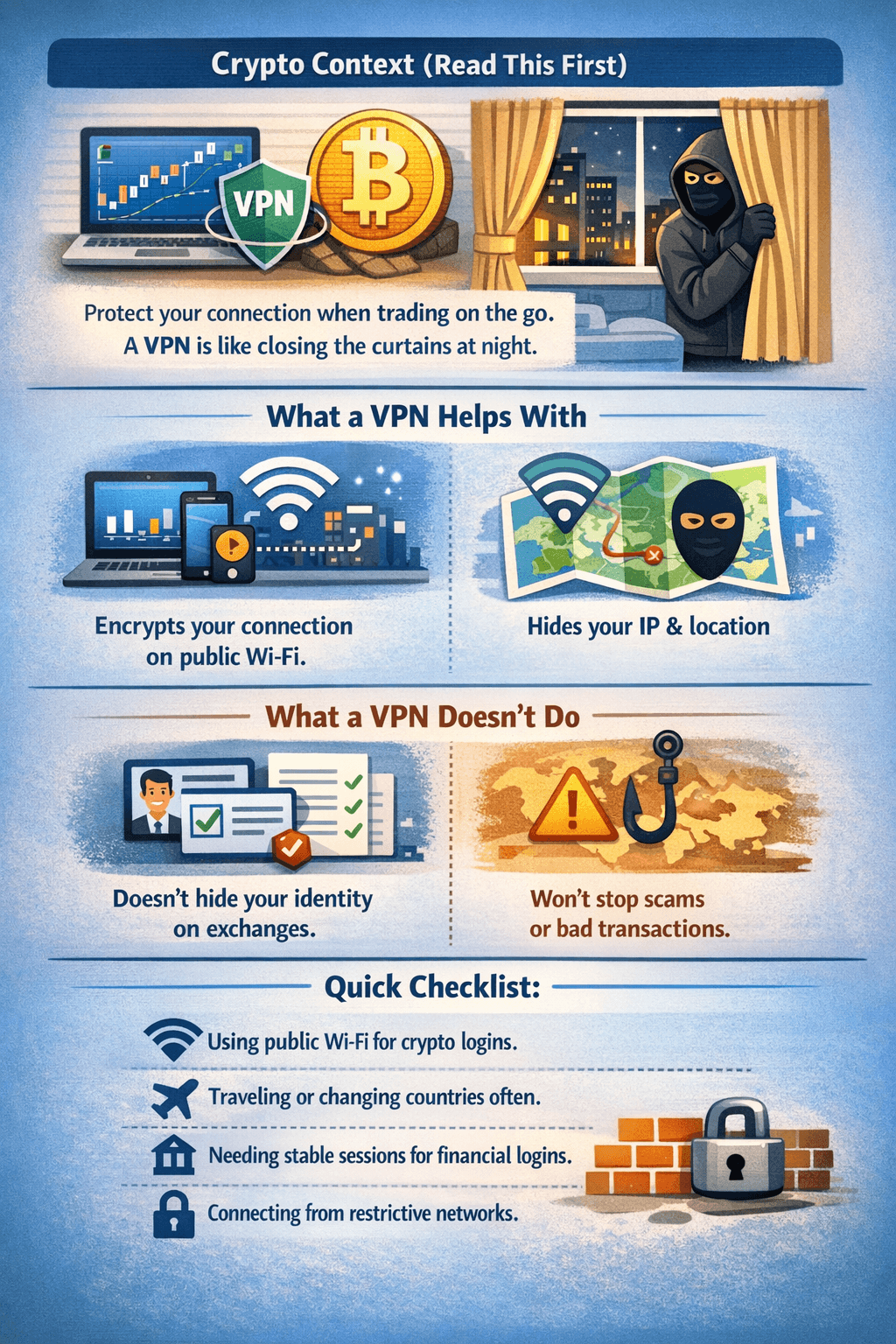 Crypto Activity Attracts Attention because it often Involves High-Value Accounts and Irreversible Transactions