


Mobile crypto wallets have come a long way. The problem is that a fast setup can turn into a costly mistake if you pick the wrong app or skip the basics. We’ll help you choose the best mobile wallet for how you actually use crypto, with clear fee notes, straightforward security pros and cons, and easy steps to download and use it safely.
Editor's Note: We fully updated this guide in February 2026 to reflect how mobile wallets actually work (and fail) in the real world. The refresh adds a “Quick Picks” decision section, expands the lineup to 12 top wallet apps (including hardware-backed and seedless/MPC-style options), and introduces a clear scoring rubric plus a one-screen comparison table with practical fee notes. We also rewrote the security section around the biggest modern loss vectors, and added step-by-step setup and download checklists so readers can move funds off exchanges safely and confidently.
Quick Picks: Best Mobile Wallets at a Glance
If you want the fast version, start here. These picks help you choose the right wallet based on your experience level, security needs, and how much time you spend in Web3.
Top Picks
-
Best overall Trust Wallet for broad multi-chain support and built-in Web3 access.
-
Best for beginners Coinbase Wallet for its clean interface and straightforward onboarding.
-
Best for Web3 and DeFi OKX Wallet and MetaMask for users who spend more time across DApps and ecosystems.
-
Best security route Ledger Live or Trezor Suite when paired with hardware wallets.
-
Best seedless option Zengo for users who want an MPC-style setup instead of managing a seed phrase.
-
Best simple alternative Exodus for a smooth, beginner-friendly experience.
Key Takeaways
- Hardware-backed wallets like Ledger Live and Trezor Suite are the strongest fit for long-term holders who want to reduce the risk of a compromised phone draining funds.
- Seedless options like Zengo can reduce seed phrase handling mistakes, but they come with a different recovery and trust model than standard wallets.
- Trust Wallet is the best all-rounder for most users because it combines very broad asset support with built-in Web3 functionality in one app.
- Coinbase Wallet and Exodus are better suited to beginners who value a cleaner interface and easier onboarding over maximum feature depth.
- MetaMask and OKX Wallet are stronger choices for active Web3 users, but their extra functionality also increases the odds of approval mistakes, phishing, and misclicks.
- Fees are rarely as simple as “free wallet” marketing suggests, because swap costs can include interface fees, provider fees, bridge fees, and network fees.
- Most real-world wallet losses come from fake apps, phishing, bad approvals, weak backups, and recovery failures, not broken encryption.
- The right mobile wallet is the one that matches your habits and security discipline, not the one with the longest features list.
Quick Comparison Table
| Wallet | Rating | Best for | Custody type | Supported assets (range) | Staking | NFTs | DApp browser | Hardware wallet support | Platforms | Fees/cost |
| Ledger Wallet (ex. Ledger Live) | 4.7 | Long-term holding + mobile convenience | Hardware-backed | Broad | Yes | Limited | Limited | Yes | iOS/Android | Hardware required: $59 (Ledger Nano S Plus) to $399 (Ledger Stax). Swap costs depend on provider quotes. |
| Trezor Suite | 4.6 | Open-source fans + simplicity | Hardware-backed | Broad | Limited | Limited | Limited | Yes | iOS/Android | Hardware required: $59 (Trezor Safe 3) to $249 (Trezor Safe 7). Trading fees are dynamic (provider/route-dependent). |
| Binance Web3 Wallet | 4.2 | Binance ecosystem users | Non-custodial (MPC-style) | Broad | Limited | Yes | Yes | No | iOS/Android | Wallet is free to use. Swap/service fee 0% / 0.01% / 0.5% (plus network fees). |
| MetaMask | 4.4 | Ethereum + EVM DeFi | Non-custodial | EVM-focused | Limited | Yes | Yes | Yes | iOS/Android | Wallet is free to use. Swaps fee 0.875% (plus network fees). |
| SafePal | 4.2 | Budget hardware option + app ecosystem | Hybrid | Broad | Yes | Yes | Yes | Yes | iOS/Android | Wallet is free to use. Swap and Bridge fee 0.2% per order (plus network fees). |
| Crypto.com Onchain Wallet | 4.1 | Crypto.com + Cronos users | Non-custodial | Broad | Yes | Yes | Yes | Limited | iOS/Android | Wallet is free to use. Route-dependent: protocol + bridge + service fees. |
| Exodus | 4.3 | Design + ease | Non-custodial | Broad | Yes | Yes | Limited | Limited | iOS/Android | Wallet is free to use. Swap fees vary by provider/route (network fees apply). |
| Zengo | 4.5 | Seedless security | Non-custodial (seedless/MPC-style) | Broad | Limited | Limited | Limited | No | iOS/Android | Wallet is free to use. Swap exchange fee up to 4% (plus network fees). |
| Trust Wallet | 4.6 | Wide asset support + multi-chain | Non-custodial | Very broad | Yes | Yes | Yes | Limited | iOS/Android | Wallet is free to use. No extra Trust Wallet swap fee; network fees apply. |
| Coinbase Wallet | 4.5 | Beginners + mainstream networks | Non-custodial | Broad | Limited | Yes | Yes | Limited | iOS/Android | Wallet is free to use. DEX swaps fee up to 1% (plus aggregator + network fees). |
| OKX Wallet | 4.4 | Multi-chain Web3 power users | Non-custodial | Very broad | Yes | Yes | Yes | Limited | iOS/Android | Wallet is free to use. DEX interface fee 0% / 0.25% / 0.85% (plus network fees). |
| Mycelium | 4.0 | Bitcoin-focused users | Non-custodial | Narrower | No | No | No | Limited | iOS/Android | Wallet is free to use. No built-in swap fee noted; Bitcoin miner fees vary (sat/vB). |
How We Scored These Wallets
- Security (40%)
- Usability (20%)
- Asset + network support (15%)
- Web3/DeFi features (10%)
- Backup/recovery options (10%)
- Support + reliability (5%)
Scores reflect features as of February 2026 plus a review of public user feedback themes.
How to Choose the Best Mobile Wallet for You
Wallet choice is about balance. Larger holdings need stronger protection, regular spending needs convenience, and the best option is the one you can stick with without slipping on security.
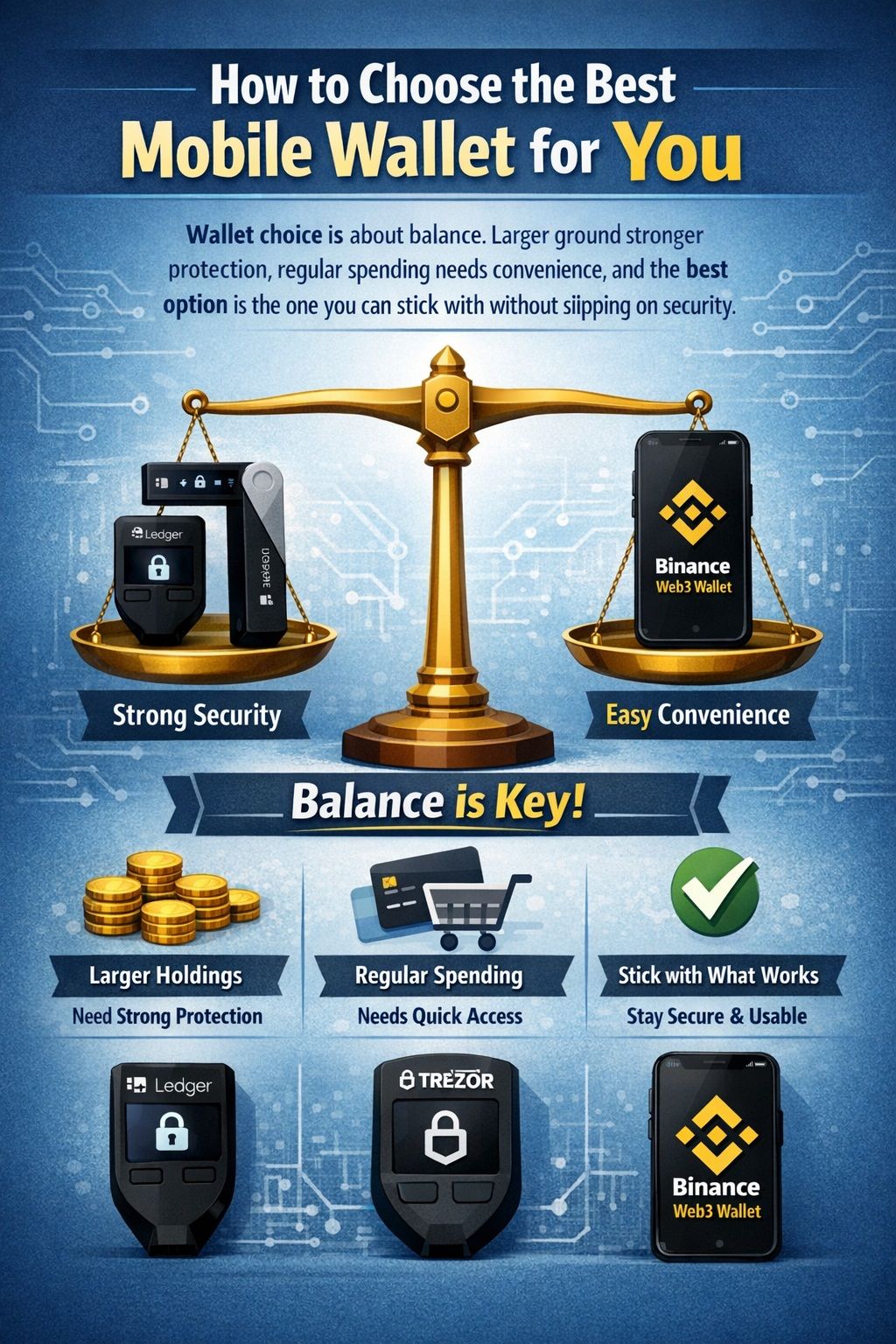 The Best Wallet Isn't Just The Most Secure. It’s The Perfect Balance Of Protection And Convenience That You’ll Actually Use Correctly
Custodial vs Non-Custodial
Custody is about who can move funds.
- Custodial: Like a bank account. You can access funds, but the provider controls the keys and policies.
- Non-custodial: Like a safe you control. You hold the keys, and recovery is your job.
If you’re leaving an exchange for the first time, here’s the biggest mindset shift: you’re now your own support desk.
Hot vs Cold vs Hybrid
- Hot (phone-only): Keys stay on your phone. Fast and easy, but more vulnerable to scams and device compromise.
- Cold (hardware wallet): Keys stay on dedicated hardware. The phone is just the interface.
- Hybrid: Mobile apps that pair with hardware for signing, combining convenience with stronger key isolation.
The 7-Point Wallet Checklist
- Security model: Seed phrase, seedless/MPC-style, or hardware-backed.
- Recovery method: Seed phrase, passphrase support, cloud recovery, or multi-factor recovery.
- Chain support: EVM-only, multi-chain, or BTC-only.
- DApp browsing + approvals safety: Clear signing screens, warnings, and easy-to-review permissions.
- Fees: Check the wallet’s interface fee (if any), plus DEX/liquidity fees, plus network fees. Some wallets publish fixed interface fees like 0.875%, up to 1%, or up to 0.85%, while others show a final quote that varies by route.
- UX: QR scanning, address book, multiple accounts, and network clarity.
- Reputation: Update cadence, security track record, and clear support docs.
Which Wallet Is Right for Me?
- Maximum security → Ledger Live or Trezor Suite
- No seed phrase → Zengo
- Most assets → Trust Wallet or SafePal
- Ethereum / EVM standard → MetaMask
- Bitcoin only → Mycelium
Samourai note: U.S. prosecutors filed charges against Samourai Wallet’s founders on April 24, 2024. Given the legal overhang, we do not treat it as a “default” recommendation for most readers.
Take a look at our review of Trezor vs Ledger.
Security Basics You Must Know Before Downloading
Most wallet losses come from fake apps, phishing, approvals, and recovery failures, not “someone breaking encryption.”
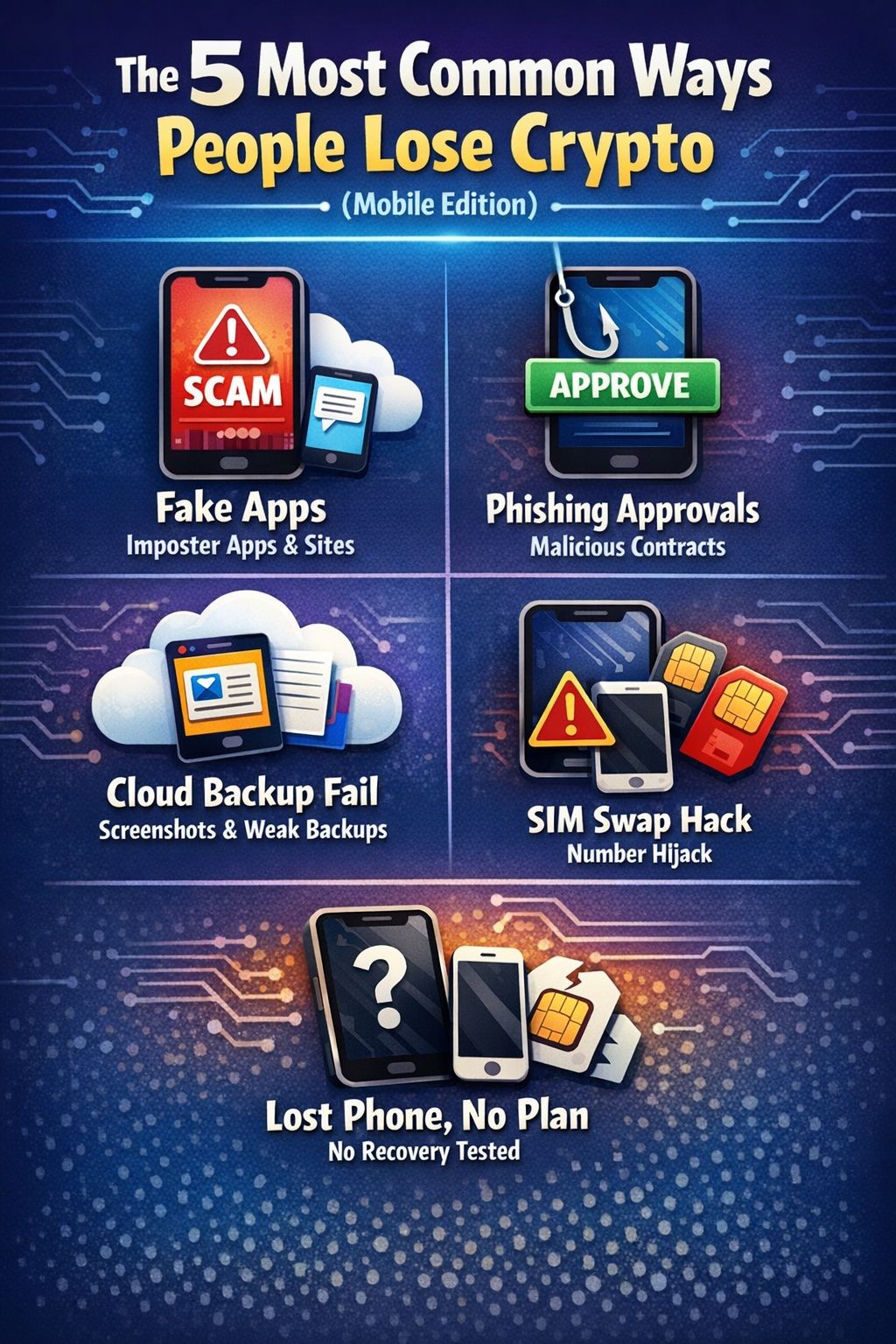 Mobile Crypto Loss Typically Stems From Deceptive Apps, Phishing Scams, Or Weak Personal Security And Backup Habits
The 5 Most Common Ways People Lose Crypto
- Fake apps (lookalikes in ads and impersonator sites)
- Phishing approvals (you approve spending for a malicious contract)
- Cloud backup mishaps (screenshots, notes apps, weak backups)
- SIM swap / device takeover (SMS recovery and weak account security)
- Lost phone + no recovery plan (you never tested your backup)
SIM swap scams and practical prevention steps are outlined in consumer guidance from the FTC.
Seed Phrase vs Seedless (MPC) Explained
Seed phrase wallets
- What it is: A word list that restores your wallet anywhere.
- What it protects against: Losing your phone.
- What it does not: Phishing and fake apps tricking you into typing your phrase.
Seedless / MPC-style wallets
- What it is: A setup designed to avoid a single seed phrase by using split key control and multi-factor recovery.
- What it protects against: Many seed phrase handling mistakes.
- What it does not: Signing a malicious transaction, or losing control of multiple recovery factors.
Contract Approval Hygiene
Approvals are a core Web3 risk: one approval can grant a contract permission to spend tokens later.
Read-before-you-sign mini checklist
- Do you recognize the site and domain?
- Is this an approval, a transfer, or a signature?
- Is the spender expected for what you are doing?
- Is the allowance unlimited when it does not need to be?
- Are you being rushed by popups or urgent prompts?
How to Download a Wallet Safely (iOS + Android)
Download mistakes are the fastest way to lose funds.
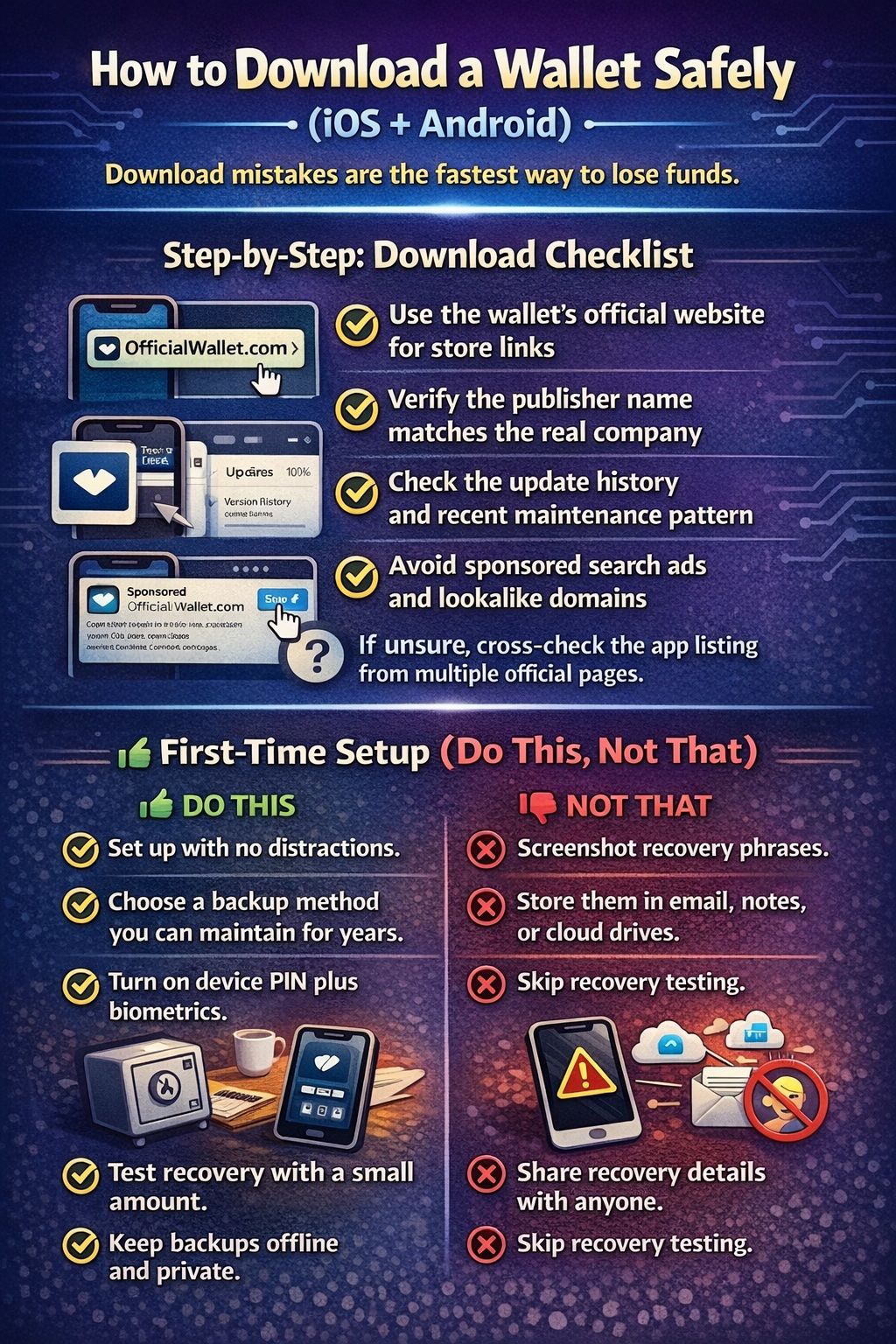 Download Mistakes Are The Fastest Way To Lose Funds. Make Sure to Follow This Checklist
Step-by-Step: Download Checklist
- Use only the wallet’s official website for store links.
- Verify the publisher name matches the real company.
- Check the update history and recent maintenance pattern.
- Avoid sponsored search ads and lookalike domains.
- If unsure, cross-check the app listing from multiple official pages.
First-Time Setup
Do this
- Set up with no distractions.
- Choose a backup method you can maintain for years.
- Turn on device PIN plus biometrics.
- Test recovery with a small amount.
- Keep backups offline and private.
Not This
- Screenshot recovery phrases.
- Store them in email, notes, or cloud drives.
- Skip recovery testing.
- Share recovery details with anyone.
A practical baseline for mobile device security is outlined in NIST guidance on mobile device security practices.
Moving Funds Off an Exchange
- Send a small test transaction first.
- Double-check the network on the exchange withdrawal page.
- Verify the address carefully (QR scan is best).
- After the test arrives, send the remaining amount.
Full Reviews (Top 12 Mobile Wallets, Rated)
Click a wallet name to expand its full review. Works on mobile + desktop, and adapts to light/dark mode automatically.
1
Ledger Live (Hardware-Backed)
⌄
Ledger Live (Hardware-Backed)
Pros
- Hardware-backed signing keeps keys off the phone.
- Good fit for long-term holding with occasional mobile transactions.
- Swap provider selection happens inside the app.
Cons
- You must buy and secure the hardware device.
- Swap costs are provider-dependent, not a single fixed %.
2
Trezor Suite (Hardware-Backed)
⌄
Trezor Suite (Hardware-Backed)
Pros
- Hardware-backed signing.
- Clean, security-first workflows.
- Strong for long-term storage.
Cons
- Not a DApp-first wallet.
- Trading costs vary by route and provider.
3
Binance Web3 Wallet
⌄
Binance Web3 Wallet
Pros
- Integrated with the Binance app experience.
- Web3 features designed for ecosystem convenience.
- MPC-style model reduces seed phrase handling.
Cons
- Ecosystem coupling.
- Users should understand the token-group fee schedule.
4
MetaMask
⌄
MetaMask
Pros
- Deep compatibility across EVM DApps.
- Familiar signing and connection patterns across DeFi.
- Mature ecosystem.
Cons
- EVM-first focus.
- Approval mistakes can be costly.
5
SafePal
⌄
SafePal
Pros
- Hybrid path: phone-only now, hardware later.
- Designed around an “app plus optional hardware” ecosystem.
- Web3 gateway positioning.
Cons
- Setup complexity rises if you add hardware.
- More components can mean more chances for user error.
6
Crypto.com Onchain Wallet
⌄
Crypto.com Onchain Wallet
Pros
- Natural fit for Crypto.com ecosystem users.
- Designed for DeFi access and onchain activity.
- Supports importing custom networks.
Cons
- Ecosystem coupling.
- Fees and routes can vary significantly cross-chain.
7
Exodus
⌄
Exodus
Pros
- Very approachable interface.
- Strong for simple holding and transfers.
- Web3 access without the most intense “power user” feel.
Cons
- Not as DApp-first as MetaMask for EVM-only DeFi users.
- Some features differ between mobile and extension experiences.
8
Zengo
⌄
Zengo
Pros
- Seedless model can reduce seed phrase mishandling.
- Recovery framing is accessible for non-technical users.
- Lower risk of “I lost my phrase” failures.
Cons
- Different trust and recovery model than seed phrase wallets.
- Not built for maximum DeFi composability.
9
Trust Wallet
⌄
Trust Wallet
Pros
- Very broad chain coverage in one app.
- Good default choice for “one wallet across ecosystems.”
- Solid Web3 baseline.
Cons
- UI can feel cluttered if you hold many assets.
- Web3 access increases approvals and phishing risk.
10
Coinbase Wallet
⌄
Coinbase Wallet
Pros
- Beginner-friendly interface.
- Clear documentation around supported networks.
- Good mainstream Web3 onboarding.
Cons
- Swap costs can include multiple layers.
- Users still need to learn network selection basics.
11
OKX Wallet
⌄
OKX Wallet
Pros
- Strong multi-chain orientation.
- DeFi and DApp discovery are central.
- Good for users who switch networks often.
Cons
- Busy interface if you are new.
- More features means more chances to misclick.
12
Mycelium (Bitcoin)
⌄
Mycelium (Bitcoin)
Pros
- Long-standing wallet brand with self-custody focus.
- Good for users who want fewer Web3 distractions.
- More “wallet fundamentals” than “DApp hub.”
Cons
- Not built for NFTs or DApp browsing.
- Feature set is narrower than modern multi-chain wallets.
Honourable Mentions / Advanced Privacy Tools
These tools are included for completeness, but they may have higher complexity, higher misuse risk, or real-world availability uncertainty. Read the notes carefully before using.
HM
Samourai Wallet (Advanced Privacy Tool)
⌄
Samourai Wallet (Advanced Privacy Tool)
Pros
- Built for Bitcoin-first users focused on privacy and transaction hygiene.
- Advanced features may appeal to experienced users who understand risks and tradeoffs.
Cons
- Availability and reliability can change over time.
- Higher complexity: misuse can reduce privacy or increase loss risk.
- Privacy tooling can attract scams—verification and caution are essential.
Head-to-Head Comparison
These mini tables are designed to help you decide fast.
Best for Security
| Wallet | Security approach | Biggest advantage | Biggest risk |
|---|---|---|---|
| Ledger Live | Hardware-backed | Phone compromise is less catastrophic | You must secure the hardware device |
| Trezor Suite | Hardware-backed | Simple cold storage workflow | Not dApp-native |
| Zengo | Seedless/MPC-style | Reduces seed phrase mishandling | Different recovery model |
| Exodus | Standard hot wallet | Very easy UX | Phone and phishing risk |
Best for Web3 + DeFi
| Wallet | Best at | Watch out for |
|---|---|---|
| MetaMask | EVM DeFi compatibility | Approvals and signatures |
| Trust Wallet | Broad Web3 coverage | Token clutter and scam tokens |
| OKX Wallet | Multi-chain power tools | Complexity |
| Coinbase Wallet | Beginner onramp | Multiple fee layers on swaps |
Best for Multi-Chain Asset Hoarders
| Wallet | Why it fits | The tradeoff |
|---|---|---|
| Trust Wallet | 100+ chain footprint | Busy UI if you hold many tokens |
| SafePal | Hybrid hardware path | More setup steps |
| Coinomi (optional) | Multi-asset focus | Not a default top pick for 2026 |
Coinomi positions itself as a non-custodial wallet with broad asset support.
Community Feedback
Feature lists are useful, but daily experience is what decides whether people stick with a wallet.
What Users Like Most
- UX/design: Clear signing screens and fewer confusing prompts matter more than “more features.”
- Security/recovery: People value recovery flows they understand and have tested.
- Token support: Consolidation is a common motive. Fewer apps, fewer mistakes.
- Support quality: Updates happen often. Reliable documentation reduces panic.
User Reviews
These cards use public review excerpts from Trustpilot pages for each wallet/provider. Review platforms can be imperfect and sometimes gamed, so treat these as signals, not proof.
Ledger Live / Ledger Nano X (Feb 2026): “best cold wallet on the market." (Source: Trustpilot reviews of Ledger.)
Ledger Live / Ledger (Feb 2026): “…after they take your crypto it never triggers anything… no purchase confirmation…” (Source: Trustpilot reviews of Ledger.)
Trezor Suite / Trezor (Feb 2026): “Using the Trezor Expert… made it easy… a wealth of information about securing…” (Source: Trustpilot reviews of Trezor.)
Trust Wallet (Dec 2025): “Support is non existent, leave you in limbo.” (Source: Trustpilot reviews of Trust Wallet.)
MetaMask (Sep 2025): “it’s very user unfriendly…” (Source: Trustpilot reviews of MetaMask.)
Because these are third-party reviews, they can skew toward extreme experiences (very happy/very unhappy) and may reflect support or purchasing issues as much as the wallet UX itself
Mobile Wallet Pros & Cons
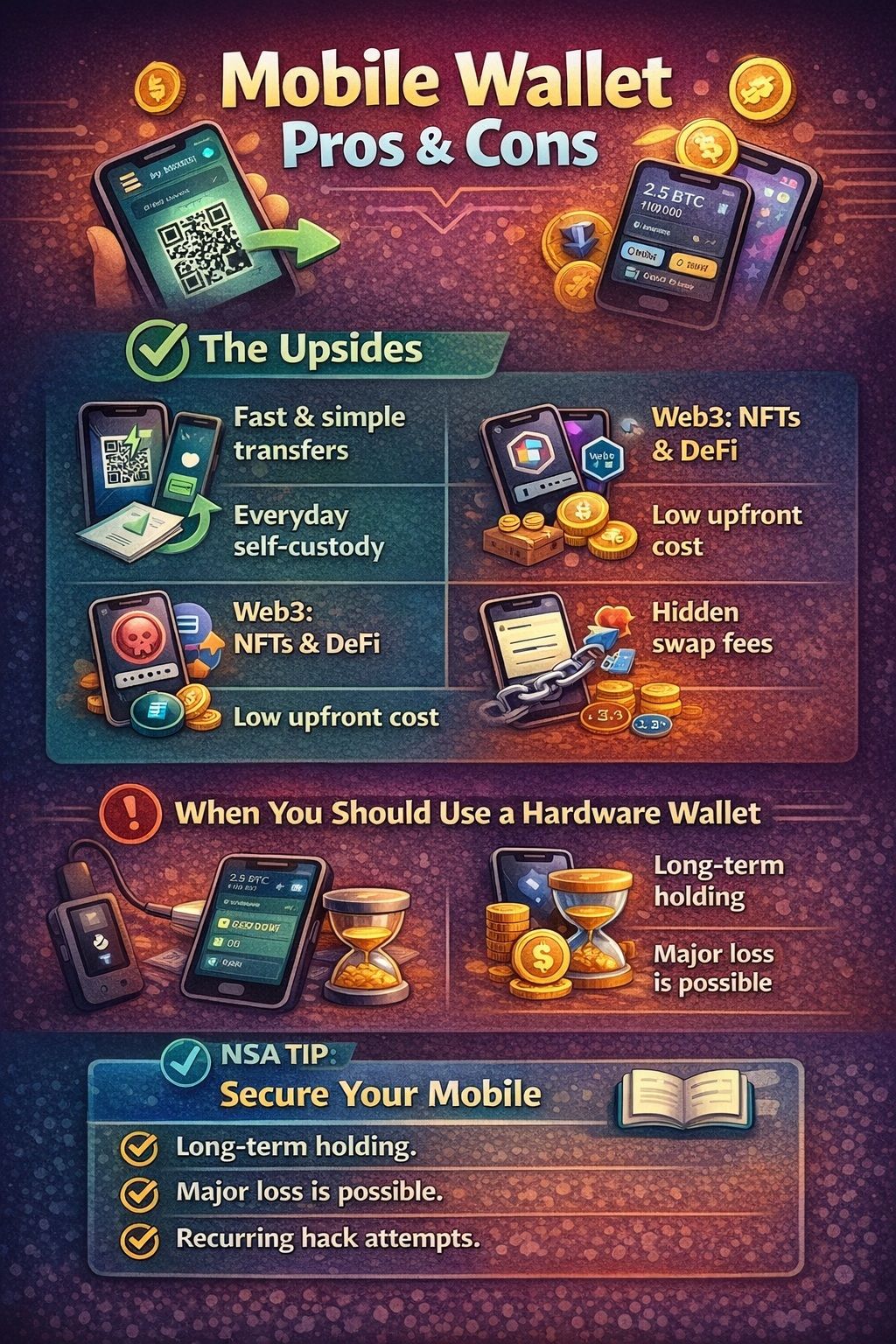 Mobile Wallets Trade Friction For Convenience, But Less Friction Often Means Higher Risk
The Upsides
- Fast transfers and QR scanning.
- Simple everyday access to self-custody.
- Easy entry into Web3, NFTs, and DeFi.
- Low upfront cost compared with hardware.
The Tradeoffs
- Phones are high-risk targets for phishing and malicious apps.
- Recovery mistakes are common and often irreversible.
- Swaps can include multiple fee layers, and those layers are not always obvious unless you read the quote.
When You Should Use a Hardware Wallet Instead
Use a hardware wallet if any of these are true:
- You are holding funds long-term and do not transact much.
- Losing the funds would materially affect your finances.
- You have been targeted before (phishing, SIM swap, device takeover).
- You want a setup where the phone cannot sign transactions alone.
Practical mobile-hardening habits are outlined in NSA guidance for mobile device best practices.

Final Verdict (So What Should You Download?)
Before you hit download, here’s the simplest way to pick the right wallet app based on what you care about most, security, recovery, DeFi access, or convenience.
If You Want Maximum Security
Choose Ledger Live or Trezor Suite with hardware. That is the clearest way to reduce the risk that a compromised phone can drain funds.
If You Want No Seed Phrase
Choose Zengo if your biggest risk is seed phrase mishandling and you prefer a seedless recovery model.
If You Want the Best All-Rounder
Trust Wallet is a solid pick if you want one app that covers lots of chains and includes Web3 features, without needing a “power user” configuration.
If You Mainly Use DeFi
Choose MetaMask for Ethereum and EVM DeFi. If you are multi-chain, OKX Wallet is often the better “one wallet across ecosystems” option.
Further Reading
- Best Crypto Wallets
- Best Crypto Desktop Wallets
- Best Android Bitcoin Wallets
- Best Android Crypto Wallets
- Best iOS Crypto Wallets
References, Disclosures and Update Policy
To keep this guide transparent and repeatable, here’s exactly how we tested these wallets, what we verified (and didn’t), how often we refresh the findings, and how disclosures affect (or don’t affect) the rankings.
Our Testing and Review Methodology
Devices tested (iOS/Android)
We performed checks on current iOS and Android devices with up-to-date OS versions at the time of review.
What we verified
- Setup and onboarding.
- Backup and recovery options exposed in-app.
- Basic send/receive with small test transactions.
- Presence of swaps, staking, NFTs, and DApp access where applicable.
- Clarity of network selection and signing prompts.
What we did not test
- No source code audit or penetration testing.
- No region-by-region benchmarking of every swap or bridge route.
- No long-duration support response-time study.
- No verification of every “supported token” claim across every chain.
Update policy
- Scores and fee notes reflect February 2026 checks.
- We update this article every quarter.
Editorial Independence + Affiliate Disclosure
Coin Bureau editorial decisions are independent. If affiliate links exist in a published version of this guide, they do not determine rankings or scores. Rankings reflect the rubric and documented checks.
Sources / References
Below are the security concept citations first, followed by official wallet documentation links (full URLs, clean, no query strings).
Security concepts (MPC, key management, wallet key standards)
Standards and academic papers
NIST key management
- NIST SP 800-57 Part 1 Rev. 5 (Recommendation for Key Management)
https://csrc.nist.gov/pubs/sp/800/57/pt1/r5/final - NIST SP 800-57 Part 1 Rev. 5 (PDF)
https://nvlpubs.nist.gov/nistpubs/specialpublications/nist.sp.800-57pt1r5.pdf
Secure Multi-Party Computation (MPC)
- “A Pragmatic Introduction to Secure Multi-Party Computation” (Evans et al., PDF)
https://www.cs.virginia.edu/~evans/pragmaticmpc/pragmaticmpc.pdf - Goldreich, Micali, Wigderson (GMW87) foundational MPC paper (PDF)
https://www.math.ias.edu/~avi/PUBLICATIONS/MYPAPERS/GMW87/GMW87.pdf
Bitcoin protocol documentation
- Bitcoin Developer Guide (transaction basics, fees vary with network demand and transaction size)
https://developer.bitcoin.org/devguide/transactions.html - BIP-32: Hierarchical Deterministic Wallets (HD wallets)
https://github.com/bitcoin/bips/blob/master/bip-0032.mediawiki - BIP-39: Mnemonic code (seed phrases)
https://github.com/bitcoin/bips/blob/master/bip-0039.mediawiki - BIP-44: Multi-Account Hierarchy for Deterministic Wallets
https://github.com/bitcoin/bips/blob/master/bip-0044.mediawiki
Wallet documentation
Ledger (Ledger Live / Support)
- Ledger Support (home)
https://support.ledger.com/ - How to swap through Ledger Live
https://support.ledger.com/article/How-to-swap-through-Ledger-Live - Supported crypto assets list
https://www.ledger.com/supported-crypto-assets
Trezor (Trezor Suite)
- Trezor Suite guides hub
https://trezor.io/guides/trezor-suite - Trezor supported coins and tokens
https://trezor.io/coins - Trezor Suite trade fees (dynamic fees explanation)
https://trezor.io/guides/sending-receiving-staking-funds/trading-crypto-in-trezor-suite/trade-crypto-in-trezor-suite
Binance Web3 Wallet
- Binance Wallet product page
https://www.binance.com/binancewallet - Wallet service fee schedule (token-group fee examples)
https://www.binance.com/en/support/faq/detail/87cbb1ca0df34a348eaecb73c26167d7
MetaMask
- MetaMask (home)
https://metamask.io/ - MetaMask Swaps supported networks
https://metamask.io/swaps - MetaMask Swaps fee user guide (0.875% fee description)
https://support.metamask.io/manage-crypto/move-crypto/swap/user-guide-swaps
SafePal
- SafePal (home)
https://www.safepal.com/ - SafePal Swap and Bridge fee (0.2% per order)
https://safepalsupport.zendesk.com/hc/en-us/articles/360061264311-SafePal-Swap-Bridge-Fee
Crypto.com Onchain
- Crypto.com Onchain (product page)
https://crypto.com/en/onchain - How to trade in Crypto.com Onchain (fee components by route)
https://help.crypto.com/en/articles/7911781-how-do-i-trade-in-crypto-com-onchain
Exodus
- Exodus supported assets list
https://www.exodus.com/assets - Exodus transaction fees (send/receive)
https://support.exodus.com/support/en/articles/8611278-does-exodus-have-transaction-fees-to-send-or-receive - WalletConnect in Exodus Mobile
https://support.exodus.com/support/en/articles/8598833-walletconnect-in-exodus-mobile - NFT Gallery in Exodus
https://support.exodus.com/support/en/articles/8598815-what-is-the-nft-gallery-in-exodus
Zengo
- Zengo MPC wallet explainer
https://zengo.com/mpc-wallet - Zengo swap fee explanation (up to 4%)
https://help.zengo.com/en/articles/4082376-how-does-swap-work - Zengo supported assets (network support table)
https://help.zengo.com/en/articles/2603677-which-assets-does-zengo-support
Trust Wallet
- Trust Wallet (home)
https://trustwallet.com/ - Trust Wallet swap fee FAQ
https://trustwallet.com/blog/guides/trust-wallet-faqs - Trust Wallet dApp browser explainer
https://trustwallet.com/blog/web3/exploring-the-dapp-browser-your-gateway-to-web3
Coinbase Wallet
- Supported assets and networks
https://help.coinbase.com/wallet/browser-extension/supported-networks-and-assets - Swap using a DEX (up to 1% fee)
https://help.coinbase.com/en/wallet/getting-started/dex-swap
OKX Wallet
- OKX Wallet (home)
https://web3.okx.com/ - OKX DEX interface fee schedule (0% / 0.25% / 0.85%)
https://web3.okx.com/dex-fees - OKX Wallet for Web3 guide (network coverage claim)
https://www.okx.com/learn/okx-wallet-for-web3
Mycelium
- Mycelium Wallet (official site)
https://wallet.mycelium.com/