Crypto wallets started as simple software apps that stored keys on internet-connected devices. As hacks and exchange failures highlighted the risks of always-online storage, hardware wallets emerged to keep private keys isolated in dedicated secure chips. Today, many users mix both: a mobile wallet for everyday transactions and a hardware wallet for long-term holdings.
The newest trend is hybrid ecosystems where one app can manage multiple wallet types, making it easier to follow that “spend hot, save cold” approach without juggling tools. Tangem fits this shift with an NFC-based hardware wallet model; tap a card or ring to approve transactions, alongside a Mobile Wallet mode inside the same app for phone-first self-custody and optional upgrade later as your needs and risks evolve.
Let's analyze and see what Tangem Mobile Wallet brings to the table.
Quick Verdict
Tangem’s Mobile Wallet is an app-only self-custody wallet mode designed to get you started without buying Tangem’s NFC hardware first. It’s a convenient way to test Tangem’s interface and manage crypto from your phone, as long as you treat backup as non-negotiable. Tangem is clear that a quick-start Mobile Wallet is not backed up by default, which means losing your phone or uninstalling the app before backing up can result in permanent loss of access.
Best For
- Beginners who want a simple entry point into self-custody.
- Users holding smaller balances while they learn the basics.
- Anyone who likes the idea of starting mobile-first, then upgrading later.
Not Ideal For
- Anyone who won’t complete backup right away.
- Users storing meaningful amounts on a phone-only setup.
- Heavy DApp users who want a DeFi-first wallet experience.
What Makes It Different From Tangem’s Hardware Model
With the hardware approach, Tangem leans on NFC taps for confirmations; with Mobile Wallet, approvals happen in-app.
What Is Tangem
Tangem is a blockchain-focused company that provides hardware wallets and non-custodial software solutions, and that it does not hold, custody, or control users’ assets or transactions. Any transaction services, where offered, are handled by third-party providers. You can think of this distinction like the difference between keeping cash in your own safe (self-custody) versus leaving it with a bank teller (custodial).
 Tangem is a Blockchain-focused Company that Provides Hardware Wallets and Non-Custodial Software Solutions. Image via Tangem
A Short History And Product Evolution
According to its company profile, Tangem was founded in 2017 and is headquartered in Zug, Switzerland. The product concept has consistently been “self-custody with less friction”: making crypto storage feel closer to everyday payment habits rather than a technical ceremony.
Tangem’s Unique Positioning: NFC Cards And The “Seedless” Model
Tangem is best known for an NFC tap-to-use hardware wallet experience: you tap a card (or ring) to a phone and approve transactions in the app; similar to how contactless payments work, except you’re approving a blockchain transaction. Tangem explains that when a wallet is created without a seed phrase, the private key is generated on the device’s chip using a hardware random number generator, and the key does not leave the chip in the clear. Instead of defaulting to a written recovery phrase, Tangem also supports backup via multiple devices/cards.
Where The Mobile App Fits In
Traditionally, the app is the control center while the hardware device protects the keys. More recently, Tangem added a Mobile Wallet mode so users can start with an app-only self-custody wallet and optionally upgrade later.
Let's break down the details of Tangem Mobile Wallet.
However, we also recommend you read our guides on:
Don't miss our full Tangem hardware wallet review, and also see how Tangem Pay works.
Tangem Mobile Wallet Overview
Tangem’s Mobile Wallet is Tangem’s way of letting you start self-custody in the app without buying a card first. The simplest way to think about it is: Tangem is offering a “try it on your phone” version of its wallet experience, with an optional upgrade path to the NFC hardware model later.
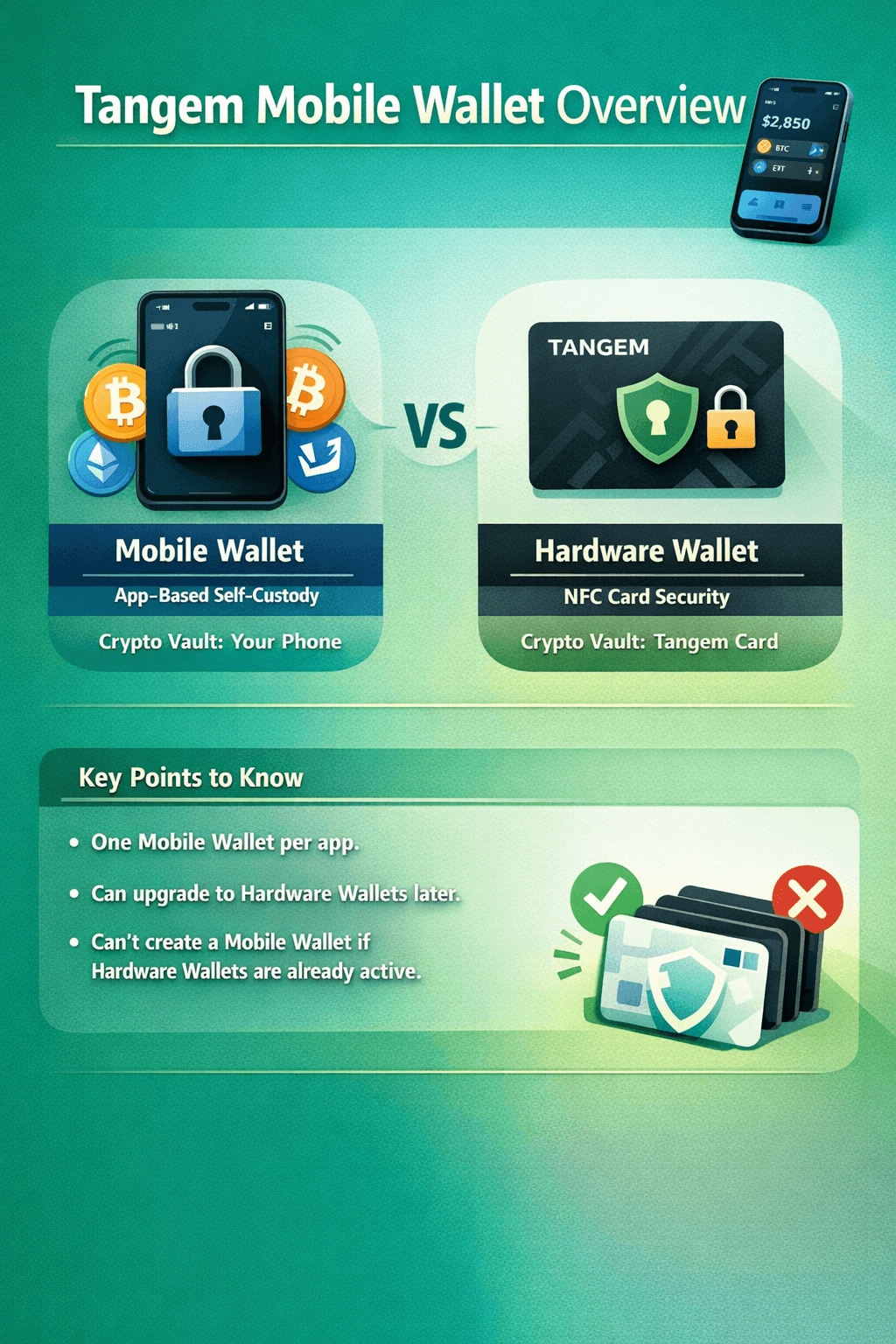 Tangem Mobile Wallet is a Free, App-based Crypto Wallet that lets you Create a Self-Custody Wallet directly inside the Tangem App
So, essentially, it is a free, app-based crypto wallet that lets you create a self-custody wallet directly inside the Tangem app. It’s positioned for people who want full control over their crypto now, but don’t necessarily want to commit to a hardware wallet on day one.
What It Is Not
The Mobile Wallet is not the same thing as Tangem’s NFC card-based Hardware Wallet. With hardware, the “vault” is the card; with Mobile Wallet, the “vault” is your phone. In other words, it’s closer to a traditional software wallet experience, even though it lives inside the same Tangem app.
Key Constraints To Know Up Front
Tangem’s help center calls out a few important limitations that shape how Mobile Wallet fits into the broader Tangem setup:
The app supports only one Mobile Wallet at a time.
If you start with a Mobile Wallet, you can later add one or more Hardware Wallets alongside it.
But if you already have a Hardware Wallet added in the app, Tangem says you won’t be able to create a Mobile Wallet in that same app environment.
How The Mobile Wallet Works
At a high level, Tangem’s Mobile Wallet works like most self-custody phone wallets: your private keys are created on your device, stored in the phone’s protected storage, and used to sign transactions when you approve an action in the app. The difference is mainly how Tangem packages the experience, and how it lets you later move to its NFC hardware model if you want.
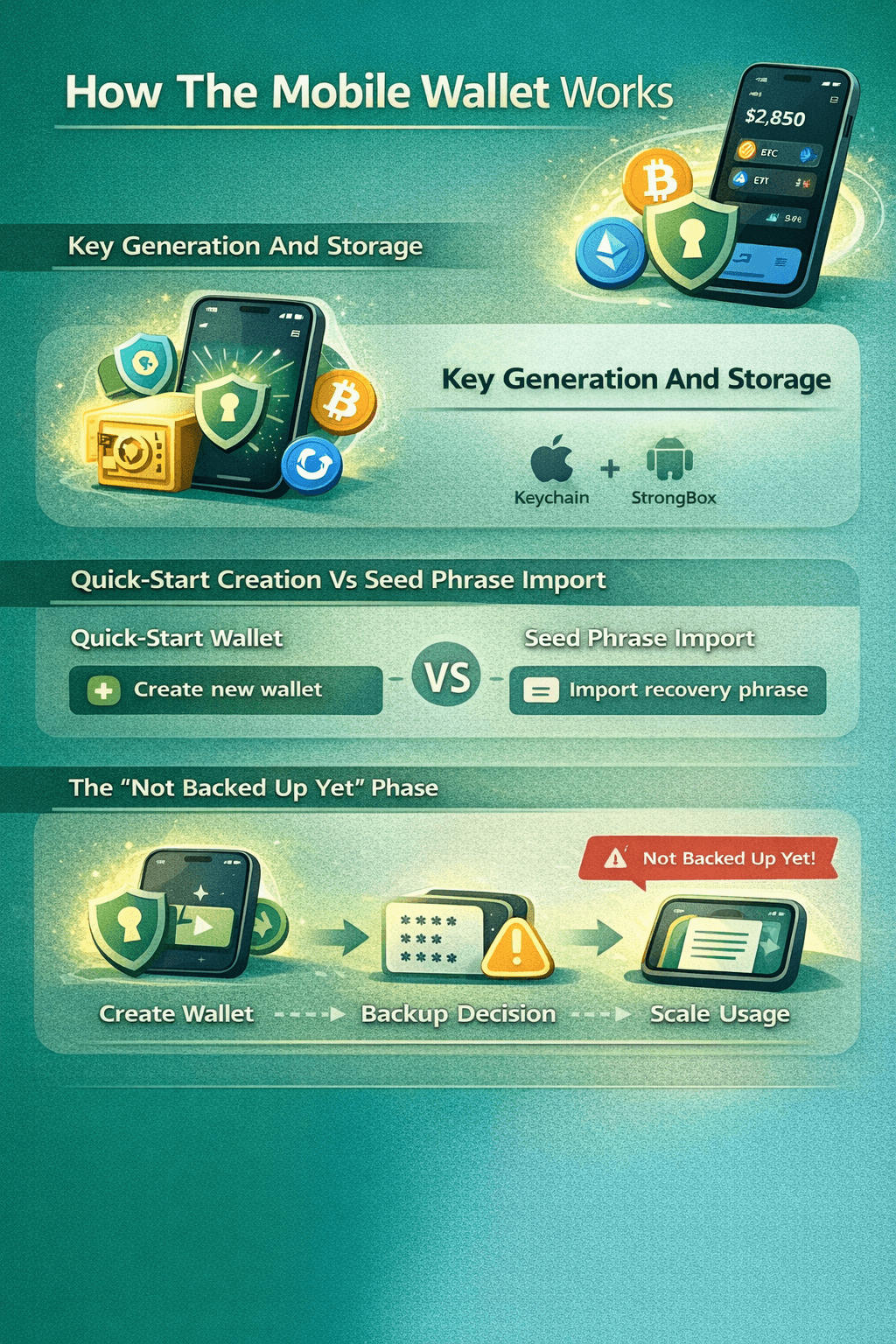 Tangem explicitly Warns that a Quick-Start Mobile Wallet is not Backed up by Default
Key Generation And Key Storage On A Phone
When you create a Mobile Wallet, Tangem says the wallet’s keys are generated on the smartphone and stored using the operating system’s secure storage mechanisms.
On iPhone, that protection is typically built around the Keychain and the device’s hardware-backed security features such as the Secure Enclave.
On Android, app keys are commonly protected via the Android Keystore system, and some devices add a dedicated hardware-backed option called StrongBox.
A beginner-friendly way to think about this: your phone is like a house with a small built-in safe. The safe isn’t invincible, but it’s meaningfully harder to break into than leaving valuables on the kitchen table.
Quick-Start Creation Vs Seed Phrase Import
Tangem supports two practical starting points:
Quick-Start Wallet: You create a fresh wallet in-app without typing in an existing recovery phrase.
Seed Phrase Import: You bring an existing wallet into Tangem by importing its recovery phrase.
The key concept is that importing a seed phrase is like copying a spare key into a new keyring: it can be convenient, but it also means the seed phrase must be handled carefully because anyone who gets it can recreate the same wallet elsewhere.
The “Not Backed Up Yet” Phase
Tangem explicitly warns that a quick-start Mobile Wallet is not backed up by default until you complete a backup method. It is critical to ensure you follow those instructions and see that you have everything set up and backed up for a seamless experience without any hiccups.
In simple terms:
“Create Wallet → Backup Decision → Safe To Scale Usage.”
Backups, Recovery, And Upgrading To Hardware
A self-custody wallet is only as resilient as its recovery plan. With Tangem’s Mobile Wallet, the most important thing to understand is that a quick-start wallet can exist in a “works fine today, but not recoverable yet” state until you complete a backup method. So, let's determine whether your wallet is suitable for meaningful balances.
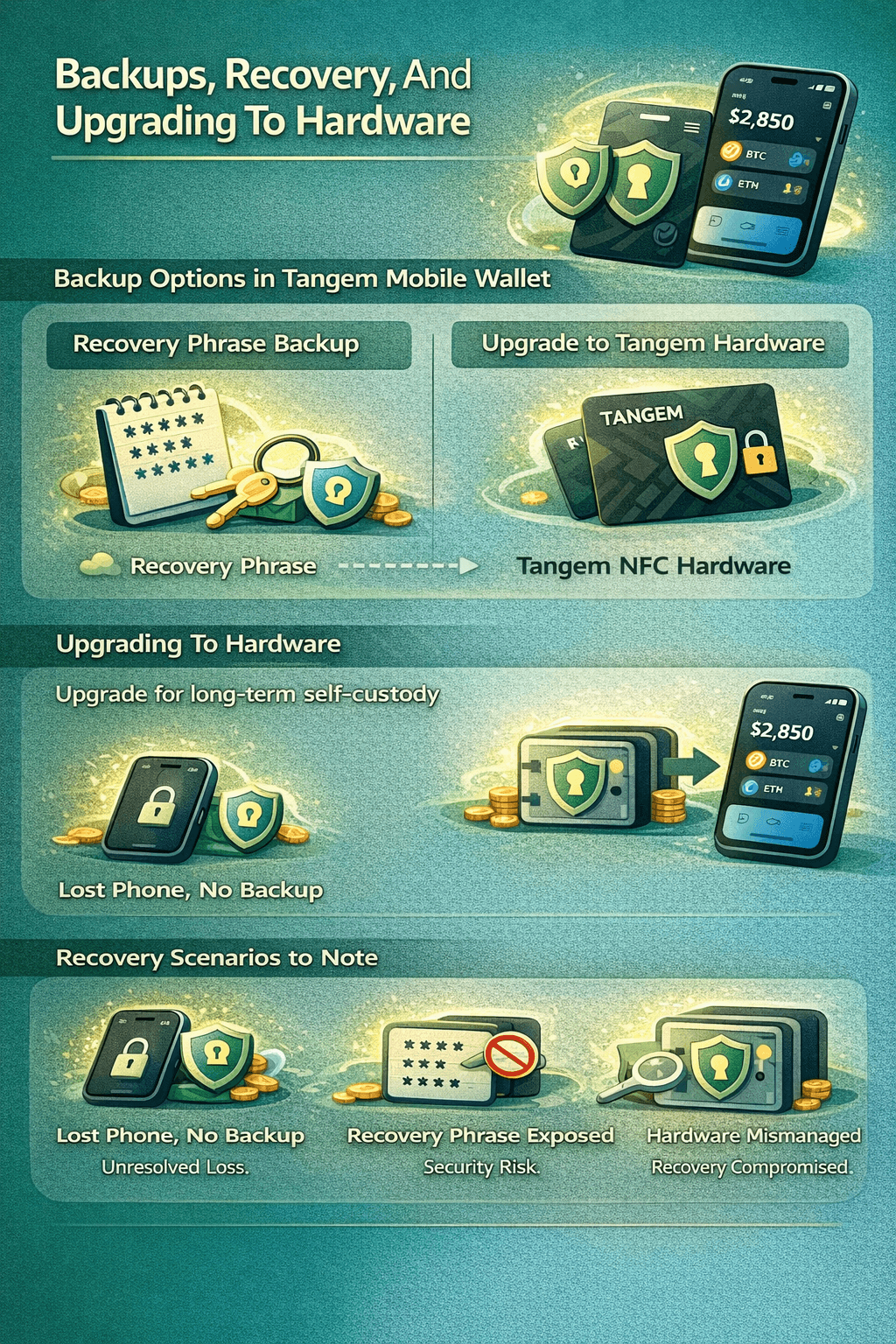 You either Back Up in the Traditional “Seed Phrase” Format, or You Move to Tangem’s Card-based Approach
Backup Options In Tangem Mobile Wallet
On its Mobile Wallet page referenced earlier, Tangem describes two main ways to make a Mobile Wallet recoverable:
Creating a Recovery Phrase backup, or
Upgrading The Current Wallet to Tangem’s NFC hardware model.
In other words, you either back up in the traditional “seed phrase” format, or you move to Tangem’s card-based approach.
Recovery Phrase Backup
When you choose a recovery phrase, you’re creating a portable backup that can recreate the same wallet on another device or compatible wallet app. The upside is broad compatibility and independence from any single device. The downside is that the recovery phrase becomes a high-value secret: anyone who gets it can restore the wallet elsewhere.
So, it is advisable to practice caution with sensitive information and its storage, which can potentially lead to your wallet and its assets being compromised.
Upgrading To Hardware
Tangem’s upgrade path is designed for users who want the convenience of starting on mobile, then switching to a setup where the private key is protected by the NFC hardware model. In Tangem’s flow, the Mobile Wallet acts as an on-ramp, while the hardware setup becomes the long-term “key holder” for signing and access.
Recovery Scenarios And Common Failure Modes
A few scenarios are worth stating plainly:
If you create a quick-start wallet and don’t complete a backup, losing access to the phone (loss, damage, uninstall) can mean losing access to the wallet.
If you back up with a recovery phrase, the main risk shifts to phrase exposure (phishing, screenshots, cloud sync, unsafe storage).
If you upgrade to hardware, recovery depends on how you manage and store the hardware setup over time.
Security And Audit Findings
Mobile wallets live on general-purpose, internet-connected devices, so security is a mix of wallet design, device hygiene and personal awareness. Tangem’s Mobile Wallet is built to rely on the protections your phone already provides, but it’s still important to understand what those protections cover, and what they don’t.
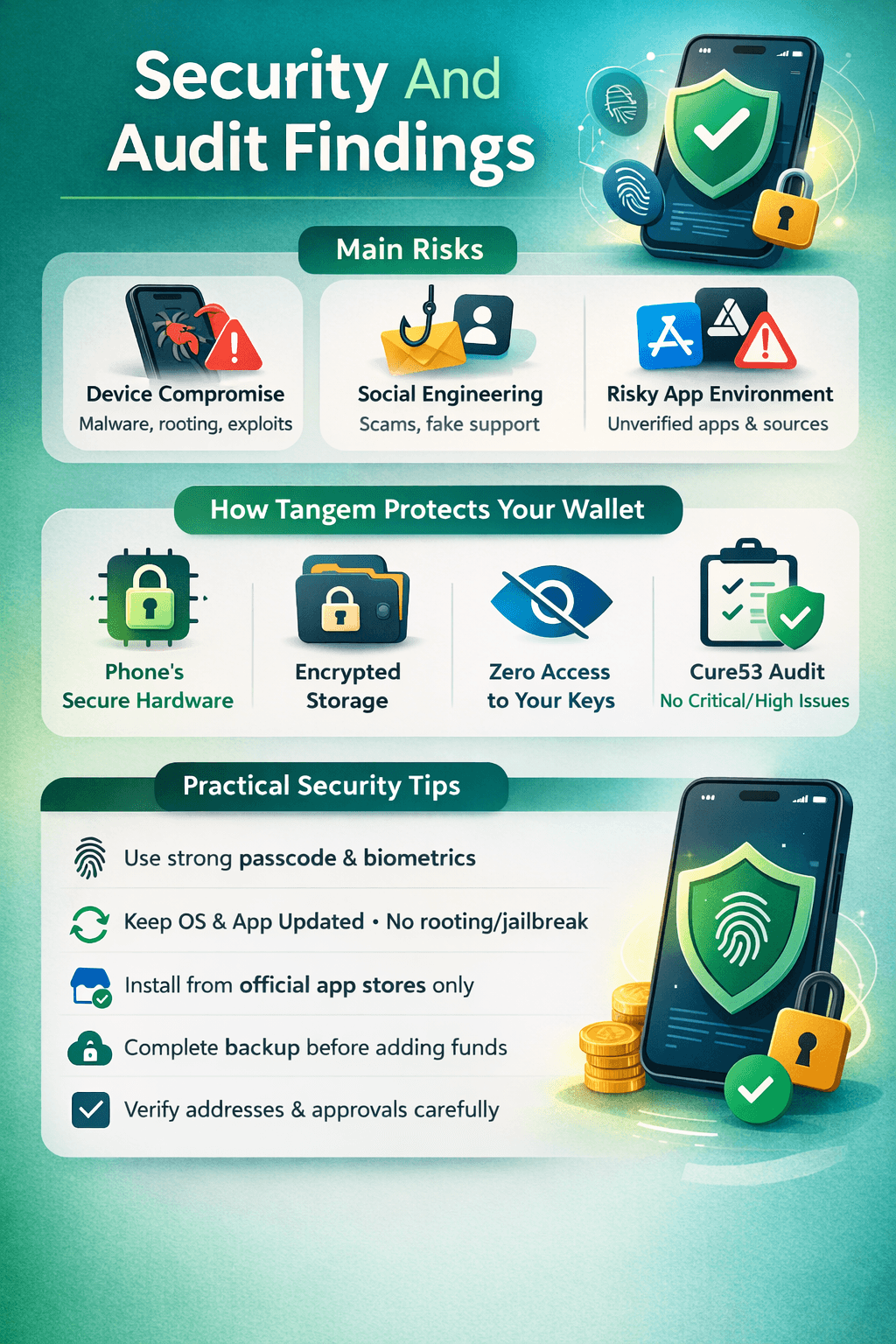 Security is a Mix of Wallet Design, Device Hygiene and Personal Awareness
Mobile Wallet Threat Model
For most users, the real-world risks tend to fall into a few buckets:
Device Compromise: If a phone is rooted/jailbroken or infected with malware, an attacker may be able to interfere with what you see or approve.
Social Engineering: Fake support, spoofed websites, and “verify your wallet” scams often aim to trick users into giving up recovery data or approving malicious transactions.
Risky App Environment: Installing unknown apps, sideloading, or using unofficial app stores can increase exposure to malicious software.
How Tangem Says Mobile Wallet Security Works
Tangem states that when you create a Mobile Wallet, sensitive wallet data is encrypted using the phone’s secure hardware (such as Secure Enclave on iOS or StrongBox on Android) and then stored in system secure storage (Keychain on iOS or Keystore on Android), which is isolated from other apps by the operating system.
On the custody side, Tangem also states it has zero knowledge of your private keys and therefore cannot access, recover, or freeze assets in a Mobile Wallet.
The Cure53 Audit
Tangem commissioned an independent assessment from Cure53, which published an independent summary report covering a white-box review of the Tangem Android and iOS SDKs (completed in Q4 2025, with work performed in November 2025, and the summary dated February 10, 2026). Cure53 reports no Critical or High-severity vulnerabilities were found, and notes that issues identified during the review were addressed and validated.
It’s still worth keeping expectations grounded: an audit is a high-quality snapshot of a defined scope and time window, not a lifetime guarantee. Updates, new features, and evolving attack techniques can change the risk profile; so ongoing reviews and good user practices still matter.
Practical Security Recommendations
Use A Strong Passcode And Biometrics: Mobile Wallet security depends on your phone’s lock protections, so use a strong passcode and enable Face ID/Touch ID or Android biometrics.
Avoid Rooting/Jailbreaking And Stay Updated: Keep your OS and the Tangem app updated, and avoid modified devices.
Install Only From Official App Stores: Unofficial APKs and lookalike apps are a common wallet attack path.
Complete Backup Before Storing Meaningful Funds: Tangem notes a quick-start Mobile Wallet is not backed up by default until you complete backup (recovery phrase or upgrade to hardware).
Verify What You Approve: Double-check addresses, amounts, and DApp permissions before signing.
Features And Supported Assets
Tangem positions the Mobile Wallet as a full-featured wallet experience inside the Tangem app, so it’s not just “receive and hold.” The important nuance is that feature availability can vary by asset, network, and region, especially for third-party services like buying and selling.
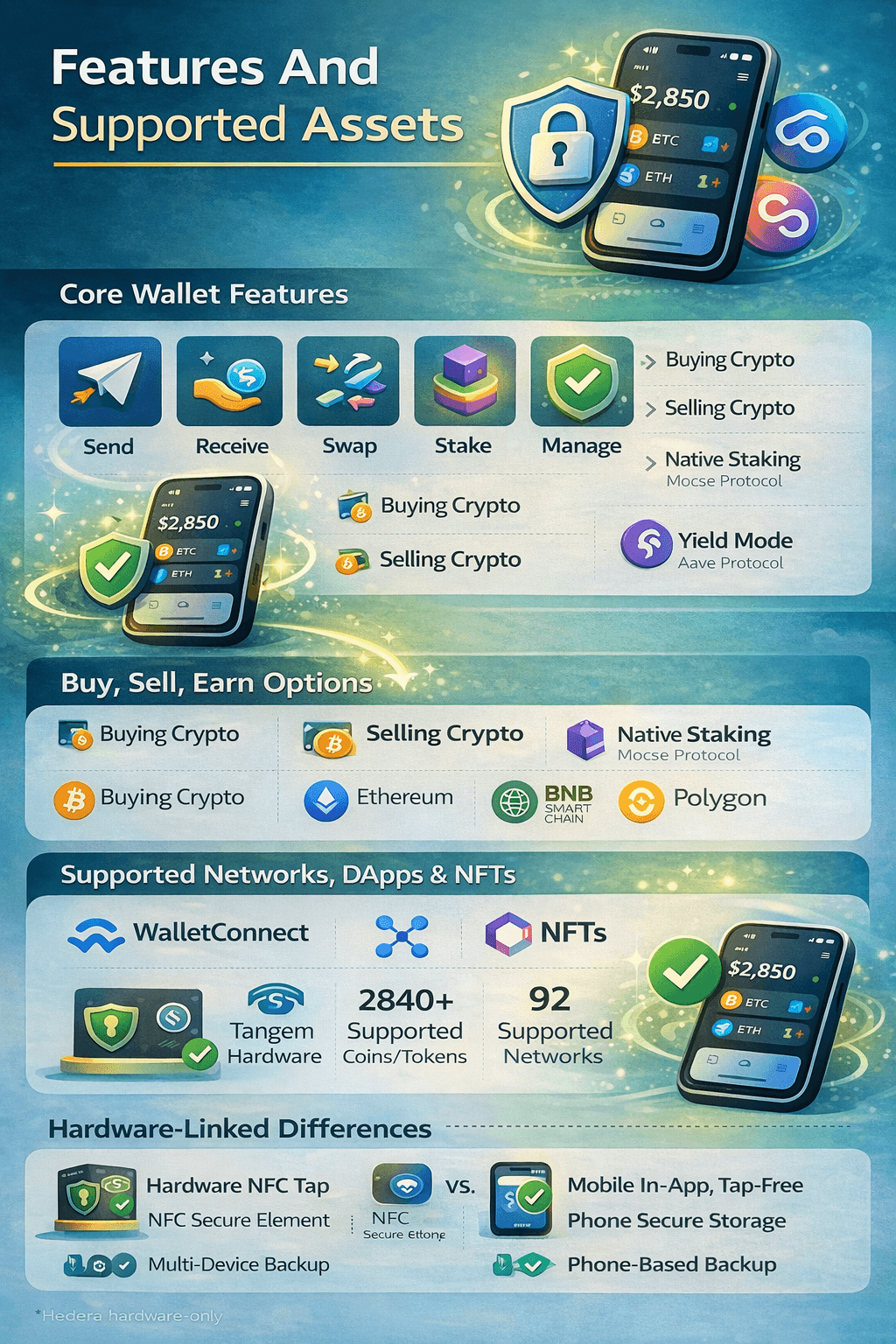 Feature Availability can Vary by Asset, Network, and Region
Core Wallet Features In Mobile Wallet
Tangem states you can send, receive, swap, stake, and manage crypto directly from your smartphone when using the Mobile Wallet.
Depending on what you’re trying to do, Tangem also supports:
Buying Crypto via integrated on-ramp services (availability depends on the provider and your country).
Selling Crypto via an integrated sell flow (Tangem notes token and country support can affect whether selling is available).
Native Staking for supported assets using the app’s staking feature.
Yield Mode through Tangem Yield, which Tangem says integrates with the Aave protocol.
DApps, NFTs, And What’s Actually Supported
For DApp access, Tangem supports connecting through WalletConnect, and confirms that Mobile Wallet transactions can be approved directly in-app without needing a hardware tap.
For assets, Tangem maintains a continuously updated Supported Coins And Tokens list that also shows which actions (like send/receive, buy, swap) are available per asset and network. As per the list, the total roughly amounts to 2840 assets.
Tangem also documents NFT support, including 92 supported networks and standards. Some major networks include:
Bitcoin
Ethereum
Solana
BNB Smart Chain
Polygon
Note: Hedera is available only for Tangem Hardware Wallets and is not supported in the Mobile Wallet.
Hardware-Linked Features That Work Differently
Approvals: Hardware wallets use NFC taps to confirm; Mobile Wallet confirms in-app.
Key Storage: Hardware keeps keys in a secure element; Mobile Wallet relies on phone secure storage.
Recovery: Hardware supports multi-device backup via Tangem’s wallet setup model; Mobile Wallet recovery depends on completing backup (phrase or upgrade).
Support Differences: Some assets can differ by wallet type (example: Hedera is hardware-only).
Fees, Limits, And Privacy
Before using any wallet features beyond simple sending and receiving, it helps to separate what’s “blockchain-native” (like network fees) from what’s “service-layer” (like buy/sell providers that can set their own fees and identity checks).
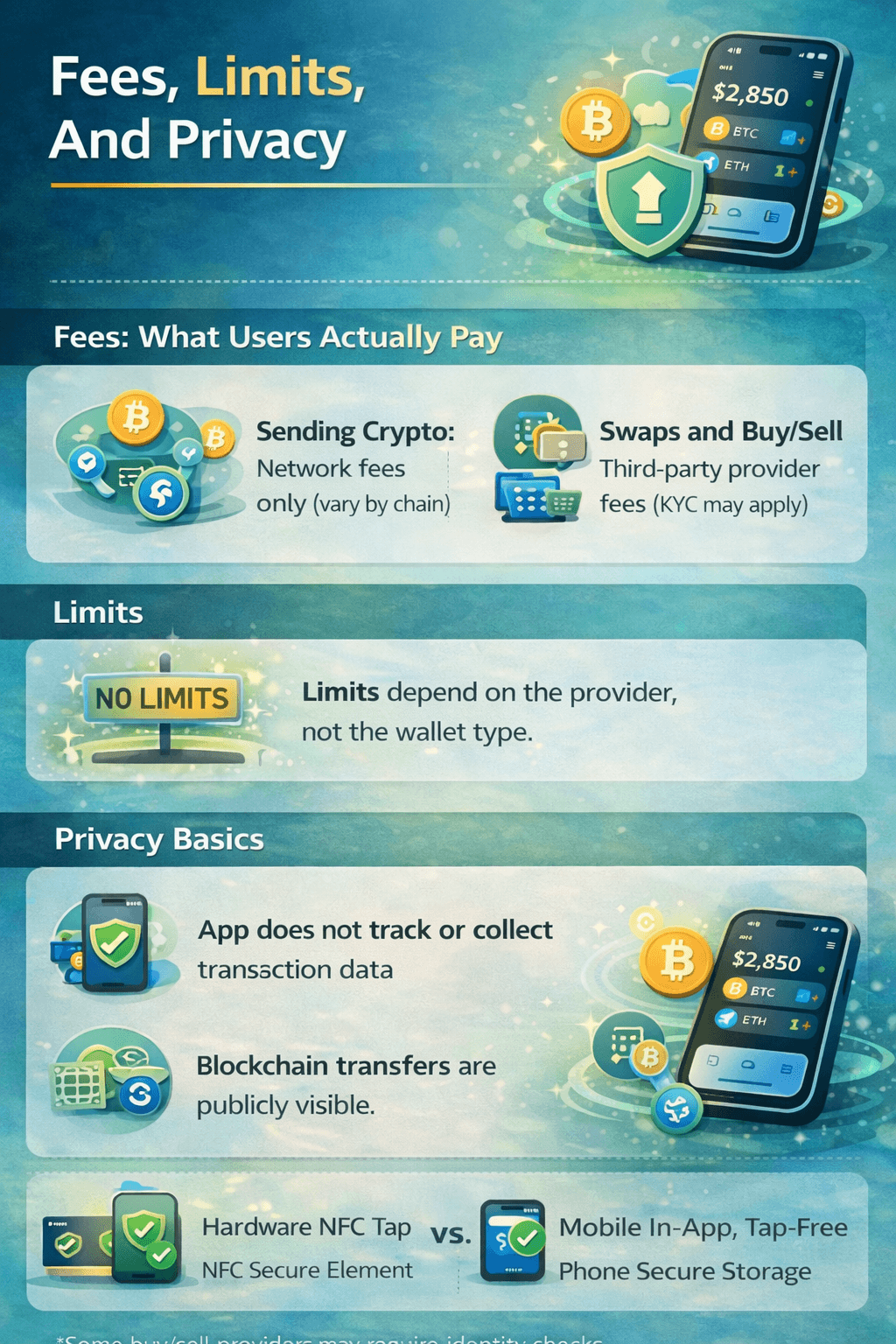 There are No Limits Specific to Tangem Mobile Wallet for Buying, Selling, or Swapping
Fees: What Users Actually Pay
Sending crypto: Tangem states you pay only the network (blockchain) fee, and that Tangem does not add an extra commission for the transfer. Fees vary by chain and network conditions.
Swaps and buy/sell features: Tangem routes you through third-party providers, so pricing can include provider fees or spreads, and some providers may require KYC depending on their rules.
Limits
Tangem states there are no limits specific to Tangem Mobile Wallet for buying, selling, or swapping. Any applicable limits depend on the service/provider, not the wallet type.
Privacy Basics
Tangem says the app does not track incoming/outgoing transactions and does not collect wallet addresses or other identifying data. However, blockchain transfers are generally visible on a public ledger, reinforced by Bitcoin's privacy protection guidelines. Also note that third-party buy/sell flows can involve identity checks, and Tangem’s sell flow notes you’ll be redirected to a provider and may need KYC.
We recommend you to check out our primer on KYC AML basics to understand how it works in the crypto industry.
Getting Started And Safe Setup Checklist
Setting up Tangem’s Mobile Wallet is straightforward, but a safe setup comes down to one decision: how you’ll back it up. Tangem notes that a quick-start Mobile Wallet is not backed up by default, so treat backup as part of the initial setup, and not something to “get to later.”
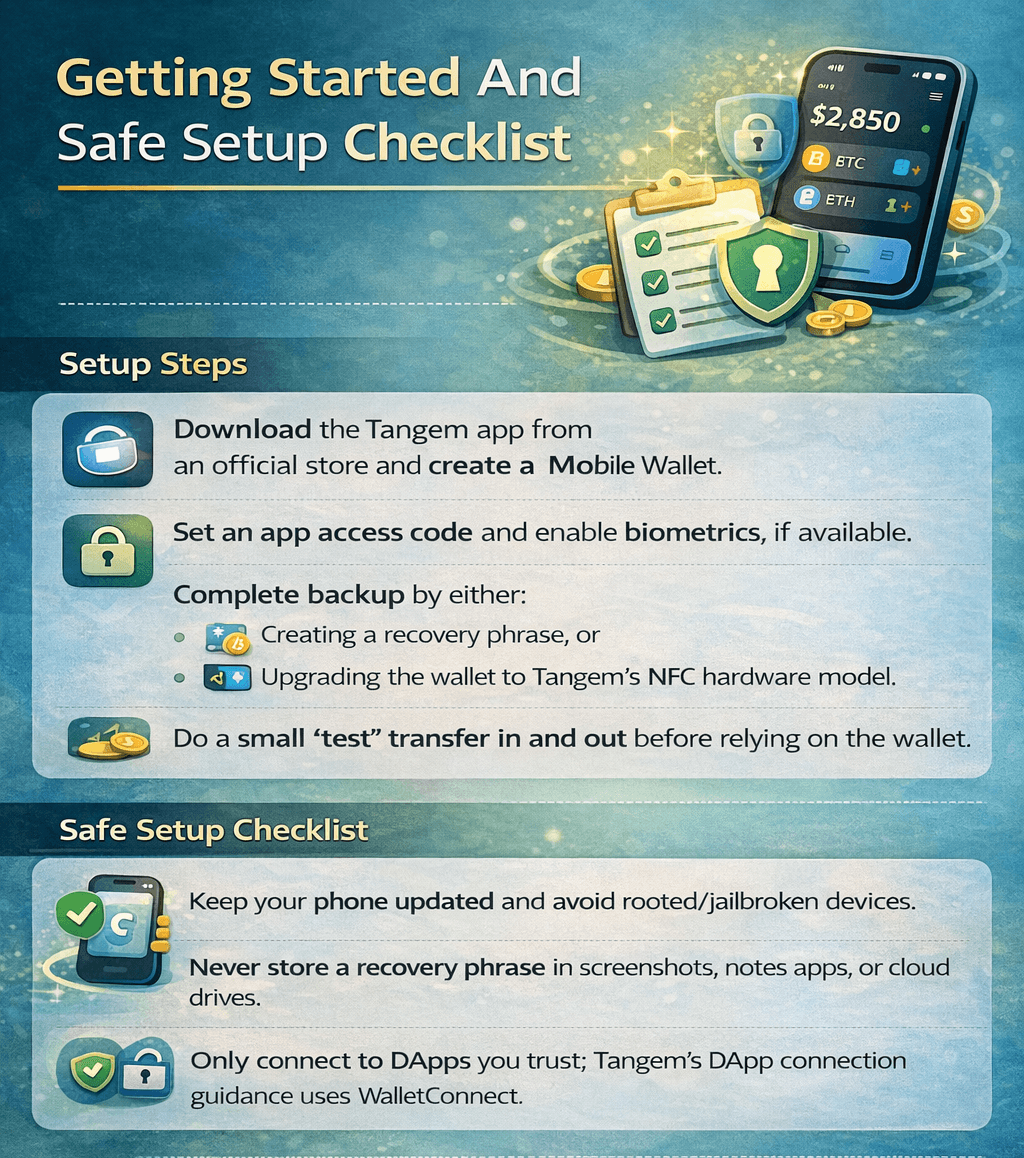 Never Store a Recovery Phrase in Screenshots, Notes Apps, or Cloud Drives
Setup Steps
Download the Tangem app from an official store and create a Mobile Wallet.
Set an app access code and enable biometrics, if available.
Complete backup by either:
Creating a recovery phrase, or
Upgrading the wallet to Tangem’s NFC hardware model.
Do a small “test” transfer in and out before relying on the wallet.
Safe Setup Checklist
Keep your phone updated and avoid rooted/jailbroken devices.
Never store a recovery phrase in screenshots, notes apps, or cloud drives.
Only connect to DApps you trust; Tangem’s DApp connection guidance uses WalletConnect.
Tangem Mobile Wallet Vs Alternatives
Choosing a wallet is less about “which is best” and more about what you plan to do: basic self-custody on a phone, frequent DApp use, or a longer-term setup that can graduate into hardware. Below is a practical comparison of Tangem Mobile Wallet versus three popular software-wallet alternatives.
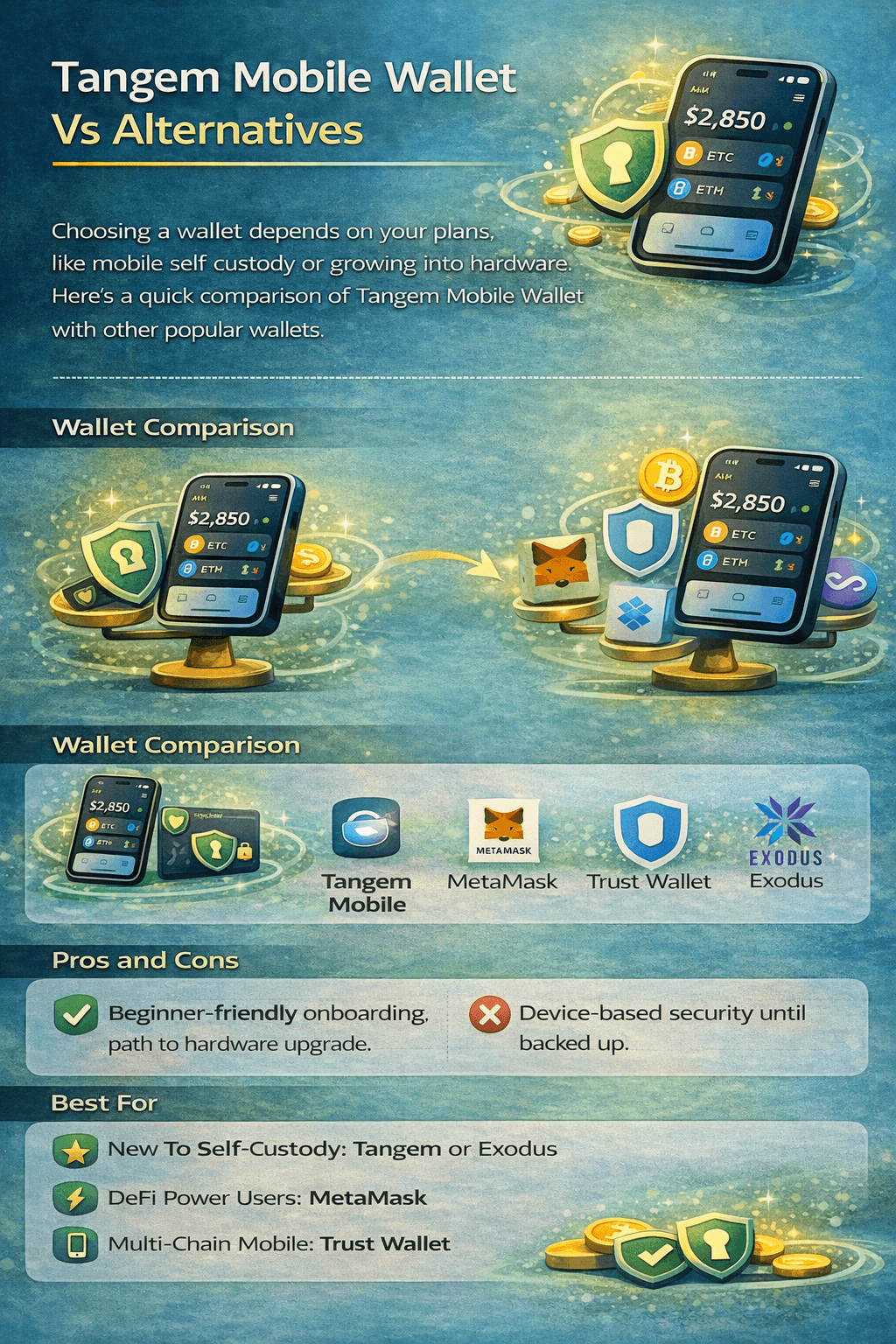 Choosing a Wallet is Less about “which is Best” and More about what You Plan to Do
Wallet | Custody Model | Backup Model | DApp Connectivity | Strengths | Trade-Offs |
|---|---|---|---|---|---|
Tangem Mobile Wallet | Self-Custody | Backup must be completed (phrase or upgrade) | WalletConnect | Simple onboarding, clear upgrade path to NFC hardware | Security depends on phone; quick-start isn’t recoverable until backed up |
Self-Custody | Secret Recovery Phrase | Strong for EVM DeFi, broad DApp support, mature permission controls | More “DeFi-native” complexity for beginners | ||
Self-Custody | Recovery Phrase Backup | Built-in DApp access + WalletConnect | Broad multi-chain focus, mobile-first UX | Feature depth varies by chain; third-party services vary by region | |
Self-Custody | Secret Recovery Phrase | Limited compared with DeFi-first wallets | Beginner-friendly design, strong desktop + mobile pairing | Not as DApp-centric as MetaMask/Trust |
Pros And Cons: Tangem Mobile Wallet In Context
Pros
Beginner-friendly entry to self-custody inside one app.
A distinct “upgrade to hardware” path for users who want stronger key isolation later.
Cons
Quick-start remains a risk until backup is completed.
The security posture is tied to the device (OS security, updates, and app hygiene).
Best For By User Type
New To Self-Custody: Tangem Mobile Wallet or Exodus (simpler day-to-day UX).
DeFi Power Users On EVM Chains: MetaMask (deep DApp compatibility).
Mobile-First Multi-Chain Users: Trust Wallet (broad chain coverage).
“Mobile App Plus Easy Hardware Integration” Users: Tangem Mobile Wallet (clear migration path).
Check out our exclusive reviews of:

Final Verdict
Tangem’s Mobile Wallet is best understood as a low-friction on-ramp to self-custody inside the Tangem app. If you want to start managing crypto from your phone without buying hardware first, it gives you a clean path to do that. Just keep one rule front and center: a quick-start Mobile Wallet isn’t truly “set up” until you finish backup. Tangem is explicit that the Mobile Wallet isn’t backed up by default, so it’s worth treating backup as part of day-one setup, not an optional extra.
From there, your options are straightforward. If you’re comfortable managing a recovery phrase, you can stick with a phone-first wallet workflow. If you’d rather avoid relying on a written phrase and want stronger key isolation, Tangem’s design lets you upgrade into its NFC hardware model over time. And if your priority is deep DeFi use or constant DApp interaction, a DeFi-first wallet may fit better.
The “right” choice comes down to how you use crypto, and how much risk you’re willing to take with a phone-only setup.